
The model was removed from huggingface, so I re-uploaded it here from modelscope repo (the MIT license allows this).




Introduction
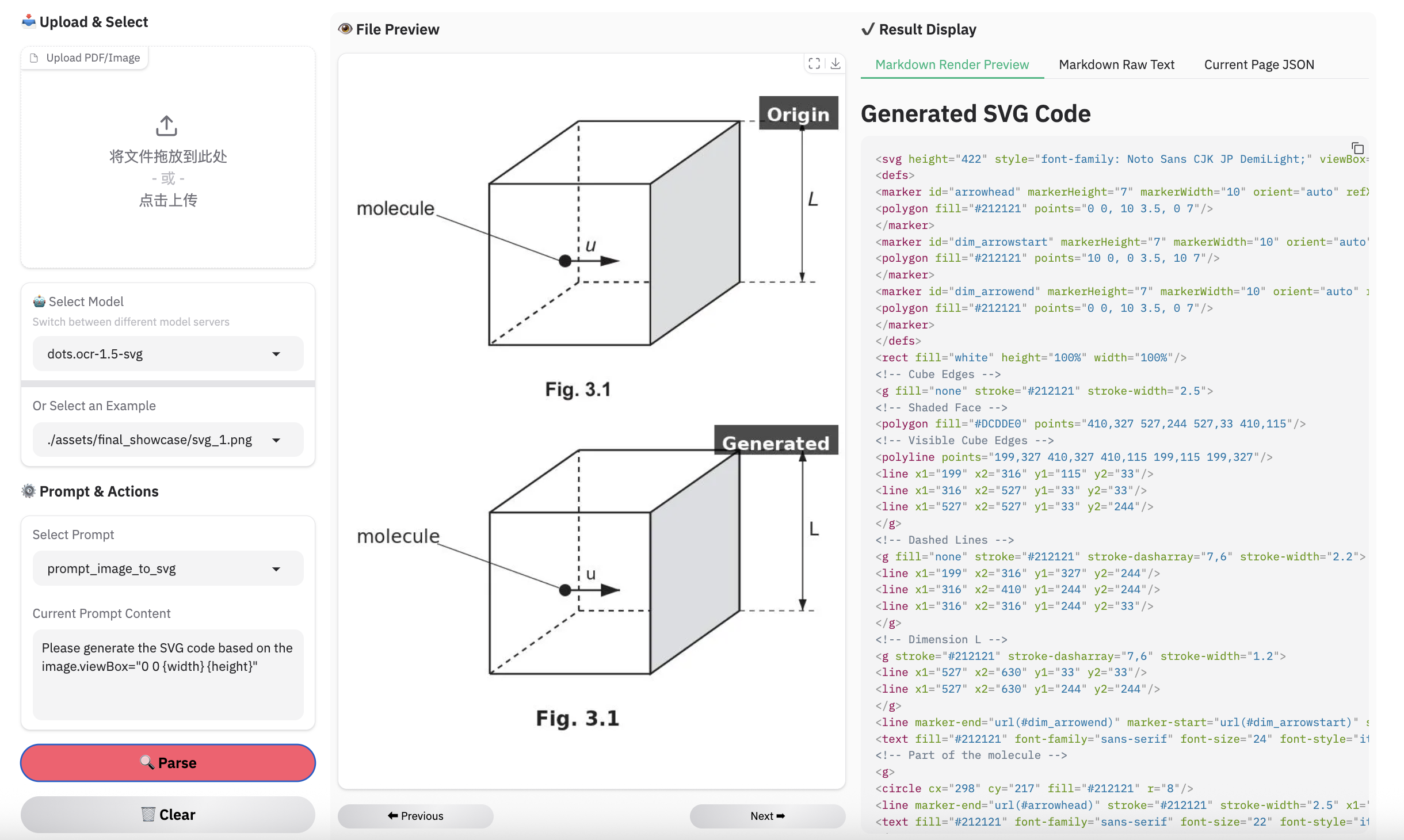
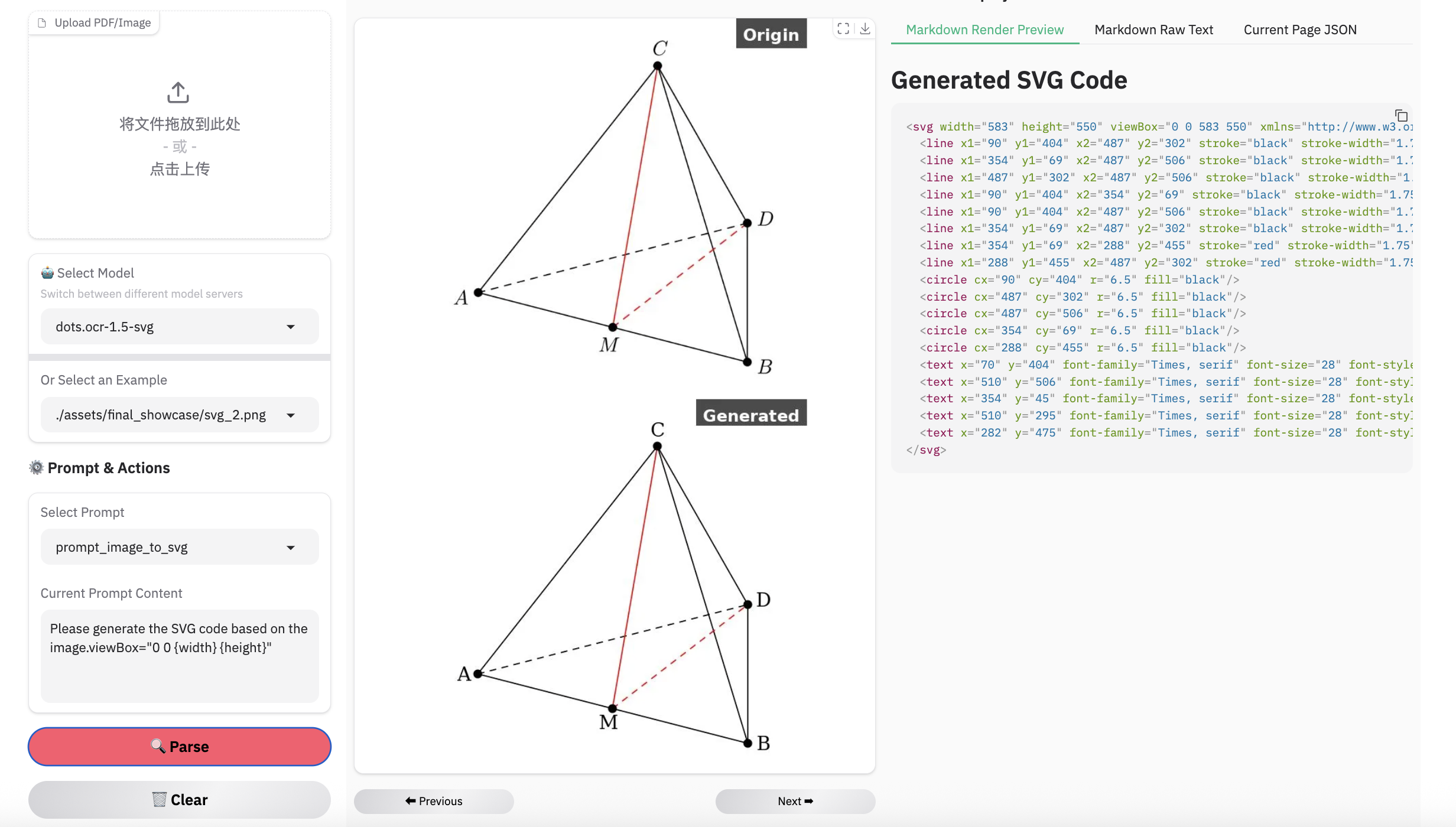
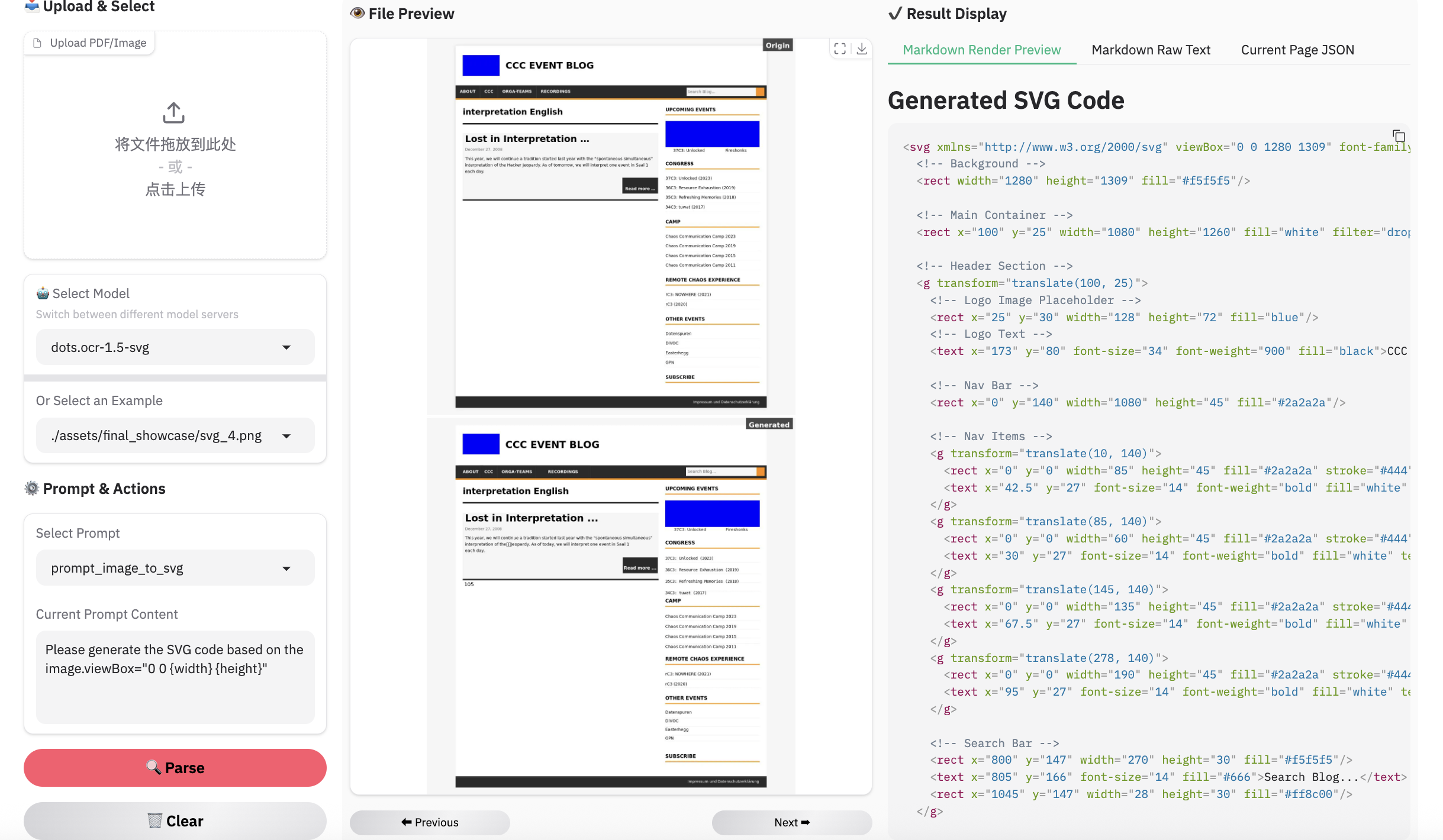
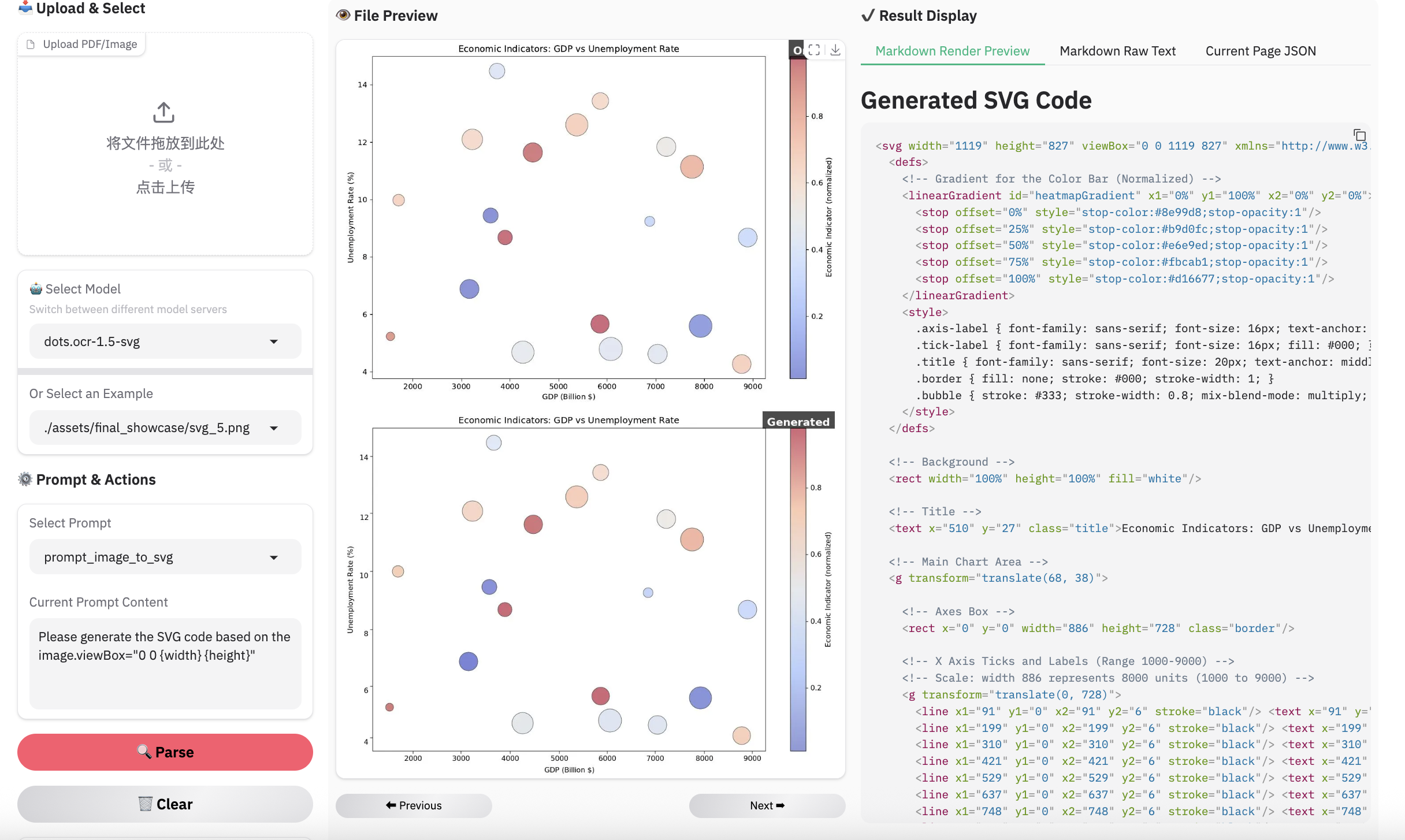
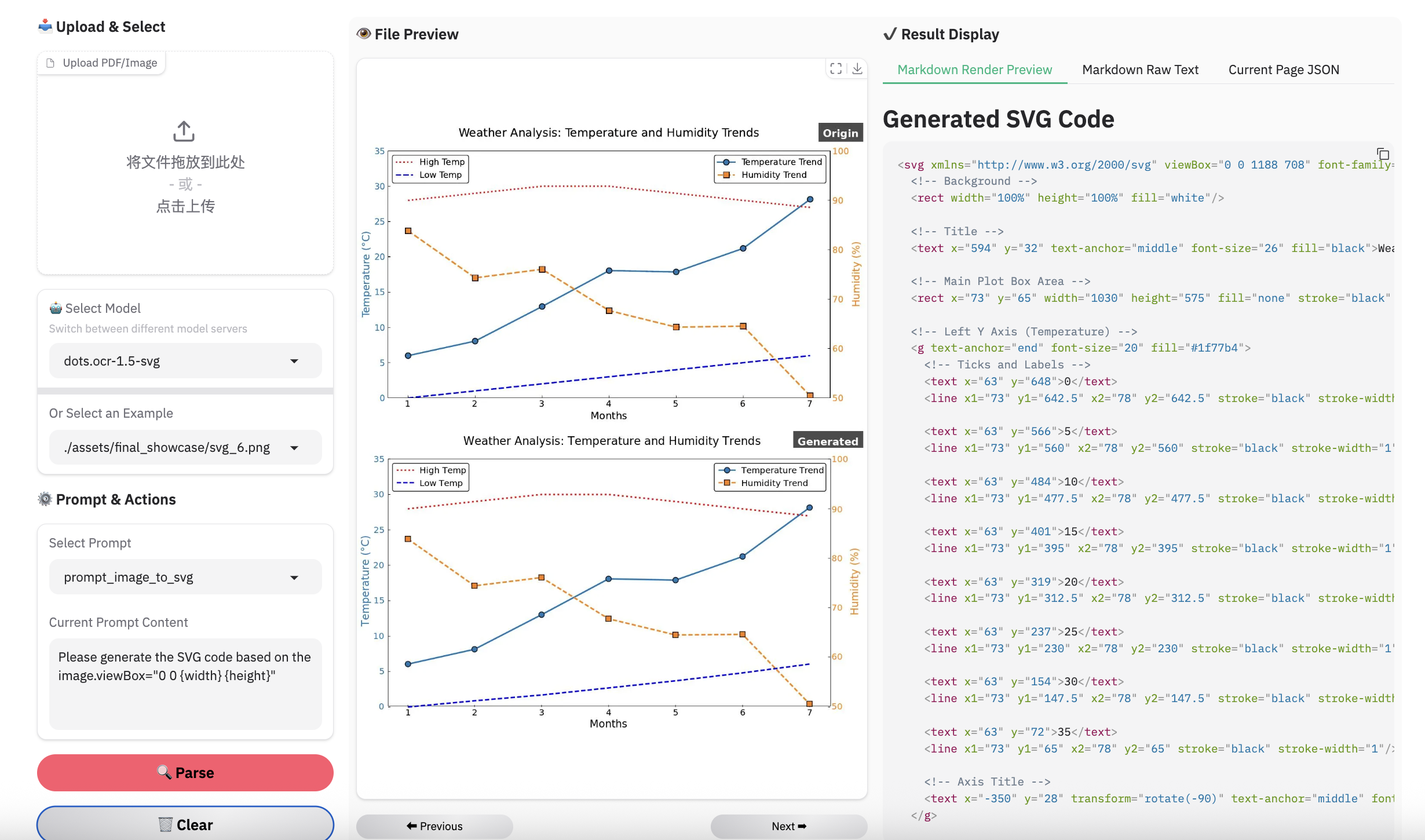
We present dots.ocr-1.5-svg, a 3B-parameter multimodal model composed of a 1.2B vision encoder and a 1.7B language model. As an enhanced version of dots.ocr-1.5, this model is specifically optimized for converting structured graphics (e.g., charts and diagrams) directly into SVG code. We have validated the effectiveness of this approach, demonstrating impressive results in structural and semantic recognition.
Evaluation of Vision-Language Parsing
Visual languages (e.g., charts, graphics, chemical formulas, logos) encapsulate dense human knowledge. dots.ocr-1.5 unifies the interpretation of these elements by parsing them directly into SVG code.
| Methods | Unisvg | Chartmimic | Design2Code | Genexam | SciGen | ChemDraw | ||
|---|---|---|---|---|---|---|---|---|
| Low-Level | High-Level | Score | ||||||
| OCRVerse | 0.632 | 0.852 | 0.763 | 0.799 | - | - | - | 0.881 |
| Gemini 3 Pro | 0.563 | 0.850 | 0.735 | 0.788 | 0.760 | 0.756 | 0.783 | 0.839 |
| dots.ocr-1.5 | 0.850 | 0.923 | 0.894 | 0.772 | 0.801 | 0.664 | 0.660 | 0.790 |
| dots.ocr-1.5-svg | 0.860 | 0.931 | 0.902 | 0.905 | 0.834 | 0.8 | 0.797 | 0.901 |
Note:
- We use the ISVGEN metric from UniSVG to evaluate the parsing result. For benchmarks that do not natively support image parsing, we use the original images as input, and calculate the ISVGEN score between the rendered output and the original image.
- OCRVerse results are derived from various code formats (e.g., SVG, Python), whereas results for Gemini 3 Pro and dots.ocr-1.5 are based specifically on SVG code.
- Due to the capacity constraints of a 3B-parameter VLM, dots.ocr-1.5 may not excel in all tasks yet like svg. To complement this, we are simultaneously releasing dots.ocr-1.5-svg. We plan to further address these limitations in future updates.
Quick Start
1. Installation
Install dots.ocr-1.5
conda create -n dots_ocr python=3.12
conda activate dots_ocr

git clone https://github.com/rednote-hilab/dots.ocr.git
cd dots.ocr

# Install pytorch, see https://pytorch.org/get-started/previous-versions/ for your cuda version
pip install torch==2.7.0 torchvision==0.22.0 torchaudio==2.7.0 --index-url https://download.pytorch.org/whl/cu128
pip install -e .
If you have trouble with the installation, try our Docker Image for an easier setup, and follow these steps:
git clone https://github.com/rednote-hilab/dots.ocr.git
cd dots.ocr
pip install -e .
Download Model Weights
💡Note: Please use a directory name without periods (e.g.,
DotsOCR_1_5instead ofdots.ocr-1.5) for the model save path. This is a temporary workaround pending our integration with Transformers.
python3 tools/download_model.py
2. Deployment
vLLM inference
We highly recommend using vllm for deployment and inference.
# launch vllm server
## dots.ocr-1.5-svg
CUDA_VISIBLE_DEVICES=0 vllm serve rednote-hilab/dots.ocr-1.5-svg --tensor-parallel-size 1 --gpu-memory-utilization 0.9 --chat-template-content-format string --served-model-name model --trust-remote-code

# vllm api demo
## image parsing with svg code
python3 ./demo/demo_vllm_svg.py --prompt_mode prompt_image_to_svg
4. Demo
Have fun with the live demo.
Examples for image parsing
Limitation & Future Work
Complex Document Elements:
- Table&Formula: The extraction of complex tables and mathematical formulas persists as a difficult task given the model's compact architecture.
- Picture: We have adopted an SVG code representation for parsing structured graphics; however, the performance has yet to achieve the desired level of robustness.
Parsing Failures: While we have reduced the rate of parsing failures compared to the previous version, these issues may still occur occasionally. We remain committed to further resolving these edge cases in future updates.
- Downloads last month
- 26