
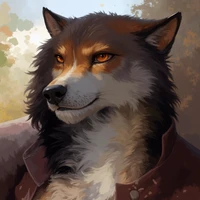
Impressive results, just some minor annoyances

I've been experimenting extensively with it over the past couple of days, comparing results with some previous images I've done with Kroma and with base moss and the results are impressive! At the end, I'm getting better results with the 8 steps 2dmd workflow.
Some examples:


I've noticed a few recurring issues across different prompts and seeds tho:
- Anatomy: Malformed limbs, unnatural body proportions, distorted hands, and occasionally strange facial features. This is specially recurrent with NSFW images.
- Watermark and text artifacts: Unwanted watermarks, logos, and text occasionally appear despite being explicitly excluded in the negative prompt.
- Negative prompt effectiveness: The model frequently ignores explicit negative instructions, particularly those intended to prevent watermarks, text artifacts, and anatomical defects. Increasing CFG above 1.1 (I've tested up to 1.6) doesn't seem to have much impact.
- Depth of field: Kromoss consistently introduces shallow depth of field, even when it isn't requested. While this may look aesthetically pleasing at first, not every photograph benefits from shallow DoF. More importantly, the focus rendering is sometimes optically inconsistent, with objects appearing blurred when they should be sharp based on their distance from the camera and the apparent focal plane. I wonder whether there might be an aesthetic bias toward shallow DoF in the training or fine-tuning data contributing to this behavior.
Limbs example:
These issues appear inconsistently, which makes them difficult to address through prompting alone.
Edited note: I did more testing, if we just leave the issues mentioned to a side, it can create remarkably stunning outputs. Ive been impressed with how well can perform with complex inputs like a professional studio car illumination, Base moss could not keep with these images while Kromoss generated some really good shots. One example below

Thanks for your work!