Instructions to use nateraw/stable-diffusion-rexxliferaj with libraries, inference providers, notebooks, and local apps. Follow these links to get started.
- Libraries
- Diffusers
How to use nateraw/stable-diffusion-rexxliferaj with Diffusers:
pip install -U diffusers transformers accelerate
import torch from diffusers import DiffusionPipeline # switch to "mps" for apple devices pipe = DiffusionPipeline.from_pretrained("nateraw/stable-diffusion-rexxliferaj", dtype=torch.bfloat16, device_map="cuda") prompt = "Astronaut in a jungle, cold color palette, muted colors, detailed, 8k" image = pipe(prompt).images[0] - Notebooks
- Google Colab
- Kaggle
- Local Apps
- Draw Things
- DiffusionBee
- Model Card for diffusers-rexxliferaj
- Table of Contents
- Model Details
- Uses
- Bias, Risks, and Limitations
- Training Details
- Evaluation
- Model Examination [optional]
- Environmental Impact
- Technical Specifications [optional]
- Citation [optional]
- Glossary [optional]
- More Information [optional]
- Model Card Authors [optional]
- Model Card Contact
- How to Get Started with the Model
Model Card for diffusers-rexxliferaj
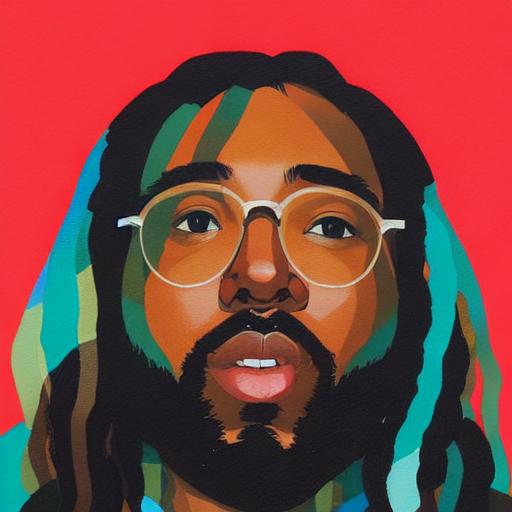
This model is CompVis/stable-diffusion-v1-4 fine-tuned on some photos of Rexx Life Raj using diffusers dreambooth fine-tuning.
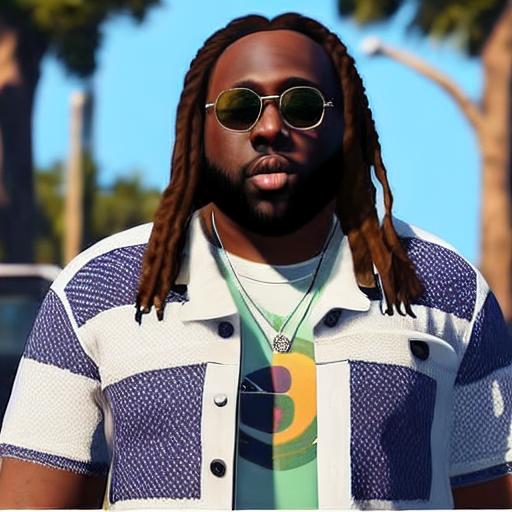
Examples of Generated Images
Table of Contents
- Model Details
- Uses
- Bias, Risks, and Limitations
- Training Details
- Evaluation
- Model Examination
- Environmental Impact
- Technical Specifications
- Citation
- Glossary
- More Information
- Model Card Authors
- Model Card Contact
- How To Get Started With the Model
Model Details
Model Description
- Developed by: @nateraw
- Shared by [optional]: @nateraw
- Model type: text-to-image
- Language(s) (NLP): en
- License: mit
- Finetuned from model [optional]: CompVis/stable-diffusion-v1-4
- Resources for more information: [More Information Needed]
Uses
Direct Use
This model can be used to generate pictures including Rexx Life Raj, using the instance prompt 'rexxliferaj'.
Downstream Use [optional]
[More Information Needed]
Out-of-Scope Use
[More Information Needed]
Bias, Risks, and Limitations
[More Information Needed]
Recommendations
Users (both direct and downstream) should be made aware of the risks, biases and limitations of the model. More information needed for further recommendations.
Training Details
Training Data
[More Information Needed]
Training Procedure [optional]
Preprocessing
I cropped the photos for training to 512x512 to make sure the figure is included in the image when cropped by dreambooth process.
Speeds, Sizes, Times
[More Information Needed]
Evaluation
Testing Data, Factors & Metrics
Testing Data
[More Information Needed]
Factors
[More Information Needed]
Metrics
[More Information Needed]
Results
[More Information Needed]
Model Examination [optional]
[More Information Needed]
Environmental Impact
Carbon emissions can be estimated using the Machine Learning Impact calculator presented in Lacoste et al. (2019).
- Hardware Type: [More Information Needed]
- Hours used: [More Information Needed]
- Cloud Provider: [More Information Needed]
- Compute Region: [More Information Needed]
- Carbon Emitted: [More Information Needed]
Technical Specifications [optional]
Model Architecture and Objective
[More Information Needed]
Compute Infrastructure
[More Information Needed]
Hardware
[More Information Needed]
Software
[More Information Needed]
Citation [optional]
BibTeX:
[More Information Needed]
APA:
[More Information Needed]
Glossary [optional]
[More Information Needed]
More Information [optional]
[More Information Needed]
Model Card Authors [optional]
[More Information Needed]
Model Card Contact
[More Information Needed]
How to Get Started with the Model
Use the code below to get started with the model.
Click to expand
[More Information Needed]
- Downloads last month
- 3