Instructions to use ogkalu/Comic-Diffusion with libraries, inference providers, notebooks, and local apps. Follow these links to get started.
- Libraries
- Diffusers
How to use ogkalu/Comic-Diffusion with Diffusers:
pip install -U diffusers transformers accelerate
import torch from diffusers import DiffusionPipeline # switch to "mps" for apple devices pipe = DiffusionPipeline.from_pretrained("ogkalu/Comic-Diffusion", dtype=torch.bfloat16, device_map="cuda") prompt = "Astronaut in a jungle, cold color palette, muted colors, detailed, 8k" image = pipe(prompt).images[0] - Notebooks
- Google Colab
- Kaggle
- Local Apps Settings
- Draw Things
- DiffusionBee
How do I comic diffusion on premade images.
#8
by Tommy5kdragon - opened
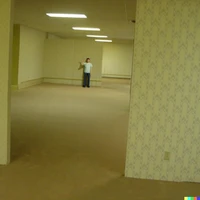
I have been looking that in reddit many people are using screenshots and pictures and giving them to comic diffusion to restyle the image. how do i do that
What UI are you using ? It's just img2img
Where is the option to use img2img I can't find it. (sorry if this is kinda dumb but im new to huggingface)
Your comment isn't dumb don't worry. Unfortunately hugging face UI's don't have img2img.
You'll have to use the ckpt file with done other UI. I guess you've never used another UI ?
nope. Any GUI you could recommend?