
Update README.md
#1
by Hsms - opened
README.md
CHANGED
|
@@ -3,12 +3,10 @@ license: creativeml-openrail-m
|
|
| 3 |
tags:
|
| 4 |
- text-to-image
|
| 5 |
- stable-diffusion
|
|
|
|
|
|
|
| 6 |
---
|
| 7 |
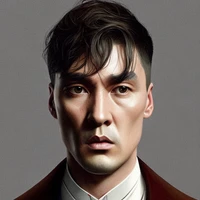
Test prompt: Portrait of perion man as thomas shelby in peaky blinders, highly detailed digital painting, artstation, concept art, smooth, sharp focus, illustration
|
| 8 |
|
| 9 |
Sample images:
|
| 10 |
-

|
| 11 |
-
|
| 12 |
-
|
| 13 |
-
|
| 14 |
-
|
|
|
|
| 3 |
tags:
|
| 4 |
- text-to-image
|
| 5 |
- stable-diffusion
|
| 6 |
+
datasets:
|
| 7 |
+
- fka/awesome-chatgpt-prompts
|
| 8 |
---
|
| 9 |
Test prompt: Portrait of perion man as thomas shelby in peaky blinders, highly detailed digital painting, artstation, concept art, smooth, sharp focus, illustration
|
| 10 |
|
| 11 |
Sample images:
|
| 12 |
+

|
|
|
|
|
|
|
|
|
|
|
|