
import torch
from diffusers import DiffusionPipeline

# switch to "mps" for apple devices
pipe = DiffusionPipeline.from_pretrained("runwayml/stable-diffusion-v1-5", dtype=torch.bfloat16, device_map="cuda")
pipe.load_lora_weights("phil329/face_lora_sd15")

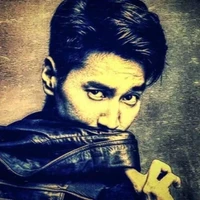
prompt = "A young woman with smile, wearing a purple hat."
image = pipe(prompt).images[0]pytorch_lora_weights.safetensors

- Prompt
- A young woman with smile, wearing a purple hat.
- Negative Prompt
- worst quality, low quality, bad anatomy, watermark, text, blurry, cartoon, unreal
Model description
This model is a fine-tuned version of the Stable Diffusion architecture, leveraging the Low-Rank Adaptation (LoRA) technique. It has been trained using the CelebA-HQ and FFHQ datasets, both renowned for their high-quality images of human faces.
Training Details:
- Base Model: Stable Diffusion
- Adaptation Technique: Low-Rank Adaptation (LoRA)
- Datasets: CelebA-HQ (30,000 images), FFHQ (70,000 images)
- Resolution: resolution : 512*512 fine-tuning for detailed facial synthesis
Example Usages:
import torch
from diffusers import StableDiffusionPipeline,UNet2DConditionModel

pipeline = StableDiffusionPipeline.from_pretrained("runwayml/stable-diffusion-v1-5").to("cuda")

pipeline.load_lora_weights("phil329/face_lora_sd15", weight_name="pytorch_lora_weights.safetensors")

NEGATIVE_PROMPT = "worst quality, low quality, bad anatomy, watermark, text, blurry, cartoon, unreal"
text = 'A young woman with smile, wearing a purple hat.'

lora_image = pipeline(text,negative_prompt=NEGATIVE_PROMPT).images[0]

display(lora_image)
Results
We use four prompts as follows:
- 'A young woman with smile, wearing a purple hat.'
- 'A middle-aged man,beard ,attractive'
- 'A girl with long blonde hair'
- 'An young man with curry hair'
The negative prompt are the same as the example codes. All the results are randomly generated and not cherry-picked.
If the generation effect is not good, try adding a negative prompt, or try different prompts and seeds.

Download model
Weights for this model are available in Safetensors format.
Download them in the Files & versions tab.
- Downloads last month
- 53
Model tree for phil329/face_lora_sd15
Base model
runwayml/stable-diffusion-v1-5