

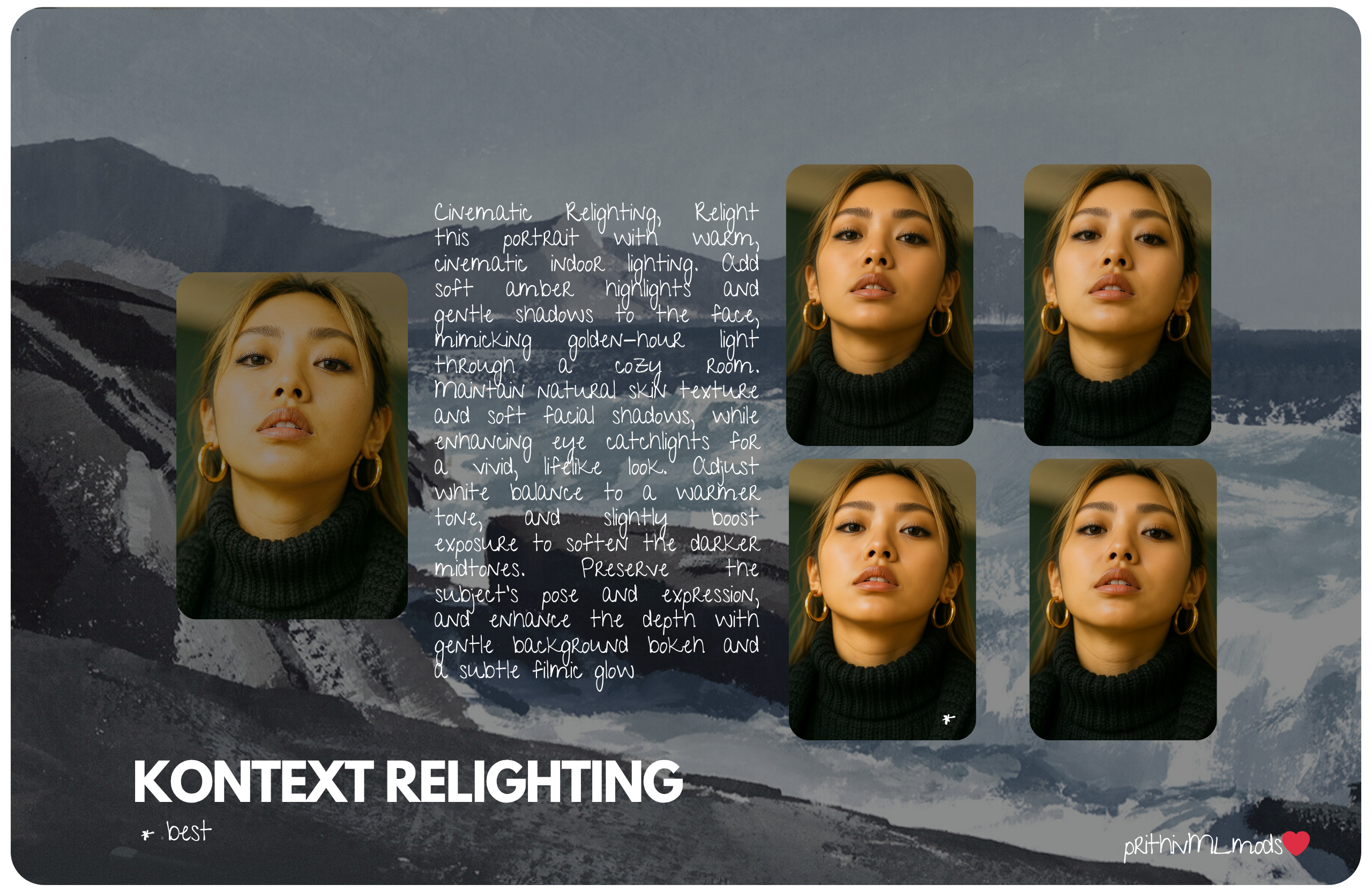
FLUX.1-Kontext-Cinematic-Relighting

- Prompt
- Cinematic Relighting, Relight this portrait with warm, cinematic indoor lighting. Add soft amber highlights and gentle shadows to the face mimicking golden-hour light through a cozy room. Maintain natural skin texture and soft facial shadows, while enhancing eye catchlights for a vivid, lifelike look. Adjust white balance to a warmer tone, and slightly boost exposure to soften the darker midtones. Preserve the subject's pose and expression, and enhance the depth with gentle background bokeh and subtle filmic glow.
Cinematic Relighting Prompt
Cinematic Relighting, Relight this portrait with warm, cinematic indoor lighting. Add soft amber highlights and gentle shadows to the face, mimicking golden-hour light through a cozy room. Maintain natural skin texture and soft facial shadows, while enhancing eye catchlights for a vivid, lifelike look. Adjust white balance to a warmer tone, and slightly boost exposure to soften the darker midtones. Preserve the subject's pose and expression, and enhance the depth with gentle background bokeh and a subtle filmic glow.
Used for relighting images with poor exposure, graininess, unwanted sharpness, and to fix shadowing issues.
Parameter Settings
| Setting | Value |
|---|---|
| Module Type | LoRA |
| Base Model | FLUX.1 Kontext Dev - fp8 |
| Trigger Words | Cinematic Relighting |
| Image Processing Repeats | 10 |
| Epochs | 25 |
| Save Every N Epochs | 1 |
Labeling: florence2-en(natural language & English)

Total Images Used for Training : 40 Image Pairs (40 Start, 40 End)
Training Parameters
| Setting | Value |
|---|---|
| Seed | - |
| Clip Skip | - |
| Text Encoder LR | 0.00001 |
| UNet LR | 0.00005 |
| LR Scheduler | constant |
| Optimizer | AdamW8bit |
| Network Dimension | 64 |
| Network Alpha | 32 |
| Gradient Accumulation Steps | - |
Label Parameters
| Setting | Value |
|---|---|
| Shuffle Caption | - |
| Keep N Tokens | - |
Advanced Parameters
| Setting | Value |
|---|---|
| Noise Offset | 0.03 |
| Multires Noise Discount | 0.1 |
| Multires Noise Iterations | 10 |
| Conv Dimension | - |
| Conv Alpha | - |
| Batch Size | - |
| Steps | 2300 |
| Sampler | euler |
Trigger words
You should use Cinematic Relighting to trigger the image generation.
You should use Relight this portrait with warm to trigger the image generation.
You should use cinematic indoor lighting. Add soft amber highlights and gentle shadows to the face to trigger the image generation.
You should use mimicking golden-hour light through a cozy room. Maintain natural skin texture and soft facial shadows to trigger the image generation.
You should use while enhancing eye catchlights for a vivid to trigger the image generation.
You should use lifelike look. Adjust white balance to a warmer tone to trigger the image generation.
You should use and slightly boost exposure to soften the darker midtones. Preserve the subject's pose and expression to trigger the image generation.
You should use and enhance the depth with gentle background bokeh and a subtle filmic glow to trigger the image generation.
Download model
Download them in the Files & versions tab.
- Downloads last month
- 28
Model tree for prithivMLmods/FLUX.1-Kontext-Cinematic-Relighting
Base model
black-forest-labs/FLUX.1-Kontext-dev