|
|
--- |
|
|
library_name: pytorch |
|
|
license: other |
|
|
tags: |
|
|
- generative_ai |
|
|
- android |
|
|
pipeline_tag: unconditional-image-generation |
|
|
|
|
|
--- |
|
|
|
|
|
 |
|
|
|
|
|
# ControlNet-Canny: Optimized for Mobile Deployment |
|
|
## Generating visual arts from text prompt and input guiding image |
|
|
|
|
|
|
|
|
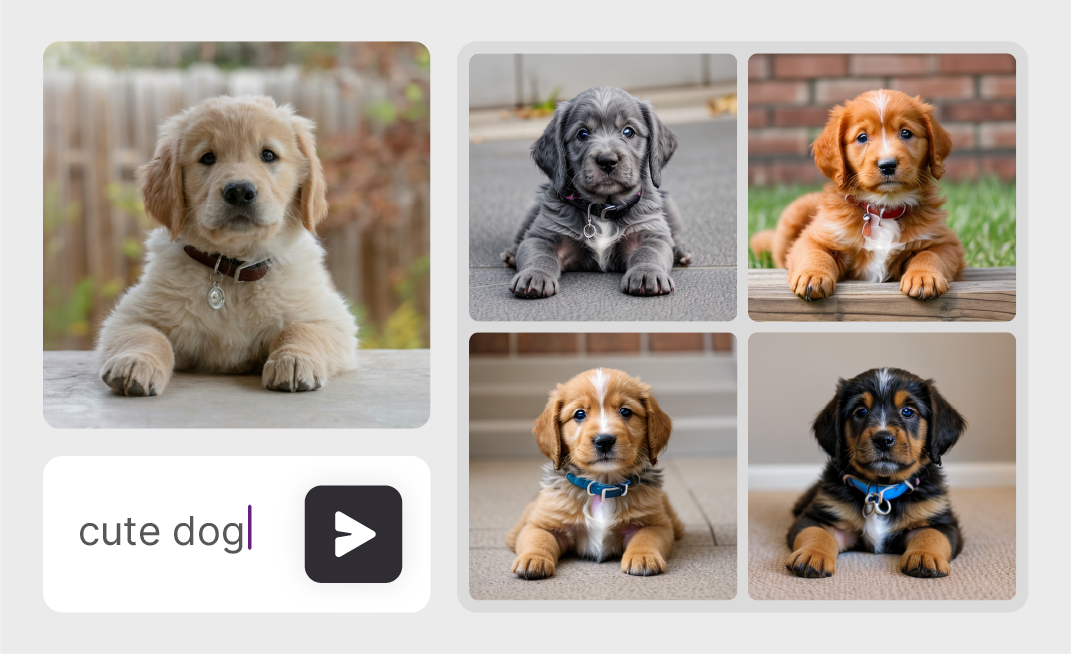
On-device, high-resolution image synthesis from text and image prompts. ControlNet guides Stable-diffusion with provided input image to generate accurate images from given input prompt. |
|
|
|
|
|
This model is an implementation of ControlNet-Canny found [here](https://github.com/lllyasviel/ControlNet). |
|
|
|
|
|
|
|
|
This repository provides scripts to run ControlNet-Canny on Qualcomm® devices. |
|
|
More details on model performance across various devices, can be found |
|
|
[here](https://aihub.qualcomm.com/models/controlnet_canny). |
|
|
|
|
|
|
|
|
|
|
|
### Model Details |
|
|
|
|
|
- **Model Type:** Model_use_case.image_generation |
|
|
- **Model Stats:** |
|
|
- Input: Text prompt and input image as a reference |
|
|
- Conditioning Input: Canny-Edge |
|
|
- Text Encoder Number of parameters: 340M |
|
|
- UNet Number of parameters: 865M |
|
|
- VAE Decoder Number of parameters: 83M |
|
|
- ControlNet Number of parameters: 361M |
|
|
- Model size: 1.4GB |
|
|
|
|
|
| Model | Precision | Device | Chipset | Target Runtime | Inference Time (ms) | Peak Memory Range (MB) | Primary Compute Unit | Target Model |
|
|
|---|---|---|---|---|---|---|---|---| |
|
|
| text_encoder | w8a16 | QCS8550 (Proxy) | Qualcomm® QCS8550 (Proxy) | PRECOMPILED_QNN_ONNX | 5.498 ms | 0 - 162 MB | NPU | Use Export Script | |
|
|
| text_encoder | w8a16 | Samsung Galaxy S24 | Snapdragon® 8 Gen 3 Mobile | PRECOMPILED_QNN_ONNX | 3.956 ms | 0 - 19 MB | NPU | Use Export Script | |
|
|
| text_encoder | w8a16 | Samsung Galaxy S25 | Snapdragon® 8 Elite For Galaxy Mobile | PRECOMPILED_QNN_ONNX | 3.113 ms | 0 - 15 MB | NPU | Use Export Script | |
|
|
| text_encoder | w8a16 | Snapdragon 7 Gen 4 QRD | Snapdragon® 7 Gen 4 Mobile | PRECOMPILED_QNN_ONNX | 5.77 ms | 0 - 14 MB | NPU | Use Export Script | |
|
|
| text_encoder | w8a16 | Snapdragon 8 Elite Gen 5 QRD | Snapdragon® 8 Elite Gen5 Mobile | PRECOMPILED_QNN_ONNX | 2.67 ms | 0 - 10 MB | NPU | Use Export Script | |
|
|
| text_encoder | w8a16 | Snapdragon X Elite CRD | Snapdragon® X Elite | PRECOMPILED_QNN_ONNX | 5.629 ms | 157 - 157 MB | NPU | Use Export Script | |
|
|
| unet | w8a16 | QCS8550 (Proxy) | Qualcomm® QCS8550 (Proxy) | PRECOMPILED_QNN_ONNX | 118.597 ms | 0 - 884 MB | NPU | Use Export Script | |
|
|
| unet | w8a16 | Samsung Galaxy S24 | Snapdragon® 8 Gen 3 Mobile | PRECOMPILED_QNN_ONNX | 84.656 ms | 13 - 30 MB | NPU | Use Export Script | |
|
|
| unet | w8a16 | Samsung Galaxy S25 | Snapdragon® 8 Elite For Galaxy Mobile | PRECOMPILED_QNN_ONNX | 66.542 ms | 5 - 16 MB | NPU | Use Export Script | |
|
|
| unet | w8a16 | Snapdragon 7 Gen 4 QRD | Snapdragon® 7 Gen 4 Mobile | PRECOMPILED_QNN_ONNX | 178.134 ms | 13 - 28 MB | NPU | Use Export Script | |
|
|
| unet | w8a16 | Snapdragon 8 Elite Gen 5 QRD | Snapdragon® 8 Elite Gen5 Mobile | PRECOMPILED_QNN_ONNX | 46.089 ms | 13 - 27 MB | NPU | Use Export Script | |
|
|
| unet | w8a16 | Snapdragon X Elite CRD | Snapdragon® X Elite | PRECOMPILED_QNN_ONNX | 115.82 ms | 829 - 829 MB | NPU | Use Export Script | |
|
|
| vae | w8a16 | QCS8550 (Proxy) | Qualcomm® QCS8550 (Proxy) | PRECOMPILED_QNN_ONNX | 218.452 ms | 0 - 67 MB | NPU | Use Export Script | |
|
|
| vae | w8a16 | Samsung Galaxy S24 | Snapdragon® 8 Gen 3 Mobile | PRECOMPILED_QNN_ONNX | 162.809 ms | 3 - 21 MB | NPU | Use Export Script | |
|
|
| vae | w8a16 | Samsung Galaxy S25 | Snapdragon® 8 Elite For Galaxy Mobile | PRECOMPILED_QNN_ONNX | 146.805 ms | 3 - 19 MB | NPU | Use Export Script | |
|
|
| vae | w8a16 | Snapdragon 7 Gen 4 QRD | Snapdragon® 7 Gen 4 Mobile | PRECOMPILED_QNN_ONNX | 445.931 ms | 3 - 17 MB | NPU | Use Export Script | |
|
|
| vae | w8a16 | Snapdragon 8 Elite Gen 5 QRD | Snapdragon® 8 Elite Gen5 Mobile | PRECOMPILED_QNN_ONNX | 94.664 ms | 5 - 15 MB | NPU | Use Export Script | |
|
|
| vae | w8a16 | Snapdragon X Elite CRD | Snapdragon® X Elite | PRECOMPILED_QNN_ONNX | 219.693 ms | 59 - 59 MB | NPU | Use Export Script | |
|
|
| controlnet | w8a16 | QCS8550 (Proxy) | Qualcomm® QCS8550 (Proxy) | PRECOMPILED_QNN_ONNX | 59.385 ms | 0 - 385 MB | NPU | Use Export Script | |
|
|
| controlnet | w8a16 | Samsung Galaxy S24 | Snapdragon® 8 Gen 3 Mobile | PRECOMPILED_QNN_ONNX | 45.318 ms | 31 - 49 MB | NPU | Use Export Script | |
|
|
| controlnet | w8a16 | Samsung Galaxy S25 | Snapdragon® 8 Elite For Galaxy Mobile | PRECOMPILED_QNN_ONNX | 33.035 ms | 33 - 44 MB | NPU | Use Export Script | |
|
|
| controlnet | w8a16 | Snapdragon 7 Gen 4 QRD | Snapdragon® 7 Gen 4 Mobile | PRECOMPILED_QNN_ONNX | 112.564 ms | 34 - 48 MB | NPU | Use Export Script | |
|
|
| controlnet | w8a16 | Snapdragon 8 Elite Gen 5 QRD | Snapdragon® 8 Elite Gen5 Mobile | PRECOMPILED_QNN_ONNX | 30.002 ms | 32 - 46 MB | NPU | Use Export Script | |
|
|
| controlnet | w8a16 | Snapdragon X Elite CRD | Snapdragon® X Elite | PRECOMPILED_QNN_ONNX | 59.108 ms | 352 - 352 MB | NPU | Use Export Script | |
|
|
|
|
|
|
|
|
|
|
|
|
|
|
## Installation |
|
|
|
|
|
|
|
|
Install the package via pip: |
|
|
```bash |
|
|
# NOTE: 3.10 <= PYTHON_VERSION < 3.14 is supported. |
|
|
pip install "qai-hub-models[controlnet-canny]" |
|
|
``` |
|
|
|
|
|
|
|
|
## Configure Qualcomm® AI Hub Workbench to run this model on a cloud-hosted device |
|
|
|
|
|
Sign-in to [Qualcomm® AI Hub Workbench](https://workbench.aihub.qualcomm.com/) with your |
|
|
Qualcomm® ID. Once signed in navigate to `Account -> Settings -> API Token`. |
|
|
|
|
|
With this API token, you can configure your client to run models on the cloud |
|
|
hosted devices. |
|
|
```bash |
|
|
qai-hub configure --api_token API_TOKEN |
|
|
``` |
|
|
Navigate to [docs](https://workbench.aihub.qualcomm.com/docs/) for more information. |
|
|
|
|
|
|
|
|
|
|
|
## Demo off target |
|
|
|
|
|
The package contains a simple end-to-end demo that downloads pre-trained |
|
|
weights and runs this model on a sample input. |
|
|
|
|
|
```bash |
|
|
python -m qai_hub_models.models.controlnet_canny.demo |
|
|
``` |
|
|
|
|
|
The above demo runs a reference implementation of pre-processing, model |
|
|
inference, and post processing. |
|
|
|
|
|
**NOTE**: If you want running in a Jupyter Notebook or Google Colab like |
|
|
environment, please add the following to your cell (instead of the above). |
|
|
``` |
|
|
%run -m qai_hub_models.models.controlnet_canny.demo |
|
|
``` |
|
|
|
|
|
|
|
|
### Run model on a cloud-hosted device |
|
|
|
|
|
In addition to the demo, you can also run the model on a cloud-hosted Qualcomm® |
|
|
device. This script does the following: |
|
|
* Performance check on-device on a cloud-hosted device |
|
|
* Downloads compiled assets that can be deployed on-device for Android. |
|
|
* Accuracy check between PyTorch and on-device outputs. |
|
|
|
|
|
```bash |
|
|
python -m qai_hub_models.models.controlnet_canny.export |
|
|
``` |
|
|
|
|
|
|
|
|
|
|
|
|
|
|
|
|
|
|
|
|
## Deploying compiled model to Android |
|
|
|
|
|
|
|
|
The models can be deployed using multiple runtimes: |
|
|
- TensorFlow Lite (`.tflite` export): [This |
|
|
tutorial](https://www.tensorflow.org/lite/android/quickstart) provides a |
|
|
guide to deploy the .tflite model in an Android application. |
|
|
|
|
|
|
|
|
- QNN (`.so` export ): This [sample |
|
|
app](https://docs.qualcomm.com/bundle/publicresource/topics/80-63442-50/sample_app.html) |
|
|
provides instructions on how to use the `.so` shared library in an Android application. |
|
|
|
|
|
|
|
|
## View on Qualcomm® AI Hub |
|
|
Get more details on ControlNet-Canny's performance across various devices [here](https://aihub.qualcomm.com/models/controlnet_canny). |
|
|
Explore all available models on [Qualcomm® AI Hub](https://aihub.qualcomm.com/) |
|
|
|
|
|
|
|
|
## License |
|
|
* The license for the original implementation of ControlNet-Canny can be found |
|
|
[here](https://github.com/lllyasviel/ControlNet/blob/main/LICENSE). |
|
|
* The license for the compiled assets for on-device deployment can be found [here](https://qaihub-public-assets.s3.us-west-2.amazonaws.com/qai-hub-models/Qualcomm+AI+Hub+Proprietary+License.pdf) |
|
|
|
|
|
|
|
|
|
|
|
## References |
|
|
* [Adding Conditional Control to Text-to-Image Diffusion Models](https://arxiv.org/abs/2302.05543) |
|
|
* [Source Model Implementation](https://github.com/lllyasviel/ControlNet) |
|
|
|
|
|
|
|
|
|
|
|
## Community |
|
|
* Join [our AI Hub Slack community](https://aihub.qualcomm.com/community/slack) to collaborate, post questions and learn more about on-device AI. |
|
|
* For questions or feedback please [reach out to us](mailto:ai-hub-support@qti.qualcomm.com). |
|
|
|
|
|
|
|
|
|