| <div align="center"> |
|
|
| # 🍵 Matcha-TTS: A fast TTS architecture with conditional flow matching |
|
|
| ### [Shivam Mehta](https://www.kth.se/profile/smehta), [Ruibo Tu](https://www.kth.se/profile/ruibo), [Jonas Beskow](https://www.kth.se/profile/beskow), [Éva Székely](https://www.kth.se/profile/szekely), and [Gustav Eje Henter](https://people.kth.se/~ghe/) |
|
|
| [](https://www.python.org/downloads/release/python-3100/) |
| [](https://pytorch.org/get-started/locally/) |
| [](https://pytorchlightning.ai/) |
| [](https://hydra.cc/) |
| [](https://black.readthedocs.io/en/stable/) |
| [](https://pycqa.github.io/isort/) |
| [](https://pepy.tech/projects/matcha-tts) |
| <p style="text-align: center;"> |
| <img src="https://shivammehta25.github.io/Matcha-TTS/images/logo.png" height="128"/> |
| </p> |
|
|
| </div> |
|
|
| > This is the official code implementation of 🍵 Matcha-TTS [ICASSP 2024]. |
|
|
| We propose 🍵 Matcha-TTS, a new approach to non-autoregressive neural TTS, that uses [conditional flow matching](https://arxiv.org/abs/2210.02747) (similar to [rectified flows](https://arxiv.org/abs/2209.03003)) to speed up ODE-based speech synthesis. Our method: |
|
|
| - Is probabilistic |
| - Has compact memory footprint |
| - Sounds highly natural |
| - Is very fast to synthesise from |
|
|
| Check out our [demo page](https://shivammehta25.github.io/Matcha-TTS) and read [our ICASSP 2024 paper](https://arxiv.org/abs/2309.03199) for more details. |
|
|
| [Pre-trained models](https://drive.google.com/drive/folders/17C_gYgEHOxI5ZypcfE_k1piKCtyR0isJ?usp=sharing) will be automatically downloaded with the CLI or gradio interface. |
|
|
| You can also [try 🍵 Matcha-TTS in your browser on HuggingFace 🤗 spaces](https://huggingface.co/spaces/shivammehta25/Matcha-TTS). |
|
|
| ## Teaser video |
|
|
| [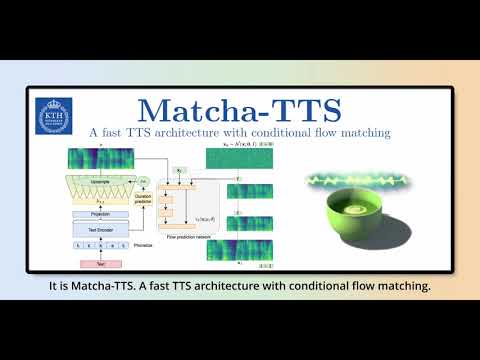](https://youtu.be/xmvJkz3bqw0) |
|
|
| ## Installation |
|
|
| 1. Create an environment (suggested but optional) |
|
|
| ``` |
| conda create -n matcha-tts python=3.10 -y |
| conda activate matcha-tts |
| ``` |
|
|
| 2. Install Matcha TTS using pip or from source |
|
|
| ```bash |
| pip install matcha-tts |
| ``` |
|
|
| from source |
|
|
| ```bash |
| pip install git+https://github.com/shivammehta25/Matcha-TTS.git |
| cd Matcha-TTS |
| pip install -e . |
| ``` |
|
|
| 3. Run CLI / gradio app / jupyter notebook |
|
|
| ```bash |
| # This will download the required models |
| matcha-tts --text "<INPUT TEXT>" |
| ``` |
|
|
| or |
|
|
| ```bash |
| matcha-tts-app |
| ``` |
|
|
| or open `synthesis.ipynb` on jupyter notebook |
|
|
| ### CLI Arguments |
|
|
| - To synthesise from given text, run: |
|
|
| ```bash |
| matcha-tts --text "<INPUT TEXT>" |
| ``` |
|
|
| - To synthesise from a file, run: |
|
|
| ```bash |
| matcha-tts --file <PATH TO FILE> |
| ``` |
|
|
| - To batch synthesise from a file, run: |
|
|
| ```bash |
| matcha-tts --file <PATH TO FILE> --batched |
| ``` |
|
|
| Additional arguments |
|
|
| - Speaking rate |
|
|
| ```bash |
| matcha-tts --text "<INPUT TEXT>" --speaking_rate 1.0 |
| ``` |
|
|
| - Sampling temperature |
|
|
| ```bash |
| matcha-tts --text "<INPUT TEXT>" --temperature 0.667 |
| ``` |
|
|
| - Euler ODE solver steps |
|
|
| ```bash |
| matcha-tts --text "<INPUT TEXT>" --steps 10 |
| ``` |
|
|
| ## Train with your own dataset |
|
|
| Let's assume we are training with LJ Speech |
|
|
| 1. Download the dataset from [here](https://keithito.com/LJ-Speech-Dataset/), extract it to `data/LJSpeech-1.1`, and prepare the file lists to point to the extracted data like for [item 5 in the setup of the NVIDIA Tacotron 2 repo](https://github.com/NVIDIA/tacotron2#setup). |
|
|
| 2. Clone and enter the Matcha-TTS repository |
|
|
| ```bash |
| git clone https://github.com/shivammehta25/Matcha-TTS.git |
| cd Matcha-TTS |
| ``` |
|
|
| 3. Install the package from source |
|
|
| ```bash |
| pip install -e . |
| ``` |
|
|
| 4. Go to `configs/data/ljspeech.yaml` and change |
|
|
| ```yaml |
| train_filelist_path: data/filelists/ljs_audio_text_train_filelist.txt |
| valid_filelist_path: data/filelists/ljs_audio_text_val_filelist.txt |
| ``` |
|
|
| 5. Generate normalisation statistics with the yaml file of dataset configuration |
|
|
| ```bash |
| matcha-data-stats -i ljspeech.yaml |
| # Output: |
| #{'mel_mean': -5.53662231756592, 'mel_std': 2.1161014277038574} |
| ``` |
|
|
| Update these values in `configs/data/ljspeech.yaml` under `data_statistics` key. |
|
|
| ```bash |
| data_statistics: # Computed for ljspeech dataset |
| mel_mean: -5.536622 |
| mel_std: 2.116101 |
| ``` |
|
|
| to the paths of your train and validation filelists. |
|
|
| 6. Run the training script |
|
|
| ```bash |
| make train-ljspeech |
| ``` |
|
|
| or |
|
|
| ```bash |
| python matcha/train.py experiment=ljspeech |
| ``` |
|
|
| - for a minimum memory run |
|
|
| ```bash |
| python matcha/train.py experiment=ljspeech_min_memory |
| ``` |
|
|
| - for multi-gpu training, run |
|
|
| ```bash |
| python matcha/train.py experiment=ljspeech trainer.devices=[0,1] |
| ``` |
|
|
| 7. Synthesise from the custom trained model |
|
|
| ```bash |
| matcha-tts --text "<INPUT TEXT>" --checkpoint_path <PATH TO CHECKPOINT> |
| ``` |
|
|
| ## ONNX support |
|
|
| > Special thanks to [@mush42](https://github.com/mush42) for implementing ONNX export and inference support. |
|
|
| It is possible to export Matcha checkpoints to [ONNX](https://onnx.ai/), and run inference on the exported ONNX graph. |
|
|
| ### ONNX export |
|
|
| To export a checkpoint to ONNX, first install ONNX with |
|
|
| ```bash |
| pip install onnx |
| ``` |
|
|
| then run the following: |
|
|
| ```bash |
| python3 -m matcha.onnx.export matcha.ckpt model.onnx --n-timesteps 5 |
| ``` |
|
|
| Optionally, the ONNX exporter accepts **vocoder-name** and **vocoder-checkpoint** arguments. This enables you to embed the vocoder in the exported graph and generate waveforms in a single run (similar to end-to-end TTS systems). |
|
|
| **Note** that `n_timesteps` is treated as a hyper-parameter rather than a model input. This means you should specify it during export (not during inference). If not specified, `n_timesteps` is set to **5**. |
|
|
| **Important**: for now, torch>=2.1.0 is needed for export since the `scaled_product_attention` operator is not exportable in older versions. Until the final version is released, those who want to export their models must install torch>=2.1.0 manually as a pre-release. |
|
|
| ### ONNX Inference |
|
|
| To run inference on the exported model, first install `onnxruntime` using |
|
|
| ```bash |
| pip install onnxruntime |
| pip install onnxruntime-gpu # for GPU inference |
| ``` |
|
|
| then use the following: |
|
|
| ```bash |
| python3 -m matcha.onnx.infer model.onnx --text "hey" --output-dir ./outputs |
| ``` |
|
|
| You can also control synthesis parameters: |
|
|
| ```bash |
| python3 -m matcha.onnx.infer model.onnx --text "hey" --output-dir ./outputs --temperature 0.4 --speaking_rate 0.9 --spk 0 |
| ``` |
|
|
| To run inference on **GPU**, make sure to install **onnxruntime-gpu** package, and then pass `--gpu` to the inference command: |
|
|
| ```bash |
| python3 -m matcha.onnx.infer model.onnx --text "hey" --output-dir ./outputs --gpu |
| ``` |
|
|
| If you exported only Matcha to ONNX, this will write mel-spectrogram as graphs and `numpy` arrays to the output directory. |
| If you embedded the vocoder in the exported graph, this will write `.wav` audio files to the output directory. |
|
|
| If you exported only Matcha to ONNX, and you want to run a full TTS pipeline, you can pass a path to a vocoder model in `ONNX` format: |
|
|
| ```bash |
| python3 -m matcha.onnx.infer model.onnx --text "hey" --output-dir ./outputs --vocoder hifigan.small.onnx |
| ``` |
|
|
| This will write `.wav` audio files to the output directory. |
|
|
| ## Extract phoneme alignments from Matcha-TTS |
|
|
| If the dataset is structured as |
|
|
| ```bash |
| data/ |
| └── LJSpeech-1.1 |
| ├── metadata.csv |
| ├── README |
| ├── test.txt |
| ├── train.txt |
| ├── val.txt |
| └── wavs |
| ``` |
| Then you can extract the phoneme level alignments from a Trained Matcha-TTS model using: |
| ```bash |
| python matcha/utils/get_durations_from_trained_model.py -i dataset_yaml -c <checkpoint> |
| ``` |
| Example: |
| ```bash |
| python matcha/utils/get_durations_from_trained_model.py -i ljspeech.yaml -c matcha_ljspeech.ckpt |
| ``` |
| or simply: |
| ```bash |
| matcha-tts-get-durations -i ljspeech.yaml -c matcha_ljspeech.ckpt |
| ``` |
| --- |
| ## Train using extracted alignments |
|
|
| In the datasetconfig turn on load duration. |
| Example: `ljspeech.yaml` |
| ``` |
| load_durations: True |
| ``` |
| or see an examples in configs/experiment/ljspeech_from_durations.yaml |
|
|
|
|
| ## Citation information |
|
|
| If you use our code or otherwise find this work useful, please cite our paper: |
|
|
| ```text |
| @inproceedings{mehta2024matcha, |
| title={Matcha-{TTS}: A fast {TTS} architecture with conditional flow matching}, |
| author={Mehta, Shivam and Tu, Ruibo and Beskow, Jonas and Sz{\'e}kely, {\'E}va and Henter, Gustav Eje}, |
| booktitle={Proc. ICASSP}, |
| year={2024} |
| } |
| ``` |
|
|
| ## Acknowledgements |
|
|
| Since this code uses [Lightning-Hydra-Template](https://github.com/ashleve/lightning-hydra-template), you have all the powers that come with it. |
|
|
| Other source code we would like to acknowledge: |
|
|
| - [Coqui-TTS](https://github.com/coqui-ai/TTS/tree/dev): For helping me figure out how to make cython binaries pip installable and encouragement |
| - [Hugging Face Diffusers](https://huggingface.co/): For their awesome diffusers library and its components |
| - [Grad-TTS](https://github.com/huawei-noah/Speech-Backbones/tree/main/Grad-TTS): For the monotonic alignment search source code |
| - [torchdyn](https://github.com/DiffEqML/torchdyn): Useful for trying other ODE solvers during research and development |
| - [labml.ai](https://nn.labml.ai/transformers/rope/index.html): For the RoPE implementation |
|
|

