
Spaces:
Sleeping

title: Vision AI Engine
emoji: 👁️🗨️
colorFrom: blue
colorTo: indigo
sdk: docker
pinned: false
📊 Biometric Case Study: Neural Occlusion Bypass
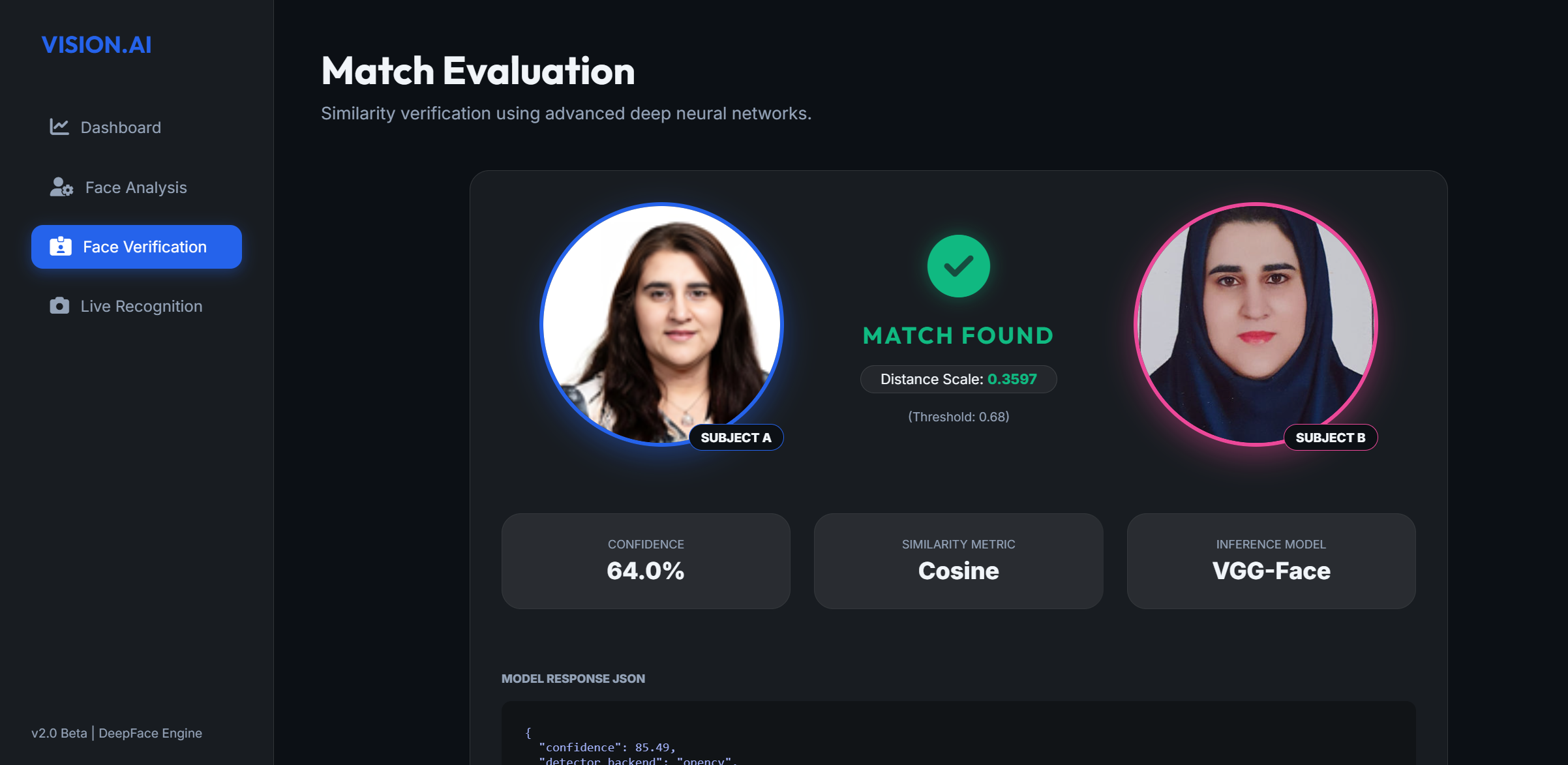 Identity confirmed across hijab occlusion using deep face detection.
A professional-grade, Flask-powered facial biometric engine capable of real-time demographics analysis and cross-occlusion identity verification (e.g., matching across hijabs, glasses, and ages).
🔗 Live Deployment
Note: Hosted on Hugging Face Spaces (free tier). The first request may take 10–30 seconds as the app cold-starts and loads AI model weights into memory. Subsequent requests are fast.
🌟 Key Features
- Neural Vision HUD (Live Mode): Real-time webcam analysis with biometric overlay — age, gender, emotion, and ethnicity.
- Occlusion-Resistant Matcher: Matches identities across significant changes in headgear (hijab), eyewear, or lighting.
- Deep Biometric Extraction: Gender, age range, ethnicity, and emotional state — powered by RetinaFace + DeepFace CNNs.
- Neural Stabilization Buffer: Weighted voting across live frames to eliminate AI flicker.
- Privacy-First: No images stored permanently; all analysis runs in volatile temp memory.
🛠️ Technology Stack
- Engine: DeepFace — RetinaFace detector, VGG-Face/ArcFace models
- Backend: Flask 3.0, TensorFlow 2.15.0, OpenCV (Headless)
- Frontend: Vanilla HTML5/CSS3 (Glassmorphism), Font Awesome 6
- Stability: Neural stabilization buffer with weighted voting across live frames
- Deployment: Docker on Hugging Face Spaces, model weights pre-baked into image from HF Hub
🎨 Local Setup & Launch
Initialize Environment:
python -m venv venv
source venv/bin/activate  # or .\venv\Scripts\activate
pip install -r requirements.txt
Download ML Weights:
python scripts/download_weights.pyDownloads all model weights into
~/.deepface/weights/. The app will not work without this step.Model Size Purpose age_model_weights.h5~514 MB Age estimation gender_model_weights.h5~514 MB Gender classification facial_expression_model_weights.h5~5 MB Emotion detection race_model_single_batch.h5~150 MB Ethnicity classification retinaface.h5~119 MB Face detection (accuracy-critical) RetinaFace is the face detector used by this app. It is significantly more accurate than basic OpenCV detection, especially for gender and age predictions.
Run the App:
python scripts/start_project.py
Created for a world-class Machine Learning Portfolio. Licensed under MIT.