
Spaces:
Sleeping


A newer version of the Gradio SDK is available:
6.5.1
title: CodeAtlas
emoji: 🏗️
colorFrom: blue
colorTo: purple
sdk: gradio
sdk_version: 6.0.1
app_file: app.py
pinned: false
license: mit
tags:
  - mcp-in-action-track-consumer
  - mcp
  - gradio
  - llamaindex
  - gemini
  - elevenlabs
  - modal
  - openai
  - agents
  - code-visualization
  - fastmcp
  - graphviz
  - architecture
  - visualization
  - mcp-server
  - mcp-in-action-track-consumer
  - mcp-in-action-track-enterprise
  - building-mcp-track-consumer
  - building-mcp-track-enterprise
🏗️ CodeAtlas
AI-Powered Codebase Visualization & Understanding
Transform any GitHub repository into beautiful architecture diagrams with voice narration and AI chat — powered by MCP








🔗 Try it Live • 📺 Demo Video • 📱 Twitter Post • 💼 LinkedIn Post
🎬 Demo Video
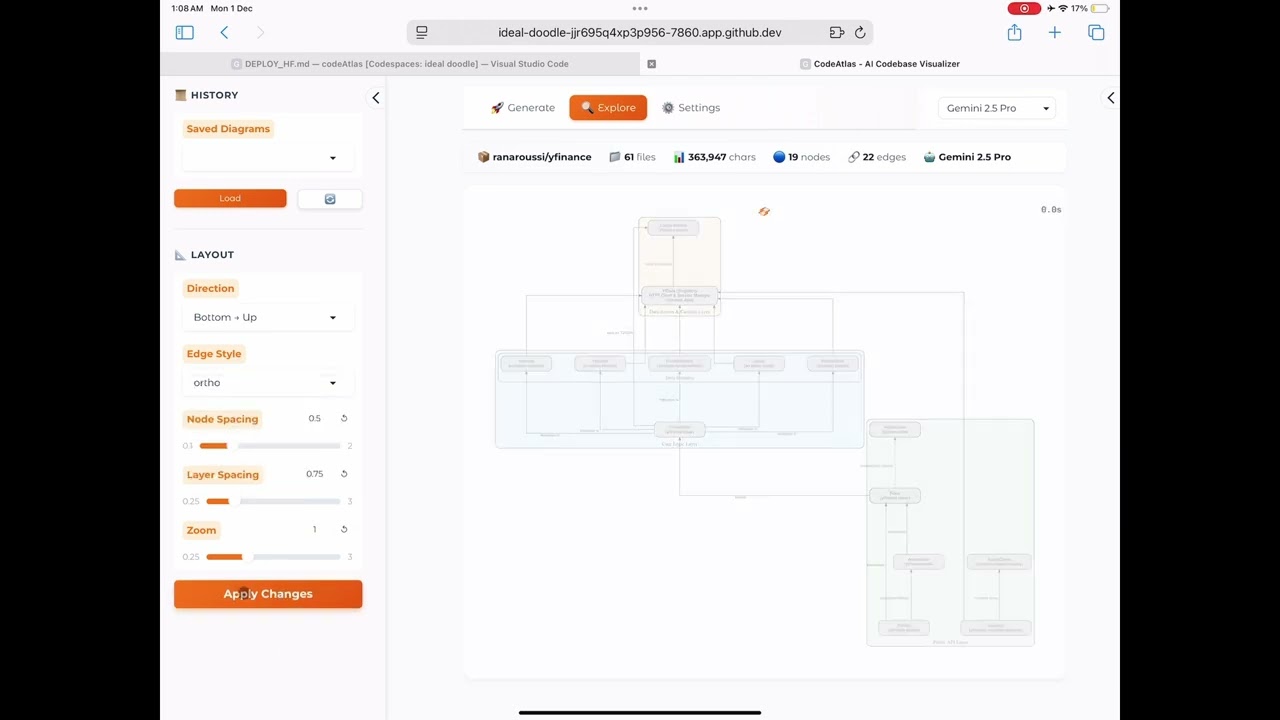
Watch CodeAtlas analyze a GitHub repository in real-time, generate architecture diagrams, and explain the codebase with voice narration.
🌟 What is CodeAtlas?
CodeAtlas is your AI-powered codebase companion that instantly visualizes and explains any software architecture. Simply paste a GitHub URL, and within seconds get:
- 🗺️ Beautiful Architecture Diagrams — AI-generated Graphviz visualizations showing components, layers, and relationships
- 🔊 Voice Narration — Listen to AI explain your codebase architecture (powered by ElevenLabs)
- 💬 AI Chat — Ask questions and get intelligent answers about the code
- 🤖 MCP Integration — Use with Claude Desktop, Cursor, or any MCP-compatible client
Perfect for: Code reviews, onboarding new developers, documentation, learning new frameworks, and understanding legacy codebases.
✨ Key Features
| Feature | Description | Technology |
|---|---|---|
| 🔗 GitHub Analysis | Paste any public repo URL and analyze instantly | GitHub API + Smart Filtering |
| 📁 ZIP Upload | Upload local codebases for private analysis | File Processing |
| 🗺️ Architecture Diagrams | AI-generated Graphviz diagrams with layers, clusters, and relationships | Graphviz + Gemini AI |
| 🔊 Voice Narration | Natural speech explanation of your architecture | 🎙️ ElevenLabs TTS |
| 💬 AI Chat | Context-aware Q&A about your codebase | 🦙 LlamaIndex RAG |
| 🤖 Multi-Model Support | Choose between Gemini 3.0/2.5 Pro/Flash or GPT-5.1/5 Mini | Google Gemini + OpenAI |
| 📐 Interactive Layout | Real-time diagram adjustments (direction, spacing, zoom) | Graphviz DOT |
| 📜 Diagram History | Browse and reload previous analyses | Local Storage |
| 🔌 MCP Server | 4 tools for AI agent integration | FastMCP |
| ☁️ Cloud Ready | One-command serverless deployment | Modal |
🔌 MCP Server Integration
CodeAtlas exposes 4 MCP tools for AI agent integration:
| Tool | Description |
|---|---|
analyze_codebase |
Generate architecture diagram from GitHub URL |
get_architecture_summary |
Get text summary of codebase architecture |
chat_with_codebase |
Ask questions about any codebase |
list_recent_analyses |
List recently analyzed repositories |
MCP Endpoint: https://huggingface.co/spaces/MCP-1st-Birthday/CodeAtlas/gradio_api/mcp/sse
🛠️ Tech Stack
CodeAtlas integrates multiple technologies for a comprehensive solution:
| Layer | Technology | Purpose |
|---|---|---|
| 🎨 UI Framework | Gradio 6 | Multi-page routing, mcp_server=True |
| 🦙 AI Framework | LlamaIndex | Unified LLM interface, RAG |
| ✨ Primary AI | Google Gemini | Gemini 3.0 Pro, 2.5 Pro/Flash |
| 🤖 Alternate AI | OpenAI | GPT-5.1, GPT-5 Mini/Nano |
| 🎙️ Voice TTS | ElevenLabs | High-quality voice narration |
| ☁️ Backend API | Modal | Serverless API endpoints |
| 🔌 MCP Protocol | FastMCP | Model Context Protocol |
📁 Project Structure
codeAtlas/
├── app.py                  # Main Gradio application entry point
├── modal_backend.py        # Modal serverless API deployment
├── requirements.txt        # Python dependencies
├── Makefile               # Build and run commands
├── src/
│   ├── config.py          # Configuration management
│   ├── core/
│   │   ├── analyzer.py    # AI-powered codebase analysis
│   │   ├── diagram.py     # Graphviz diagram generation
│   │   └── repository.py  # GitHub/ZIP repository loading
│   ├── integrations/
│   │   ├── elevenlabs.py  # ElevenLabs TTS integration
│   │   ├── modal_client.py # Modal API client
│   │   └── voice.py       # Voice synthesis utilities
│   ├── mcp/
│   │   ├── server.py      # FastMCP server setup
│   │   └── tools.py       # MCP tool definitions
│   └── ui/
│       ├── app.py         # UI layout and routing
│       ├── components.py  # Reusable UI components
│       └── styles.py      # CSS styling
├── data/
│   ├── diagrams/          # Generated diagram files
│   ├── audios/            # Voice narration files
│   └── logs/              # Application logs
└── assets/
    └── screenshots/       # Documentation screenshots
🚀 Quick Start
Prerequisites
- Python 3.10+
- Graphviz (
brew install graphvizon macOS,apt install graphvizon Linux)
Option 1: Run Locally
# Clone and setup
git clone https://github.com/aghilsabu/codeAtlas.git
cd codeAtlas
python -m venv .venv && source .venv/bin/activate
pip install -r requirements.txt

# Run
python app.py
Open http://localhost:7860 and go to Settings to add your API keys.
Option 2: Use Makefile
make install  # Create venv and install dependencies
make run      # Run the application
Option 3: Deploy API Backend to Modal
# Deploy the serverless API backend on Modal
modal deploy modal_backend.py
Modal Backend API Endpoints:
| Endpoint | URL |
|---|---|
| Health Check | https://aghilsabu--codeatlas-backend-health.modal.run |
| Generate Diagram | https://aghilsabu--codeatlas-backend-generate-diagram.modal.run |
| Generate Voice | https://aghilsabu--codeatlas-backend-generate-voice.modal.run |
| Analyze Codebase | https://aghilsabu--codeatlas-backend-analyze-codebase.modal.run |
These serverless endpoints handle heavy compute operations and can be called from any frontend! 🚀
⚙️ Configuration
Configure API keys via the Settings page in the UI:
| Key | Required | Purpose | Get Key |
|---|---|---|---|
| Gemini API Key | ✅ Yes | Primary AI engine | aistudio.google.com/apikey |
| OpenAI API Key | Optional | GPT-5.1/5 Mini models | platform.openai.com/api-keys |
| ElevenLabs API Key | Optional | Voice narration | elevenlabs.io/app/developers |
🔍 How It Works
flowchart LR
    A[GitHub URL/ZIP] --> B[Repository Loader]
    B --> C[Smart File Filter]
    C --> D[LlamaIndex + Gemini]
    D --> E[DOT Diagram]
    E --> F[Graphviz Render]
    F --> G[Interactive Viewer]

    D --> H[Architecture Summary]
    H --> I[ElevenLabs TTS]
    I --> J[🔊 Audio Player]

    D --> K[💬 AI Chat]
- 📥 Load Repository — Download from GitHub or extract ZIP, smart-filter to relevant code files (excludes node_modules, tests, configs)
- 🧠 AI Analysis — LlamaIndex processes code context with Gemini 3.0 (or GPT-5.1) to understand architecture
- 🗺️ Generate Diagram — AI creates Graphviz DOT code with 15-20 key nodes showing layers, clusters, and relationships
- 🔊 Voice Narration — AI generates natural summary, ElevenLabs converts to high-quality speech
- 💬 Chat Interface — Context-aware Q&A about the analyzed codebase with conversation history
🎯 Use Cases
- Onboarding — New team members instantly understand codebase structure
- Documentation — Generate architecture diagrams for README/docs
- Code Review — Visualize changes in context of overall architecture
- Learning — Understand how popular open-source projects are structured
- Legacy Code — Make sense of undocumented older codebases
👨💻 Author
Aghil Sabu
- GitHub: @aghilsabu
- HuggingFace: @aghilsabu
- Twitter/X: @AghilSabu
📜 License
MIT License — see LICENSE for details.
Built with ❤️ for MCP's 1st Birthday Hackathon 🎂
November 2025
