
Spaces:
Runtime error

Runtime error

| [](https://www.npmjs.org/package/command-line-args) | |
| [](https://www.npmjs.org/package/command-line-args) | |
| [](https://github.com/75lb/command-line-args/network/dependents?dependent_type=REPOSITORY) | |
| [](https://github.com/75lb/command-line-args/network/dependents?dependent_type=PACKAGE) | |
| [](https://github.com/75lb/command-line-args/actions/workflows/node.js.yml) | |
| [](https://coveralls.io/github/75lb/command-line-args) | |
| [](https://github.com/feross/standard) | |
| ***Upgraders, please read the [release notes](https://github.com/75lb/command-line-args/releases)*** | |
| # command-line-args | |
| A mature, feature-complete library to parse command-line options. | |
| ## Synopsis | |
| You can set options using the main notation standards ([learn more](https://github.com/75lb/command-line-args/wiki/Notation-rules)). These commands are all equivalent, setting the same values: | |
| ``` | |
| $ example --verbose --timeout=1000 --src one.js --src two.js | |
| $ example --verbose --timeout 1000 --src one.js two.js | |
| $ example -vt 1000 --src one.js two.js | |
| $ example -vt 1000 one.js two.js | |
| ``` | |
| To access the values, first create a list of [option definitions](https://github.com/75lb/command-line-args/blob/master/doc/option-definition.md) describing the options your application accepts. The [`type`](https://github.com/75lb/command-line-args/blob/master/doc/option-definition.md#optiontype--function) property is a setter function (the value supplied is passed through this), giving you full control over the value received. | |
| ```js | |
| const optionDefinitions = [ | |
| { name: 'verbose', alias: 'v', type: Boolean }, | |
| { name: 'src', type: String, multiple: true, defaultOption: true }, | |
| { name: 'timeout', alias: 't', type: Number } | |
| ] | |
| ``` | |
| Next, parse the options using [commandLineArgs()](https://github.com/75lb/command-line-args/blob/master/doc/API.md#commandlineargsoptiondefinitions-options--object-): | |
| ```js | |
| const commandLineArgs = require('command-line-args') | |
| const options = commandLineArgs(optionDefinitions) | |
| ``` | |
| `options` now looks like this: | |
| ```js | |
| { | |
| src: [ | |
| 'one.js', | |
| 'two.js' | |
| ], | |
| verbose: true, | |
| timeout: 1000 | |
| } | |
| ``` | |
| ### Advanced usage | |
| Beside the above typical usage, you can configure command-line-args to accept more advanced syntax forms. | |
| * [Command-based syntax](https://github.com/75lb/command-line-args/wiki/Implement-command-parsing-(git-style)) (git style) in the form: | |
| ``` | |
| $ executable <command> [options] | |
| ``` | |
| For example. | |
| ``` | |
| $ git commit --squash -m "This is my commit message" | |
| ``` | |
| * [Command and sub-command syntax](https://github.com/75lb/command-line-args/wiki/Implement-multiple-command-parsing-(docker-style)) (docker style) in the form: | |
| ``` | |
| $ executable <command> [options] <sub-command> [options] | |
| ``` | |
| For example. | |
| ``` | |
| $ docker run --detached --image centos bash -c yum install -y httpd | |
| ``` | |
| ## Usage guide generation | |
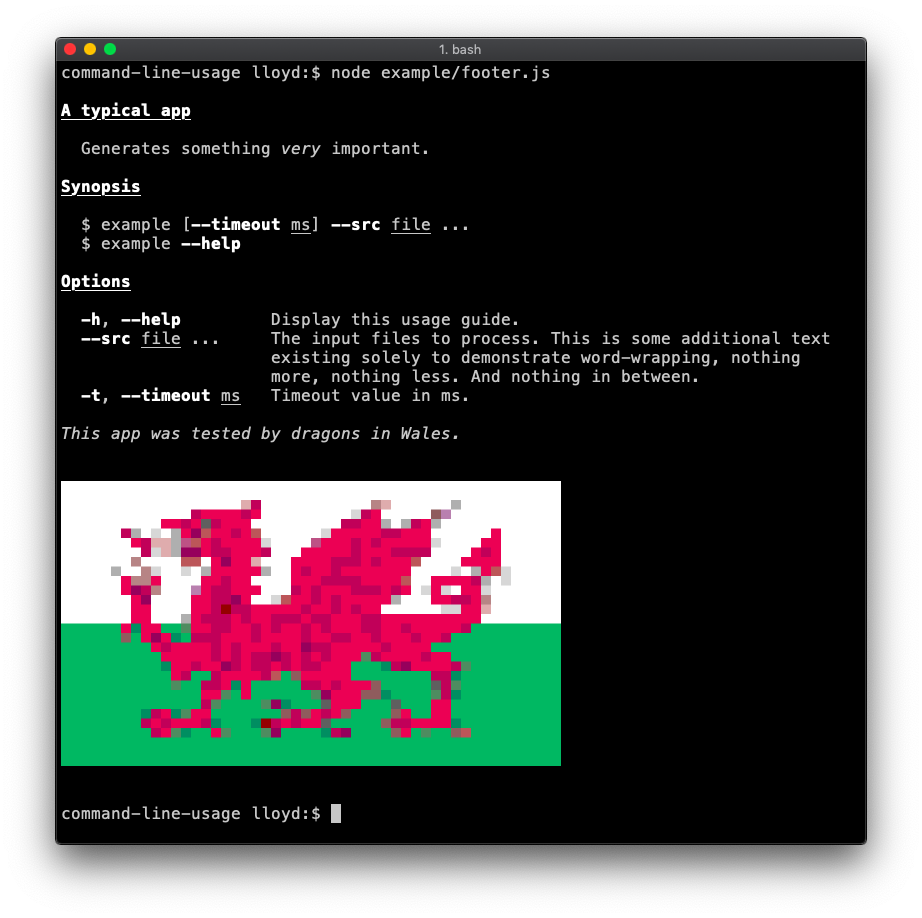
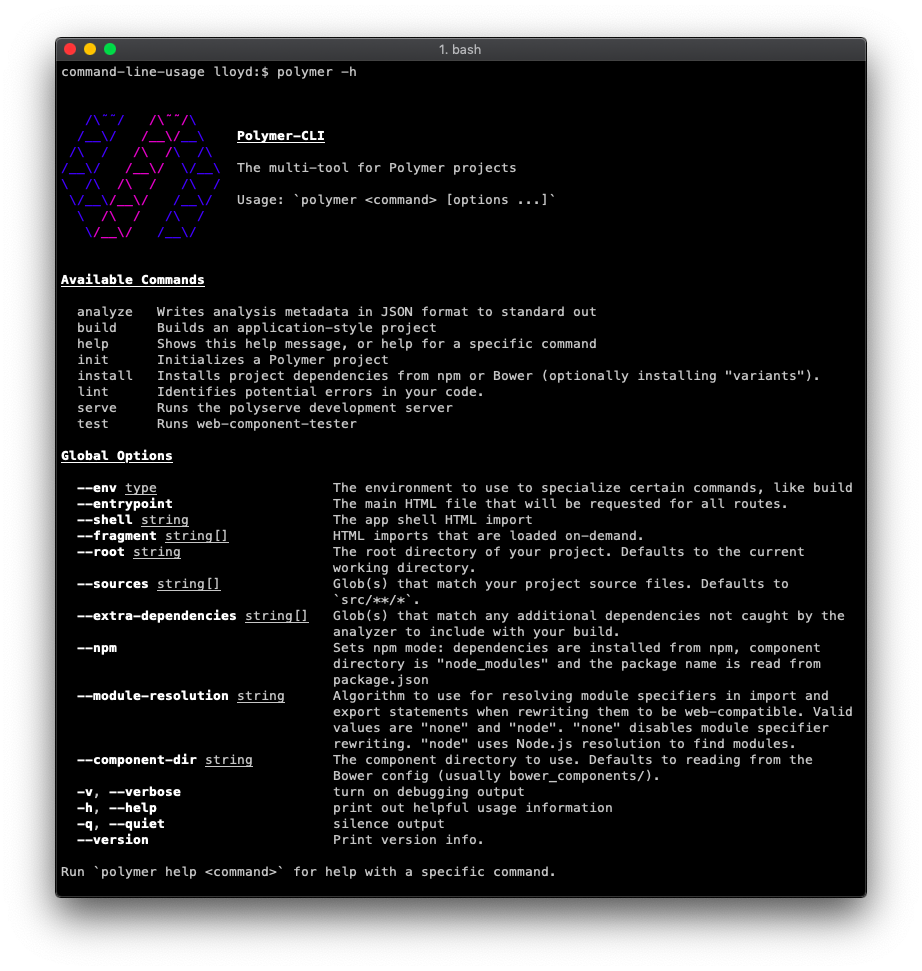
| A usage guide (typically printed when `--help` is set) can be generated using [command-line-usage](https://github.com/75lb/command-line-usage). See the examples below and [read the documentation](https://github.com/75lb/command-line-usage) for instructions how to create them. | |
| A typical usage guide example. | |
|  | |
| The [polymer-cli](https://github.com/Polymer/polymer-cli/) usage guide is a good real-life example. | |
|  | |
| ## Further Reading | |
| There is plenty more to learn, please see [the wiki](https://github.com/75lb/command-line-args/wiki) for examples and documentation. | |
| ## Install | |
| ```sh | |
| $ npm install command-line-args --save | |
| ``` | |
| * * * | |
| © 2014-22 Lloyd Brookes \<75pound@gmail.com\>. Documented by [jsdoc-to-markdown](https://github.com/75lb/jsdoc-to-markdown). | |