
Spaces:
No application file

No application file
| title: Smart_Pdf_Reader | |
| app_file: webui.py | |
| sdk: gradio | |
| sdk_version: 3.34.0 | |
| # ChatWeb | |
| [](https://colab.research.google.com/github/SkywalkerDarren/chatWeb/blob/master/example.ipynb) | |
| [English Doc](readme.md) | |
| [中文文档](readme.zh.md) | |
| ChatWeb can crawl any webpage or extract text from PDF, DOCX, TXT files, and generate an embedded summary. | |
| It can also answer your questions based on the content of the text. | |
| It is implemented using the chatAPI and embeddingAPI based on gpt3.5, as well as a vector database. | |
| # Basic Principle | |
| The basic principle is similar to existing projects such as chatPDF and automated customer service AI. | |
| Crawl web pages | |
| Extract text content | |
| Use GPT3.5's embedding API to generate vectors for each paragraph | |
| Calculate the similarity score between each paragraph's vector and the entire text's vector to generate a summary | |
| Store the vector-text mapping in a vector database | |
| Generate keywords from user input | |
| Generate a vector from the keywords | |
| Use the vector database to perform a nearest neighbor search and return a list of the most similar texts | |
| Use GPT3.5's chat API to design a prompt that answers the user's question based on the most similar texts in the list. | |
| The idea is to extract relevant content from a large amount of text and then answer questions based on that content, which can achieve a similar effect to breaking through token limits. | |
| An improvement was made to generate vectors based on keywords rather than the user's question, which increases the accuracy of searching for relevant texts. | |
| # Getting Started | |
| ## Manual installation: | |
| - Install Python3 | |
| - Download this repository by running `git clone https://github.com/SkywalkerDarren/chatWeb.git` | |
| - Navigate to the directory by running `cd chatWeb` | |
| - Copy `config.example.json` to `config.json` | |
| - Edit `config.json` and set `open_ai_key` to your OpenAI API key | |
| - Install dependencies by running `pip3 install -r requirements.txt` | |
| - Start the application by running `python3 main.py` | |
| ## Docker: | |
| if you prefer, you can also run this project using docker: | |
| - build the container using `docker-compose build` (only needed once when you are not planning to contibute to this repo) | |
| - copy `config.example.json` to `config.json` and set all the needed stuff. The example config is already fine for running with docker, no need to change anything there, if you don't have the OPEN_AI_KEY in your env variables you can set it here too, or later if you run this app. | |
| - run the container: `docker-compose up" | |
| - open the application in browser: `http://localhost:7860` | |
| ## Set language | |
| - Edit `config.json`, set `language` to `English` or other language | |
| ## Mode Selection | |
| - Edit `config.json` and set `mode` to `console`, `api`, or `webui` to choose the startup mode. | |
| - In `console` mode, type `/help` to view commands. | |
| - In `api` mode, an API service can be provided to the outside world. `api_port` and `api_host` can be set in `config.json`. | |
| - In `webui` mode, a web user interface service can be provided. `webui_port` can be set in `config.json`, defaulting to `http://127.0.0.1:7860`. | |
| ## Stream Mode | |
| - Edit `config.json` and set `use_stream` to `true`. | |
| ## Setting the Temperature | |
| - Edit `config.json` and set `temperature` to a value between 0 and 1. | |
| - The smaller the value, the more conservative and stable the response will be. The larger the value, the more daring the response may be, possibly resulting in "hallucinations." | |
| ## OpenAI Proxy Settings | |
| - Edit `config.json` and add `open_ai_proxy` for your proxy address, for example: | |
| ``` | |
| "open_ai_proxy": { | |
| "http": "socks5://127.0.0.1:1081", | |
| "https": "socks5://127.0.0.1:1081" | |
| } | |
| ``` | |
| ## Install PostgreSQL (Optional) | |
| - Edit `config.json` and set `use_postgres` to `true`. | |
| - Install PostgreSQL. | |
| - The default SQL address is `postgresql://localhost:5432/mydb`, or you can set it in `config.json`. | |
| - Install the pgvector plugin. | |
| Compile and install the extension (support Postgres 11+). | |
| ```bash | |
| git clone --branch v0.4.0 https://github.com/pgvector/pgvector.git | |
| cd pgvector | |
| make | |
| make install # may need sudo | |
| ``` | |
| Then load it in the database you want to use it in | |
| ```postgresql | |
| CREATE EXTENSION vector; | |
| ``` | |
| - Install dependency with pip: `pip3 install psycopg2` | |
| # Example | |
| ```txt | |
| Please enter the link to the article or the file path of the PDF/TXT/DOCX document: https://gutenberg.ca/ebooks/hemingwaye-oldmanandthesea/hemingwaye-oldmanandthesea-00-e.html | |
| Please wait for 10 seconds until the webpage finishes loading. | |
| The article has been retrieved, and the number of text fragments is: 663 | |
| ... | |
| ===================================== | |
| Query fragments used tokens: 7219, cost: $0.0028876 | |
| Query fragments used tokens: 7250, cost: $0.0029000000000000002 | |
| Query fragments used tokens: 7188, cost: $0.0028752 | |
| Query fragments used tokens: 7177, cost: $0.0028708 | |
| Query fragments used tokens: 2378, cost: $0.0009512000000000001 | |
| Embeddings have been created with 663 embeddings, using 31212 tokens, costing $0.0124848 | |
| The embeddings have been saved. | |
| ===================================== | |
| Please enter your query (/help to view commands): | |
| ``` | |
| # TODO | |
| - [x] Support for pdf/txt/docx files | |
| - [x] Support for in-memory storage without a database (faiss) | |
| - [x] Support for Stream | |
| - [x] Support for API | |
| - [x] Support for proxies | |
| - [x] Add Colab support | |
| - [x] Add language support | |
| - [x] Support for temperature | |
| - [x] Support for webui | |
| - [ ] Other features that have not been thought of yet | |
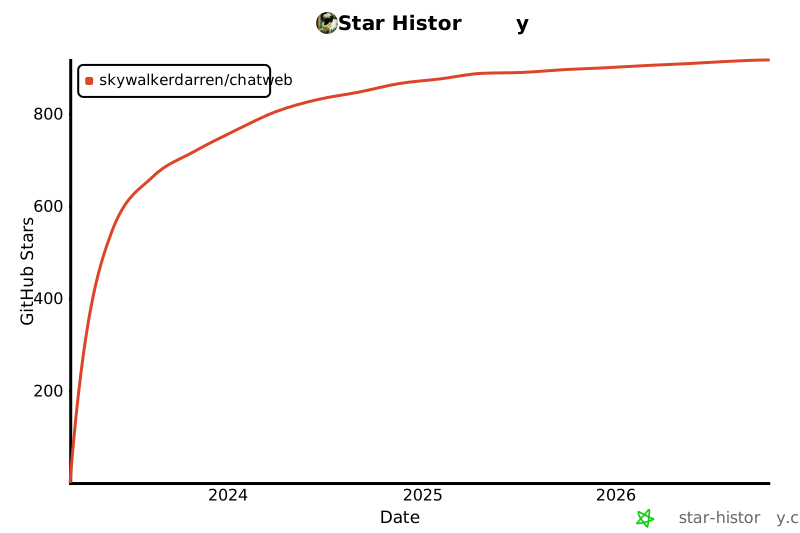
| # Star History | |
|  | |