
Spaces:
Runtime error

Runtime error
File size: 4,427 Bytes
bd4a78d 50e2868 bd4a78d d3ab695 4727fcb 8a1faeb 4727fcb 8a1faeb 4727fcb 22a513f b4abe0e 22a513f 4727fcb 45b6f3e 22a513f 4727fcb 8a1faeb 4727fcb 8a1faeb 0b57910 2a26ae4 4727fcb 8a1faeb 4727fcb 8a1faeb 4727fcb 8a1faeb 4727fcb 8a1faeb 4727fcb 8a1faeb 4727fcb 8a1faeb | 1 2 3 4 5 6 7 8 9 10 11 12 13 14 15 16 17 18 19 20 21 22 23 24 25 26 27 28 29 30 31 32 33 34 35 36 37 38 39 40 41 42 43 44 45 46 47 48 49 50 51 52 53 54 55 56 57 58 59 60 61 62 63 64 65 66 67 68 69 70 71 72 73 74 75 76 77 78 79 80 81 82 83 84 85 86 87 88 89 90 91 92 93 94 95 96 97 98 99 100 101 102 103 104 105 106 107 108 109 | ---
title: Hieroglyph Mcp Server
emoji: 👁
colorFrom: gray
colorTo: yellow
sdk: gradio
sdk_version: 6.0.1
app_file: app.py
pinned: false
short_description: Detect and classify hieroglyphs to its Gardiner code
tags:
- building-mcp-track-creative
- mcp-server
---
# 𓀀 Egyptian Hieroglyph Detector (MCP Server)
Welcome to our submission for the **MCP Hackathon (Track 1: Building MCP)** !
This project bridges the gap between ancient history and modern AI Agents. It provides an **MCP Server** that allows Ai Agents to "see" and identify Gardiner's Egyptian Hieroglyphs in any image.
## 👥 Team
- **[youkii-xr](https://huggingface.co/youkii-xr)** – XR Developer, did the MCP and Gradio part <br> [](https://www.linkedin.com/in/youkii-xr/)
- **[mariam-essam](https://huggingface.co/mariam-essam)** – AI Engineer, did the AI model part <br> [](https://www.linkedin.com/in/mariam-essam-ai-engineer/)
## 🎥 Demo Video
| Claude Desktop MCP Server | Hieroglyphic Gradio Web App |
| :---: | :---: |
| [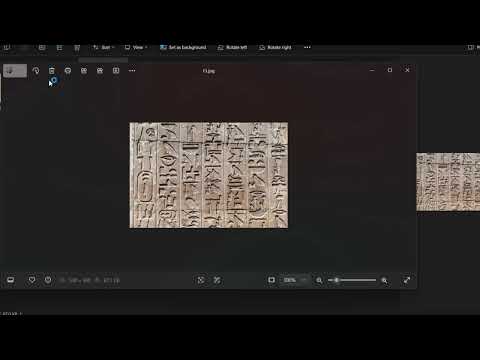](https://youtu.be/Vvlu6sDzsBE) | [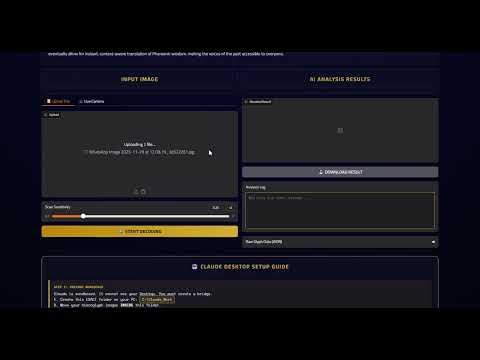](https://youtu.be/GSXIpSummOU) |
## 🚨🌍 IMPORTANT NOTICE FOR HACKATHON 🤖
We are participating in the **Creative Track** (`building-mcp-track-creative`) because this tool unlocks new cultural and educational capabilities for AI agents.
🔗 **Social Media Post:**
[[Gradio App](https://www.linkedin.com/posts/mariam-essam-ai-engineer_machinelearning-computervision-ai-activity-7400193629241143296-sWvC?utm_source=social_share_send&utm_medium=member_desktop_web&rcm=ACoAADSn0yMBo1MdVldbeoL5OxUZo2-CMJKUKOM)]<br>
[[MCP Server](https://www.linkedin.com/posts/youkii-xr_huggingface-mcp-ai-activity-7400474001891819520-tTa3?utm_source=social_share_send&utm_medium=member_desktop_web&rcm=ACoAADSn0yMBo1MdVldbeoL5OxUZo2-CMJKUKOM)]
## 🗂️ Capabilities & Tools
When connected to Claude, this server exposes two powerful tools:
### 1. `detect_hieroglyphs` (The AI Eye)
- **Purpose:** Takes an image input and performs object detection for Egyptian Hieroglyphs.
- **Output:** Returns an annotated image with bounding boxes drawn around symbols, plus a JSON summary of symbol counts (e.g., "3x Owl", "1x Water").
- **Model:** Powered by a custom-trained YOLOv8 model specialized on the Gardiner Sign List.
### 2. `upload_file` (The Bridge)
- **Purpose:** Solves the "Local vs. Cloud" problem. Since the server runs in the cloud, it cannot see your `C:` drive.
- **Function:** Claude uses this tool to upload a specific local image to the secure temporary storage of the Space, returning a valid URL for the AI Eye to process.
## 🚀 How to Use (Claude Desktop)
You can connect this tool to your own Claude Desktop right now!
### Prerequisites
- **Claude Desktop** installed.
- **Node.js** & **Python** installed.
- **Gradio MCP:** Run `pip install "gradio[mcp]"`
### Configuration
Add this to your `%APPDATA%\Claude\claude_desktop_config.json` (Windows) or `~/Library/Application Support/Claude/claude_desktop_config.json` (Mac):
```
{
"mcpServers": {
"hieroglyph-ai": {
"command": "npx.cmd",
"args": [
"mcp-remote",
"[https://youkii-xr-hieroglyph-mcp-server.hf.space/gradio_api/mcp/](https://youkii-xr-hieroglyph-mcp-server.hf.space/gradio_api/mcp/)",
"--transport",
"streamable-http"
]
},
"upload_helper": {
"command": "python",
"args": [
"-m",
"gradio",
"upload-mcp",
"[https://youkii-xr-hieroglyph-mcp-server.hf.space/](https://youkii-xr-hieroglyph-mcp-server.hf.space/)",
"C:\\Claude_Work"
]
}
}
}
```
*(Note: Change* *`C:\\Claude_Work`* *to the actual folder where you keep your images)*
## 🧩 Technical Architecture
- **Framework:** Gradio 5.9.0 (with native MCP support)
- **Model:** Ultralytics YOLOv8 (Private Weights)
- **Storage:** Hugging Face Hub (Private Repo for Model, Public Space for Inference)
- **Protocol:** Model Context Protocol (MCP) via SSE (Server-Sent Events)
*Built with ❤️ for the Hugging Face MCP Hackathon 2025*
|