
Spaces:
Sleeping

Sleeping
| title: "Interactive Notebooks: Marimo" | |
| original_url: "https://tds.s-anand.net/#/marimo?id=interactive-notebooks-marimo" | |
| downloaded_at: "2025-06-08T23:25:35.286078" | |
| [Interactive Notebooks: Marimo](#/marimo?id=interactive-notebooks-marimo) | |
| ------------------------------------------------------------------------- | |
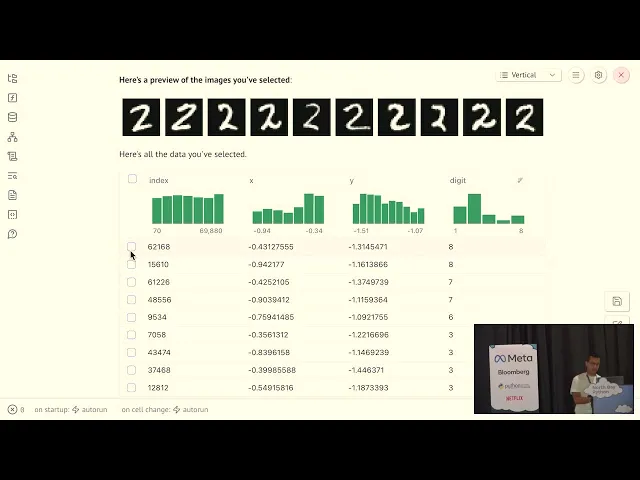
| [Marimo](https://marimo.app/) is a new take on notebooks that solves some headaches of Jupyter. It runs cells reactively - when you change one cell, all dependent cells update automatically, just like a spreadsheet. | |
| Marimo’s cells can’t be run out of order. This makes Marimo more reproducible and easier to debug, but requires a mental shift from the Jupyter/Colab way of working. | |
| It also runs Python directly in the browser and is quite interactive. [Browse the gallery of examples](https://marimo.io/gallery). With a wide variety of interactive widgets, It’s growing popular as an alternative to Streamlit for building data science web apps. | |
| Common Operations: | |
| ``` | |
| # Create new notebook | |
| uvx marimo new | |
| # Run notebook server | |
| uvx marimo edit notebook.py | |
| # Export to HTML | |
| uvx marimo export notebook.pyCopy to clipboardErrorCopied | |
| ``` | |
| Best Practices: | |
| 1. **Cell Dependencies** | |
| * Keep cells focused and atomic | |
| * Use clear variable names | |
| * Document data flow between cells | |
| 2. **Interactive Elements** | |
| ``` | |
| # Add interactive widgets | |
| slider = mo.ui.slider(1, 100) | |
| # Create dynamic Markdown | |
| mo.md(f"{slider} {"🟢" * slider.value}")Copy to clipboardErrorCopied | |
| ``` | |
| 3. **Version Control** | |
| * Keep notebooks are Python files | |
| * Use Git to track changes | |
| * Publish on [marimo.app](https://marimo.app/) for collaboration | |
| [](https://youtu.be/9R2cQygaoxQ) | |
| [Previous | |
| Narratives with LLMs](#/narratives-with-llms) | |
| [Next | |
| HTML Slides: RevealJS](#/revealjs) |