

LandPPT - AI-Powered PPT Generation Platform







Open to Opportunities
If you're interested in my projects or have suitable collaboration opportunities, feel free to reach out!

English | 中文
Table of Contents
- Project Overview
- Feature Highlights
- Key Features
- Quick Start
- Usage Guide
- Configuration
- API Documentation
- Tech Stack
- FAQ
- License
Project Overview
LandPPT is an intelligent presentation generation platform powered by Large Language Models (LLMs) that automatically converts document content into professional PPT presentations. The platform integrates multiple AI models, intelligent image processing, deep research capabilities, and rich template systems, enabling users to effortlessly create high-quality presentations.
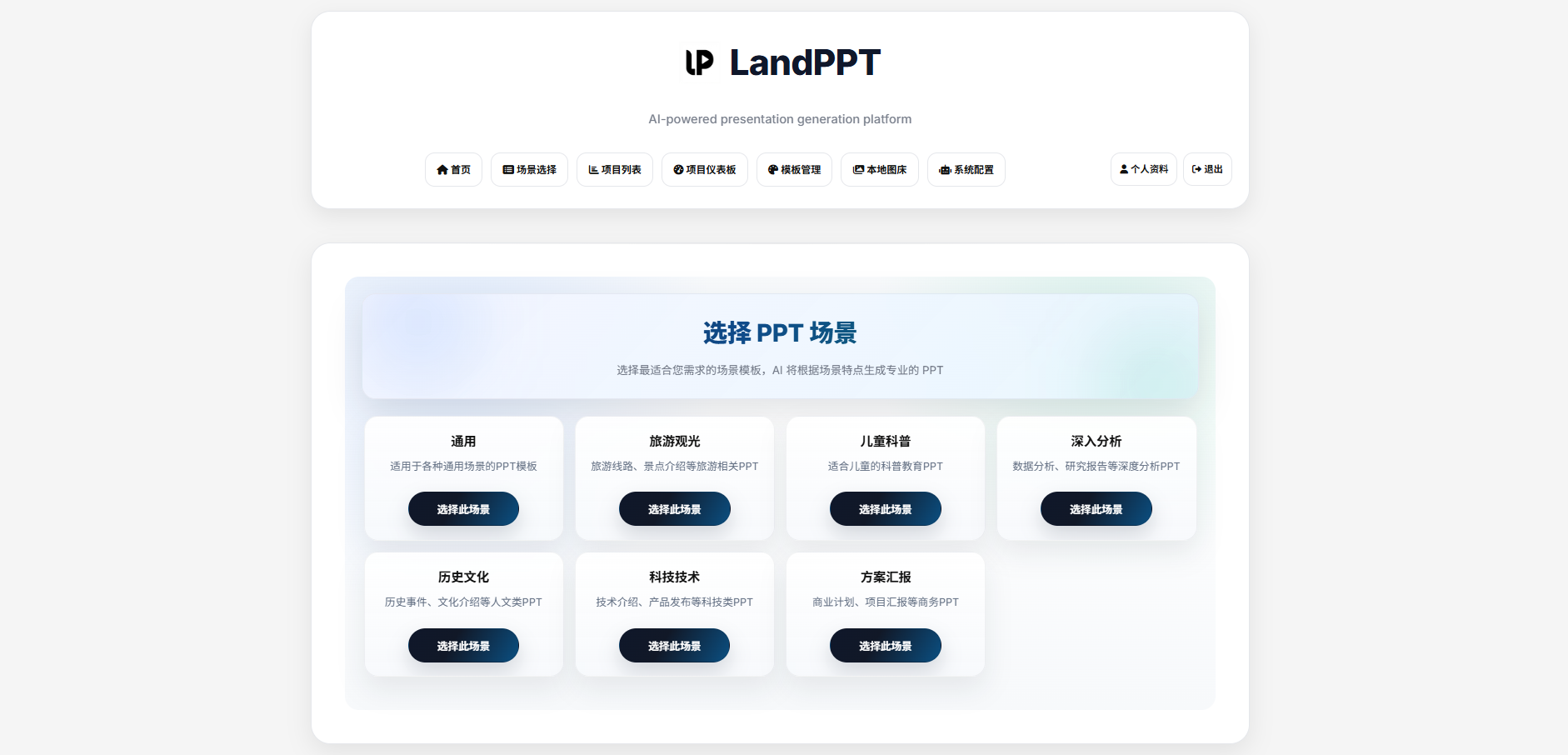
Main Interface
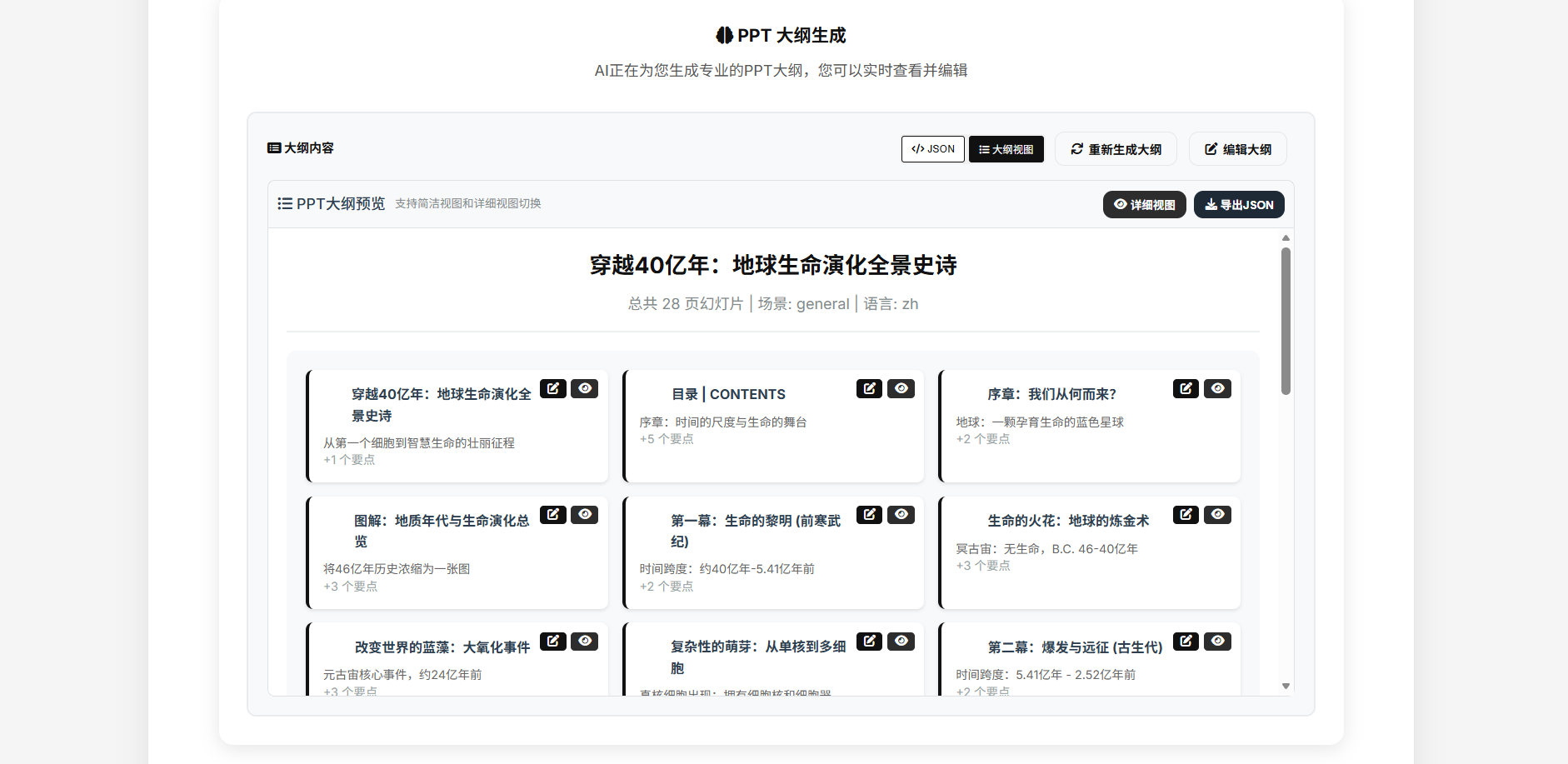
Outline Generation
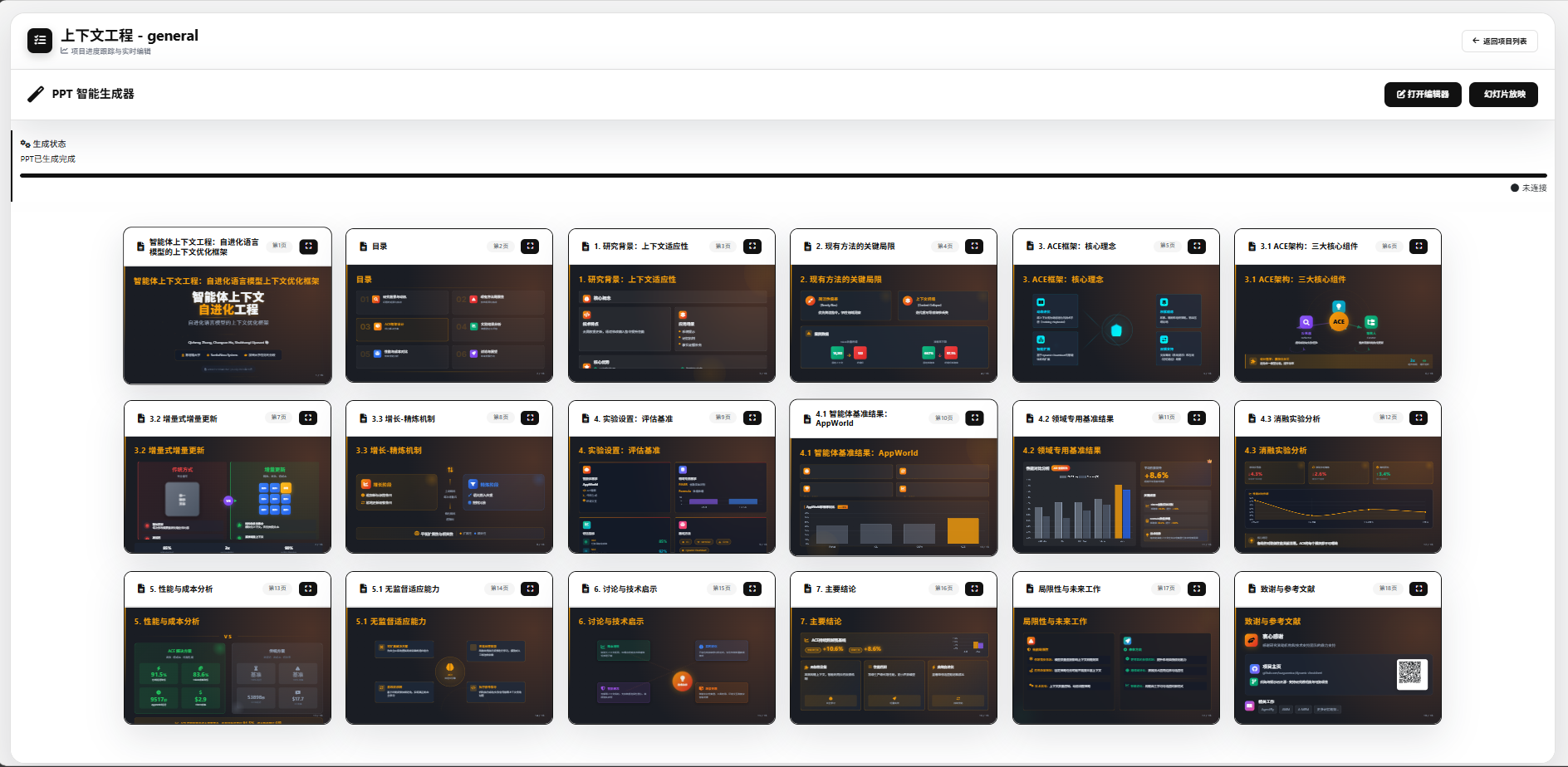
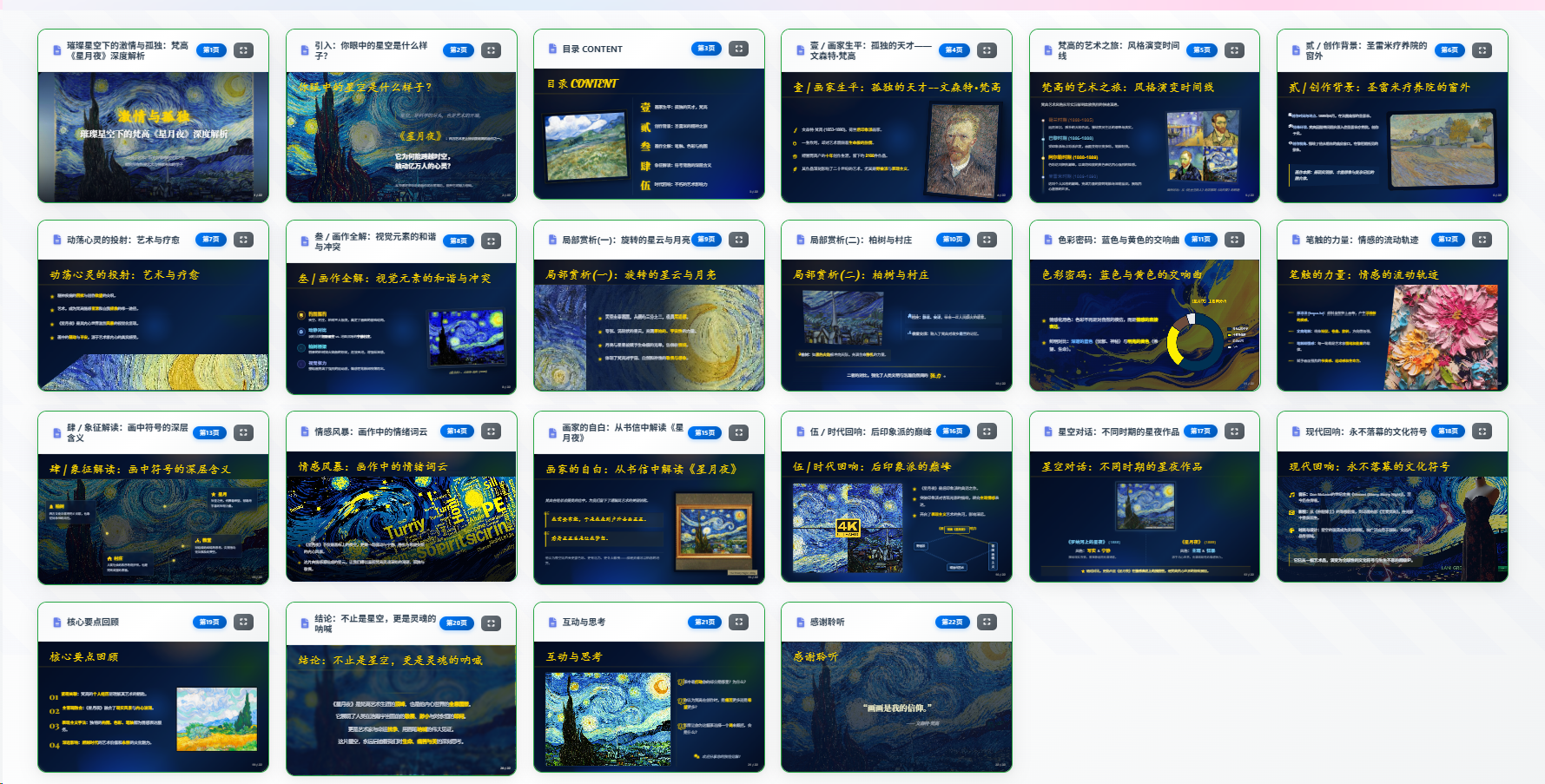
Generation Effect
Online editing

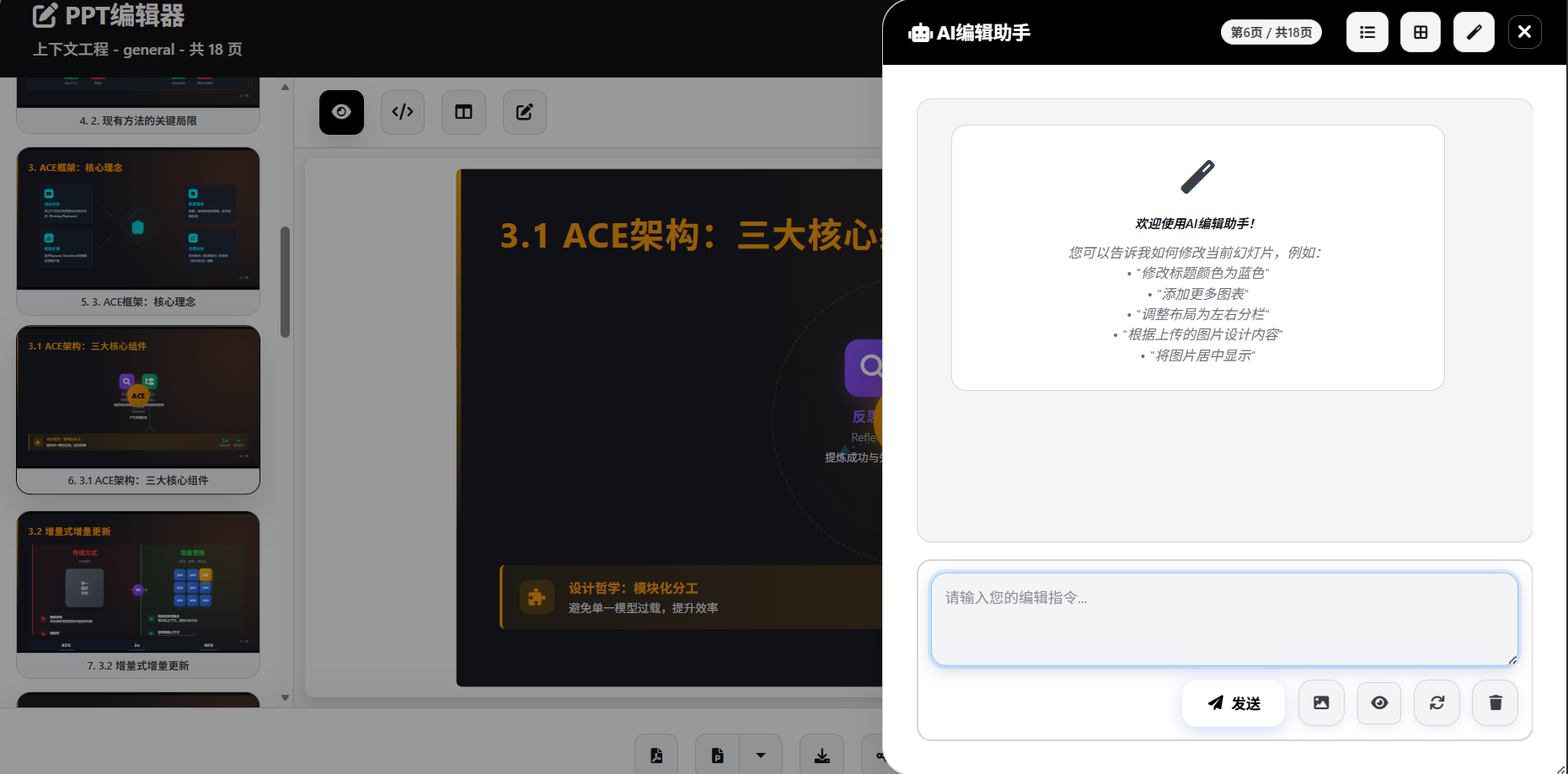
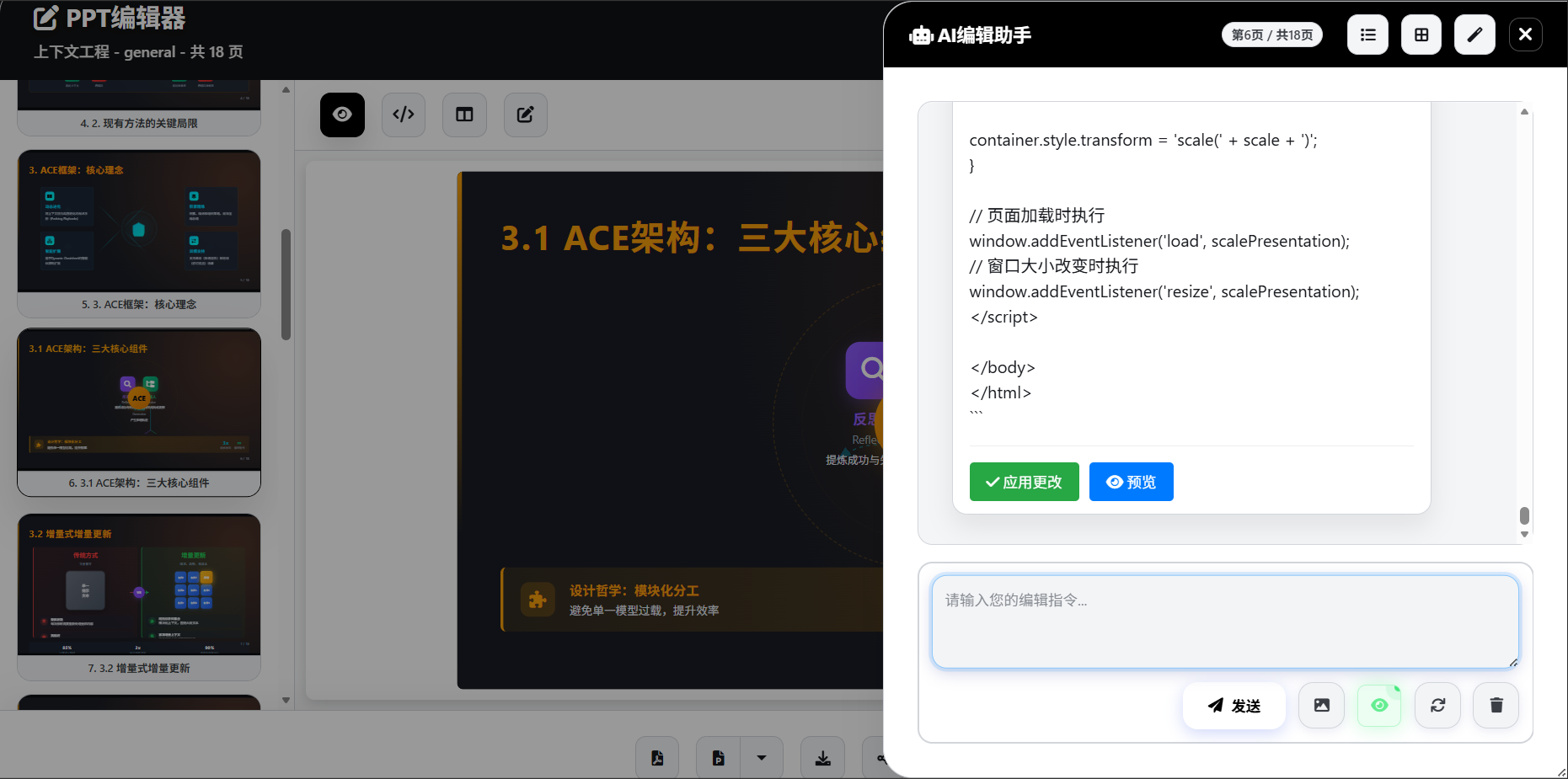
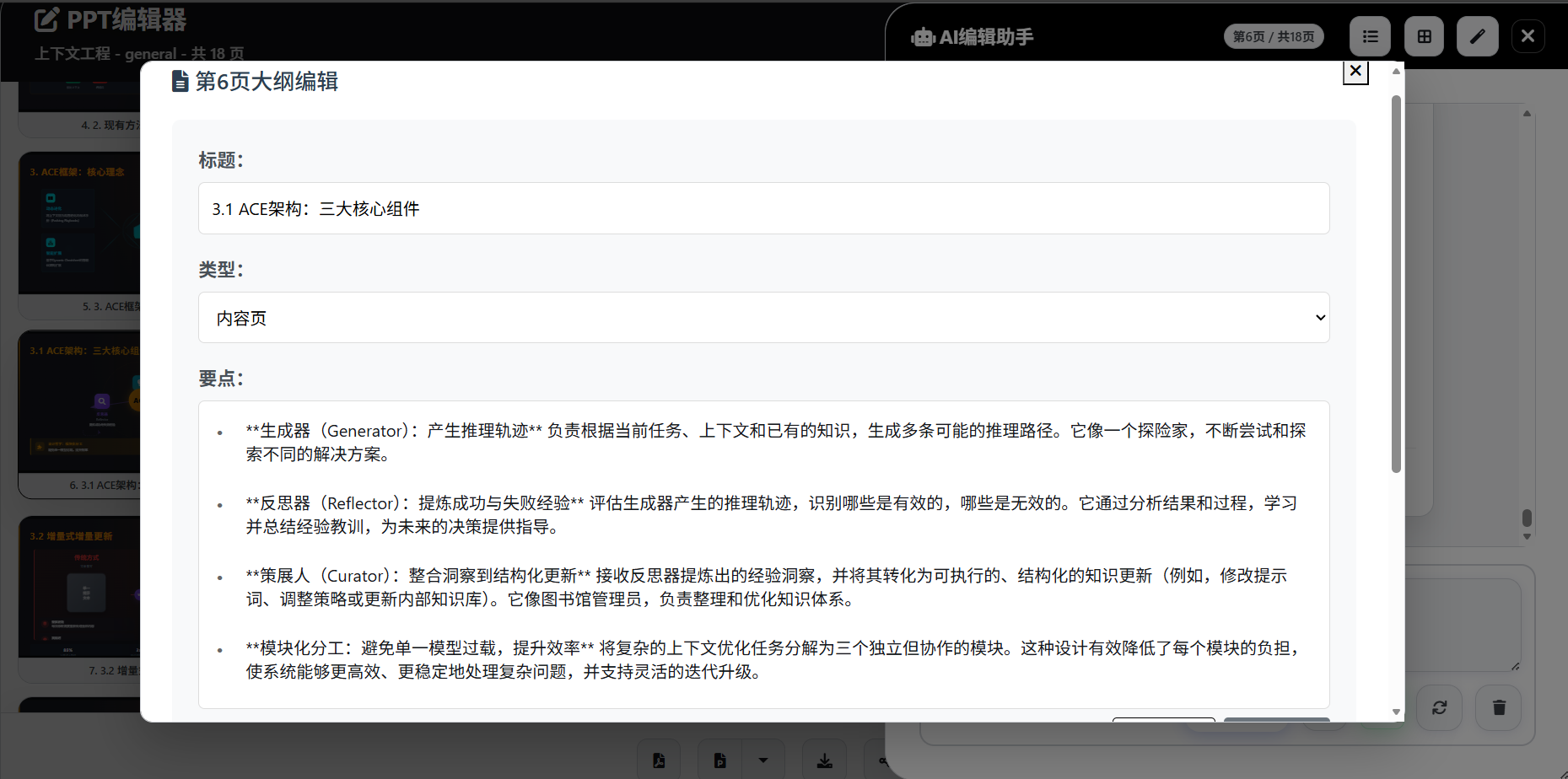
Speech Script Generation
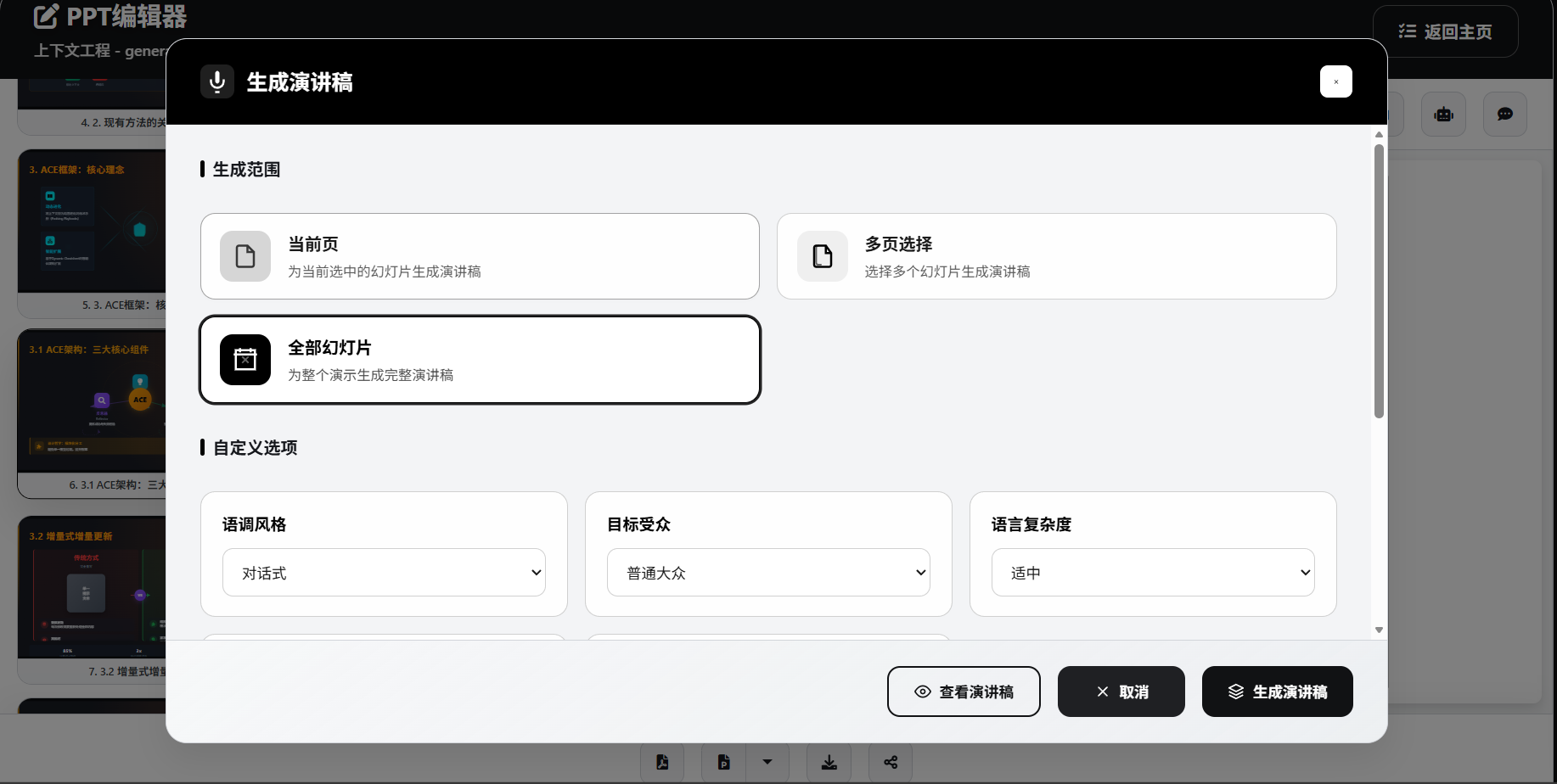
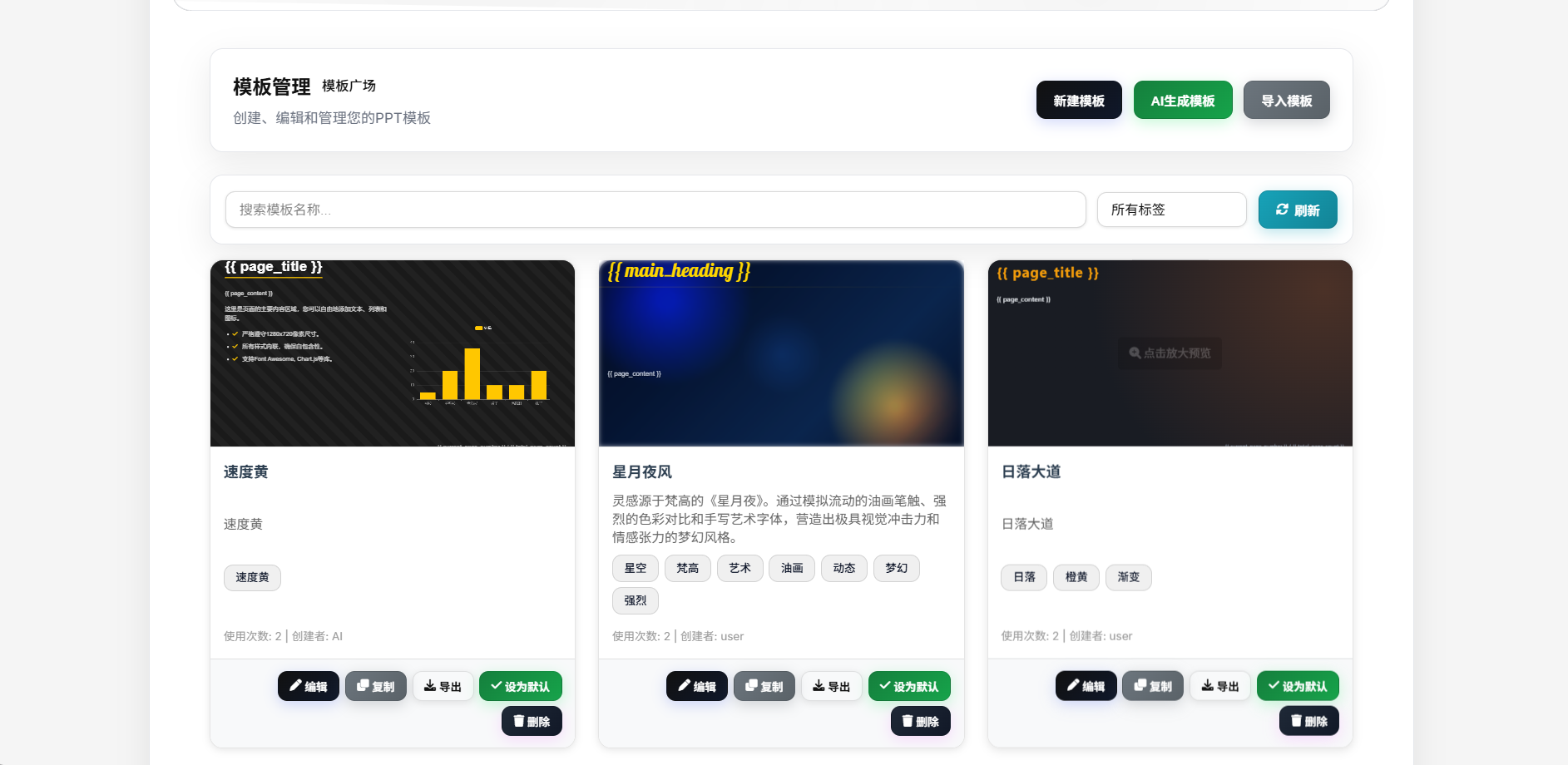
Template Generation
Feature Highlights
- One-Click Generation: From topic to complete PPT, fully automated AI processing
- Smart Image Matching: AI automatically matches the most suitable images with multi-source support and reference image generation
- TODO Task Board: Interactive workflow board for real-time generation progress, task logs, and richer visual feedback
- Deep Research: Integrated multiple search engines for latest and comprehensive information
- Parallel Slide Generation: Generate slide content concurrently to significantly improve throughput on stronger AI backends
- Speech Script Generation: Intelligent generation of accompanying speech scripts with multiple export formats
- Narration & Video Export: Generate per-slide narration audio via Edge-TTS, support slide-synced playback, and export narrated videos (1080p 30/60fps with embedded subtitles)
- Visual Reference: AI editing assistant supports image upload and visual content analysis
- Multiple File Upload: Support uploading multiple files simultaneously for efficient batch processing
- Custom Model Selection: Customize model selection by function module for precise cost control
- Public Sharing & Fullscreen Playback: Generate share links for public viewing, fullscreen playback, narration audio, and subtitles
- Dual PPTX Export Paths: Standard PPTX export via Apryse plus image-based PPTX export for higher HTML/CSS fidelity
- Automation Ready: Built-in OpenAI-compatible API plus project REST APIs for n8n, CI, scripts, and API-key auth
- Account System: Local auth, GitHub OAuth, Linux Do OAuth, forgot password, email verification, and registration rate limiting
- Notes Export: Support exporting speech scripts to PPT notes
- Image Export: Support exporting PPT in image format
- Responsive Design: Perfect adaptation to various devices and screen sizes
- Enterprise Security: Support for local deployment with controllable data security
Key Features
Multi-AI Provider Support
- OpenAI GPT Series: GPT-5.5 and other OpenAI models
- OpenAI-Compatible Platforms: Supports DeepSeek, Moonshot, Qwen, and other OpenAI-compatible endpoints
- Anthropic Claude: Claude series models
- Google Gemini: Gemini series models with custom endpoint support
- Azure OpenAI: Enterprise-grade AI services with custom deployments
- Ollama: Locally deployed open-source models supporting Llama, Mistral, etc.
Powerful File Processing
- Multi-format Support: PDF, Word, Markdown, TXT, Excel, PowerPoint and more formats
- Intelligent Parsing: High-quality content extraction using MinerU and MarkItDown
- Deep Research: Multi-source research with Tavily API and SearXNG integration
- Content Enhancement: Automatic web content extraction and intelligent summarization
Intelligent Image Processing System
- Multi-source Image Acquisition: Local gallery, network search, and AI generation in one
- Network Image Search: Support for premium galleries like Pixabay, Unsplash
- AI Image Generation: Integration with DALL-E, SiliconFlow, Pollinations services
- Smart Image Selection: AI automatically matches the most suitable image content
- Image Processing Optimization: Automatic resizing, format conversion, quality optimization
Enhanced Research Capabilities
- Multi-engine Search: Dual engine support with Tavily and SearXNG
- Deep Content Extraction: Intelligent web content parsing and structured processing
- Multi-language Support: Support for Chinese, English and other languages
- Real-time Information: Access to latest web information and data
Rich Template System
- Global Master Templates: Unified HTML template system with responsive design
- Diverse Layouts: AI-generated creative page layouts and design styles
- Scenario-based Templates: Professional templates for general, tourism, education scenarios
- Reference PPTX Extraction: Upload a reference PPTX and extract layout/style cues into reusable templates
- Free Template Mode: Project-level AI-adaptive template generation based on topic, outline, and reference assets
- Custom Templates: Support for importing and creating personalized templates
- Reference Image Generation: AI template generation supports reference images for intelligent design style matching
Complete Project Management
- Four-stage Workflow: Requirements confirmation Outline generation TODO progress tracking PPT generation
- Task Board: Integrated task management with real-time status, logs, and animated feedback
- Stage Restart & Resume: Restart workflow execution from a selected stage after revising outline/content
- Public Share Management: Generate, disable, and inspect project share links
- Visual Editing: Intuitive outline editor with real-time preview
- Version Management: Project history and version rollback functionality
- Batch Operations: Support for batch generation and processing multiple projects
Modern Web Interface
- Intuitive Operation: User-friendly responsive web interface
- AI Chat Editing: Sidebar AI editing with real-time conversation support and visual references
- Speech Script Generation: Support for single/multiple/all slide speech script generation, export to DOCX/Markdown formats
- Fullscreen Presentation Mode: Supports narration audio, subtitles, auto-advance, and public shared playback
- Multi-format Export: PDF/HTML/standard PPTX/image-based PPTX/speech DOCX/Markdown export support
- Real-time Preview: 16:9 standard ratio real-time page preview
Platform & Operations
- Docker / Docker Compose: Ships with both single-container usage and multi-service orchestration via
docker-compose.ymlanddocker-compose-dev.yaml - PostgreSQL + Valkey: Production compose stack includes database plus cache/task coordination for multi-user deployments
- Background Task System: Long-running PDF/PPTX/narration-video exports run asynchronously with polling support
- Automatic Database Migrations: Pending migrations run on startup, and default templates are imported on first boot
- OpenAI-Compatible Endpoints: Exposes
/v1/chat/completions,/v1/completions, and/v1/models - Optional Monetization Modules: Credits system, SMTP/Resend email, registration throttling, and Cloudflare Turnstile
Quick Start
System Requirements
- Python 3.11+
- SQLite 3
- ffmpeg (required for narration video export)
- Docker (optional)
Database Migrations (Automatic)
- By default, the app will auto-detect and apply pending database migrations on startup (not user-specific). Disable via
LANDPPT_AUTO_MIGRATE_ON_STARTUP=false. - Standalone/local startup now defaults to SQLite; only set
DATABASE_URLwhen you want to use PostgreSQL or another external database explicitly. - If you run multiple containers/nodes against the same database, consider disabling auto-migrate and running migrations as a dedicated one-off job.
Local Installation
Method 1: uv Setup (Recommended)
# Clone the repository
git clone https://github.com/sligter/LandPPT.git
cd LandPPT

# Install uv (if not already installed)
# Windows (PowerShell)
powershell -ExecutionPolicy ByPass -c "irm https://astral.sh/uv/install.ps1 | iex"
# macOS/Linux
curl -LsSf https://astral.sh/uv/install.sh | sh

# Sync the development/test environment with uv
uv sync --extra dev

# If you only need the test runner, you can install the smaller test extra instead
# uv sync --extra test

# Configure environment variables
cp .env.example .env
# Edit .env file and configure your AI API keys

# Start the service (defaults to port 8000 with SQLite + memory cache; PostgreSQL / Valkey are optional)
uv run python run.py

# Run tests (example)
uv run --extra dev pytest tests/test_creative_guidance_defaults.py

# If upgrading: after startup, apply database migrations (includes narration audio/video)
# Option A (no HTTP auth required):
# python -c "import asyncio; from landppt.database.migrations import migration_manager; asyncio.run(migration_manager.migrate_up())"
# Option B (HTTP endpoint requires auth session cookie):
# 1) Get session_id: curl -X POST -d "username=YOUR_USER&password=YOUR_PASS" http://localhost:8000/api/auth/login
# 2) Run migrations: curl -X POST -H "Cookie: session_id=YOUR_SESSION_ID" http://localhost:8000/api/database/migrations/run
Method 2: Traditional pip Installation
# Clone the repository
git clone https://github.com/sligter/LandPPT.git
cd LandPPT

# Create virtual environment
python -m venv venv
# Activate virtual environment
# Windows
venv\Scripts\activate
# macOS/Linux
source venv/bin/activate

# Install dependencies
pip install -e .

# Configure environment variables
cp .env.example .env
# Edit .env file and configure your AI API keys

# Start the service (defaults to port 8000 with SQLite + memory cache; PostgreSQL / Valkey are optional)
python run.py
Docker Deployment
Using Pre-built Image (Recommended)
# Pull the latest image
docker pull bradleylzh/landppt:latest

# Run container
docker run -d \
  --name landppt \
  -p 8000:8000 \
  -v $(pwd)/.env:/app/.env \
  -v landppt_data:/app/data \
  -v landppt_reports:/app/research_reports \
  -v landppt_cache:/app/temp \
  bradleylzh/landppt:latest

# View logs
docker logs -f landppt
Note: Make sure to create and configure the
.envfile with necessary API keys before running.
Docker Compose (Recommended for Production)
The repository includes docker-compose.yml, which starts landppt + PostgreSQL + Valkey together. This is the recommended setup for multi-user deployments, background jobs, and long-running environments. For standalone local use, you can run python run.py / uv run python run.py directly and use the default SQLite + memory-cache setup without extra services.
# Prepare configuration
cp .env.example .env
# At minimum, set AI keys, SECRET_KEY, and POSTGRES_PASSWORD

# Start the production stack
docker compose up -d --build

# View logs
docker compose logs -f landppt
Default URL: http://localhost:6003
Development Mode (Hot Reload)
Use docker-compose-dev.yaml for source-mounted development with hot reload enabled.
cp .env.example .env
docker compose -f docker-compose-dev.yaml up -d --build
docker compose -f docker-compose-dev.yaml logs -f landppt-dev
Default URL: http://localhost:8001
Usage Guide
1. Access Web Interface
After starting the service, visit:
- Web Interface: http://localhost:8000
- API Documentation: http://localhost:8000/docs
- Health Check: http://localhost:8000/health
No administrator account is created automatically by default. To bootstrap one, explicitly set LANDPPT_BOOTSTRAP_ADMIN_ENABLED=true, LANDPPT_BOOTSTRAP_ADMIN_USERNAME, and LANDPPT_BOOTSTRAP_ADMIN_PASSWORD.
2. Configure AI Providers
Configure your AI API keys in the settings page:
- OpenAI API Key
- Anthropic API Key
- Google API Key
- Or configure local Ollama service
3. Create PPT Projects
- Requirements Confirmation: Input topic, select audience, set page range, choose scenario template
- Outline Generation: AI intelligently generates structured outline with visual editing support
- Content Research: Optionally enable deep research functionality to get latest relevant information
- Image Configuration: Configure image acquisition methods (local/network/AI generation)
- PPT Generation: Generate complete HTML presentation based on outline
4. Edit and Export
- Use AI chat functionality for real-time content and style editing with image upload for visual references
- Support image replacement and optimization, AI template generation can reference uploaded images
- Generate accompanying speech scripts with single/multiple/all slide modes
- Generate per-slide narration audio via Edge-TTS or ComfyUI Qwen3-TD, including reference-audio upload support
- Export narrated MP4 videos with 1080p, 30/60fps, and optional embedded subtitles
- Export as PDF, HTML, standard PPTX, image-based PPTX, and speech script DOCX/Markdown formats
- Generate public share links and play narration audio/subtitles directly in the shared presentation page
- Save project versions and history
- Support batch processing and template reuse
5. Automation & Open Interfaces
- Use API keys to connect project workflows to n8n, CI jobs, scripts, or your own backend services
- OpenAI-compatible endpoints are available at
/v1/chat/completions,/v1/completions, and/v1/models - Project-level export/share/speech endpoints are available for non-browser automation flows
Configuration
Environment Variables
Main configuration items (common options are in .env.example; advanced options can be referenced in src/landppt/core/config.py):
# AI Provider Configuration
DEFAULT_AI_PROVIDER=openai
OPENAI_API_KEY=your_openai_api_key_here
ANTHROPIC_API_KEY=your_anthropic_api_key_here
GOOGLE_API_KEY=your_google_api_key_here
GOOGLE_BASE_URL=https://generativelanguage.googleapis.com  # Custom Gemini endpoint

# Role-based model routing (optional)
OUTLINE_MODEL_PROVIDER=openai
OUTLINE_MODEL_NAME=gpt-4o-mini
SLIDE_GENERATION_MODEL_PROVIDER=openai
SLIDE_GENERATION_MODEL_NAME=gpt-4o
EDITOR_ASSISTANT_MODEL_PROVIDER=openai
TEMPLATE_GENERATION_MODEL_PROVIDER=openai
SPEECH_SCRIPT_MODEL_PROVIDER=openai
SPEECH_SCRIPT_MODEL_NAME=gpt-4o-mini

# Server Configuration
HOST=0.0.0.0
PORT=8000
SECRET_KEY=your-secure-secret-key
WORKERS=2
RELOAD=false

# Research Functionality Configuration
TAVILY_API_KEY=your_tavily_api_key_here        # Tavily search engine
TAVILY_BASE_URL=https://gateway.example.com/tavily # Optional custom Tavily gateway/proxy URL
SEARXNG_HOST=http://localhost:8888             # SearXNG instance URL
RESEARCH_PROVIDER=tavily                       # Research provider: tavily, searxng, both

# Image Service Configuration
ENABLE_IMAGE_SERVICE=true                      # Enable image service
IMAGE_USER_STORAGE_QUOTA_MB=100                # Per-user image hosting quota (MB), set <= 0 to disable
PIXABAY_API_KEY=your_pixabay_api_key_here     # Pixabay gallery
UNSPLASH_ACCESS_KEY=your_unsplash_key_here    # Unsplash gallery
SILICONFLOW_API_KEY=your_siliconflow_key_here # AI image generation
POLLINATIONS_API_KEY=your_pollinations_api_key_here # Pollinations AI (gen.pollinations.ai)

# Automation auth
LANDPPT_API_KEY=replace-with-strong-random-key
LANDPPT_API_KEYS=admin:prod-key,robot:n8n-key
LANDPPT_BOOTSTRAP_ADMIN_ENABLED=false
LANDPPT_ENABLE_API_DOCS=true
LANDPPT_ALLOW_HEADER_SESSION_AUTH=false

# Storage / cache
DATABASE_URL=sqlite:///./landppt.db
CACHE_BACKEND=memory
VALKEY_URL=valkey://localhost:6379
# Production example:
# DATABASE_URL=postgresql://landppt:password@localhost:5432/landppt
# CACHE_BACKEND=valkey

# Export Functionality Configuration
APRYSE_LICENSE_KEY=your_apryse_key_here       # PPTX export
COMFYUI_BASE_URL=http://127.0.0.1:8188        # ComfyUI TTS
COMFYUI_TTS_WORKFLOW_PATH=tests/Qwen3-TD-TTS.json

# Registration / OAuth / email / monetization (optional)
EMAIL_PROVIDER=smtp
ENABLE_USER_REGISTRATION=true
GITHUB_OAUTH_ENABLED=false
LINUXDO_OAUTH_ENABLED=false
ENABLE_CREDITS_SYSTEM=false
TURNSTILE_ENABLED=false

# Generation Parameters
MAX_TOKENS=8192
TEMPERATURE=0.7
Additional notes:
- Standard PPTX export depends on
APRYSE_LICENSE_KEY; the image-based PPTX endpoint/api/projects/{project_id}/export/pptx-imagesdoes not depend on Apryse and is better for preserving complex HTML/CSS styling. - Default local startup uses SQLite + memory cache on
http://localhost:8000; production deployments should still preferPostgreSQL + Valkey. - Narration video export requires
ffmpeg; ComfyUI voice cloning additionally requiresCOMFYUI_BASE_URLand a reference audio upload.
API Documentation
After starting the service, visit:
- Swagger UI:
http://localhost:8000/docs - ReDoc:
http://localhost:8000/redoc
n8n Authentication (Recommended)
For non-browser automation (n8n, CI jobs), you can use either:
- Global
.envAPI keys - User-managed API keys (recommended for multi-user setups)
Option A: Global .env API key
Configure machine API auth in .env:
LANDPPT_API_KEY=replace-with-strong-random-key
LANDPPT_API_KEY_USER=admin

# Or use multi-key bindings
LANDPPT_API_KEYS=admin:prod-key,robot:workflow-key
Then call protected endpoints with:
Authorization: Bearer <LANDPPT_API_KEY>- or
X-API-Key: <LANDPPT_API_KEY>
Example:
curl -X GET "http://localhost:8000/api/projects" \
  -H "Authorization: Bearer replace-with-strong-random-key"
Option B: User-managed API key (no login needed for subsequent calls)
- Log in once with your administrator account and get
session_id(bootstrap one explicitly withLANDPPT_BOOTSTRAP_ADMIN_*or create one from the Web UI):
curl -X POST "http://localhost:8000/api/auth/login" \
  -d "username=<your-admin-username>" \
  -d "password=<your-admin-password>"
- Create or rotate a user API key (custom key supported):
curl -X POST "http://localhost:8000/api/auth/api-keys" \
  -H "X-Session-Id: <session_id>" \
  -H "Content-Type: application/json" \
  -d "{\"name\":\"n8n\",\"api_key\":\"your-own-strong-api-key-123456\"}"
- Use the returned
api_keyto call protected APIs directly (no session login required):
curl -X GET "http://localhost:8000/api/projects" \
  -H "Authorization: Bearer your-own-strong-api-key-123456"
Useful management endpoints:
GET /api/auth/api-keyslist current user keysDELETE /api/auth/api-keys/{key_id}delete one key
Additional notes:
LANDPPT_ALLOW_HEADER_SESSION_AUTHis disabled by default; only when explicitly set totruecan non-browser clients pass the session viaX-Session-Id.- Global keys work well for service-to-service auth; user-managed keys are better for multi-tenant or personal automation.
/docs,/redoc, and/openapi.jsonare available whenLANDPPT_ENABLE_API_DOCS=true, which is the default.
OpenAI-Compatible Endpoints
POST /v1/chat/completionsPOST /v1/completionsGET /v1/models
Tech Stack
Backend Technologies
- FastAPI: Modern Python web framework with async support
- SQLAlchemy: ORM database operations supporting multiple databases
- Pydantic: Data validation and serialization with type safety
- Uvicorn: High-performance ASGI server
- PostgreSQL / SQLite: Covers both production deployment and local development
- Valkey: Cache, task coordination, and multi-worker support
AI Integration
- OpenAI: GPT-4o, GPT-4o-mini and other latest models
- Anthropic: Claude-4.5 series models
- Google AI: Gemini-2.5 series models
- LangChain: AI application development framework and toolchain
- Ollama: Local model deployment and management
File Processing
- MinerU: High-quality PDF intelligent parsing and structured extraction
- MarkItDown: Multi-format document conversion (Word, Excel, PowerPoint, etc.)
- BeautifulSoup4: HTML/XML parsing and processing
Image Processing
- Pillow: Image processing and format conversion
- OpenAI DALL-E: AI image generation
- SiliconFlow: Domestic AI image generation service
- Pollinations: Open-source AI image generation platform
Research Capabilities
- Tavily: Professional search engine API
- SearXNG: Open-source meta search engine
- HTTPX: Asynchronous HTTP client
- Playwright: Web content extraction
Export Functionality
- Playwright: High-quality HTML to PDF export
- Apryse SDK: Professional PPTX generation and conversion
- python-pptx / dom-to-pptx: Image-based PPTX export and speaker-notes injection
- Edge-TTS / ComfyUI / FFmpeg: Narration audio, subtitles, and video export pipeline
Contributing
We welcome all forms of contributions!
How to Contribute
- Fork the repository
- Create a feature branch (
git checkout -b feature/AmazingFeature) - Commit your changes (
git commit -m 'Add some AmazingFeature') - Push to the branch (
git push origin feature/AmazingFeature) - Open a Pull Request
For details, please see Contributing Guide.
Reporting Issues
If you find bugs or have feature suggestions, please create a new issue on the Issues page.
FAQ
Q: Which AI models are supported?
A: Supports OpenAI GPT, Anthropic Claude, Google Gemini, Azure OpenAI, and Ollama local models. You can switch between different AI providers in the configuration page.
Q: How to configure image functionality?
A: Configure the corresponding API keys in the .env file:
- Pixabay:
PIXABAY_API_KEY - Unsplash:
UNSPLASH_ACCESS_KEY - AI Generation:
SILICONFLOW_API_KEYorPOLLINATIONS_API_KEY
Q: When using a reverse proxy (such as Nginx, Apache, etc.), if base_url is not configured correctly, the following issues may occur:
- Image links still display as
localhost:8000 - Images cannot be loaded correctly on the front end
- Image preview and download functions do not function properly
A: Configure via the web interface
- Visit the system configuration page:
https://your-domain.com/ai-config - Switch to the "Application Configuration" tab
- Enter your proxy domain name in the "Base URL (BASE_URL)" field
- For example:
https://your-domain.comorhttp://your-domain.com:8080 - Click "Save Application Configuration"
Q: How to use the research functionality?
A: Configure TAVILY_API_KEY or deploy a SearXNG instance, then enable research functionality when creating PPTs to automatically get relevant information.
Q: Does it support local deployment?
A: Fully supports local deployment, can use Docker or direct installation. Supports Ollama local models without relying on external APIs.
Q: How to export PPTX format?
A: Need to configure APRYSE_LICENSE_KEY, then select PPTX format in export options.
Q: How do I choose between standard PPTX and image-based PPTX?
A: Standard PPTX depends on APRYSE_LICENSE_KEY and is better when you want to keep editing the deck. Image-based PPTX embeds rendered slide images, which preserves complex CSS, icons, and special layouts better, but slide elements are typically no longer editable.
Q: How do I generate a public share link?
A: Use the share action in the project editor or call POST /api/projects/{project_id}/share/generate. Shared URLs use the /share/{share_token} pattern and can be disabled later via share/disable.
Q: How do I run development mode vs production compose?
A: For production, use docker compose up -d --build with the bundled docker-compose.yml. For local development, use docker compose -f docker-compose-dev.yaml up -d --build to enable source mounts and hot reload.
Q: Which narration providers are supported?
A: Edge-TTS is supported by default. You can also configure ComfyUI Qwen3-TD and upload reference audio for voice-cloning style workflows.
License
This project is licensed under the Apache License 2.0. See the LICENSE file for details.
Star History
Contact Us
- Project Homepage: https://github.com/sligter/LandPPT
- Issue Reporting: https://github.com/sligter/LandPPT/issues
- Discussions: https://github.com/sligter/LandPPT/discussions

If this project helps you, please give us a Star!
Made with by the LandPPT Team