
Spaces:
Paused

Paused
| # Setup local LLMs & Embedding models | |
| ## Prepare local models | |
| #### NOTE | |
| In the case of using Docker image, please replace `http://localhost` with `http://host.docker.internal` to correctly communicate with service on the host machine. See [more detail](https://stackoverflow.com/questions/31324981/how-to-access-host-port-from-docker-container). | |
| ### Ollama OpenAI compatible server (recommended) | |
| Install [ollama](https://github.com/ollama/ollama) and start the application. | |
| Pull your model (e.g): | |
| ``` | |
| ollama pull llama3.1:8b | |
| ollama pull nomic-embed-text | |
| ``` | |
| Setup LLM and Embedding model on Resources tab with type OpenAI. Set these model parameters to connect to Ollama: | |
| ``` | |
| api_key: ollama | |
| base_url: http://localhost:11434/v1/ | |
| model: gemma2:2b (for llm) | nomic-embed-text (for embedding) | |
| ``` | |
|  | |
| ### oobabooga/text-generation-webui OpenAI compatible server | |
| Install [oobabooga/text-generation-webui](https://github.com/oobabooga/text-generation-webui/). | |
| Follow the setup guide to download your models (GGUF, HF). | |
| Also take a look at [OpenAI compatible server](https://github.com/oobabooga/text-generation-webui/wiki/12-%E2%80%90-OpenAI-API) for detail instructions. | |
| Here is a short version | |
| ``` | |
| # install sentence-transformer for embeddings creation | |
| pip install sentence_transformers | |
| # change to text-generation-webui src dir | |
| python server.py --api | |
| ``` | |
| Use the `Models` tab to download new model and press Load. | |
| Setup LLM and Embedding model on Resources tab with type OpenAI. Set these model parameters to connect to `text-generation-webui`: | |
| ``` | |
| api_key: dummy | |
| base_url: http://localhost:5000/v1/ | |
| model: any | |
| ``` | |
| ### llama-cpp-python server (LLM only) | |
| See [llama-cpp-python OpenAI server](https://llama-cpp-python.readthedocs.io/en/latest/server/). | |
| Download any GGUF model weight on HuggingFace or other source. Place it somewhere on your local machine. | |
| Run | |
| ``` | |
| LOCAL_MODEL=<path/to/GGUF> python scripts/serve_local.py | |
| ``` | |
| Setup LLM model on Resources tab with type OpenAI. Set these model parameters to connect to `llama-cpp-python`: | |
| ``` | |
| api_key: dummy | |
| base_url: http://localhost:8000/v1/ | |
| model: model_name | |
| ``` | |
| ## Use local models for RAG | |
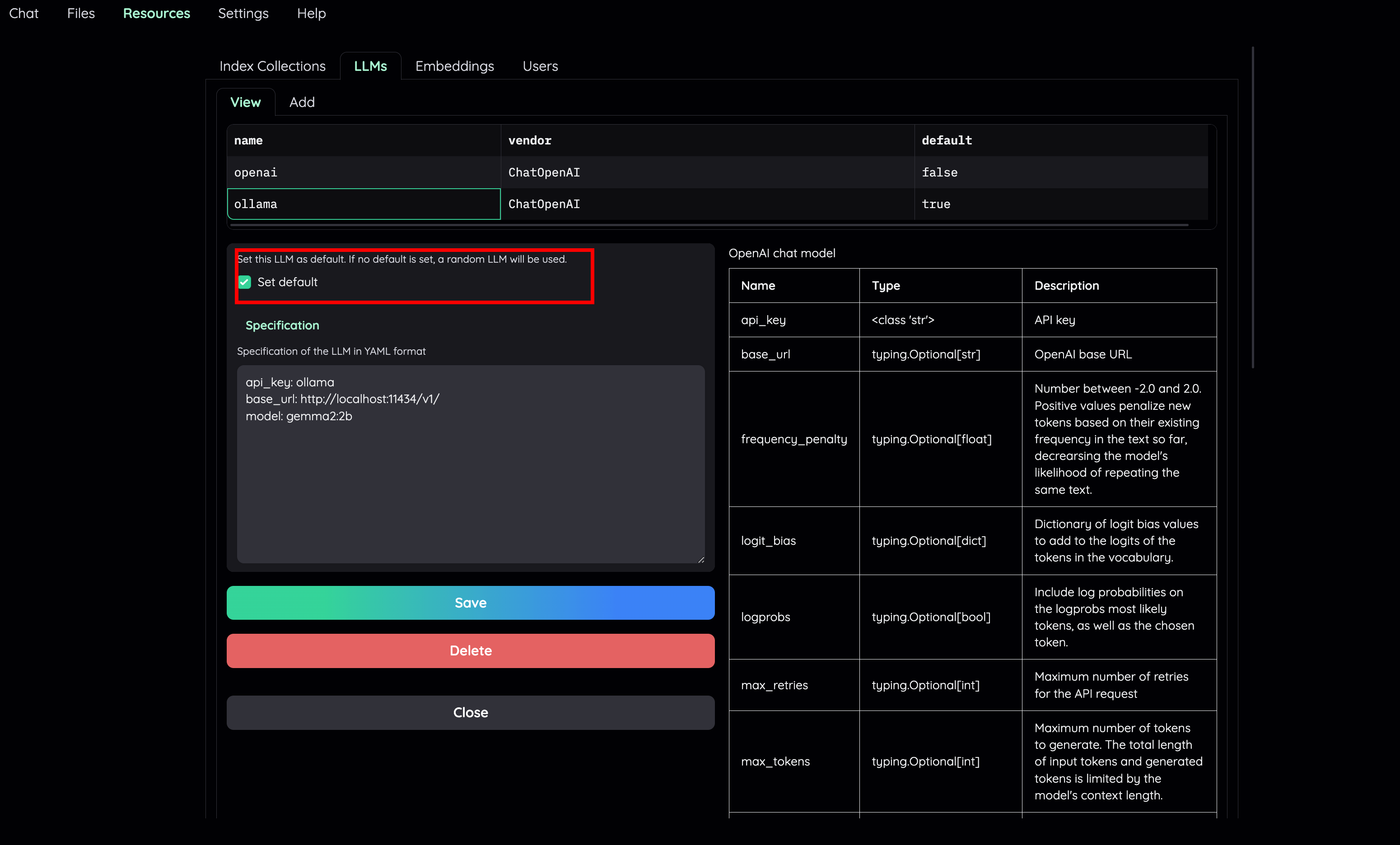
| - Set default LLM and Embedding model to a local variant. | |
|  | |
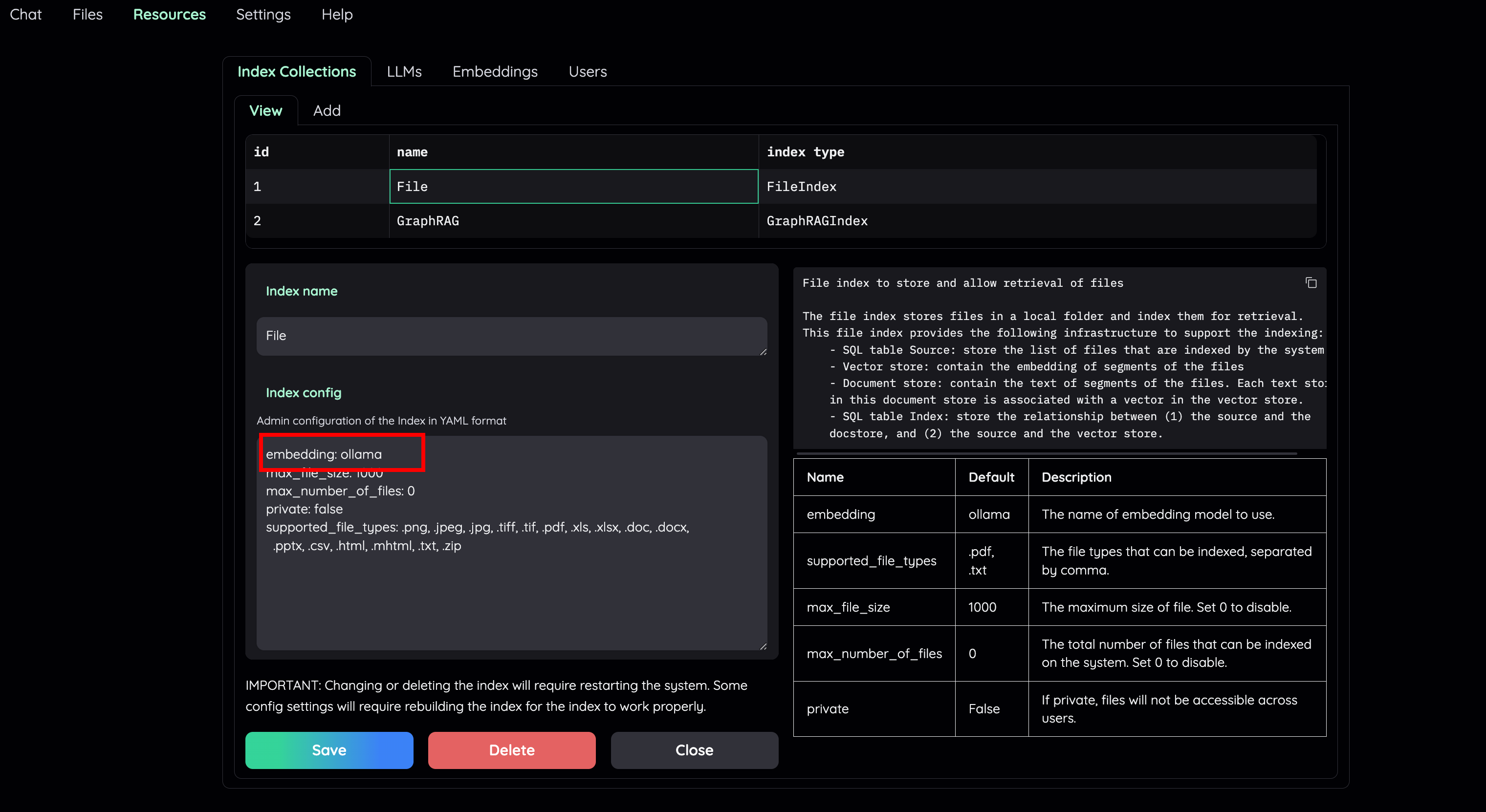
| - Set embedding model for the File Collection to a local model (e.g: `ollama`) | |
|  | |
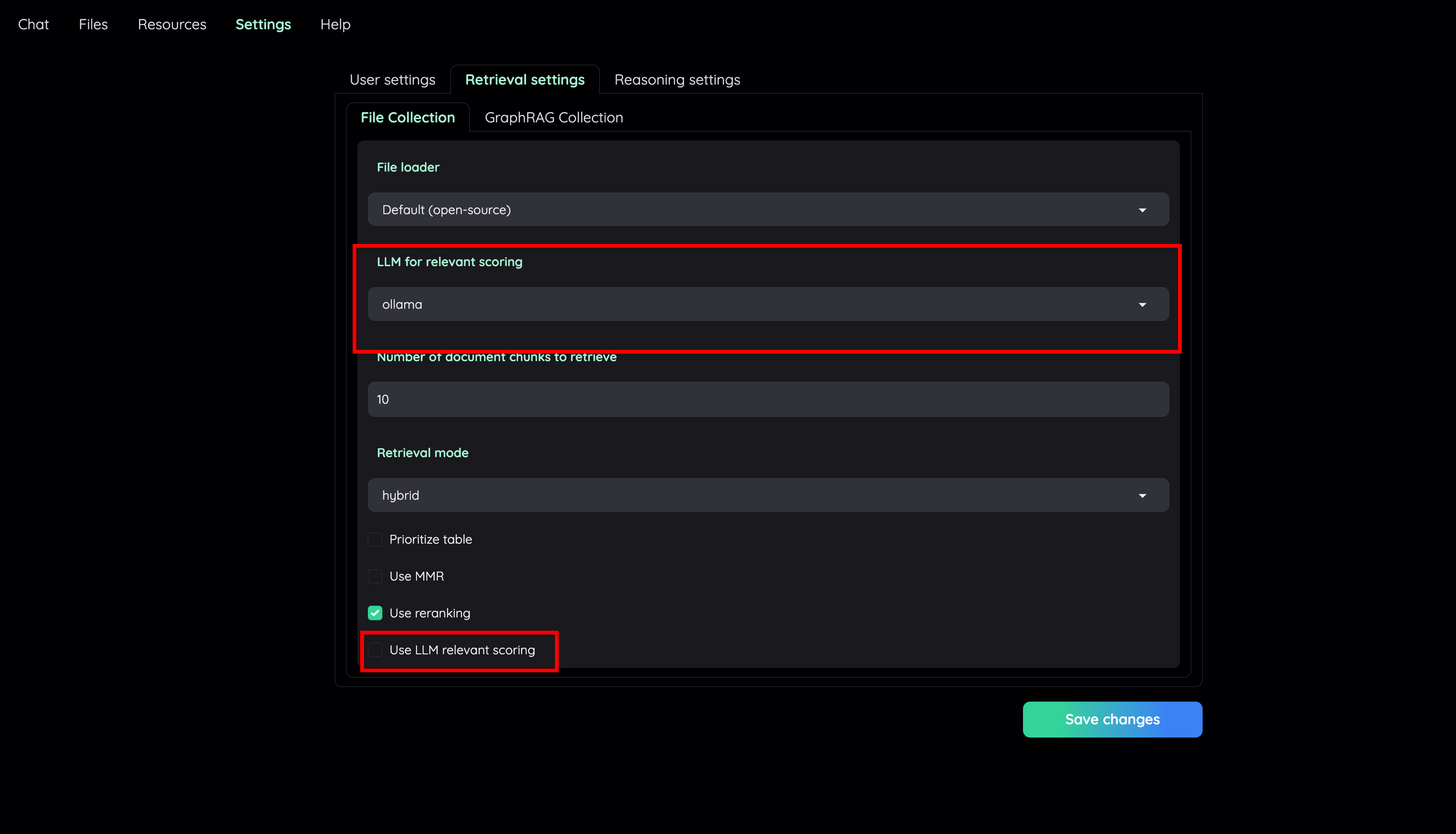
| - Go to Retrieval settings and choose LLM relevant scoring model as a local model (e.g: `ollama`). Or, you can choose to disable this feature if your machine cannot handle a lot of parallel LLM requests at the same time. | |
|  | |
| You are set! Start a new conversation to test your local RAG pipeline. | |