

Update README
#14
by tulvgengenr - opened
- .gitattributes +1 -0
- Hunyuan-Image3.md +95 -0
- README.md +260 -196
- README_zh_CN.md +575 -0
- assets/.DS_Store +0 -0
- assets/WECHAT.md +1 -1
- assets/demo_instruct_imgs/input_0_0.png +3 -0
- assets/demo_instruct_imgs/input_1_0.png +3 -0
- assets/demo_instruct_imgs/input_1_1.png +3 -0
- assets/demo_instruct_imgs/input_2_0.png +3 -0
- assets/demo_instruct_imgs/input_2_1.png +3 -0
- assets/demo_instruct_imgs/input_2_2.png +3 -0
- assets/gsb_instruct.png +3 -0
- assets/pg_instruct_imgs/cot_ti2i.gif +3 -0
- assets/pg_instruct_imgs/image0.png +3 -0
- assets/pg_instruct_imgs/image1.png +3 -0
- assets/pg_instruct_imgs/image2.png +3 -0
- assets/pg_instruct_imgs/image3.png +3 -0
- assets/pg_instruct_imgs/image4.png +3 -0
.gitattributes
CHANGED
|
@@ -38,3 +38,4 @@ assets/banner_all.jpg filter=lfs diff=lfs merge=lfs -text
|
|
| 38 |
*.png filter=lfs diff=lfs merge=lfs -text
|
| 39 |
assets/**/*.png filter=lfs diff=lfs merge=lfs -text
|
| 40 |
*.tar.gz filter=lfs diff=lfs merge=lfs -text
|
|
|
|
|
|
| 38 |
*.png filter=lfs diff=lfs merge=lfs -text
|
| 39 |
assets/**/*.png filter=lfs diff=lfs merge=lfs -text
|
| 40 |
*.tar.gz filter=lfs diff=lfs merge=lfs -text
|
| 41 |
+
assets/pg_instruct_imgs/cot_ti2i.gif filter=lfs diff=lfs merge=lfs -text
|
Hunyuan-Image3.md
ADDED
|
@@ -0,0 +1,95 @@
|
|
|
|
|
|
|
|
|
|
|
|
|
|
|
|
|
|
|
|
|
|
|
|
|
|
|
|
|
|
|
|
|
|
|
|
|
|
|
|
|
|
|
|
|
|
|
|
|
|
|
|
|
|
|
|
|
|
|
|
|
|
|
|
|
|
|
|
|
|
|
|
|
|
|
|
|
|
|
|
|
|
|
|
|
|
|
|
|
|
|
|
|
|
|
|
|
|
|
|
|
|
|
|
|
|
|
|
|
|
|
|
|
|
|
|
|
|
|
|
|
|
|
|
|
|
|
|
|
|
|
|
|
|
|
|
|
|
|
|
|
|
|
|
|
|
|
|
|
|
|
|
|
|
|
|
|
|
|
|
|
|
|
|
|
|
|
|
|
|
|
|
|
|
|
|
|
|
|
|
|
|
|
|
|
|
|
|
|
|
|
|
|
|
|
|
|
|
|
|
|
|
|
|
|
|
|
|
|
|
|
|
|
|
|
|
|
|
|
|
|
|
|
|
|
|
|
|
|
|
|
|
|
|
|
|
|
|
|
|
|
|
|
|
|
|
|
|
|
|
|
|
|
|
|
|
|
|
|
|
|
|
|
|
|
|
|
|
|
|
|
|
|
|
|
|
|
|
|
|
|
|
|
|
|
|
|
|
|
| 1 |
+
# HunyuanImage-3.0 (Text-to-image)
|
| 2 |
+
|
| 3 |
+
## 📝 Prompt Guide
|
| 4 |
+
|
| 5 |
+
### Manually Writing Prompts.
|
| 6 |
+
The Pretrain Checkpoint does not automatically rewrite or enhance input prompts, Instruct Checkpoint can rewrite or enhance input prompts with thinking . For optimal results currently, we recommend community partners consulting our official guide on how to write effective prompts.
|
| 7 |
+
|
| 8 |
+
Reference: [HunyuanImage 3.0 Prompt Handbook](
|
| 9 |
+
https://docs.qq.com/doc/DUVVadmhCdG9qRXBU)
|
| 10 |
+
|
| 11 |
+
|
| 12 |
+
### System Prompt For Automatic Rewriting the Prompt.
|
| 13 |
+
|
| 14 |
+
We've included two system prompts in the PE folder of this repository that leverage DeepSeek to automatically enhance user inputs:
|
| 15 |
+
|
| 16 |
+
* **system_prompt_universal**: This system prompt converts photographic style, artistic prompts into a detailed one.
|
| 17 |
+
* **system_prompt_text_rendering**: This system prompt converts UI/Poster/Text Rending prompts to a deailed on that suits the model.
|
| 18 |
+
|
| 19 |
+
Note that these system prompts are in Chinese because Deepseek works better with Chinese system prompts. If you want to use it for English oriented model, you may translate it into English or refer to the comments in the PE file as a guide.
|
| 20 |
+
|
| 21 |
+
We also create a [Yuanqi workflow](https://yuanqi.tencent.com/agent/H69VgtJdj3Dz) to implent the universal one, you can directly try it.
|
| 22 |
+
|
| 23 |
+
### Advanced Tips
|
| 24 |
+
- **Content Priority**: Focus on describing the main subject and action first, followed by details about the environment and style. A more general description framework is: **Main subject and scene + Image quality and style + Composition and perspective + Lighting and atmosphere + Technical parameters**. Keywords can be added both before and after this structure.
|
| 25 |
+
|
| 26 |
+
- **Image resolution**: Our model not only supports multiple resolutions but also offers both **automatic and specified resolution** options. In auto mode, the model automatically predicts the image resolution based on the input prompt. In specified mode (like traditional DiT), the model outputs an image resolution that strictly aligns with the user's chosen resolution.
|
| 27 |
+
|
| 28 |
+
### More Cases
|
| 29 |
+
|
| 30 |
+
Our model can effectively process very long text inputs, enabling users to precisely control the finer details of generated images. Extended prompts allow for intricate elements to be accurately captured, making it ideal for complex projects requiring precision and creativity.
|
| 31 |
+
|
| 32 |
+
<p align="center">
|
| 33 |
+
<table>
|
| 34 |
+
<thead>
|
| 35 |
+
</thead>
|
| 36 |
+
<tbody>
|
| 37 |
+
<tr>
|
| 38 |
+
<td>
|
| 39 |
+
<img src="./assets/pg_imgs/image1.png" width=100%><details>
|
| 40 |
+
<summary>Show prompt</summary>
|
| 41 |
+
A cinematic medium shot captures a single Asian woman seated on a chair within a dimly lit room, creating an intimate and theatrical atmosphere. The composition is focused on the subject, rendered with rich colors and intricate textures that evoke a nostalgic and moody feeling.\n\nThe primary subject is a young Asian woman with a thoughtful and expressive countenance, her gaze directed slightly away from the camera. She is seated in a relaxed yet elegant posture on an ornate, vintage armchair. The chair is upholstered in a deep red velvet, its fabric showing detailed, intricate textures and slight signs of wear. She wears a simple, elegant dress in a dark teal hue, the material catching the light in a way that reveals its fine-woven texture. Her skin has a soft, matte quality, and the light delicately models the contours of her face and arms.\n\nThe surrounding room is characterized by its vintage decor, which contributes to the historic and evocative mood. In the immediate background, partially blurred due to a shallow depth of field consistent with a f/2.8 aperture, the wall is covered with wallpaper featuring a subtle, damask pattern. The overall color palette is a carefully balanced interplay of deep teal and rich red hues, creating a visually compelling and cohesive environment. The entire scene is detailed, from the fibers of the upholstery to the subtle patterns on the wall.\n\nThe lighting is highly dramatic and artistic, defined by high contrast and pronounced shadow play. A single key light source, positioned off-camera, projects gobo lighting patterns onto the scene, casting intricate shapes of light and shadow across the woman and the back wall. These dramatic shadows create a strong sense of depth and a theatrical quality. While some shadows are deep and defined, others remain soft, gently wrapping around the subject and preventing the loss of detail in darker areas. The soft focus on the background enhances the intimate feeling, drawing all attention to the expressive subject. The overall image presents a cinematic, photorealistic photography style.
|
| 42 |
+
</details>
|
| 43 |
+
</td>
|
| 44 |
+
<td><img src="./assets/pg_imgs/image2.png" width=100%><details>
|
| 45 |
+
<summary>Show prompt</summary>
|
| 46 |
+
A cinematic, photorealistic medium shot captures a high-contrast urban street corner, defined by the sharp intersection of light and shadow. The primary subject is the exterior corner of a building, rendered in a low-saturation, realistic style.\n\nThe building wall, which occupies the majority of the frame, is painted a warm orange with a finely detailed, rough stucco texture. Horizontal white stripes run across its surface. The base of the building is constructed from large, rough-hewn stone blocks, showing visible particles and texture. On the left, illuminated side of the building, there is a single window with closed, dark-colored shutters. Adjacent to the window, a simple black pendant lamp hangs from a thin, taut rope, casting a distinct, sharp-edged shadow onto the sunlit orange wall. The composition is split diagonally, with the right side of the building enveloped in a deep brown shadow. At the bottom of the frame, a smooth concrete sidewalk is visible, upon which the dynamic silhouette of a person is captured mid-stride, walking from right to left.\n\nIn the shallow background, the faint, out-of-focus outlines of another building and the bare, skeletal branches of trees are softly visible, contributing to the quiet urban atmosphere and adding a sense of depth to the scene. These elements are rendered with minimal detail to keep the focus on the foreground architecture.\n\nThe scene is illuminated by strong, natural sunlight originating from the upper left, creating a dramatic chiaroscuro effect. This hard light source casts deep, well-defined shadows, producing a sharp contrast between the brightly lit warm orange surfaces and the deep brown shadow areas. The lighting highlights the fine details in the wall texture and stone particles, emphasizing the photorealistic quality. The overall presentation reflects a high-quality photorealistic photography style, infused with a cinematic film noir aesthetic.
|
| 47 |
+
</details>
|
| 48 |
+
</td>
|
| 49 |
+
</tr>
|
| 50 |
+
<tr>
|
| 51 |
+
<td>
|
| 52 |
+
<img src="./assets/pg_imgs/image3.png" width=100%><details>
|
| 53 |
+
<summary>Show prompt</summary>
|
| 54 |
+
一幅极具视觉张力的杂志封面风格人像特写。画面主体是一个身着古风汉服的人物,构图采用了从肩部以上的超级近距离特写,人物占据了画面的绝大部分,形成了强烈的视觉冲击力。\n\n画面中的人物以一种慵懒的姿态出现,微微倾斜着头部,裸露的一侧肩膀线条流畅。她正用一种妩媚而直接的眼神凝视着镜头,双眼微张,眼神深邃,传递出一种神秘而勾人的气质。人物的面部特征精致,皮肤质感细腻,在特定的光线下,面部轮廓清晰分明,展现出一种古典与现代融合的时尚美感。\n\n整个画面的背景被设定为一种简约而高级的纯红色。这种红色色调深沉,呈现出哑光质感,既纯粹又无任何杂质,为整个暗黑神秘的氛围奠定了沉稳而富有张力的基调。这个纯色的背景有效地突出了前景中的人物主体,使得所有视觉焦点都集中在其身上。\n\n光线和氛围的营造是这幅杂志风海报的关键。一束暗橘色的柔和光线作为主光源,从人物的一侧斜上方投射下来,精准地勾勒出人物的脸颊、鼻梁和肩膀的轮廓,在皮肤上形成微妙的光影过渡。同时,人物的周身萦绕着一层暗淡且低饱和度的银白色辉光,如同清冷的月光,形成一道朦胧的轮廓光。这道银辉为人物增添了几分疏离的幽灵感,强化了整体暗黑风格的神秘气质。光影的强烈对比与色彩的独特搭配,共同塑造了这张充满故事感的特写画面。整体图像呈现出一种融合了古典元素的现代时尚摄影风格。
|
| 55 |
+
</details>
|
| 56 |
+
</td>
|
| 57 |
+
<td>
|
| 58 |
+
<img src="./assets/pg_imgs/image4.png" width=100%><details>
|
| 59 |
+
<summary>Show prompt</summary>
|
| 60 |
+
一幅采用极简俯视视角的油画作品,画面主体由一道居中斜向的红色笔触构成。\n\n这道醒目的红色笔触运用了厚涂技法,颜料堆叠形成了强烈的物理厚度和三维立体感。它从画面的左上角附近延伸至右下角附近,构成一个动态的对角线。颜料表面可以清晰地看到画刀刮擦和笔刷拖曳留下的痕迹,边缘处的颜料层相对较薄,而中央部分则高高隆起,形成了不规则的起伏。\n\n在这道立体的红色颜料之上,巧妙地构建了一处精致的微缩景观。景观的核心是一片模拟红海滩的区域,由细腻的深红色颜料点缀而成,与下方基底的鲜红色形成丰富的层次对比。紧邻着“红海滩”的是一小片湖泊,由一层平滑且带有光泽的蓝色与白色混合颜料构成,质感如同平静无波的水面。湖泊边缘,一小撮芦苇丛生,由几根纤细挺拔的、用淡黄色和棕色颜料勾勒出的线条来表现。一只小巧的白鹭立于芦苇旁,其形态由一小块纯白色的厚涂颜料塑造,仅用一抹精炼的黑色颜料点出其尖喙,姿态优雅宁静。\n\n整个构图的背景是大面积的留白,呈现为一张带有细微凹凸纹理的白色纸质基底,这种极简处理极大地突出了中央的红色笔触及其上的微缩景观。\n\n光线从画面一侧柔和地照射下来,在厚涂的颜料堆叠处投下淡淡的、轮廓分明的阴影,进一步增强了画面的三维立体感和油画质感。整幅画面呈现出一种结合了厚涂技法的现代极简主义��画风格。
|
| 61 |
+
</details>
|
| 62 |
+
</td>
|
| 63 |
+
</tr>
|
| 64 |
+
<tr>
|
| 65 |
+
<td>
|
| 66 |
+
<img src="./assets/pg_imgs/image5.png" width=100%><details>
|
| 67 |
+
<summary>Show prompt</summary>
|
| 68 |
+
整体画面采用一个二乘二的四宫格布局,以产品可视化的风格,展示了一只兔子在四种不同材质下的渲染效果。每个宫格内都有一只姿态完全相同的兔子模型,它呈坐姿,双耳竖立,面朝前方。所有宫格的背景均是统一的中性深灰色,这种简约背景旨在最大限度地突出每种材质的独特质感。\n\n左上角的宫格中,兔子模型由哑光白色石膏材质构成。其表面平滑、均匀且无反射,在模型的耳朵根部、四肢交接处等凹陷区域呈现出柔和的环境光遮蔽阴影,这种微妙的阴影变化凸显了其纯粹的几何形态,整体感觉像一个用于美术研究的基础模型。\n\n右上角的宫格中,兔子模型由晶莹剔透的无瑕疵玻璃制成。它展现了逼真的物理折射效果,透过其透明的身体看到的背景呈现出轻微的扭曲。清晰的镜面高光沿着其身体的曲线轮廓流动,表面上还能看到微弱而清晰的环境反射,赋予其一种精致而易碎的质感。\n\n左下角的宫格中,兔子模型呈现为带有拉丝纹理的钛金属材质。金属表面具有明显的各向异性反射效果,呈现出冷峻的灰调金属光泽。锐利明亮的高光和深邃的阴影形成了强烈对比,精确地定义了其坚固的三维形态,展现了工业设计般的美感。\n\n右下角的宫格中,兔子模型覆盖着一层柔软浓密的灰色毛绒。根根分明的绒毛清晰可见,创造出一种温暖、可触摸的质地。光线照射在绒毛的末梢,形成柔和的光晕效果,而毛绒内部的阴影则显得深邃而柔软,展现了高度写实的毛发渲染效果。\n\n整个四宫格由来自多个方向的、柔和均匀的影棚灯光照亮,确保了每种材质的细节和特性都得到清晰的展现,没有任何刺眼的阴影或过曝的高光。这张图像以一种高度写实的3D渲染风格呈现,完美地诠释了产品可视化的精髓
|
| 69 |
+
</details>
|
| 70 |
+
</td>
|
| 71 |
+
<td>
|
| 72 |
+
<img src="./assets/pg_imgs/image6.png" width=100%><details>
|
| 73 |
+
<summary>Show prompt</summary>
|
| 74 |
+
由一个两行两列的网格构成,共包含四个独立的场景,每个场景都以不同的艺术风格描绘了一个小男孩(小明)一天中的不同活动。\n\n左上角的第一个场景,以超写实摄影风格呈现。画面主体是一个大约8岁的东亚小男孩,他穿着整洁的小学制服——一件白色短袖衬衫和蓝色短裤,脖子上系着红领巾。他背着一个蓝色的双肩书包,正走在去上学的路上。他位于画面的前景偏右侧,面带微笑,步伐轻快。场景设定在清晨,柔和的阳光从左上方照射下来,在人行道上投下清晰而柔和的影子。背景是绿树成荫的街道和模糊可见的学校铁艺大门,营造出宁静的早晨氛围。这张图片的细节表现极为丰富,可以清晰地看到男孩头发的光泽、衣服的褶皱纹理以及书包的帆布材质,完全展现了专业摄影的质感。\n\n右上角的第二个场景,采用日式赛璐璐动漫风格绘制。画面中,小男孩坐在家中的木质餐桌旁吃午饭。他的形象被动漫化,拥有大而明亮的眼睛和简洁的五官线条。他身穿一件简单的黄色T恤,正用筷子夹起碗里的米饭。桌上摆放着一碗汤和两盘家常菜。背景是一个温馨的室内环境,一扇明亮的窗户透进正午的阳光,窗外是蓝天白云。整个画面色彩鲜艳、饱和度高,角色轮廓线清晰明确,阴影部分采用平涂的色块处理,是典型的赛璐璐动漫风格。\n\n左下角的第三个场景,以细腻的铅笔素描风格呈现。画面描绘了下午在操场上踢足球的小男孩。整个图像由不同灰度的石墨色调构成,没有其他颜色。小男孩身穿运动短袖和短裤,身体呈前倾姿态,右脚正要踢向一个足球,动作充满动感。背景是空旷的操场和远处的球门,用简练的线条和排线勾勒。艺术家通过交叉排线和涂抹技巧来表现光影和体积感,足球上的阴影、人物身上的肌肉线条以及地面粗糙的质感都通过铅笔的笔触得到了充分的展现。这张铅笔画突出了素描的光影关系和线条美感。\n\n右下角的第四个场景,以文森特·梵高的后印象派油画风格进行诠释。画面描绘了夜晚时分,小男孩独自在河边钓鱼的景象。他坐在一块岩石上,手持一根简易的钓鱼竿,身影在深蓝色的夜幕下显得很渺小。整个画面的视觉焦点是天空和水面,天空布满了旋转、卷曲的星云,星星和月亮被描绘成巨大、发光的光团,使用了厚涂的油画颜料(Impasto),笔触粗犷而充满能量。深蓝、亮黄和白色的颜料在画布上相互交织,形成强烈的视觉冲击力。水面倒映着天空中扭曲的光影,整个场景充满了梵高��品中特有的强烈情感和动荡不安的美感。这幅画作是对梵高风格的深度致敬。
|
| 75 |
+
</details>
|
| 76 |
+
</td>
|
| 77 |
+
</tr>
|
| 78 |
+
<tr>
|
| 79 |
+
<td>
|
| 80 |
+
<img src="./assets/pg_imgs/image7.png" width=100%><details>
|
| 81 |
+
<summary>Show prompt</summary>
|
| 82 |
+
以平视视角,呈现了一幅关于如何用素描技法绘制鹦鹉的九宫格教学图。整体构图规整,九个大小一致的方形画框以三行三列的形式均匀分布在浅灰色背景上,清晰地展示了从基本形状到最终成品的全过程。\n\n第一行从左至右展示了绘画的初始步骤。左上角的第一个画框中,用简洁的铅笔线条勾勒出鹦鹉的基本几何形态:一个圆形代表头部,一个稍大的椭圆形代表身体。右上角有一个小号的无衬线字体数字“1”。中间的第二个画框中,在基础形态上添加了三角形的鸟喙轮廓和一条长长的弧线作为尾巴的雏形,头部和身体的连接处线条变得更加流畅;右上角标有数字“2”。右侧的第三个画框中,进一步精确了鹦鹉的整体轮廓,勾勒出头部顶端的羽冠和清晰的眼部圆形轮廓;右上角标有数字“3”。\n\n第二行专注于结构与细节的添加,描绘了绘画的中期阶段。左侧的第四个画框里,鹦鹉的身体上添加了翅膀的基本形状,同时在身体下方画出了一根作为栖木的横向树枝,鹦鹉的爪子初步搭在树枝上;右上角标有数字“4”。中间的第五个画框中,开始细化翅膀和尾部的羽毛分组,用短促的线条表现出层次感,并清晰地画出爪子紧握树枝的细节;右上角标有数字“5”。右侧的第六个画框里,开始为鹦鹉添加初步的阴影,使用交叉排线的素描技法在腹部、翅膀下方和颈部制造出体积感;右上角标有数字“6”。\n\n第三行则展示了最终的润色与完成阶段。左下角的第七个画框中,素描的排线更加密集,阴影层次更加丰富,羽毛的纹理细节被仔细刻画出来,眼珠也添加了高光点缀,显得炯炯有神;右上角标有数字“7”。中间的第八个画框里,描绘的重点转移到栖木上,增加了树枝的纹理和节疤细节,同时整体调整了鹦鹉身上的光影关系,使立体感更为突出;右上角标有数字“8”。右下角的第九个画框是最终完成图,所有线条都经过了精炼,光影对比强烈,鹦鹉的羽毛质感、木质栖木的粗糙感都表现得淋漓尽致,呈现出一幅完整且细节丰富的素描作品;右上角标有数字“9”。\n\n整个画面的光线均匀而明亮,没有任何特定的光源方向,确保了每个教学步骤的视觉清晰度。整体呈现出一种清晰、有条理的数字插画教程风格。
|
| 83 |
+
</details>
|
| 84 |
+
</td>
|
| 85 |
+
<td>
|
| 86 |
+
<img src="./assets/pg_imgs/image8.png" width=100%><details>
|
| 87 |
+
<summary>Show prompt</summary>
|
| 88 |
+
一张现代平面设计风格的海报占据了整个画面,构图简洁且中心突出。\n\n海报的主体是位于画面正中央的一只腾讯QQ企鹅。这只企鹅采用了圆润可爱的3D卡通渲染风格,身体主要为饱满的黑色,腹部为纯白色。它的眼睛大而圆,眼神好奇地直视前方。黄色的嘴巴小巧而立体,双脚同样为鲜明的黄色,稳稳地站立着。一条标志性的红色围巾整齐地系在它的脖子上,围巾的材质带有轻微的布料质感,末端自然下垂。企鹅的整体造型干净利落,边缘光滑,呈现出一种精致的数字插画质感。\n\n海报的背景是一种从上到下由浅蓝色平滑过渡到白色的柔和渐变,营造出一种开阔、明亮的空间感。在企鹅的身后,散布着一些淡淡的、模糊的圆形光斑和几道柔和的抽象光束,为这个简约的平面设计海报增添了微妙的深度和科技感。\n\n画面的底部区域是文字部分,排版居中对齐。上半部分是一行稍大的黑色黑体字,内容为“Hunyuan Image 3.0”。紧随其下的是一行字号略小的深灰色黑体字,内容为“原生多模态大模型”。两行文字清晰易读,与整体的现代平面设计风格保持一致。\n\n整体光线明亮、均匀,没有明显的阴影,突出了企鹅和文字信息,符合现代设计海报的视觉要求。这张图像呈现了现代、简洁的平面设计海报风格。
|
| 89 |
+
</details>
|
| 90 |
+
</td>
|
| 91 |
+
</tr>
|
| 92 |
+
</tbody>
|
| 93 |
+
</table>
|
| 94 |
+
</p>
|
| 95 |
+
|
README.md
CHANGED
|
@@ -6,6 +6,9 @@ pipeline_tag: text-to-image
|
|
| 6 |
library_name: transformers
|
| 7 |
---
|
| 8 |
|
|
|
|
|
|
|
|
|
|
| 9 |
<div align="center">
|
| 10 |
|
| 11 |
<img src="./assets/logo.png" alt="HunyuanImage-3.0 Logo" width="600">
|
|
@@ -36,8 +39,12 @@ library_name: transformers
|
|
| 36 |
</p>
|
| 37 |
|
| 38 |
## 🔥🔥🔥 News
|
| 39 |
-
|
| 40 |
-
- **
|
|
|
|
|
|
|
|
|
|
|
|
|
| 41 |
|
| 42 |
|
| 43 |
## 🧩 Community Contributions
|
|
@@ -49,10 +56,10 @@ If you develop/use HunyuanImage-3.0 in your projects, welcome to let us know.
|
|
| 49 |
- HunyuanImage-3.0 (Image Generation Model)
|
| 50 |
- [x] Inference
|
| 51 |
- [x] HunyuanImage-3.0 Checkpoints
|
| 52 |
-
- [
|
| 53 |
-
- [
|
| 54 |
-
- [
|
| 55 |
-
- [
|
| 56 |
- [ ] Multi-turn Interaction
|
| 57 |
|
| 58 |
|
|
@@ -62,31 +69,48 @@ If you develop/use HunyuanImage-3.0 in your projects, welcome to let us know.
|
|
| 62 |
- [📑 Open-source Plan](#-open-source-plan)
|
| 63 |
- [📖 Introduction](#-introduction)
|
| 64 |
- [✨ Key Features](#-key-features)
|
| 65 |
-
- [🛠️ Dependencies and Installation](#-dependencies-and-installation)
|
| 66 |
-
- [💻 System Requirements](#-system-requirements)
|
| 67 |
-
- [📦 Environment Setup](#-environment-setup)
|
| 68 |
-
- [📥 Install Dependencies](#-install-dependencies)
|
| 69 |
-
- [Performance Optimizations](#performance-optimizations)
|
| 70 |
- [🚀 Usage](#-usage)
|
| 71 |
-
- [
|
| 72 |
-
|
| 73 |
-
- [
|
|
|
|
|
|
|
|
|
|
|
|
|
|
|
|
|
|
|
|
|
|
|
|
|
|
|
|
|
|
|
|
|
|
|
|
|
|
|
|
|
|
|
|
|
|
|
|
|
|
|
|
|
|
|
|
|
|
|
|
|
|
|
|
|
|
|
|
|
|
| 74 |
- [🧱 Models Cards](#-models-cards)
|
| 75 |
-
- [📝 Prompt Guide](#-prompt-guide)
|
| 76 |
-
- [Manually Writing Prompts](#manually-writing-prompts)
|
| 77 |
-
- [System Prompt For Automatic Rewriting the Prompt](#system-prompt-for-automatic-rewriting-the-prompt)
|
| 78 |
-
- [Advanced Tips](#advanced-tips)
|
| 79 |
-
- [More Cases](#more-cases)
|
| 80 |
- [📊 Evaluation](#-evaluation)
|
|
|
|
|
|
|
|
|
|
|
|
|
| 81 |
- [📚 Citation](#-citation)
|
| 82 |
- [🙏 Acknowledgements](#-acknowledgements)
|
| 83 |
-
- [🌟🚀
|
| 84 |
|
| 85 |
---
|
| 86 |
|
| 87 |
## 📖 Introduction
|
| 88 |
|
| 89 |
-
**HunyuanImage-3.0** is a groundbreaking native multimodal model that unifies multimodal understanding and generation within an autoregressive framework. Our text-to-image
|
| 90 |
|
| 91 |
|
| 92 |
<div align="center">
|
|
@@ -101,61 +125,48 @@ If you develop/use HunyuanImage-3.0 in your projects, welcome to let us know.
|
|
| 101 |
|
| 102 |
* 🎨 **Superior Image Generation Performance:** Through rigorous dataset curation and advanced reinforcement learning post-training, we've achieved an optimal balance between semantic accuracy and visual excellence. The model demonstrates exceptional prompt adherence while delivering photorealistic imagery with stunning aesthetic quality and fine-grained details.
|
| 103 |
|
| 104 |
-
* 💭 **Intelligent World-Knowledge Reasoning:** The unified multimodal architecture endows HunyuanImage-3.0 with powerful reasoning capabilities. It leverages its extensive world knowledge to intelligently interpret user intent, automatically elaborating on sparse prompts with contextually appropriate details to produce superior, more complete visual outputs.
|
| 105 |
-
|
| 106 |
|
| 107 |
-
## 🛠️ Dependencies and Installation
|
| 108 |
|
| 109 |
-
##
|
| 110 |
-
|
| 111 |
-
* 🖥️ **Operating System:** Linux
|
| 112 |
-
* 🎮 **GPU:** NVIDIA GPU with CUDA support
|
| 113 |
-
* 💾 **Disk Space:** 170GB for model weights
|
| 114 |
-
* 🧠 **GPU Memory:** ≥3×80GB (4×80GB recommended for better performance)
|
| 115 |
|
| 116 |
### 📦 Environment Setup
|
| 117 |
|
| 118 |
* 🐍 **Python:** 3.12+ (recommended and tested)
|
| 119 |
-
* 🔥 **PyTorch:** 2.7.1
|
| 120 |
* ⚡ **CUDA:** 12.8
|
| 121 |
|
| 122 |
-
### 📥 Install Dependencies
|
| 123 |
|
| 124 |
```bash
|
| 125 |
# 1. First install PyTorch (CUDA 12.8 Version)
|
| 126 |
-
pip install torch==2.
|
| 127 |
|
| 128 |
-
# 2.
|
| 129 |
pip install -i https://mirrors.tencent.com/pypi/simple/ --upgrade tencentcloud-sdk-python
|
| 130 |
|
| 131 |
# 3. Then install other dependencies
|
| 132 |
pip install -r requirements.txt
|
| 133 |
```
|
| 134 |
|
| 135 |
-
#### Performance Optimizations
|
| 136 |
-
|
| 137 |
For **up to 3x faster inference**, install these optimizations:
|
| 138 |
|
| 139 |
```bash
|
| 140 |
-
#
|
| 141 |
-
pip install
|
| 142 |
-
|
| 143 |
-
# FlashInfer for optimized moe inference. v0.3.1 is tested.
|
| 144 |
-
pip install flashinfer-python
|
| 145 |
```
|
| 146 |
> 💡**Installation Tips:** It is critical that the CUDA version used by PyTorch matches the system's CUDA version.
|
| 147 |
-
> FlashInfer relies on this compatibility when compiling kernels at runtime.
|
| 148 |
> GCC version >=9 is recommended for compiling FlashAttention and FlashInfer.
|
| 149 |
|
| 150 |
> ⚡ **Performance Tips:** These optimizations can significantly speed up your inference!
|
| 151 |
|
| 152 |
> 💡**Notation:** When FlashInfer is enabled, the first inference may be slower (about 10 minutes) due to kernel compilation. Subsequent inferences on the same machine will be much faster.
|
| 153 |
|
| 154 |
-
##
|
| 155 |
|
| 156 |
-
### 🔥 Quick Start with Transformers
|
| 157 |
|
| 158 |
-
#### 1️⃣ Download model weights
|
| 159 |
|
| 160 |
```bash
|
| 161 |
# Download from HuggingFace and rename the directory.
|
|
@@ -163,7 +174,7 @@ pip install flashinfer-python
|
|
| 163 |
hf download tencent/HunyuanImage-3.0 --local-dir ./HunyuanImage-3
|
| 164 |
```
|
| 165 |
|
| 166 |
-
#### 2️⃣ Run with Transformers
|
| 167 |
|
| 168 |
```python
|
| 169 |
from transformers import AutoModelForCausalLM
|
|
@@ -190,60 +201,80 @@ image = model.generate_image(prompt=prompt, stream=True)
|
|
| 190 |
image.save("image.png")
|
| 191 |
```
|
| 192 |
|
| 193 |
-
### 🏠 Local Installation & Usage
|
| 194 |
|
| 195 |
-
####
|
|
|
|
|
|
|
| 196 |
|
| 197 |
```bash
|
| 198 |
git clone https://github.com/Tencent-Hunyuan/HunyuanImage-3.0.git
|
| 199 |
cd HunyuanImage-3.0/
|
| 200 |
```
|
| 201 |
|
| 202 |
-
#### 2️⃣ Download Model Weights
|
| 203 |
|
| 204 |
```bash
|
| 205 |
# Download from HuggingFace
|
| 206 |
hf download tencent/HunyuanImage-3.0 --local-dir ./HunyuanImage-3
|
| 207 |
```
|
| 208 |
|
| 209 |
-
#### 3️⃣ Run the Demo
|
| 210 |
The Pretrain Checkpoint does not automatically rewrite or enhance input prompts, for optimal results currently, we recommend community partners to use deepseek to rewrite the prompts. You can go to [Tencent Cloud](https://cloud.tencent.com/document/product/1772/115963#.E5.BF.AB.E9.80.9F.E6.8E.A5.E5.85.A5) to apply for an API Key.
|
| 211 |
|
| 212 |
```bash
|
| 213 |
-
#
|
|
|
|
|
|
|
|
|
|
|
|
|
|
|
|
|
|
|
|
|
|
|
|
|
|
|
|
|
|
|
|
|
|
| 214 |
export DEEPSEEK_KEY_ID="your_deepseek_key_id"
|
| 215 |
export DEEPSEEK_KEY_SECRET="your_deepseek_key_secret"
|
|
|
|
|
|
|
|
|
|
|
|
|
|
|
|
|
|
|
|
|
|
|
|
|
|
|
|
|
|
|
| 216 |
|
| 217 |
-
python3 run_image_gen.py --model-id ./HunyuanImage-3 --verbose 1 --sys-deepseek-prompt "universal" --prompt "A brown and white dog is running on the grass"
|
| 218 |
```
|
| 219 |
|
| 220 |
-
#### 4️⃣ Command Line Arguments
|
| 221 |
|
| 222 |
-
| Arguments | Description |
|
| 223 |
| ----------------------- | ------------------------------------------------------------ | ----------- |
|
| 224 |
| `--prompt` | Input prompt | (Required) |
|
| 225 |
| `--model-id` | Model path | (Required) |
|
| 226 |
| `--attn-impl` | Attention implementation. Either `sdpa` or `flash_attention_2`. | `sdpa` |
|
| 227 |
-
| `--moe-impl` | MoE implementation. Either `eager` or `flashinfer` | `
|
| 228 |
| `--seed` | Random seed for image generation | `None` |
|
| 229 |
| `--diff-infer-steps` | Diffusion infer steps | `50` |
|
| 230 |
| `--image-size` | Image resolution. Can be `auto`, like `1280x768` or `16:9` | `auto` |
|
| 231 |
| `--save` | Image save path. | `image.png` |
|
| 232 |
| `--verbose` | Verbose level. 0: No log; 1: log inference information. | `0` |
|
| 233 |
| `--rewrite` | Whether to enable rewriting | `1` |
|
| 234 |
-
| `--sys-deepseek-prompt` | Select sys-prompt from `universal` or `text_rendering` | `universal` |
|
| 235 |
|
| 236 |
-
### 🎨 Interactive Gradio Demo
|
| 237 |
|
| 238 |
Launch an interactive web interface for easy text-to-image generation.
|
| 239 |
|
| 240 |
-
#### 1️⃣ Install Gradio
|
| 241 |
|
| 242 |
```bash
|
| 243 |
pip install gradio>=4.21.0
|
| 244 |
```
|
| 245 |
|
| 246 |
-
#### 2️⃣ Configure Environment
|
| 247 |
|
| 248 |
```bash
|
| 249 |
# Set your model path
|
|
@@ -257,7 +288,7 @@ export HOST="0.0.0.0"
|
|
| 257 |
export PORT="443"
|
| 258 |
```
|
| 259 |
|
| 260 |
-
#### 3️⃣ Launch the Web Interface
|
| 261 |
|
| 262 |
**Basic Launch:**
|
| 263 |
```bash
|
|
@@ -270,204 +301,237 @@ sh run_app.sh
|
|
| 270 |
sh run_app.sh --moe-impl flashinfer --attn-impl flash_attention_2
|
| 271 |
```
|
| 272 |
|
| 273 |
-
#### 4️⃣ Access the Interface
|
| 274 |
|
| 275 |
> 🌐 **Web Interface:** Open your browser and navigate to `http://localhost:443` (or your configured port)
|
| 276 |
|
| 277 |
|
| 278 |
-
## 🧱 Models Cards
|
| 279 |
|
| 280 |
-
|
| 281 |
-
|
| 282 |
-
| HunyuanImage-3.0 | 80B total (13B active) | [HuggingFace](https://huggingface.co/tencent/HunyuanImage-3.0) | ≥ 3 × 80 GB | ✅ Text-to-Image
|
| 283 |
-
| HunyuanImage-3.0-Instruct | 80B total (13B active) | [HuggingFace](https://huggingface.co/tencent/HunyuanImage-3.0-Instruct) | ≥ 3 × 80 GB | ✅ Text-to-Image<br>✅ Prompt Self-Rewrite <br>✅ CoT Think
|
| 284 |
|
|
|
|
| 285 |
|
|
|
|
| 286 |
|
| 287 |
-
|
| 288 |
-
- Install performance extras (FlashAttention, FlashInfer) for faster inference.
|
| 289 |
-
- Multi‑GPU inference is recommended for the Base model.
|
| 290 |
|
|
|
|
|
|
|
|
|
|
|
|
|
|
|
|
| 291 |
|
| 292 |
-
##
|
|
|
|
|
|
|
|
|
|
|
|
|
|
|
|
|
|
|
|
|
|
|
|
|
| 293 |
|
| 294 |
-
|
| 295 |
-
|
|
|
|
|
|
|
|
|
|
|
|
|
|
|
|
|
|
|
| 296 |
|
| 297 |
-
|
| 298 |
-
|
| 299 |
|
|
|
|
|
|
|
|
|
|
|
|
|
|
|
|
|
|
|
|
|
|
|
|
|
|
|
|
|
|
|
|
|
|
|
|
|
|
|
|
|
|
|
|
|
|
|
|
|
|
|
|
|
|
|
| 300 |
|
| 301 |
-
#
|
|
|
|
|
|
|
| 302 |
|
| 303 |
-
|
| 304 |
|
| 305 |
-
|
| 306 |
-
* **system_prompt_text_rendering**: This system prompt converts UI/Poster/Text Rending prompts to a deailed on that suits the model.
|
| 307 |
|
| 308 |
-
|
|
|
|
|
|
|
|
|
|
| 309 |
|
| 310 |
-
|
| 311 |
|
| 312 |
-
|
| 313 |
-
|
|
|
|
|
|
|
| 314 |
|
| 315 |
-
|
| 316 |
|
| 317 |
-
|
| 318 |
-
Our model can follow complex instructions to generate high‑quality, creative images.
|
| 319 |
|
| 320 |
-
|
| 321 |
-
|
| 322 |
-
|
|
|
|
| 323 |
|
| 324 |
-
|
| 325 |
|
| 326 |
-
|
| 327 |
-
|
| 328 |
-
|
| 329 |
-
|
| 330 |
-
|
| 331 |
-
|
| 332 |
-
|
| 333 |
-
|
| 334 |
-
|
| 335 |
-
|
|
|
|
|
|
|
|
|
|
|
|
|
|
|
|
|
|
|
|
|
|
|
|
|
|
|
|
|
|
|
|
|
|
|
|
|
|
|
|
| 336 |
|
| 337 |
-
|
|
|
|
|
|
|
| 338 |
|
| 339 |
-
|
|
|
|
|
|
|
|
|
|
| 340 |
|
| 341 |
-
The lighting is highly dramatic and artistic, defined by high contrast and pronounced shadow play. A single key light source, positioned off-camera, projects gobo lighting patterns onto the scene, casting intricate shapes of light and shadow across the woman and the back wall. These dramatic shadows create a strong sense of depth and a theatrical quality. While some shadows are deep and defined, others remain soft, gently wrapping around the subject and preventing the loss of detail in darker areas. The soft focus on the background enhances the intimate feeling, drawing all attention to the expressive subject. The overall image presents a cinematic, photorealistic photography style.
|
| 342 |
</details>
|
| 343 |
-
</td>
|
| 344 |
-
<td><img src="./assets/pg_imgs/image2.png" width=100%><details>
|
| 345 |
-
<summary>Show prompt</summary>
|
| 346 |
-
A cinematic, photorealistic medium shot captures a high-contrast urban street corner, defined by the sharp intersection of light and shadow. The primary subject is the exterior corner of a building, rendered in a low-saturation, realistic style.
|
| 347 |
|
| 348 |
-
|
| 349 |
|
| 350 |
-
|
| 351 |
|
| 352 |
-
|
| 353 |
-
|
| 354 |
-
|
| 355 |
-
</tr>
|
| 356 |
-
<tr>
|
| 357 |
-
<td>
|
| 358 |
-
<img src="./assets/pg_imgs/image3.png" width=100%><details>
|
| 359 |
-
<summary>Show prompt</summary>
|
| 360 |
-
一幅极具视觉张力的杂志封面风格人像特写。画面主体是一个身着古风汉服的人物,构图采用了从肩部以上的超级近距离特写,人物占据了画面的绝大部分,形成了强烈的视觉冲击力。
|
| 361 |
|
| 362 |
-
|
|
|
|
|
|
|
| 363 |
|
| 364 |
-
整个画面的背景被设定为一种简约而高级的纯红色。这种红色色调深沉,呈现出哑光质感,既纯粹又无任何杂质,为整个暗黑神秘的氛围奠定了沉稳而富有张力的基调。这个纯色的背景有效地突出了前景中的人物主体,使得所有视觉焦点都集中在其身上。
|
| 365 |
|
| 366 |
-
|
| 367 |
-
</details>
|
| 368 |
-
</td>
|
| 369 |
-
<td>
|
| 370 |
-
<img src="./assets/pg_imgs/image4.png" width=100%><details>
|
| 371 |
-
<summary>Show prompt</summary>
|
| 372 |
-
一幅采用极简俯视视角的油画作品,画面主体由一道居中斜向的红色笔触构成。
|
| 373 |
|
| 374 |
-
|
|
|
|
| 375 |
|
| 376 |
-
|
|
|
|
|
|
|
| 377 |
|
| 378 |
-
|
|
|
|
|
|
|
| 379 |
|
| 380 |
-
光线从画面一侧柔和地照射下来,在厚涂的颜料堆叠处投下淡淡的、轮廓分明的阴影,进一步增强了画面的三维立体感和油画质感。整幅画面呈现出一种结合了厚涂技法的现代极简主义油画风格。
|
| 381 |
-
</details>
|
| 382 |
-
</td>
|
| 383 |
-
</tr>
|
| 384 |
-
<tr>
|
| 385 |
-
<td>
|
| 386 |
-
<img src="./assets/pg_imgs/image5.png" width=100%><details>
|
| 387 |
-
<summary>Show prompt</summary>
|
| 388 |
-
整体画面采用一个二乘二的四宫格布局,以产品可视化的风格,展示了一只兔子在四种不同材质下的渲染效果。每个宫格内都有一只姿态完全相同的兔子模型,它呈坐姿,双耳竖立,面朝前方。所有宫格的背景均是统一的中性深灰色,这种简约背景旨在最大限度地突出每种材质的独特质感。
|
| 389 |
|
| 390 |
-
|
| 391 |
|
| 392 |
-
|
| 393 |
|
| 394 |
-
|
|
|
|
|
|
|
| 395 |
|
| 396 |
-
|
| 397 |
|
| 398 |
-
|
| 399 |
-
</details>
|
| 400 |
-
</td>
|
| 401 |
-
<td>
|
| 402 |
-
<img src="./assets/pg_imgs/image6.png" width=100%><details>
|
| 403 |
-
<summary>Show prompt</summary>
|
| 404 |
-
由一个两行两列的网格构成,共包含四个独立的场景,每个场景都以不同的艺术风格描绘了一个小男孩(小明)一天中的不同活动。
|
| 405 |
|
| 406 |
-
|
|
|
|
|
|
|
| 407 |
|
| 408 |
-
|
| 409 |
|
| 410 |
-
|
| 411 |
|
| 412 |
-
|
| 413 |
-
</details>
|
| 414 |
-
</td>
|
| 415 |
-
</tr>
|
| 416 |
-
<tr>
|
| 417 |
-
<td>
|
| 418 |
-
<img src="./assets/pg_imgs/image7.png" width=100%><details>
|
| 419 |
-
<summary>Show prompt</summary>
|
| 420 |
-
以平视视角,呈现了一幅关于如何用素描技法绘制鹦鹉的九宫格教学图。整体构图规整,九个大小一致的方形画框以三行三列的形式均匀分布在浅灰色背景上,清晰地展示了从基本形状到最终成品的全过程。
|
| 421 |
|
| 422 |
-
|
| 423 |
|
| 424 |
-
|
| 425 |
|
| 426 |
-
|
| 427 |
|
| 428 |
-
|
| 429 |
-
</details>
|
| 430 |
-
</td>
|
| 431 |
-
<td>
|
| 432 |
-
<img src="./assets/pg_imgs/image8.png" width=100%><details>
|
| 433 |
-
<summary>Show prompt</summary>
|
| 434 |
-
一张现代平面设计风格的海报占据了整个画面,构图简洁且中心突出。
|
| 435 |
|
| 436 |
-
|
| 437 |
|
| 438 |
-
|
| 439 |
|
| 440 |
-
|
| 441 |
|
| 442 |
-
整体光线明亮、均匀,没有明显的阴影,突出了企鹅和文字信息,符合现代设计海报的视觉要求。这张图像呈现了现代、简洁的平面设计海报风格。
|
| 443 |
-
</details>
|
| 444 |
-
</td>
|
| 445 |
-
</tr>
|
| 446 |
-
</tbody>
|
| 447 |
-
</table>
|
| 448 |
-
</p>
|
| 449 |
|
| 450 |
-
|
| 451 |
|
| 452 |
-
|
| 453 |
-
|
|
|
|
| 454 |
|
| 455 |
-
|
| 456 |
-
<img src="./assets/ssae_side_by_side_comparison.png" width=98% alt="Human Evaluation with Other Models">
|
| 457 |
-
</p>
|
| 458 |
|
| 459 |
-
|
| 460 |
-
<img src="./assets/ssae_side_by_side_heatmap.png" width=98% alt="Human Evaluation with Other Models">
|
| 461 |
-
</p>
|
| 462 |
|
|
|
|
|
|
|
|
|
|
| 463 |
|
| 464 |
-
*
|
| 465 |
|
| 466 |
-
|
|
|
|
|
|
|
| 467 |
|
| 468 |
-
|
| 469 |
-
|
| 470 |
-
<
|
|
|
|
|
|
|
|
|
|
|
|
|
|
|
|
|
|
|
|
|
|
|
|
|
|
|
|
|
|
|
|
|
|
|
|
|
|
|
|
|
|
|
|
|
|
|
|
|
| 471 |
|
| 472 |
|
| 473 |
## 📚 Citation
|
|
@@ -499,4 +563,4 @@ We extend our heartfelt gratitude to the following open-source projects and comm
|
|
| 499 |
[](https://github.com/Tencent-Hunyuan/HunyuanImage-3.0)
|
| 500 |
|
| 501 |
|
| 502 |
-
[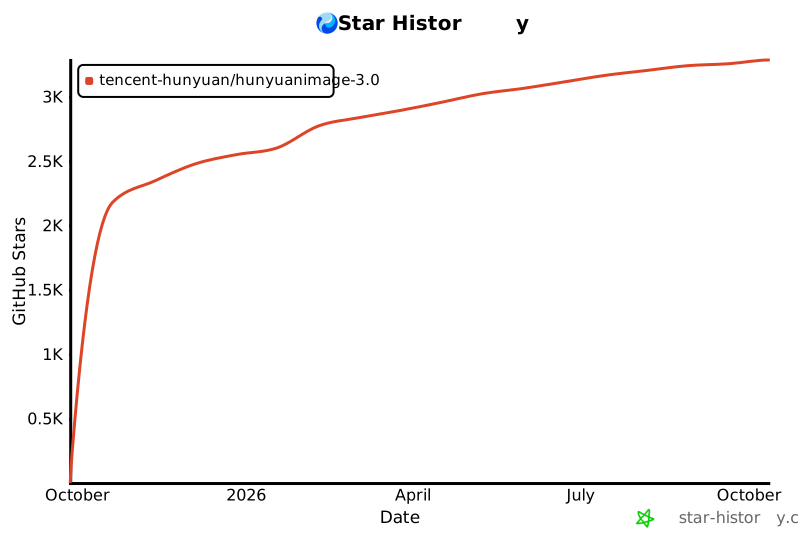](https://www.star-history.com/#Tencent-Hunyuan/HunyuanImage-3.0&Date)
|
|
|
|
| 6 |
library_name: transformers
|
| 7 |
---
|
| 8 |
|
| 9 |
+
|
| 10 |
+
[中文文档](./README_zh_CN.md)
|
| 11 |
+
|
| 12 |
<div align="center">
|
| 13 |
|
| 14 |
<img src="./assets/logo.png" alt="HunyuanImage-3.0 Logo" width="600">
|
|
|
|
| 39 |
</p>
|
| 40 |
|
| 41 |
## 🔥🔥🔥 News
|
| 42 |
+
|
| 43 |
+
- **January 26, 2026**: 🚀 **[HunyuanImage-3.0-Instruct-Distil](https://huggingface.co/tencent/HunyuanImage-3.0-Instruct-Distil)** - Distilled checkpoint for efficient deployment (8 steps sampling recommended).
|
| 44 |
+
- **January 26, 2026**: 🎉 **[HunyuanImage-3.0-Instruct](https://huggingface.co/tencent/HunyuanImage-3.0-Instruct)** - Release of **Instruct (with reasoning)** for intelligent prompt enhancement and **Image-to-Image** generation for creative editing.
|
| 45 |
+
- **October 30, 2025**: 🚀 **[HunyuanImage-3.0 vLLM Acceleration](./vllm_infer/README.md)** - Significantly faster inference with vLLM support.
|
| 46 |
+
- **September 28, 2025**: 📖 **[HunyuanImage-3.0 Technical Report](https://arxiv.org/pdf/2509.23951)** - Comprehensive technical documentation now available.
|
| 47 |
+
- **September 28, 2025**: 🎉 **[HunyuanImage-3.0 Open Source](https://github.com/Tencent-Hunyuan/HunyuanImage-3.0)** - Inference code and model weights publicly available.
|
| 48 |
|
| 49 |
|
| 50 |
## 🧩 Community Contributions
|
|
|
|
| 56 |
- HunyuanImage-3.0 (Image Generation Model)
|
| 57 |
- [x] Inference
|
| 58 |
- [x] HunyuanImage-3.0 Checkpoints
|
| 59 |
+
- [x] HunyuanImage-3.0-Instruct Checkpoints (with reasoning)
|
| 60 |
+
- [x] vLLM Support
|
| 61 |
+
- [x] Distilled Checkpoints
|
| 62 |
+
- [x] Image-to-Image Generation
|
| 63 |
- [ ] Multi-turn Interaction
|
| 64 |
|
| 65 |
|
|
|
|
| 69 |
- [📑 Open-source Plan](#-open-source-plan)
|
| 70 |
- [📖 Introduction](#-introduction)
|
| 71 |
- [✨ Key Features](#-key-features)
|
|
|
|
|
|
|
|
|
|
|
|
|
|
|
|
| 72 |
- [🚀 Usage](#-usage)
|
| 73 |
+
- [📦 Environment Setup](#-environment-setup)
|
| 74 |
+
- [📥 Install Dependencies](#-install-dependencies)
|
| 75 |
+
- [HunyuanImage-3.0 (Text-to-image)](#hunyuanimage-30-text-to-image)
|
| 76 |
+
- [🔥 Quick Start with Transformers](#-quick-start-with-transformers)
|
| 77 |
+
- [1️⃣ Download model weights](#1-download-model-weights)
|
| 78 |
+
- [2️⃣ Run with Transformers](#2-run-with-transformers)
|
| 79 |
+
- [🏠 Local Installation & Usage](#-local-installation--usage)
|
| 80 |
+
- [1️⃣ Clone the Repository](#1-clone-the-repository)
|
| 81 |
+
- [2️⃣ Download Model Weights](#2-download-model-weights)
|
| 82 |
+
- [3️⃣ Run the Demo](#3-run-the-demo)
|
| 83 |
+
- [4️⃣ Command Line Arguments](#4-command-line-arguments)
|
| 84 |
+
- [🎨 Interactive Gradio Demo](#-interactive-gradio-demo)
|
| 85 |
+
- [1️⃣ Install Gradio](#1-install-gradio)
|
| 86 |
+
- [2️⃣ Configure Environment](#2-configure-environment)
|
| 87 |
+
- [3️⃣ Launch the Web Interface](#3-launch-the-web-interface)
|
| 88 |
+
- [4️⃣ Access the Interface](#4-access-the-interface)
|
| 89 |
+
- [HunyuanImage-3.0-Instruct](#hunyuanimage-30-instruct-instruction-reasoning-and-image-to-image-generation-including-editing-and-multi-image-fusion)
|
| 90 |
+
- [🔥 Quick Start with Transformers](#-quick-start-with-transformers-1)
|
| 91 |
+
- [1️⃣ Download model weights](#1-download-model-weights-1)
|
| 92 |
+
- [2️⃣ Run with Transformers](#2-run-with-transformers-1)
|
| 93 |
+
- [🏠 Local Installation & Usage](#-local-installation--usage-1)
|
| 94 |
+
- [1️⃣ Clone the Repository](#1-clone-the-repository-1)
|
| 95 |
+
- [2️⃣ Download Model Weights](#2-download-model-weights-1)
|
| 96 |
+
- [3️⃣ Run the Demo](#3-run-the-demo-1)
|
| 97 |
+
- [4️⃣ Command Line Arguments](#4-command-line-arguments-1)
|
| 98 |
+
- [5️⃣ For fewer Sampling Steps](#5-for-fewer-sampling-steps)
|
| 99 |
- [🧱 Models Cards](#-models-cards)
|
|
|
|
|
|
|
|
|
|
|
|
|
|
|
|
| 100 |
- [📊 Evaluation](#-evaluation)
|
| 101 |
+
- [Evaluation of HunyuanImage-3.0-Instruct](#evaluation-of-hunyuanimage-30-instruct)
|
| 102 |
+
- [Evaluation of HunyuanImage-3.0 (Text-to-Image)](#evaluation-of-hunyuanimage-30-text-to-image)
|
| 103 |
+
- [🖼️ Showcase](#-showcase)
|
| 104 |
+
- [Showcases of HunyuanImage-3.0-Instruct](#showcases-of-hunyuanimage-30-instruct)
|
| 105 |
- [📚 Citation](#-citation)
|
| 106 |
- [🙏 Acknowledgements](#-acknowledgements)
|
| 107 |
+
- [🌟🚀 Github Star History](#-github-star-history)
|
| 108 |
|
| 109 |
---
|
| 110 |
|
| 111 |
## 📖 Introduction
|
| 112 |
|
| 113 |
+
**HunyuanImage-3.0** is a groundbreaking native multimodal model that unifies multimodal understanding and generation within an autoregressive framework. Our text-to-image and image-to-image model achieves performance **comparable to or surpassing** leading closed-source models.
|
| 114 |
|
| 115 |
|
| 116 |
<div align="center">
|
|
|
|
| 125 |
|
| 126 |
* 🎨 **Superior Image Generation Performance:** Through rigorous dataset curation and advanced reinforcement learning post-training, we've achieved an optimal balance between semantic accuracy and visual excellence. The model demonstrates exceptional prompt adherence while delivering photorealistic imagery with stunning aesthetic quality and fine-grained details.
|
| 127 |
|
| 128 |
+
* 💭 **Intelligent Image Understanding and World-Knowledge Reasoning:** The unified multimodal architecture endows HunyuanImage-3.0 with powerful reasoning capabilities. It under stands user's input image, and leverages its extensive world knowledge to intelligently interpret user intent, automatically elaborating on sparse prompts with contextually appropriate details to produce superior, more complete visual outputs.
|
|
|
|
| 129 |
|
|
|
|
| 130 |
|
| 131 |
+
## 🚀 Usage
|
|
|
|
|
|
|
|
|
|
|
|
|
|
|
|
| 132 |
|
| 133 |
### 📦 Environment Setup
|
| 134 |
|
| 135 |
* 🐍 **Python:** 3.12+ (recommended and tested)
|
|
|
|
| 136 |
* ⚡ **CUDA:** 12.8
|
| 137 |
|
| 138 |
+
#### 📥 Install Dependencies
|
| 139 |
|
| 140 |
```bash
|
| 141 |
# 1. First install PyTorch (CUDA 12.8 Version)
|
| 142 |
+
pip install torch==2.8.0 torchvision==0.23.0 torchaudio==2.8.0 --index-url https://download.pytorch.org/whl/cu128
|
| 143 |
|
| 144 |
+
# 2. Install tencentcloud-sdk for Prompt Enhancement (PE) only for HunyuanImage-3.0 not HunyuanImage-3.0-Instruct
|
| 145 |
pip install -i https://mirrors.tencent.com/pypi/simple/ --upgrade tencentcloud-sdk-python
|
| 146 |
|
| 147 |
# 3. Then install other dependencies
|
| 148 |
pip install -r requirements.txt
|
| 149 |
```
|
| 150 |
|
|
|
|
|
|
|
| 151 |
For **up to 3x faster inference**, install these optimizations:
|
| 152 |
|
| 153 |
```bash
|
| 154 |
+
# FlashInfer for optimized moe inference. v0.5.0 is tested.
|
| 155 |
+
pip install flashinfer-python==0.5.0
|
|
|
|
|
|
|
|
|
|
| 156 |
```
|
| 157 |
> 💡**Installation Tips:** It is critical that the CUDA version used by PyTorch matches the system's CUDA version.
|
| 158 |
+
> FlashInfer relies on this compatibility when compiling kernels at runtime.
|
| 159 |
> GCC version >=9 is recommended for compiling FlashAttention and FlashInfer.
|
| 160 |
|
| 161 |
> ⚡ **Performance Tips:** These optimizations can significantly speed up your inference!
|
| 162 |
|
| 163 |
> 💡**Notation:** When FlashInfer is enabled, the first inference may be slower (about 10 minutes) due to kernel compilation. Subsequent inferences on the same machine will be much faster.
|
| 164 |
|
| 165 |
+
### HunyuanImage-3.0 (Text-to-image)
|
| 166 |
|
| 167 |
+
#### 🔥 Quick Start with Transformers
|
| 168 |
|
| 169 |
+
##### 1️⃣ Download model weights
|
| 170 |
|
| 171 |
```bash
|
| 172 |
# Download from HuggingFace and rename the directory.
|
|
|
|
| 174 |
hf download tencent/HunyuanImage-3.0 --local-dir ./HunyuanImage-3
|
| 175 |
```
|
| 176 |
|
| 177 |
+
##### 2️⃣ Run with Transformers
|
| 178 |
|
| 179 |
```python
|
| 180 |
from transformers import AutoModelForCausalLM
|
|
|
|
| 201 |
image.save("image.png")
|
| 202 |
```
|
| 203 |
|
|
|
|
| 204 |
|
| 205 |
+
#### 🏠 Local Installation & Usage
|
| 206 |
+
|
| 207 |
+
##### 1️⃣ Clone the Repository
|
| 208 |
|
| 209 |
```bash
|
| 210 |
git clone https://github.com/Tencent-Hunyuan/HunyuanImage-3.0.git
|
| 211 |
cd HunyuanImage-3.0/
|
| 212 |
```
|
| 213 |
|
| 214 |
+
##### 2️⃣ Download Model Weights
|
| 215 |
|
| 216 |
```bash
|
| 217 |
# Download from HuggingFace
|
| 218 |
hf download tencent/HunyuanImage-3.0 --local-dir ./HunyuanImage-3
|
| 219 |
```
|
| 220 |
|
| 221 |
+
##### 3️⃣ Run the Demo
|
| 222 |
The Pretrain Checkpoint does not automatically rewrite or enhance input prompts, for optimal results currently, we recommend community partners to use deepseek to rewrite the prompts. You can go to [Tencent Cloud](https://cloud.tencent.com/document/product/1772/115963#.E5.BF.AB.E9.80.9F.E6.8E.A5.E5.85.A5) to apply for an API Key.
|
| 223 |
|
| 224 |
```bash
|
| 225 |
+
# Without PE
|
| 226 |
+
export MODEL_PATH="./HunyuanImage-3"
|
| 227 |
+
python3 run_image_gen.py \
|
| 228 |
+
--model-id $MODEL_PATH \
|
| 229 |
+
--verbose 1 \
|
| 230 |
+
--prompt "A brown and white dog is running on the grass" \
|
| 231 |
+
--bot-task image \
|
| 232 |
+
--image-size "1024x1024" \
|
| 233 |
+
--save ./image.png \
|
| 234 |
+
--moe-impl flashinfer
|
| 235 |
+
|
| 236 |
+
# With PE
|
| 237 |
export DEEPSEEK_KEY_ID="your_deepseek_key_id"
|
| 238 |
export DEEPSEEK_KEY_SECRET="your_deepseek_key_secret"
|
| 239 |
+
export MODEL_PATH="./HunyuanImage-3"
|
| 240 |
+
python3 run_image_gen.py \
|
| 241 |
+
--model-id $MODEL_PATH \
|
| 242 |
+
--verbose 1 \
|
| 243 |
+
--prompt "A brown and white dog is running on the grass" \
|
| 244 |
+
--bot-task image \
|
| 245 |
+
--image-size "1024x1024" \
|
| 246 |
+
--save ./image.png \
|
| 247 |
+
--moe-impl flashinfer \
|
| 248 |
+
--rewrite 1
|
| 249 |
|
|
|
|
| 250 |
```
|
| 251 |
|
| 252 |
+
##### 4️⃣ Command Line Arguments
|
| 253 |
|
| 254 |
+
| Arguments | Description | Recommended |
|
| 255 |
| ----------------------- | ------------------------------------------------------------ | ----------- |
|
| 256 |
| `--prompt` | Input prompt | (Required) |
|
| 257 |
| `--model-id` | Model path | (Required) |
|
| 258 |
| `--attn-impl` | Attention implementation. Either `sdpa` or `flash_attention_2`. | `sdpa` |
|
| 259 |
+
| `--moe-impl` | MoE implementation. Either `eager` or `flashinfer` | `flashinfer` |
|
| 260 |
| `--seed` | Random seed for image generation | `None` |
|
| 261 |
| `--diff-infer-steps` | Diffusion infer steps | `50` |
|
| 262 |
| `--image-size` | Image resolution. Can be `auto`, like `1280x768` or `16:9` | `auto` |
|
| 263 |
| `--save` | Image save path. | `image.png` |
|
| 264 |
| `--verbose` | Verbose level. 0: No log; 1: log inference information. | `0` |
|
| 265 |
| `--rewrite` | Whether to enable rewriting | `1` |
|
|
|
|
| 266 |
|
| 267 |
+
#### 🎨 Interactive Gradio Demo
|
| 268 |
|
| 269 |
Launch an interactive web interface for easy text-to-image generation.
|
| 270 |
|
| 271 |
+
##### 1️⃣ Install Gradio
|
| 272 |
|
| 273 |
```bash
|
| 274 |
pip install gradio>=4.21.0
|
| 275 |
```
|
| 276 |
|
| 277 |
+
##### 2️⃣ Configure Environment
|
| 278 |
|
| 279 |
```bash
|
| 280 |
# Set your model path
|
|
|
|
| 288 |
export PORT="443"
|
| 289 |
```
|
| 290 |
|
| 291 |
+
##### 3️⃣ Launch the Web Interface
|
| 292 |
|
| 293 |
**Basic Launch:**
|
| 294 |
```bash
|
|
|
|
| 301 |
sh run_app.sh --moe-impl flashinfer --attn-impl flash_attention_2
|
| 302 |
```
|
| 303 |
|
| 304 |
+
##### 4️⃣ Access the Interface
|
| 305 |
|
| 306 |
> 🌐 **Web Interface:** Open your browser and navigate to `http://localhost:443` (or your configured port)
|
| 307 |
|
| 308 |
|
|
|
|
| 309 |
|
| 310 |
+
<details>
|
| 311 |
+
<summary> Latest Version (Image-to-image & Text-image-to-image) </summary>
|
|
|
|
|
|
|
| 312 |
|
| 313 |
+
### HunyuanImage-3.0-Instruct (Instruction reasoning and Image-to-image generation, including editing and multi-image fusion)
|
| 314 |
|
| 315 |
+
#### 🔥 Quick Start with Transformers
|
| 316 |
|
| 317 |
+
##### 1️⃣ Download model weights
|
|
|
|
|
|
|
| 318 |
|
| 319 |
+
```bash
|
| 320 |
+
# Download from HuggingFace and rename the directory.
|
| 321 |
+
# Notice that the directory name should not contain dots, which may cause issues when loading using Transformers.
|
| 322 |
+
hf download tencent/HunyuanImage-3.0-Instruct --local-dir ./HunyuanImage-3-Instruct
|
| 323 |
+
```
|
| 324 |
|
| 325 |
+
##### 2️⃣ Run with Transformers
|
| 326 |
+
|
| 327 |
+
```python
|
| 328 |
+
from transformers import AutoModelForCausalLM
|
| 329 |
+
|
| 330 |
+
# Load the model
|
| 331 |
+
model_id = "./HunyuanImage-3-Instruct"
|
| 332 |
+
# Currently we can not load the model using HF model_id `tencent/HunyuanImage-3.0-Instruct` directly
|
| 333 |
+
# due to the dot in the name.
|
| 334 |
|
| 335 |
+
kwargs = dict(
|
| 336 |
+
attn_implementation="sdpa",
|
| 337 |
+
trust_remote_code=True,
|
| 338 |
+
torch_dtype="auto",
|
| 339 |
+
device_map="auto",
|
| 340 |
+
moe_impl="eager", # Use "flashinfer" if FlashInfer is installed
|
| 341 |
+
moe_drop_tokens=True,
|
| 342 |
+
)
|
| 343 |
|
| 344 |
+
model = AutoModelForCausalLM.from_pretrained(model_id, **kwargs)
|
| 345 |
+
model.load_tokenizer(model_id)
|
| 346 |
|
| 347 |
+
# Image-to-Image generation (TI2I)
|
| 348 |
+
prompt = "基于图一的logo,参考图二中冰箱贴的材质,制作一个新的冰箱贴"
|
| 349 |
+
|
| 350 |
+
input_img1 = "./assets/demo_instruct_imgs/input_1_0.png"
|
| 351 |
+
input_img2 = "./assets/demo_instruct_imgs/input_1_1.png"
|
| 352 |
+
imgs_input = [input_img1, input_img2]
|
| 353 |
+
|
| 354 |
+
cot_text, samples = model.generate_image(
|
| 355 |
+
prompt=prompt,
|
| 356 |
+
image=imgs_input,
|
| 357 |
+
seed=42,
|
| 358 |
+
image_size="auto",
|
| 359 |
+
use_system_prompt="en_unified",
|
| 360 |
+
bot_task="think_recaption", # Use "think_recaption" for reasoning and enhancement
|
| 361 |
+
infer_align_image_size=True, # Align output image size to input image size
|
| 362 |
+
diff_infer_steps=50,
|
| 363 |
+
verbose=2
|
| 364 |
+
)
|
| 365 |
|
| 366 |
+
# Save the generated image
|
| 367 |
+
samples[0].save("image_edit.png")
|
| 368 |
+
```
|
| 369 |
|
| 370 |
+
#### 🏠 Local Installation & Usage
|
| 371 |
|
| 372 |
+
##### 1️⃣ Clone the Repository
|
|
|
|
| 373 |
|
| 374 |
+
```bash
|
| 375 |
+
git clone https://github.com/Tencent-Hunyuan/HunyuanImage-3.0.git
|
| 376 |
+
cd HunyuanImage-3.0/
|
| 377 |
+
```
|
| 378 |
|
| 379 |
+
##### 2️⃣ Download Model Weights
|
| 380 |
|
| 381 |
+
```bash
|
| 382 |
+
# Download from HuggingFace
|
| 383 |
+
hf download tencent/HunyuanImage-3.0-Instruct --local-dir ./HunyuanImage-3-Instruct
|
| 384 |
+
```
|
| 385 |
|
| 386 |
+
##### 3️⃣ Run the Demo
|
| 387 |
|
| 388 |
+
More demos in `run_demo_instruct.sh`.
|
|
|
|
| 389 |
|
| 390 |
+
```bash
|
| 391 |
+
export MODEL_PATH="./HunyuanImage-3-Instruct"
|
| 392 |
+
bash run_demo_instruct.sh
|
| 393 |
+
```
|
| 394 |
|
| 395 |
+
##### 4️⃣ Command Line Arguments
|
| 396 |
|
| 397 |
+
| Arguments | Description | Recommended |
|
| 398 |
+
| ----------------------- | ------------------------------------------------------------ | ----------- |
|
| 399 |
+
| `--prompt` | Input prompt | (Required) |
|
| 400 |
+
| `--image` | Image to run. For multiple images, use comma-separated paths (e.g., 'img1.png,img2.png') | (Required) |
|
| 401 |
+
| `--model-id` | Model path | (Required) |
|
| 402 |
+
| `--attn-impl` | Attention implementation. Now only support 'sdpa' | `sdpa` |
|
| 403 |
+
| `--moe-impl` | MoE implementation. Either `eager` or `flashinfer` | `flashinfer` |
|
| 404 |
+
| `--seed` | Random seed for image generation. Use None for random seed | `None` |
|
| 405 |
+
| `--diff-infer-steps` | Number of inference steps | `50` |
|
| 406 |
+
| `--image-size` | Image resolution. Can be `auto`, like `1280x768` or `16:9` | `auto` |
|
| 407 |
+
| `--use-system-prompt` | System prompt type. Options: `None`, `dynamic`, `en_vanilla`, `en_recaption`, `en_think_recaption`, `en_unified`, `custom` | `en_unified` |
|
| 408 |
+
| `--system-prompt` | Custom system prompt. Used when `--use-system-prompt` is `custom` | `None` |
|
| 409 |
+
| `--bot-task` | Task type. `image` for direct generation; `auto` for text; `recaption` for re-write->image; `think_recaption` for think->re-write->image | `think_recaption` |
|
| 410 |
+
| `--save` | Image save path | `image.png` |
|
| 411 |
+
| `--verbose` | Verbose level | `2` |
|
| 412 |
+
| `--reproduce` | Whether to reproduce the results | `True` |
|
| 413 |
+
| `--infer-align-image-size` | Whether to align the target image size to the src image size | `True` |
|
| 414 |
+
| `--max_new_tokens` | Maximum number of new tokens to generate | `2048` |
|
| 415 |
+
| `--use-taylor-cache` | Use Taylor Cache when sampling | `False` |
|
| 416 |
+
|
| 417 |
+
##### 5️⃣ For fewer Sampling Steps
|
| 418 |
+
|
| 419 |
+
We recommend using the model [HunyuanImage-3.0-Instruct-Distil](https://huggingface.co/tencent/HunyuanImage-3.0-Instruct-Distil) with `--diff-infer-steps 8`, while keeping all other recommended parameter values **unchanged**.
|
| 420 |
|
| 421 |
+
```bash
|
| 422 |
+
# Download HunyuanImage-3.0-Instruct-Distil from HuggingFace
|
| 423 |
+
hf download tencent/HunyuanImage-3.0-Instruct-Distil --local-dir ./HunyuanImage-3-Instruct-Distil
|
| 424 |
|
| 425 |
+
# Run the demo with 8 steps to samples
|
| 426 |
+
export MODEL_PATH="./HunyuanImage-3-Instruct-Distil"
|
| 427 |
+
bash run_demo_instruct_Distil.sh
|
| 428 |
+
```
|
| 429 |
|
|
|
|
| 430 |
</details>
|
|
|
|
|
|
|
|
|
|
|
|
|
| 431 |
|
| 432 |
+
## 🧱 Models Cards
|
| 433 |
|
| 434 |
+
## 📊 Evaluation
|
| 435 |
|
| 436 |
+
### Evaluation of HunyuanImage-3.0-Instruct
|
| 437 |
+
* 👥 **GSB (Human Evaluation)**
|
| 438 |
+
We adopted the GSB (Good/Same/Bad) evaluation method commonly used to assess the relative performance between two models from an overall image perception perspective. In total, we utilized 1,000+ single- and multi-images editing cases, generating an equal number of image samples for all compared models in a single run. For a fair comparison, we conducted inference only once for each prompt, avoiding any cherry-picking of results. When comparing with the baseline methods, we maintained the default settings for all selected models. The evaluation was performed by more than 100 professional evaluators.
|
|
|
|
|
|
|
|
|
|
|
|
|
|
|
|
|
|
|
| 439 |
|
| 440 |
+
<p align="center">
|
| 441 |
+
<img src="./assets/gsb_instruct.png" width=60% alt="Human Evaluation with Other Models">
|
| 442 |
+
</p>
|
| 443 |
|
|
|
|
| 444 |
|
| 445 |
+
### Evaluation of HunyuanImage-3.0 (Text-to-Image)
|
|
|
|
|
|
|
|
|
|
|
|
|
|
|
|
|
|
|
| 446 |
|
| 447 |
+
* 🤖 **SSAE (Machine Evaluation)**
|
| 448 |
+
SSAE (Structured Semantic Alignment Evaluation) is an intelligent evaluation metric for image-text alignment based on advanced multimodal large language models (MLLMs). We extracted 3500 key points across 12 categories, then used multimodal large language models to automatically evaluate and score by comparing the generated images with these key points based on the visual content of the images. Mean Image Accuracy represents the image-wise average score across all key points, while Global Accuracy directly calculates the average score across all key points.
|
| 449 |
|
| 450 |
+
<p align="center">
|
| 451 |
+
<img src="./assets/ssae_side_by_side_comparison.png" width=98% alt="Human Evaluation with Other Models">
|
| 452 |
+
</p>
|
| 453 |
|
| 454 |
+
<p align="center">
|
| 455 |
+
<img src="./assets/ssae_side_by_side_heatmap.png" width=98% alt="Human Evaluation with Other Models">
|
| 456 |
+
</p>
|
| 457 |
|
|
|
|
|
|
|
|
|
|
|
|
|
|
|
|
|
|
|
|
|
|
|
|
|
|
|
|
| 458 |
|
| 459 |
+
* 👥 **GSB (Human Evaluation)**
|
| 460 |
|
| 461 |
+
We adopted the GSB (Good/Same/Bad) evaluation method commonly used to assess the relative performance between two models from an overall image perception perspective. In total, we utilized 1,000 text prompts, generating an equal number of image samples for all compared models in a single run. For a fair comparison, we conducted inference only once for each prompt, avoiding any cherry-picking of results. When comparing with the baseline methods, we maintained the default settings for all selected models. The evaluation was performed by more than 100 professional evaluators.
|
| 462 |
|
| 463 |
+
<p align="center">
|
| 464 |
+
<img src="./assets/gsb.png" width=98% alt="Human Evaluation with Other Models">
|
| 465 |
+
</p>
|
| 466 |
|
| 467 |
+
## 🖼️ Showcase
|
| 468 |
|
| 469 |
+
Our model can follow complex instructions to generate high‑quality, creative images.
|
|
|
|
|
|
|
|
|
|
|
|
|
|
|
|
|
|
|
| 470 |
|
| 471 |
+
<div align="center">
|
| 472 |
+
<img src="./assets/banner_all.jpg" width=100% alt="HunyuanImage 3.0 Demo">
|
| 473 |
+
</div>
|
| 474 |
|
| 475 |
+
For text-to-image showcases in HunyuanImage-3.0, click the following links:
|
| 476 |
|
| 477 |
+
- [HunyuanImage-3.0](./Hunyuan-Image3.md)
|
| 478 |
|
| 479 |
+
### Showcases of HunyuanImage-3.0-Instruct
|
|
|
|
|
|
|
|
|
|
|
|
|
|
|
|
|
|
|
|
|
|
|
|
|
| 480 |
|
| 481 |
+
HunyuanImage-3.0-Instruct demonstrates powerful capabilities in intelligent image generation and editing. The following showcases highlight its core features:
|
| 482 |
|
| 483 |
+
* 🧠 **Intelligent Visual Understanding and Reasoning (CoT Think)**: The model performs structured thinking to analyze user's input image and prompt, expand user's intent and editing tasks into a stucture, comprehnsive instructions, and leading to a better image generation and editing performance.
|
| 484 |
|
| 485 |
+
breaking down complex prompts and editing tasks into detailed visual components including subject, composition, lighting, color palette, and style.
|
| 486 |
|
| 487 |
+
* ✏️ **Prompt Self-Rewrite**: Automatically enhances sparse or vague prompts into professional-grade, detail-rich descriptions that capture the user's intent more accurately.
|
|
|
|
|
|
|
|
|
|
|
|
|
|
|
|
|
|
|
| 488 |
|
| 489 |
+
* 🎨 **Text-to-Image (T2I)**: Generates high-quality images from text prompts with exceptional prompt adherence and photorealistic quality.
|
| 490 |
|
| 491 |
+
* 🖼️ **Image-to-Image (TI2I)**: Supports creative image editing, including adding elements, removing objects, modifying styles, and seamless background replacement while preserving key visual elements.
|
| 492 |
|
| 493 |
+
* 🔀 **Multi-Image Fusion**: Intelligently combines multiple reference images (up to 3 inputs) to create coherent composite images that integrate visual elements from different sources.
|
| 494 |
|
|
|
|
|
|
|
|
|
|
|
|
|
|
|
|
|
|
|
|
|
|
| 495 |
|
| 496 |
+
**Showcase 1: Detailed Thought and Reasoning Process**
|
| 497 |
|
| 498 |
+
<div align="center">
|
| 499 |
+
<img src="./assets/pg_instruct_imgs/cot_ti2i.gif" alt="HunyuanImage-3.0-Instruct Showcase 1" width="90%">
|
| 500 |
+
</div>
|
| 501 |
|
| 502 |
+
**Showcase 2: Creative T2I Generation with Complex Scene Understanding**
|
|
|
|
|
|
|
| 503 |
|
| 504 |
+
> Prompt: 3D 毛绒质感拟人化马,暖棕浅棕肌理,穿藏蓝西装、白衬衫,戴深棕手套;疲惫带期待,坐于电脑前,旁置印 "HAPPY AGAIN" 的马克杯。橙红渐变背景,配超大号藏蓝粗体 "马上下班",叠加米黄 "Happy New Year" 并标 "(2026)"。橙红为主,藏蓝米黄撞色,毛绒温暖柔和。
|
|
|
|
|
|
|
| 505 |
|
| 506 |
+
<div align="center">
|
| 507 |
+
<img src="./assets/pg_instruct_imgs/image0.png" alt="HunyuanImage-3.0-Instruct Showcase 2" width="75%">
|
| 508 |
+
</div>
|
| 509 |
|
| 510 |
+
**Showcase 3: Precise Image Editing with Element Preservation**
|
| 511 |
|
| 512 |
+
<div align="center">
|
| 513 |
+
<img src="./assets/pg_instruct_imgs/image1.png" alt="HunyuanImage-3.0-Instruct Showcase 3" width="85%">
|
| 514 |
+
</div>
|
| 515 |
|
| 516 |
+
**Showcase 4: Style Transformation with Thematic Enhancement**
|
| 517 |
+
|
| 518 |
+
<div align="center">
|
| 519 |
+
<img src="./assets/pg_instruct_imgs/image2.png" alt="HunyuanImage-3.0-Instruct Showcase 4" width="85%">
|
| 520 |
+
</div>
|
| 521 |
+
|
| 522 |
+
|
| 523 |
+
**Showcase 5: Advanced Style Transfer and Product Mockup Generation**
|
| 524 |
+
|
| 525 |
+
<div align="center">
|
| 526 |
+
<img src="./assets/pg_instruct_imgs/image3.png" alt="HunyuanImage-3.0-Instruct Showcase 5" width="85%">
|
| 527 |
+
</div>
|
| 528 |
+
|
| 529 |
+
|
| 530 |
+
**Showcase 6: Multi-Image Fusion and Creative Composition**
|
| 531 |
+
|
| 532 |
+
<div align="center">
|
| 533 |
+
<img src="./assets/pg_instruct_imgs/image4.png" alt="HunyuanImage-3.0-Instruct Showcase 6" width="85%">
|
| 534 |
+
</div>
|
| 535 |
|
| 536 |
|
| 537 |
## 📚 Citation
|
|
|
|
| 563 |
[](https://github.com/Tencent-Hunyuan/HunyuanImage-3.0)
|
| 564 |
|
| 565 |
|
| 566 |
+
[](https://www.star-history.com/#Tencent-Hunyuan/HunyuanImage-3.0&Date)
|
README_zh_CN.md
ADDED
|
@@ -0,0 +1,575 @@
|
|
|
|
|
|
|
|
|
|
|
|
|
|
|
|
|
|
|
|
|
|
|
|
|
|
|
|
|
|
|
|
|
|
|
|
|
|
|
|
|
|
|
|
|
|
|
|
|
|
|
|
|
|
|
|
|
|
|
|
|
|
|
|
|
|
|
|
|
|
|
|
|
|
|
|
|
|
|
|
|
|
|
|
|
|
|
|
|
|
|
|
|
|
|
|
|
|
|
|
|
|
|
|
|
|
|
|
|
|
|
|
|
|
|
|
|
|
|
|
|
|
|
|
|
|
|
|
|
|
|
|
|
|
|
|
|
|
|
|
|
|
|
|
|
|
|
|
|
|
|
|
|
|
|
|
|
|
|
|
|
|
|
|
|
|
|
|
|
|
|
|
|
|
|
|
|
|
|
|
|
|
|
|
|
|
|
|
|
|
|
|
|
|
|
|
|
|
|
|
|
|
|
|
|
|
|
|
|
|
|
|
|
|
|
|
|
|
|
|
|
|
|
|
|
|
|
|
|
|
|
|
|
|
|
|
|
|
|
|
|
|
|
|
|
|
|
|
|
|
|
|
|
|
|
|
|
|
|
|
|
|
|
|
|
|
|
|
|
|
|
|
|
|
|
|
|
|
|
|
|
|
|
|
|
|
|
|
|
|
|
|
|
|
|
|
|
|
|
|
|
|
|
|
|
|
|
|
|
|
|
|
|
|
|
|
|
|
|
|
|
|
|
|
|
|
|
|
|
|
|
|
|
|
|
|
|
|
|
|
|
|
|
|
|
|
|
|
|
|
|
|
|
|
|
|
|
|
|
|
|
|
|
|
|
|
|
|
|
|
|
|
|
|
|
|
|
|
|
|
|
|
|
|
|
|
|
|
|
|
|
|
|
|
|
|
|
|
|
|
|
|
|
|
|
|
|
|
|
|
|
|
|
|
|
|
|
|
|
|
|
|
|
|
|
|
|
|
|
|
|
|
|
|
|
|
|
|
|
|
|
|
|
|
|
|
|
|
|
|
|
|
|
|
|
|
|
|
|
|
|
|
|
|
|
|
|
|
|
|
|
|
|
|
|
|
|
|
|
|
|
|
|
|
|
|
|
|
|
|
|
|
|
|
|
|
|
|
|
|
|
|
|
|
|
|
|
|
|
|
|
|
|
|
|
|
|
|
|
|
|
|
|
|
|
|
|
|
|
|
|
|
|
|
|
|
|
|
|
|
|
|
|
|
|
|
|
|
|
|
|
|
|
|
|
|
|
|
|
|
|
|
|
|
|
|
|
|
|
|
|
|
|
|
|
|
|
|
|
|
|
|
|
|
|
|
|
|
|
|
|
|
|
|
|
|
|
|
|
|
|
|
|
|
|
|
|
|
|
|
|
|
|
|
|
|
|
|
|
|
|
|
|
|
|
|
|
|
|
|
|
|
|
|
|
|
|
|
|
|
|
|
|
|
|
|
|
|
|
|
|
|
|
|
|
|
|
|
|
|
|
|
|
|
|
|
|
|
|
|
|
|
|
|
|
|
|
|
|
|
|
|
|
|
|
|
|
|
|
|
|
|
|
|
|
|
|
|
|
|
|
|
|
|
|
|
|
|
|
|
|
|
|
|
|
|
|
|
|
|
|
|
|
|
|
|
|
|
|
|
|
|
|
|
|
|
|
|
|
|
|
|
|
|
|
|
|
|
|
|
|
|
|
|
|
|
|
|
|
|
|
|
|
|
|
|
|
|
|
|
|
|
|
|
|
|
|
|
|
|
|
|
|
|
|
|
|
|
|
|
|
|
|
|
|
|
|
|
|
|
|
|
|
|
|
|
|
|
|
|
|
|
|
|
|
|
|
|
|
|
|
|
|
|
|
|
|
|
|
|
|
|
|
|
|
|
|
|
|
|
|
|
|
|
|
|
|
|
|
|
|
|
|
|
|
|
|
|
|
|
|
|
|
|
|
|
|
|
|
|
|
|
|
|
|
|
|
|
|
|
|
|
|
|
|
|
|
|
|
|
|
|
|
|
|
|
|
|
|
|
|
|
|
|
|
|
|
|
|
|
|
|
|
|
|
|
|
|
|
|
|
|
|
|
|
|
|
|
|
|
|
|
|
|
|
|
|
|
|
|
|
|
|
|
|
|
|
|
|
|
|
|
|
|
|
|
|
|
|
|
|
|
|
|
|
|
|
|
|
|
|
|
|
|
|
|
|
|
|
|
|
|
|
|
|
|
|
|
|
|
|
|
|
|
|
|
|
|
|
|
|
|
|
|
|
|
|
|
|
|
|
|
|
|
|
|
|
|
|
|
|
|
|
|
|
|
|
|
|
|
|
|
|
|
|
|
|
|
|
|
|
|
|
|
|
|
|
|
|
|
|
|
|
|
|
|
|
|
|
|
|
|
|
|
|
|
|
|
|
|
|
|
|
|
|
|
|
|
|
|
|
|
|
|
|
|
|
|
|
|
|
|
|
|
|
|
|
|
|
|
|
|
|
|
|
|
|
|
|
|
|
|
|
|
|
|
|
|
|
|
|
|
|
|
|
|
|
|
|
|
|
|
|
|
|
|
|
|
|
|
|
|
|
|
|
|
|
|
|
|
|
|
|
|
|
|
|
|
|
|
|
|
|
|
|
|
|
|
|
|
|
|
|
|
|
|
|
|
|
|
|
|
|
|
|
|
|
|
|
|
|
|
|
|
|
|
|
|
|
|
|
|
|
|
|
|
|
|
|
|
|
|
|
|
|
|
|
|
|
|
|
|
|
|
|
|
|
|
|
|
|
|
|
|
|
|
|
|
|
|
|
|
|
|
|
|
|
|
|
|
|
|
|
|
|
|
|
|
|
|
|
|
|
|
|
|
|
|
|
|
|
|
|
|
|
|
|
|
|
|
|
|
|
|
|
|
|
|
|
|
|
|
|
|
|
|
|
|
|
|
|
|
|
|
|
|
|
|
|
|
|
|
|
|
|
|
|
|
|
|
|
|
|
|
|
|
|
|
|
|
|
|
|
|
|
|
|
|
|
|
|
|
|
|
|
|
|
|
|
|
|
|
|
|
|
|
|
|
|
|
|
|
|
|
|
|
|
|
|
|
|
|
|
|
|
|
|
|
|
|
|
|
|
|
|
|
|
|
|
|
|
|
|
|
|
|
|
|
|
|
|
|
|
|
|
|
|
|
|
|
|
|
|
|
|
|
|
|
|
|
|
|
|
|
|
|
|
|
|
|
|
|
|
|
|
|
|
|
|
|
|
|
|
|
|
|
|
|
|
|
|
|
|
|
|
|
|
|
|
|
|
|
|
|
|
|
|
|
|
|
|
|
|
|
|
|
|
|
|
|
|
|
|
|
|
|
|
|
|
|
|
|
|
|
|
|
|
|
|
|
|
|
|
|
|
|
|
|
|
|
|
|
|
|
|
|
|
|
|
|
|
|
|
|
|
|
|
|
|
|
|
|
|
|
|
|
|
|
|
|
|
|
|
|
|
|
|
|
|
|
|
|
|
|
|
|
|
|
|
|
|
|
|
|
|
|
|
|
|
|
|
|
|
|
|
|
|
|
|
|
|
|
|
|
|
|
|
|
|
|
|
|
|
|
|
|
|
|
|
|
|
|
|
|
|
|
|
|
|
|
|
|
|
|
|
|
|
|
|
|
|
|
|
|
|
|
|
|
|
|
|
|
|
|
|
|
|
|
|
|
|
|
|
|
|
|
|
|
|
|
|
|
|
|
|
|
|
|
|
|
|
|
|
|
|
|
|
|
|
|
|
|
|
|
|
|
|
|
|
|
|
|
|
|
|
|
|
|
|
|
|
|
|
|
|
|
|
|
|
|
|
|
|
|
|
|
|
|
|
|
|
|
|
|
|
|
|
|
|
|
|
|
|
|
|
|
|
|
|
| 1 |
+
---
|
| 2 |
+
license: other
|
| 3 |
+
license_name: tencent-hunyuan-community
|
| 4 |
+
license_link: LICENSE
|
| 5 |
+
pipeline_tag: text-to-image
|
| 6 |
+
library_name: transformers
|
| 7 |
+
---
|
| 8 |
+
|
| 9 |
+
|
| 10 |
+
[English Documentation](./README.md)
|
| 11 |
+
|
| 12 |
+
<div align="center">
|
| 13 |
+
|
| 14 |
+
<img src="./assets/logo.png" alt="HunyuanImage-3.0 Logo" width="600">
|
| 15 |
+
|
| 16 |
+
# 🎨 HunyuanImage-3.0: 强大的原生多模态图像生成模型
|
| 17 |
+
|
| 18 |
+
</div>
|
| 19 |
+
|
| 20 |
+
|
| 21 |
+
<div align="center">
|
| 22 |
+
<img src="./assets/banner.png" alt="HunyuanImage-3.0 Banner" width="800">
|
| 23 |
+
|
| 24 |
+
</div>
|
| 25 |
+
|
| 26 |
+
<div align="center">
|
| 27 |
+
<a href=https://hunyuan.tencent.com/image target="_blank"><img src=https://img.shields.io/badge/Official%20Site-333399.svg?logo=homepage height=22px></a>
|
| 28 |
+
<a href=https://huggingface.co/tencent/HunyuanImage-3.0-Instruct target="_blank"><img src=https://img.shields.io/badge/%F0%9F%A4%97%20Models-d96902.svg height=22px></a>
|
| 29 |
+
<a href=https://github.com/Tencent-Hunyuan/HunyuanImage-3.0 target="_blank"><img src= https://img.shields.io/badge/Page-bb8a2e.svg?logo=github height=22px></a>
|
| 30 |
+
<a href=https://arxiv.org/pdf/2509.23951 target="_blank"><img src=https://img.shields.io/badge/Report-b5212f.svg?logo=arxiv height=22px></a>
|
| 31 |
+
<a href=https://x.com/TencentHunyuan target="_blank"><img src=https://img.shields.io/badge/Hunyuan-black.svg?logo=x height=22px></a>
|
| 32 |
+
<a href=https://docs.qq.com/doc/DUVVadmhCdG9qRXBU target="_blank"><img src=https://img.shields.io/badge/📚-提示词手册-blue.svg?logo=book height=22px></a>
|
| 33 |
+
</div>
|
| 34 |
+
|
| 35 |
+
|
| 36 |
+
<p align="center">
|
| 37 |
+
👏 加入我们的 <a href="./assets/WECHAT.md" target="_blank">微信</a> 和 <a href="https://discord.gg/ehjWMqF5wY">Discord</a> |
|
| 38 |
+
💻 <a href="https://hunyuan.tencent.com/chat/HunyuanDefault?from=modelSquare&modelId=Hunyuan-Image-3.0-Instruct">官网试用我们的模型!</a>  
|
| 39 |
+
</p>
|
| 40 |
+
|
| 41 |
+
## 🔥🔥🔥 最新消息
|
| 42 |
+
|
| 43 |
+
- **2026年1月26日**: 🚀 **[HunyuanImage-3.0-Instruct-Distil](https://huggingface.co/tencent/HunyuanImage-3.0-Instruct-Distil)** - 蒸馏版本用于高效部署(推荐8步采样)。
|
| 44 |
+
- **2026年1月26日**: 🎉 **[HunyuanImage-3.0-Instruct](https://huggingface.co/tencent/HunyuanImage-3.0-Instruct)** - 发布了 **Instruct(带推理能力)**版本,支持智能提示词增强和**图像到图像**生成用于创意编辑。
|
| 45 |
+
- **2025年10月30日**: 🚀 **[HunyuanImage-3.0 vLLM 加速](./vllm_infer/README.md)** - 通过 vLLM 支持实现显著更快的推理速度。
|
| 46 |
+
- **2025年09月28日**: 📖 **[HunyuanImage-3.0 技术报告](https://arxiv.org/pdf/2509.23951)** - 全面的技术文档现已发布。
|
| 47 |
+
- **2025年09月28日**: 🎉 **[HunyuanImage-3.0 开源](https://github.com/Tencent-Hunyuan/HunyuanImage-3.0)** - 推理代码和模型权重现已公开可用。
|
| 48 |
+
|
| 49 |
+
|
| 50 |
+
## 🧩 社区贡献
|
| 51 |
+
|
| 52 |
+
如果您在项目中使用或开发了 HunyuanImage-3.0,欢迎告知我们。
|
| 53 |
+
|
| 54 |
+
## 📑 开源计划
|
| 55 |
+
|
| 56 |
+
- HunyuanImage-3.0 (图像生成模型)
|
| 57 |
+
- [x] 推理代码
|
| 58 |
+
- [x] HunyuanImage-3.0 模型权重
|
| 59 |
+
- [x] HunyuanImage-3.0-Instruct 模型权重(带推理能力)
|
| 60 |
+
- [x] vLLM 支持
|
| 61 |
+
- [x] 蒸馏版本权重
|
| 62 |
+
- [x] 图像到图像生成
|
| 63 |
+
- [ ] 多轮交互能力
|
| 64 |
+
|
| 65 |
+
|
| 66 |
+
## 🗂️ 目录
|
| 67 |
+
- [🔥🔥🔥 最新消息](#-最新消息)
|
| 68 |
+
- [🧩 社区贡献](#-社区贡献)
|
| 69 |
+
- [📑 开源计划](#-开源计划)
|
| 70 |
+
- [📖 概览](#-概览)
|
| 71 |
+
- [✨ 模型亮点](#-模型亮点)
|
| 72 |
+
- [🚀 使用方法](#-使用方法)
|
| 73 |
+
- [📦 环境配置](#-环境配置)
|
| 74 |
+
- [📥 安装依赖](#-安装依赖)
|
| 75 |
+
- [HunyuanImage-3.0 (文本生成图像)](#hunyuanimage-30-文本生成图像)
|
| 76 |
+
- [🔥 使用 Transformers 快速开始](#-使用-transformers-快速开始)
|
| 77 |
+
- [1️⃣ 下载模型权重](#1-下载模型权重)
|
| 78 |
+
- [2️⃣ 使用 Transformers 运行](#2-使用-transformers-运行)
|
| 79 |
+
- [🏠 本地安装和使用](#-本地安装和使用)
|
| 80 |
+
- [1️⃣ 克隆仓库](#1-克隆仓库)
|
| 81 |
+
- [2️⃣ 下载模型权重](#2-下载模型权重)
|
| 82 |
+
- [3️⃣ 运行演示](#3-运行演示)
|
| 83 |
+
- [4️⃣ 命令行参数](#4-命令行参数)
|
| 84 |
+
- [🎨 交互式 Gradio 演示](#-交互式-gradio-演示)
|
| 85 |
+
- [1️⃣ 安装 Gradio](#1-安装-gradio)
|
| 86 |
+
- [2️⃣ 配置环境](#2-配置环境)
|
| 87 |
+
- [3️⃣ 启动 Web 界面](#3-启动-web-界面)
|
| 88 |
+
- [4️⃣ 访问界面](#4-访问界面)
|
| 89 |
+
- [HunyuanImage-3.0-Instruct](#hunyuanimage-30-instruct-指令推理和图像到图像生成包括编辑和多图像融合)
|
| 90 |
+
- [🔥 使用 Transformers 快速开始](#-使用-transformers-快速开始-1)
|
| 91 |
+
- [1️⃣ 下载模型权重](#1-下载模型权重-1)
|
| 92 |
+
- [2️⃣ 使用 Transformers 运行](#2-使用-transformers-运行-1)
|
| 93 |
+
- [🏠 本地安装和使用](#-本地安装和使用-1)
|
| 94 |
+
- [1️⃣ 克隆仓库](#1-克隆仓库-1)
|
| 95 |
+
- [2️⃣ 下载模型权重](#2-下载模型权重-1)
|
| 96 |
+
- [3️⃣ 运行演示](#3-运行演示-1)
|
| 97 |
+
- [4️⃣ 命令行参数](#4-命令行参数-1)
|
| 98 |
+
- [5️⃣ 更少的采样步数](#5-更少的采样步数)
|
| 99 |
+
- [🧱 模型卡片](#-模型卡片)
|
| 100 |
+
- [📊 评估结果](#-评估结果)
|
| 101 |
+
- [HunyuanImage-3.0-Instruct 评估](#hunyuanimage-30-instruct-评估)
|
| 102 |
+
- [HunyuanImage-3.0 评估](#hunyuanimage-30-评估)
|
| 103 |
+
- [🖼️ 展示](#-展示)
|
| 104 |
+
- [HunyuanImage-3.0-Instruct 展示](#hunyuanimage-30-instruct-展示)
|
| 105 |
+
- [📚 引用](#-引用)
|
| 106 |
+
- [🙏 致谢](#-致谢)
|
| 107 |
+
- [🌟🚀 GitHub Star 历史](#-github-star-历史)
|
| 108 |
+
|
| 109 |
+
---
|
| 110 |
+
|
| 111 |
+
## 📖 概览
|
| 112 |
+
|
| 113 |
+
**HunyuanImage-3.0** 是一个突破性的原生多模态模型,它在自回归框架内统一了多模态理解和生成任务。它的文生图和图生图能力实现了与领先的闭源模型**相当或更优**的性能。
|
| 114 |
+
|
| 115 |
+
|
| 116 |
+
<div align="center">
|
| 117 |
+
<img src="./assets/framework.png" alt="HunyuanImage-3.0 Framework" width="90%">
|
| 118 |
+
</div>
|
| 119 |
+
|
| 120 |
+
## ✨ 模型亮点
|
| 121 |
+
|
| 122 |
+
* 🧠 **统一的多模态架构:** HunyuanImage-3.0 突破当前主流的 DiT 架构,采用统一的自回归框架。该设计能更直接、统一地对文本与图像模态进行建模,实现了语义理解与图像生成的高度融合,从而生成效果惊人、语境丰富的图像。
|
| 123 |
+
|
| 124 |
+
* 🏆 **最大规模图像生成MoE模型:** 作为当前开源社区参数规模最大的图像生成 MoE 模型,其拥有64个专家、总参数量达 800 亿,单 token 激活 130 亿参数,显著提升了模型容量与性能表现。
|
| 125 |
+
|
| 126 |
+
* 🎨 **卓越的图像生成质量:** 通过精细的数据集构建与强化学习后训练,我们在语义准确性与视觉表现力间取得最佳平衡。该模型不仅能精准遵循提示词要求,更可生成细节丰富、具有摄影级真实感与艺术美感的图像。
|
| 127 |
+
|
| 128 |
+
* 💭 **智能图像理解与世界知识推理:** 得益于统一的多模态架构,HunyuanImage-3.0 拥有强大的推理能力。它不仅能深度理解用户输入的图像,还能利用其海量的世界知识精准解读用户意图。针对简略的提示词(prompts),它能够自动补全符合语境的细节,从而生成更出色、更完整的视觉作品。
|
| 129 |
+
|
| 130 |
+
|
| 131 |
+
## 🚀 使用方法
|
| 132 |
+
|
| 133 |
+
### 📦 环境配置
|
| 134 |
+
|
| 135 |
+
* 🐍 **Python:** 3.12+ (推荐并已测试)
|
| 136 |
+
* ⚡ **CUDA:** 12.8
|
| 137 |
+
|
| 138 |
+
#### 📥 安装依赖
|
| 139 |
+
|
| 140 |
+
```bash
|
| 141 |
+
# 1. 首先安装 PyTorch (CUDA 12.8 版本)
|
| 142 |
+
pip install torch==2.8.0 torchvision==0.23.0 torchaudio==2.8.0 --index-url https://download.pytorch.org/whl/cu128
|
| 143 |
+
|
| 144 |
+
# 2. 安装 tencentcloud-sdk
|
| 145 |
+
pip install -i https://mirrors.tencent.com/pypi/simple/ --upgrade tencentcloud-sdk-python
|
| 146 |
+
|
| 147 |
+
# 3. 然后安装其他依赖
|
| 148 |
+
pip install -r requirements.txt
|
| 149 |
+
```
|
| 150 |
+
|
| 151 |
+
为了**获得多达3倍的推理加速**,请安装以下优化:
|
| 152 |
+
|
| 153 |
+
```bash
|
| 154 |
+
# FlashInfer 用于优化的 moe 推理。v0.5.0 已测试。
|
| 155 |
+
pip install flashinfer-python==0.5.0
|
| 156 |
+
```
|
| 157 |
+
> 💡**安装提示:** PyTorch 使用的 CUDA 版本必须与系统的 CUDA 版本匹配,这一点至关重要。
|
| 158 |
+
> FlashInfer 依赖此兼容性在运行时编译内核。
|
| 159 |
+
> 推荐使用 GCC 版本 >=9 来编译 FlashAttention 和 FlashInfer。
|
| 160 |
+
|
| 161 |
+
> ⚡ **性能提示:** 这些优化可以显著加快您的推理速度!
|
| 162 |
+
|
| 163 |
+
> 💡**注意:** 启用 FlashInfer 时,首次推理可能会较慢(约 10 分钟),因为需要编译内核。在同一台机器上的后续推理会快得多。
|
| 164 |
+
|
| 165 |
+
### HunyuanImage-3.0 (文本生成图像)
|
| 166 |
+
|
| 167 |
+
#### 🔥 使用 Transformers 快速开始
|
| 168 |
+
|
| 169 |
+
##### 1️⃣ 下载模型权重
|
| 170 |
+
|
| 171 |
+
```bash
|
| 172 |
+
# 从 HuggingFace 下载并重命名目录。
|
| 173 |
+
# 注意目录名称不应包含点号,否则使用 Transformers 加载时可能出现问题。
|
| 174 |
+
hf download tencent/HunyuanImage-3.0 --local-dir ./HunyuanImage-3
|
| 175 |
+
```
|
| 176 |
+
|
| 177 |
+
##### 2️⃣ 使用 Transformers 运行
|
| 178 |
+
|
| 179 |
+
```python
|
| 180 |
+
from transformers import AutoModelForCausalLM
|
| 181 |
+
|
| 182 |
+
# 加载模型
|
| 183 |
+
model_id = "./HunyuanImage-3"
|
| 184 |
+
# 目前我们无法使用 HF 模型 ID `tencent/HunyuanImage-3.0` 直接加载模型
|
| 185 |
+
# 因为名称中包含点号。
|
| 186 |
+
|
| 187 |
+
kwargs = dict(
|
| 188 |
+
attn_implementation="sdpa", # 如果已安装 FlashAttention,可使用 "flash_attention_2"
|
| 189 |
+
trust_remote_code=True,
|
| 190 |
+
torch_dtype="auto",
|
| 191 |
+
device_map="auto",
|
| 192 |
+
moe_impl="eager", # 如果已安装 FlashInfer,可使用 "flashinfer"
|
| 193 |
+
)
|
| 194 |
+
|
| 195 |
+
model = AutoModelForCausalLM.from_pretrained(model_id, **kwargs)
|
| 196 |
+
model.load_tokenizer(model_id)
|
| 197 |
+
|
| 198 |
+
# 生成图像
|
| 199 |
+
prompt = "一只棕色和白色相间的小狗奔跑在草地上"
|
| 200 |
+
image = model.generate_image(prompt=prompt, stream=True)
|
| 201 |
+
image.save("image.png")
|
| 202 |
+
```
|
| 203 |
+
|
| 204 |
+
|
| 205 |
+
#### 🏠 本地安装和使用
|
| 206 |
+
|
| 207 |
+
##### 1️⃣ 克隆仓库
|
| 208 |
+
|
| 209 |
+
```bash
|
| 210 |
+
git clone https://github.com/Tencent-Hunyuan/HunyuanImage-3.0.git
|
| 211 |
+
cd HunyuanImage-3.0/
|
| 212 |
+
```
|
| 213 |
+
|
| 214 |
+
##### 2️⃣ 下载模型权重
|
| 215 |
+
|
| 216 |
+
```bash
|
| 217 |
+
# 从 HuggingFace 下载
|
| 218 |
+
hf download tencent/HunyuanImage-3.0 --local-dir ./HunyuanImage-3
|
| 219 |
+
```
|
| 220 |
+
|
| 221 |
+
##### 3️⃣ 运行演示
|
| 222 |
+
|
| 223 |
+
预训练检查点不会自动重写或增强输入提示词,为了获得最佳效果,我们目前建议社区伙伴使用 deepseek 来重写提示词。您可以前往[腾讯云](https://cloud.tencent.com/document/product/1772/115963#.E5.BF.AB.E9.80.9F.E6.8E.A5.E5.85.A5)申请 API Key。
|
| 224 |
+
|
| 225 |
+
```bash
|
| 226 |
+
# 不使用 PE
|
| 227 |
+
export MODEL_PATH="./HunyuanImage-3"
|
| 228 |
+
python3 run_image_gen.py \
|
| 229 |
+
--model-id $MODEL_PATH \
|
| 230 |
+
--verbose 1 \
|
| 231 |
+
--prompt "一只棕色和白色相间的小狗奔跑在草地上" \
|
| 232 |
+
--bot-task image \
|
| 233 |
+
--image-size "1024x1024" \
|
| 234 |
+
--save ./image.png \
|
| 235 |
+
--moe-impl flashinfer
|
| 236 |
+
|
| 237 |
+
# 使用 PE
|
| 238 |
+
export DEEPSEEK_KEY_ID="your_deepseek_key_id"
|
| 239 |
+
export DEEPSEEK_KEY_SECRET="your_deepseek_key_secret"
|
| 240 |
+
export MODEL_PATH="./HunyuanImage-3"
|
| 241 |
+
python3 run_image_gen.py \
|
| 242 |
+
--model-id $MODEL_PATH \
|
| 243 |
+
--verbose 1 \
|
| 244 |
+
--prompt "一只棕色和白色相间的小狗奔跑在草地上" \
|
| 245 |
+
--bot-task image \
|
| 246 |
+
--image-size "1024x1024" \
|
| 247 |
+
--save ./image.png \
|
| 248 |
+
--moe-impl flashinfer \
|
| 249 |
+
--rewrite 1
|
| 250 |
+
|
| 251 |
+
```
|
| 252 |
+
|
| 253 |
+
##### 4️⃣ 命令行参数
|
| 254 |
+
|
| 255 |
+
| 参数 | 说明 | 推荐值 |
|
| 256 |
+
|----------------------|------------------------------------------------|-------------|
|
| 257 |
+
| `--prompt` | 输入提示词 | (必填) |
|
| 258 |
+
| `--model-id` | 模型路径 | (必填) |
|
| 259 |
+
| `--attn-impl` | Attention 实现方式。可选 `sdpa` 或 `flash_attention_2` | `sdpa` |
|
| 260 |
+
| `--moe-impl` | MoE 实现方式。可选 `eager` 或 `flashinfer` | `flashinfer` |
|
| 261 |
+
| `--seed` | 图像生成的随机种子 | `None` |
|
| 262 |
+
| `--diff-infer-steps` | Diffusion 推理步数 | `50` |
|
| 263 |
+
| `--image-size` | 图像分辨率。可以是 `auto`、`1280x768` 或 `16:9` | `auto` |
|
| 264 |
+
| `--save` | 图像保存路径 | `image.png` |
|
| 265 |
+
| `--verbose` | 详细程度。0: 无日志;1: 记录推理信息。 | `0` |
|
| 266 |
+
| `--rewrite` | 是否启用重写 | `1` |
|
| 267 |
+
|
| 268 |
+
#### 🎨 交互式 Gradio 演示
|
| 269 |
+
|
| 270 |
+
启动交互式 Web 界面,方便进行文本到图像生成。
|
| 271 |
+
|
| 272 |
+
##### 1️⃣ 安装 Gradio
|
| 273 |
+
|
| 274 |
+
```bash
|
| 275 |
+
pip install gradio>=4.21.0
|
| 276 |
+
```
|
| 277 |
+
|
| 278 |
+
##### 2️⃣ 配置环境
|
| 279 |
+
|
| 280 |
+
```bash
|
| 281 |
+
# 设置您的模型路径
|
| 282 |
+
export MODEL_ID="path/to/your/model"
|
| 283 |
+
|
| 284 |
+
# 可选:配置 GPU 使用(默认:0,1,2,3)
|
| 285 |
+
export GPUS="0,1,2,3"
|
| 286 |
+
|
| 287 |
+
# 可选:配置主机和端口(默认:0.0.0.0:443)
|
| 288 |
+
export HOST="0.0.0.0"
|
| 289 |
+
export PORT="443"
|
| 290 |
+
```
|
| 291 |
+
|
| 292 |
+
##### 3️⃣ 启动 Web 界面
|
| 293 |
+
|
| 294 |
+
**基础启动:**
|
| 295 |
+
```bash
|
| 296 |
+
sh run_app.sh
|
| 297 |
+
```
|
| 298 |
+
|
| 299 |
+
**使用性能优化:**
|
| 300 |
+
```bash
|
| 301 |
+
# 同时使用两种优化以获得最佳性能
|
| 302 |
+
sh run_app.sh --moe-impl flashinfer --attn-impl flash_attention_2
|
| 303 |
+
```
|
| 304 |
+
|
| 305 |
+
##### 4️⃣ 访问界面
|
| 306 |
+
|
| 307 |
+
> 🌐 **Web 界面:** 打开浏览器并访问 `http://localhost:443`(或您配置的端口)
|
| 308 |
+
|
| 309 |
+
|
| 310 |
+
|
| 311 |
+
<details>
|
| 312 |
+
<summary> 最新版本(图像到图像和文本图像到图像) </summary>
|
| 313 |
+
|
| 314 |
+
### HunyuanImage-3.0-Instruct (指令推理和图像到图像生成,包括编辑和多图像融合)
|
| 315 |
+
|
| 316 |
+
#### 🔥 使用 Transformers 快速开始
|
| 317 |
+
|
| 318 |
+
##### 1️⃣ 下载模型权重
|
| 319 |
+
|
| 320 |
+
```bash
|
| 321 |
+
# 从 HuggingFace 下载并重命名目录。
|
| 322 |
+
# 注意目录名称不应包含点号,否则使用 Transformers 加载时可能出现问题。
|
| 323 |
+
hf download tencent/HunyuanImage-3.0-Instruct --local-dir ./HunyuanImage-3-Instruct
|
| 324 |
+
```
|
| 325 |
+
|
| 326 |
+
##### 2️⃣ 使用 Transformers 运行
|
| 327 |
+
|
| 328 |
+
```python
|
| 329 |
+
from transformers import AutoModelForCausalLM
|
| 330 |
+
|
| 331 |
+
# 加载模型
|
| 332 |
+
model_id = "./HunyuanImage-3-Instruct"
|
| 333 |
+
# 目前我们无法使用 HF 模型 ID `tencent/HunyuanImage-3.0-Instruct` 直接加载模型
|
| 334 |
+
# 因为名称中包含点号。
|
| 335 |
+
|
| 336 |
+
kwargs = dict(
|
| 337 |
+
attn_implementation="sdpa",
|
| 338 |
+
trust_remote_code=True,
|
| 339 |
+
torch_dtype="auto",
|
| 340 |
+
device_map="auto",
|
| 341 |
+
moe_impl="eager", # 如果已安装 FlashInfer,可使用 "flashinfer"
|
| 342 |
+
moe_drop_tokens=True,
|
| 343 |
+
)
|
| 344 |
+
|
| 345 |
+
model = AutoModelForCausalLM.from_pretrained(model_id, **kwargs)
|
| 346 |
+
model.load_tokenizer(model_id)
|
| 347 |
+
|
| 348 |
+
# 图像到图像生成 (TI2I)
|
| 349 |
+
prompt = "基于图一的logo,参考图二中冰箱贴的材质,制作一个新的冰箱贴"
|
| 350 |
+
|
| 351 |
+
input_img1 = "./assets/demo_instruct_imgs/input_1_0.png"
|
| 352 |
+
input_img2 = "./assets/demo_instruct_imgs/input_1_1.png"
|
| 353 |
+
imgs_input = [input_img1, input_img2]
|
| 354 |
+
|
| 355 |
+
cot_text, samples = model.generate_image(
|
| 356 |
+
prompt=prompt,
|
| 357 |
+
image=imgs_input,
|
| 358 |
+
seed=42,
|
| 359 |
+
image_size="auto",
|
| 360 |
+
use_system_prompt="en_unified",
|
| 361 |
+
bot_task="think_recaption", # 使用 "think_recaption" 进行推理和增强
|
| 362 |
+
infer_align_image_size=True, # 将输出图像大小对齐到输入图像大小
|
| 363 |
+
diff_infer_steps=50,
|
| 364 |
+
verbose=2
|
| 365 |
+
)
|
| 366 |
+
|
| 367 |
+
# 保存生成的图像
|
| 368 |
+
samples[0].save("image_edit.png")
|
| 369 |
+
```
|
| 370 |
+
|
| 371 |
+
#### 🏠 本地安装和使用
|
| 372 |
+
|
| 373 |
+
##### 1️⃣ 克隆仓库
|
| 374 |
+
|
| 375 |
+
```bash
|
| 376 |
+
git clone https://github.com/Tencent-Hunyuan/HunyuanImage-3.0.git
|
| 377 |
+
cd HunyuanImage-3.0/
|
| 378 |
+
```
|
| 379 |
+
|
| 380 |
+
##### 2️⃣ 下载模型权重
|
| 381 |
+
|
| 382 |
+
```bash
|
| 383 |
+
# 从 HuggingFace 下载
|
| 384 |
+
hf download tencent/HunyuanImage-3.0-Instruct --local-dir ./HunyuanImage-3-Instruct
|
| 385 |
+
```
|
| 386 |
+
|
| 387 |
+
##### 3️⃣ 运行演示
|
| 388 |
+
|
| 389 |
+
更多演示在 `run_demo_instruct.sh` 中。
|
| 390 |
+
|
| 391 |
+
```bash
|
| 392 |
+
export MODEL_PATH="./HunyuanImage-3-Instruct"
|
| 393 |
+
bash run_demo_instruct.sh
|
| 394 |
+
```
|
| 395 |
+
|
| 396 |
+
##### 4️⃣ 命令行参数
|
| 397 |
+
|
| 398 |
+
| 参数 | 说明 | 推荐值 |
|
| 399 |
+
|----------------------|------------------------------------------------|-------------|
|
| 400 |
+
| `--prompt` | 输入提示词 | (必填) |
|
| 401 |
+
| `--image` | 要处理的图像。多个图像使用逗号分隔的路径(例如 'img1.png,img2.png') | (必填) |
|
| 402 |
+
| `--model-id` | 模型路径 | (必填) |
|
| 403 |
+
| `--attn-impl` | Attention 实现方式。目前仅支持 'sdpa' | `sdpa` |
|
| 404 |
+
| `--moe-impl` | MoE 实现方式。可选 `eager` 或 `flashinfer` | `flashinfer` |
|
| 405 |
+
| `--seed` | 图像生成的随机种子。使用 None 表示随机种子 | `None` |
|
| 406 |
+
| `--diff-infer-steps` | 推理步数 | `50` |
|
| 407 |
+
| `--image-size` | 图像分辨率。可以是 `auto`、`1280x768` 或 `16:9` | `auto` |
|
| 408 |
+
| `--use-system-prompt` | 系统提示词类型。选项:`None`、`dynamic`、`en_vanilla`、`en_recaption`、`en_think_recaption`、`en_unified`、`custom` | `en_unified` |
|
| 409 |
+
| `--system-prompt` | 自定义系统提示词。当 `--use-system-prompt` 为 `custom` 时使用 | `None` |
|
| 410 |
+
| `--bot-task` | 任务类型。`image` 用于直接生成;`auto` 用于文本;`recaption` 用于重写->图像;`think_recaption` 用于思考->重写->图像 | `think_recaption` |
|
| 411 |
+
| `--save` | 图像保存路径 | `image.png` |
|
| 412 |
+
| `--verbose` | 详细程度 | `2` |
|
| 413 |
+
| `--reproduce` | 是否复现结果 | `True` |
|
| 414 |
+
| `--infer-align-image-size` | 是否将目标图像大小对齐到源图像大小 | `True` |
|
| 415 |
+
| `--max_new_tokens` | 生成的最大 token 数 | `2048` |
|
| 416 |
+
| `--use-taylor-cache` | 采样时使用 Taylor Cache | `False` |
|
| 417 |
+
|
| 418 |
+
##### 5️⃣ 更少的采样步数
|
| 419 |
+
|
| 420 |
+
我们推荐使用模型 [HunyuanImage-3.0-Instruct-Distil](https://huggingface.co/tencent/HunyuanImage-3.0-Instruct-Distil),设置 `--diff-infer-steps 8`,同时保持所有其他推荐参数值**不变**。
|
| 421 |
+
|
| 422 |
+
```bash
|
| 423 |
+
# 从 HuggingFace 下载 HunyuanImage-3.0-Instruct-Distil
|
| 424 |
+
hf download tencent/HunyuanImage-3.0-Instruct-Distil --local-dir ./HunyuanImage-3-Instruct-Distil
|
| 425 |
+
|
| 426 |
+
# 使用 8 步采样运行演示
|
| 427 |
+
export MODEL_PATH="./HunyuanImage-3-Instruct-Distil"
|
| 428 |
+
bash run_demo_instruct_Distil.sh
|
| 429 |
+
```
|
| 430 |
+
|
| 431 |
+
</details>
|
| 432 |
+
|
| 433 |
+
## 🧱 模型卡片
|
| 434 |
+
|
| 435 |
+
| 模型 | 参数量 | 下载地址 | 推荐显存 | 支持功能 |
|
| 436 |
+
|---------------------------| --- | --- | --- | --- |
|
| 437 |
+
| HunyuanImage-3.0 | 总计 80B (激活 13B) | [HuggingFace](https://huggingface.co/tencent/HunyuanImage-3.0) | ≥ 3 × 80 GB | ✅ 文本生成图像
|
| 438 |
+
| HunyuanImage-3.0-Instruct | 总计 80B (激活 13B) | [HuggingFace](https://huggingface.co/tencent/HunyuanImage-3.0-Instruct) | ≥ 8 × 80 GB | ✅ 文本生成图像<br>✅ 文本图像到图像<br>✅ 提示词自动重写 <br>✅ CoT 思考
|
| 439 |
+
| HunyuanImage-3.0-Instruct-Distil | 总计 80B (激活 13B) | [HuggingFace](https://huggingface.co/tencent/HunyuanImage-3.0-Instruct-Distil) | ≥ 8 × 80 GB |✅ 文本生成图像<br>✅ 文本图像到图像<br>✅ 提示词自动重写 <br>✅ CoT 思考 <br>✅ 更少的采样步数(推荐 8 步)
|
| 440 |
+
|
| 441 |
+
注意事项:
|
| 442 |
+
- 安装性能优化工具(FlashAttention、FlashInfer)以获得更快的推理速度。
|
| 443 |
+
- 基础模型推荐使用多 GPU 推理。
|
| 444 |
+
|
| 445 |
+
## 📊 评估结果
|
| 446 |
+
|
| 447 |
+
### HunyuanImage-3.0-Instruct 评估
|
| 448 |
+
* 👥 **GSB (人工评估)**
|
| 449 |
+
我们采用了 GSB(好/相同/差)评估方法,该方法通常用于从整体图像感知角度评估两个模型之间的相对性能。我们总共使用了 1000+ 个单图像和多图像编辑案例,在一次运行中为所有比较的模型生成相等数量的图像样本。为了公平比较,我们对每个提示词只进行一次推理,避免任何结果筛选。在与基线方法比较时,我们保持了所有选定模型的默认设置。评估由 100 多名专业评估员执行。
|
| 450 |
+
|
| 451 |
+
<p align="center">
|
| 452 |
+
<img src="./assets/gsb_instruct.png" width=60% alt="Human Evaluation with Other Models">
|
| 453 |
+
</p>
|
| 454 |
+
|
| 455 |
+
|
| 456 |
+
### HunyuanImage-3.0 评估
|
| 457 |
+
|
| 458 |
+
* 🤖 **SSAE (机器评估)**
|
| 459 |
+
SSAE(结构化语义对齐评估)是一种基于先进多模态大语言模型(MLLMs)的图像-文本对齐智能评估指标。我们提取了 12 个类别的 3500 个关键点,然后使用多模态大语言模型通过将生成的图像与这些关键点进行比较,基于图像的视觉内容自动评估和打分。平均图像准确率表示所有关键点的图像级平均分数,而全局准确率直接计算所有��键点的平均分数。
|
| 460 |
+
|
| 461 |
+
<p align="center">
|
| 462 |
+
<img src="./assets/ssae_side_by_side_comparison.png" width=98% alt="Human Evaluation with Other Models">
|
| 463 |
+
</p>
|
| 464 |
+
|
| 465 |
+
<p align="center">
|
| 466 |
+
<img src="./assets/ssae_side_by_side_heatmap.png" width=98% alt="Human Evaluation with Other Models">
|
| 467 |
+
</p>
|
| 468 |
+
|
| 469 |
+
|
| 470 |
+
* 👥 **GSB (人工评估)**
|
| 471 |
+
|
| 472 |
+
我们采用了 GSB(好/相同/差)评估方法,该方法通常用于从整体图像感知角度评估两个模型之间的相对性能。我们总共使用了 1000 个文本提示词,在一次运行中为所有比较的模型生成相等数量的图像样本。为了公平比较,我们对每个提示词只进行一次推理,避免任何结果筛选。在与基线方法比较时,我们保持了所有选定模型的默认设置。评估由 100 多名专业评估员执行。
|
| 473 |
+
|
| 474 |
+
<p align="center">
|
| 475 |
+
<img src="./assets/gsb.png" width=98% alt="Human Evaluation with Other Models">
|
| 476 |
+
</p>
|
| 477 |
+
|
| 478 |
+
## 🖼️ 展示
|
| 479 |
+
|
| 480 |
+
我们的模型可以遵循复杂指令生成高质量、富有创意的图像。
|
| 481 |
+
|
| 482 |
+
<div align="center">
|
| 483 |
+
<img src="./assets/banner_all.jpg" width=100% alt="HunyuanImage 3.0 Demo">
|
| 484 |
+
</div>
|
| 485 |
+
|
| 486 |
+
文本生成图像的展示,请点击以下链接:
|
| 487 |
+
|
| 488 |
+
- [HunyuanImage-3.0](./Hunyuan-Image3.md)
|
| 489 |
+
|
| 490 |
+
### HunyuanImage-3.0-Instruct 展示
|
| 491 |
+
|
| 492 |
+
HunyuanImage-3.0-Instruct 展示了在智能图像生成和编辑方面的强大能力。以下展示突出了其核心功能:
|
| 493 |
+
|
| 494 |
+
* 🧠 **智能视觉理解与推理(CoT Think)**: 模型执行结构化思考,分析用户输入的图像和提示词,将用户的意图和编辑任务扩展为结构化、全面的指令,从而带来更好的图像生成和编辑表现。
|
| 495 |
+
|
| 496 |
+
将复杂的提示词和编辑任务分解为详细的视觉组件,包括主体、构图、光照、色彩搭配和风格。
|
| 497 |
+
|
| 498 |
+
* ✏️ **提示词自动重写**: 自动将稀疏或模糊的提示词增强为专业级、细节丰富的描述,更准确地捕捉用户意图。
|
| 499 |
+
|
| 500 |
+
* 🎨 **文本生成图像(T2I)**: 从文本提示词生成高质量图像,具有出色的提示词遵循度和照片级真实感。
|
| 501 |
+
|
| 502 |
+
* 🖼️ **图像到图像(TI2I)**: 支持创意图像编辑,包括添加元素、移除对象、修改风格和无缝背景替换,同时保留关键视觉元素。
|
| 503 |
+
|
| 504 |
+
* 🔀 **多图像融合**: 智能组合多个参考图像(最多3个参考图输入),创建融合来自不同来源的视觉元素的连贯合成图像。
|
| 505 |
+
|
| 506 |
+
|
| 507 |
+
**展示 1: 详细的思考和推理过程**
|
| 508 |
+
|
| 509 |
+
<div align="center">
|
| 510 |
+
<img src="./assets/pg_instruct_imgs/cot_ti2i.gif" alt="HunyuanImage-3.0-Instruct Showcase 1" width="90%">
|
| 511 |
+
</div>
|
| 512 |
+
|
| 513 |
+
**展示 2: 具有复杂场景理解的创意 T2I 生成**
|
| 514 |
+
|
| 515 |
+
> Prompt: 3D 毛绒质感拟人化马,暖棕浅棕肌理,穿藏蓝西装、白衬衫,戴深棕手套;疲惫带期待,坐于电脑前,旁置印 "HAPPY AGAIN" 的马克杯。橙红渐变背景,配超大号藏蓝粗体 "马上下班",叠加米黄 "Happy New Year" 并标 "(2026)"。橙红为主,藏蓝米黄撞色,毛绒温暖柔和。
|
| 516 |
+
|
| 517 |
+
<div align="center">
|
| 518 |
+
<img src="./assets/pg_instruct_imgs/image0.png" alt="HunyuanImage-3.0-Instruct Showcase 2" width="75%">
|
| 519 |
+
</div>
|
| 520 |
+
|
| 521 |
+
**展示 3: 精确图像编辑与元素保留**
|
| 522 |
+
|
| 523 |
+
<div align="center">
|
| 524 |
+
<img src="./assets/pg_instruct_imgs/image1.png" alt="HunyuanImage-3.0-Instruct Showcase 3" width="85%">
|
| 525 |
+
</div>
|
| 526 |
+
|
| 527 |
+
**展示 4: 风格转换与主题增强**
|
| 528 |
+
|
| 529 |
+
<div align="center">
|
| 530 |
+
<img src="./assets/pg_instruct_imgs/image2.png" alt="HunyuanImage-3.0-Instruct Showcase 4" width="85%">
|
| 531 |
+
</div>
|
| 532 |
+
|
| 533 |
+
|
| 534 |
+
**展示 5: 高级风格转换与产品效果图生成**
|
| 535 |
+
|
| 536 |
+
<div align="center">
|
| 537 |
+
<img src="./assets/pg_instruct_imgs/image3.png" alt="HunyuanImage-3.0-Instruct Showcase 5" width="85%">
|
| 538 |
+
</div>
|
| 539 |
+
|
| 540 |
+
|
| 541 |
+
**展示 6: 多图像融合与创意合成**
|
| 542 |
+
|
| 543 |
+
<div align="center">
|
| 544 |
+
<img src="./assets/pg_instruct_imgs/image4.png" alt="HunyuanImage-3.0-Instruct Showcase 6" width="85%">
|
| 545 |
+
</div>
|
| 546 |
+
|
| 547 |
+
## 📚 引用
|
| 548 |
+
|
| 549 |
+
如果您在研究中发现 HunyuanImage-3.0 有用,请引用我们的工作:
|
| 550 |
+
|
| 551 |
+
```bibtex
|
| 552 |
+
@article{cao2025hunyuanimage,
|
| 553 |
+
title={HunyuanImage 3.0 Technical Report},
|
| 554 |
+
author={Cao, Siyu and Chen, Hangting and Chen, Peng and Cheng, Yiji and Cui, Yutao and Deng, Xinchi and Dong, Ying and Gong, Kipper and Gu, Tianpeng and Gu, Xiusen and others},
|
| 555 |
+
journal={arXiv preprint arXiv:2509.23951},
|
| 556 |
+
year={2025}
|
| 557 |
+
}
|
| 558 |
+
```
|
| 559 |
+
|
| 560 |
+
## 🙏 致谢
|
| 561 |
+
|
| 562 |
+
我们衷心感谢以下开源项目和社区的宝贵贡献:
|
| 563 |
+
|
| 564 |
+
* 🤗 [Transformers](https://github.com/huggingface/transformers) - 最先进的 NLP 库
|
| 565 |
+
* 🎨 [Diffusers](https://github.com/huggingface/diffusers) - 扩散模型库
|
| 566 |
+
* 🌐 [HuggingFace](https://huggingface.co/) - AI 模型中心和社区
|
| 567 |
+
* ⚡ [FlashAttention](https://github.com/Dao-AILab/flash-attention) - 内存高效的注意力机制
|
| 568 |
+
* 🚀 [FlashInfer](https://github.com/flashinfer-ai/flashinfer) - 优化的推理引擎
|
| 569 |
+
|
| 570 |
+
## 🌟🚀 GitHub Star 历史
|
| 571 |
+
|
| 572 |
+
[](https://github.com/Tencent-Hunyuan/HunyuanImage-3.0)
|
| 573 |
+
[](https://github.com/Tencent-Hunyuan/HunyuanImage-3.0)
|
| 574 |
+
|
| 575 |
+
[](https://www.star-history.com/#Tencent-Hunyuan/HunyuanImage-3.0&Date)
|
assets/.DS_Store
ADDED
|
Binary file (6.15 kB). View file
|
|
|
assets/WECHAT.md
CHANGED
|
@@ -3,4 +3,4 @@
|
|
| 3 |
|
| 4 |
<p> 扫码关注混元图像系列工作,加入「 腾讯混元生图交流群 」 </p>
|
| 5 |
<p> Scan the QR code to join the "Tencent Hunyuan Image Generation Discussion Group" </p>
|
| 6 |
-
</div>
|
|
|
|
| 3 |
|
| 4 |
<p> 扫码关注混元图像系列工作,加入「 腾讯混元生图交流群 」 </p>
|
| 5 |
<p> Scan the QR code to join the "Tencent Hunyuan Image Generation Discussion Group" </p>
|
| 6 |
+
</div>
|
assets/demo_instruct_imgs/input_0_0.png
ADDED

|
Git LFS Details
|
assets/demo_instruct_imgs/input_1_0.png
ADDED

|
Git LFS Details
|
assets/demo_instruct_imgs/input_1_1.png
ADDED

|
Git LFS Details
|
assets/demo_instruct_imgs/input_2_0.png
ADDED

|
Git LFS Details
|
assets/demo_instruct_imgs/input_2_1.png
ADDED

|
Git LFS Details
|
assets/demo_instruct_imgs/input_2_2.png
ADDED

|
Git LFS Details
|
assets/gsb_instruct.png
ADDED

|
Git LFS Details
|
assets/pg_instruct_imgs/cot_ti2i.gif
ADDED

|
Git LFS Details
|
assets/pg_instruct_imgs/image0.png
ADDED

|
Git LFS Details
|
assets/pg_instruct_imgs/image1.png
ADDED

|
Git LFS Details
|
assets/pg_instruct_imgs/image2.png
ADDED

|
Git LFS Details
|
assets/pg_instruct_imgs/image3.png
ADDED

|
Git LFS Details
|
assets/pg_instruct_imgs/image4.png
ADDED

|
Git LFS Details
|