| --- |
| license: apache-2.0 |
| language: |
| - en |
| - zh |
| base_model: |
| - Qwen/Qwen-Image |
| pipeline_tag: image-text-to-image |
| library_name: diffusers |
| --- |
| <p align="center"> |
| <img src="https://qianwen-res.oss-cn-beijing.aliyuncs.com/Qwen-Image/layered/qwen-image-layered-logo.png" width="800"/> |
| <p> |
| <p align="center">  🤗 <a href="https://huggingface.co/Qwen/Qwen-Image-Layered">HuggingFace</a>   |   🤖 <a href="https://modelscope.cn/models/Qwen/Qwen-Image-Layered">ModelScope</a>   |    📑 <a href="https://arxiv.org/abs/2512.15603">Research Paper</a>    |    📑 <a href="https://qwenlm.github.io/blog/qwen-image-layered/">Blog</a>    |    🤗 <a href="https://huggingface.co/spaces/Qwen/Qwen-Image-Layered">Demo</a>    |
| </p> |
| |
| <p align="center"> |
| <img src="https://qianwen-res.oss-cn-beijing.aliyuncs.com/Qwen-Image/layered/layered.JPG" width="1024"/> |
| <p> |
| |
| ## Introduction |
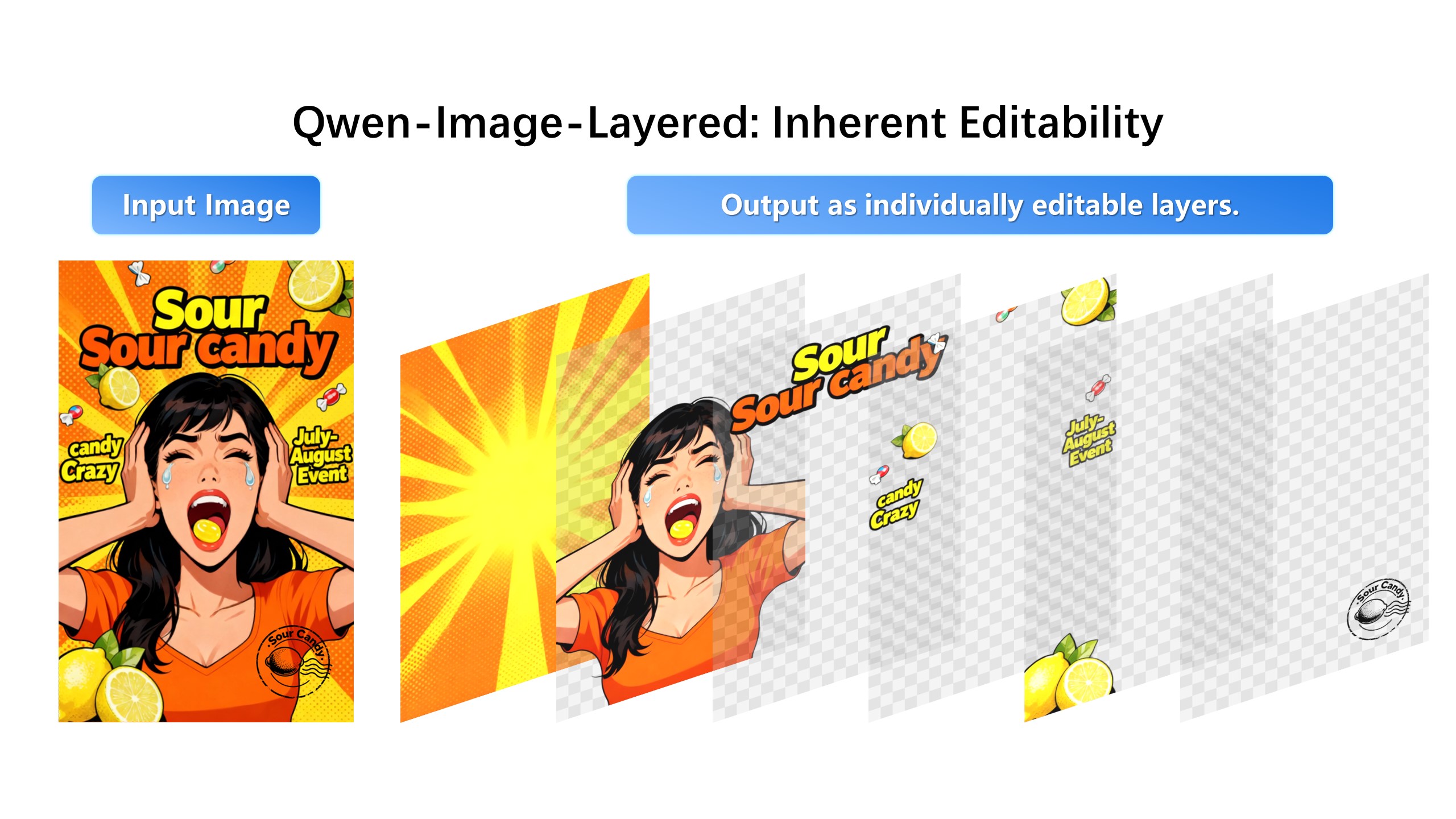
| We are excited to introduce **Qwen-Image-Layered**, a model capable of decomposing an image into multiple RGBA layers. This layered representation unlocks **inherent editability**: each layer can be independently manipulated without affecting other content. Meanwhile, such a layered representation naturally supports **high-fidelity elementary operations**-such as resizing, reposition, and recoloring. By physically isolating semantic or structural components into distinct layers, our approach enables high-fidelity and consistent editing. |
|
|
| ## Quick Start |
|
|
| 1. Make sure your transformers>=4.51.3 (Supporting Qwen2.5-VL) |
|
|
| 2. Install the latest version of diffusers |
| ``` |
| pip install git+https://github.com/huggingface/diffusers |
| pip install python-pptx |
| ``` |
|
|
|
|
| ```python |
| from diffusers import QwenImageLayeredPipeline |
| import torch |
| from PIL import Image |
| |
| pipeline = QwenImageLayeredPipeline.from_pretrained("Qwen/Qwen-Image-Layered") |
| pipeline = pipeline.to("cuda", torch.bfloat16) |
| pipeline.set_progress_bar_config(disable=None) |
| |
| image = Image.open("asserts/test_images/1.png").convert("RGBA") |
| inputs = { |
| "image": image, |
| "generator": torch.Generator(device='cuda').manual_seed(777), |
| "true_cfg_scale": 4.0, |
| "negative_prompt": " ", |
| "num_inference_steps": 50, |
| "num_images_per_prompt": 1, |
| "layers": 4, |
| "resolution": 640, # Using different bucket (640, 1024) to determine the resolution. For this version, 640 is recommended |
| "cfg_normalize": True, # Whether enable cfg normalization. |
| "use_en_prompt": True, # Automatic caption language if user does not provide caption |
| } |
| |
| with torch.inference_mode(): |
| output = pipeline(**inputs) |
| output_image = output.images[0] |
| |
| for i, image in enumerate(output_image): |
| image.save(f"{i}.png") |
| ``` |
|
|
|
|
| ## Showcase |
| ### Layered Decomposition in Application |
| Given an image, Qwen-Image-Layered can decompose it into several RGBA layers: |
|  |
|
|
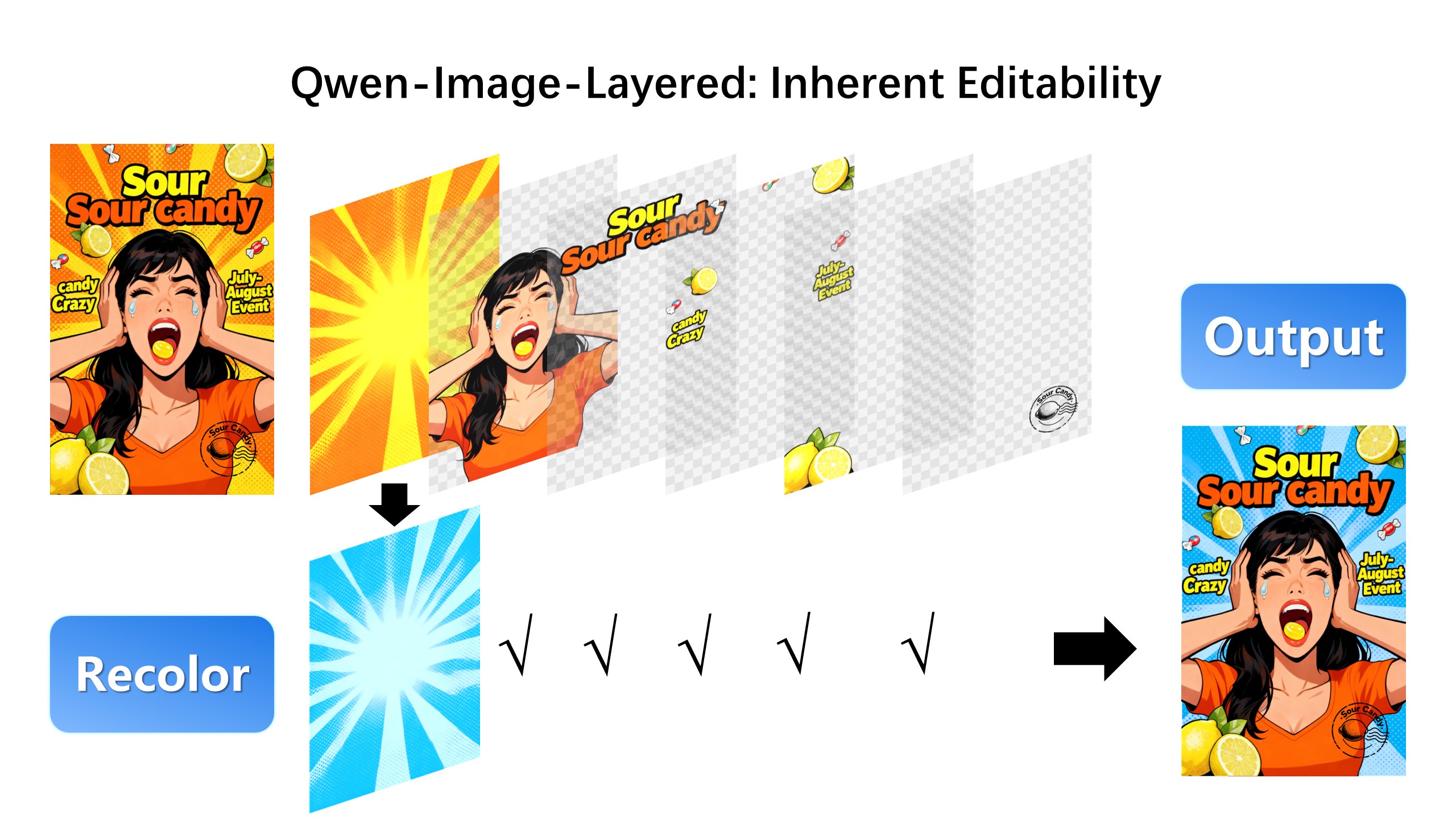
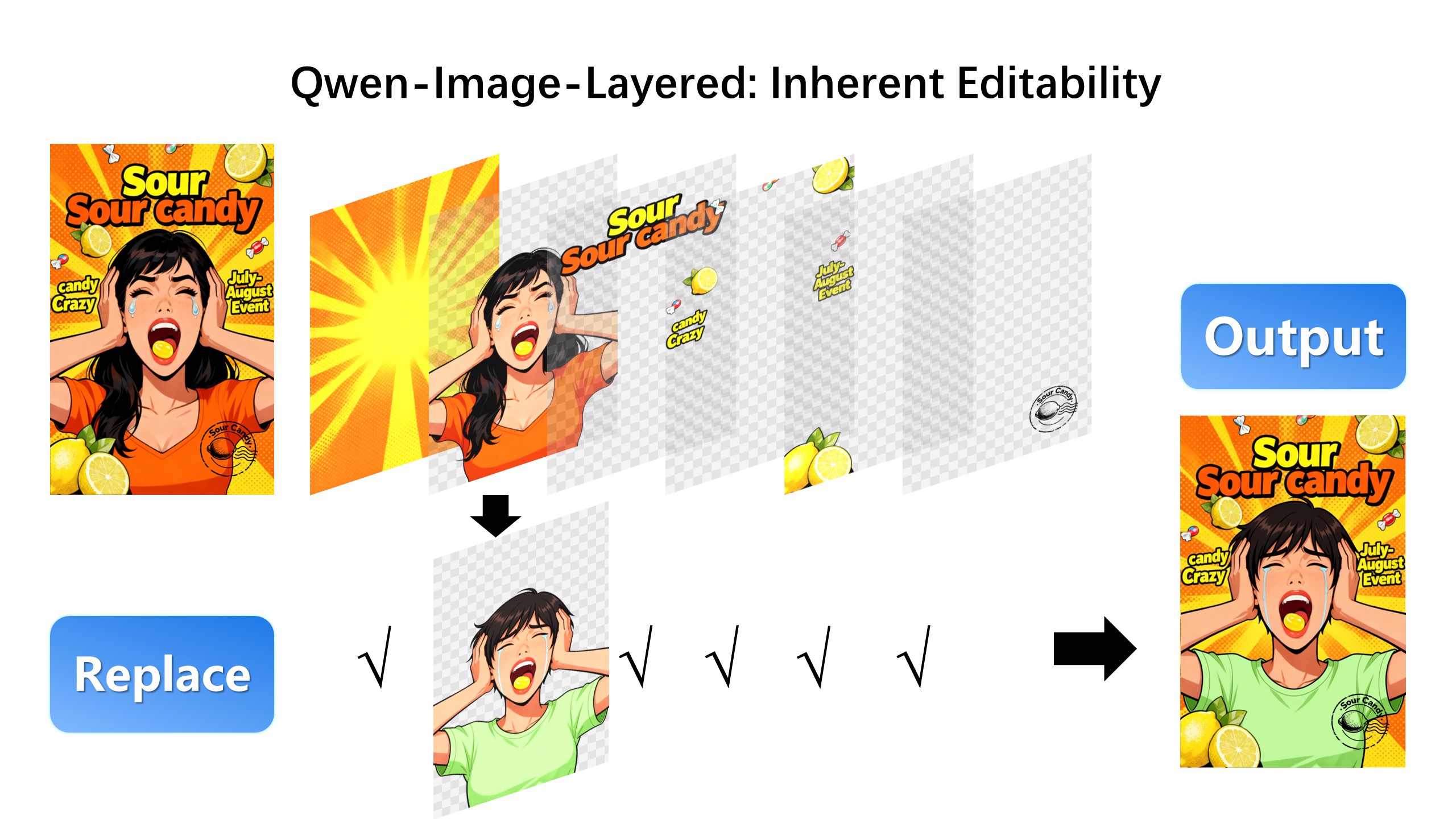
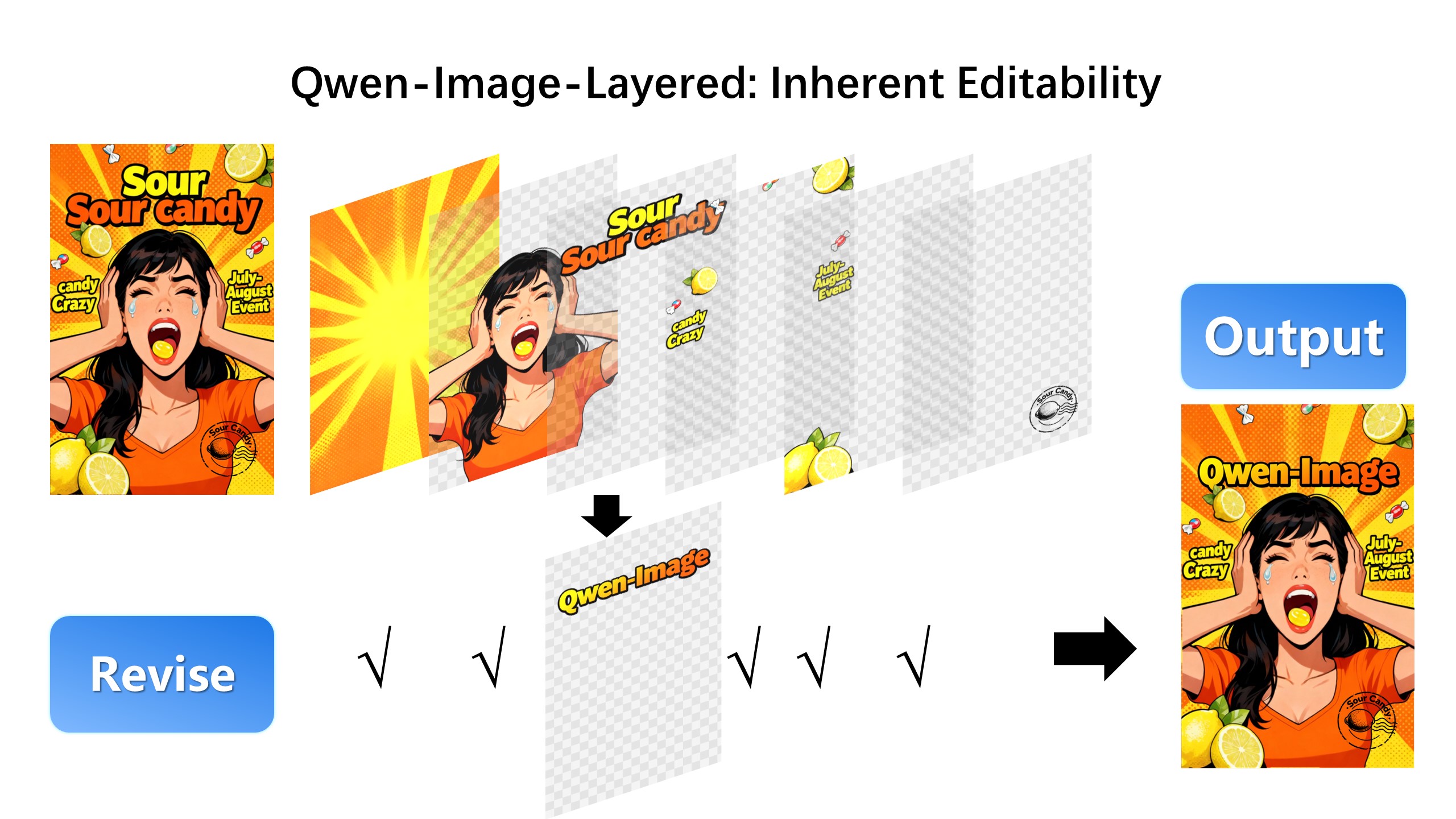
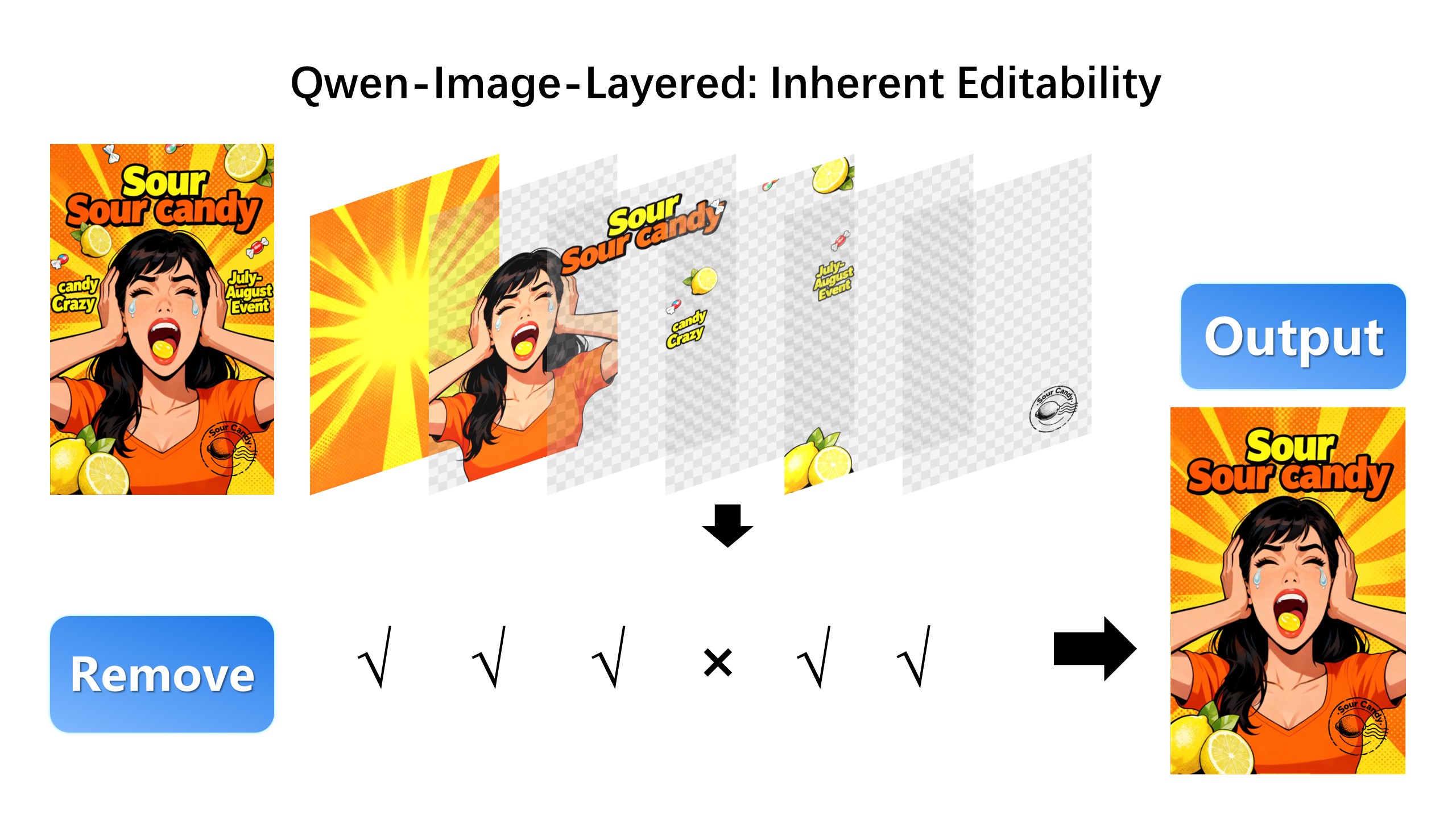
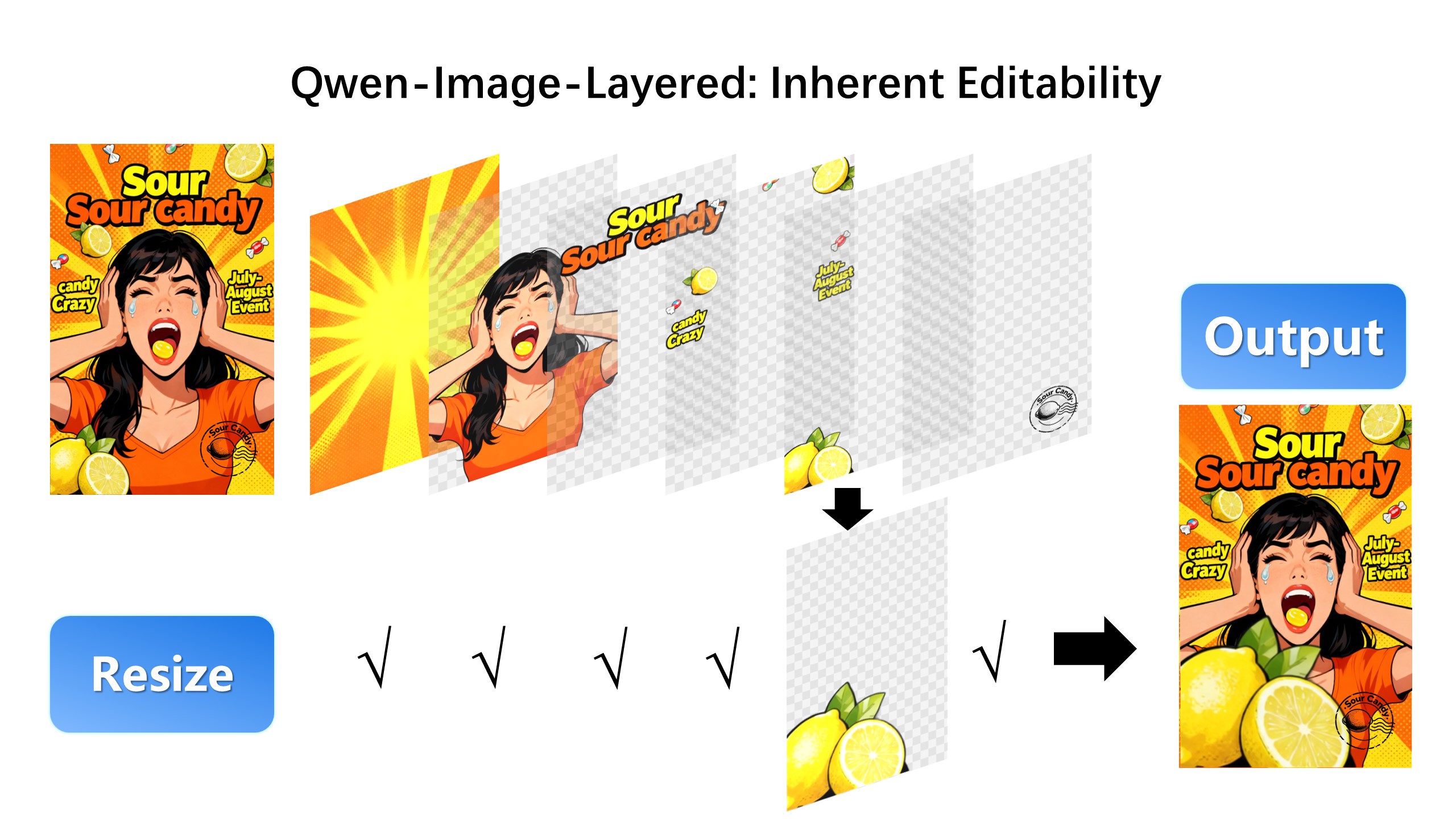
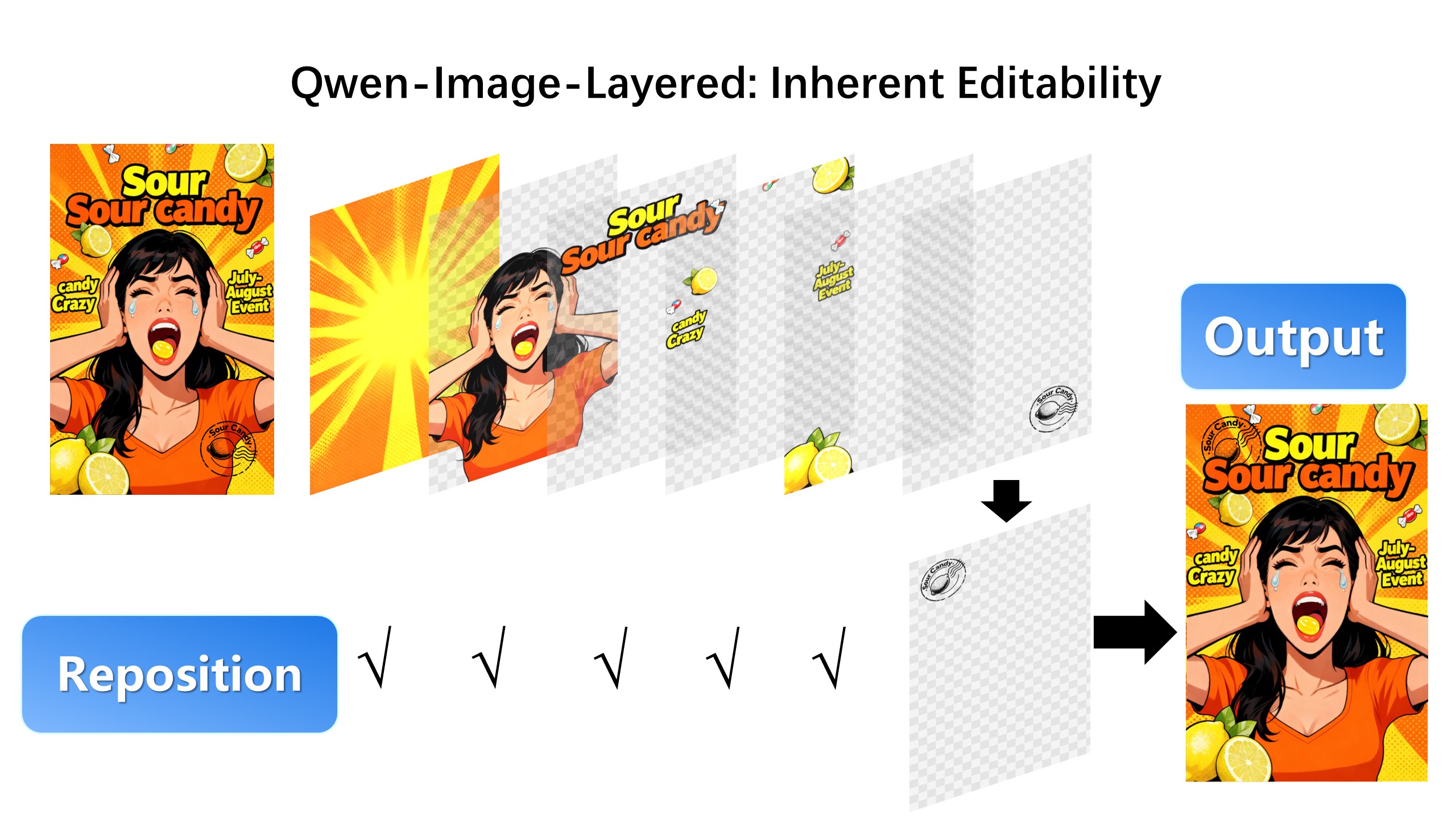
| After decomposition, edits are applied exclusively to the target layer, physically isolating it from the rest of the content, and thereby fundamentally ensuring consistency across edits. |
|
|
| For example, we can recolor the first layer and keep all other content untouched: |
|  |
|
|
| We can also replace the second layer from a girl to a boy (The target layer is edited using Qwen-Image-Edit): |
|  |
|
|
| Here, we revise the text to "Qwen-Image" (The target layer is edited using Qwen-Image-Edit): |
|  |
|
|
| Furthermore, the layered structure naturally supports elemetary operations. For example, we can delete unwanted objects cleanly: |
|  |
|
|
| We can also resize an object without distortion: |
|  |
|
|
| After layer decomposition, we can move objects freely within the canvas: |
|  |
|
|
| ### Flexible and Iterative Decomposition |
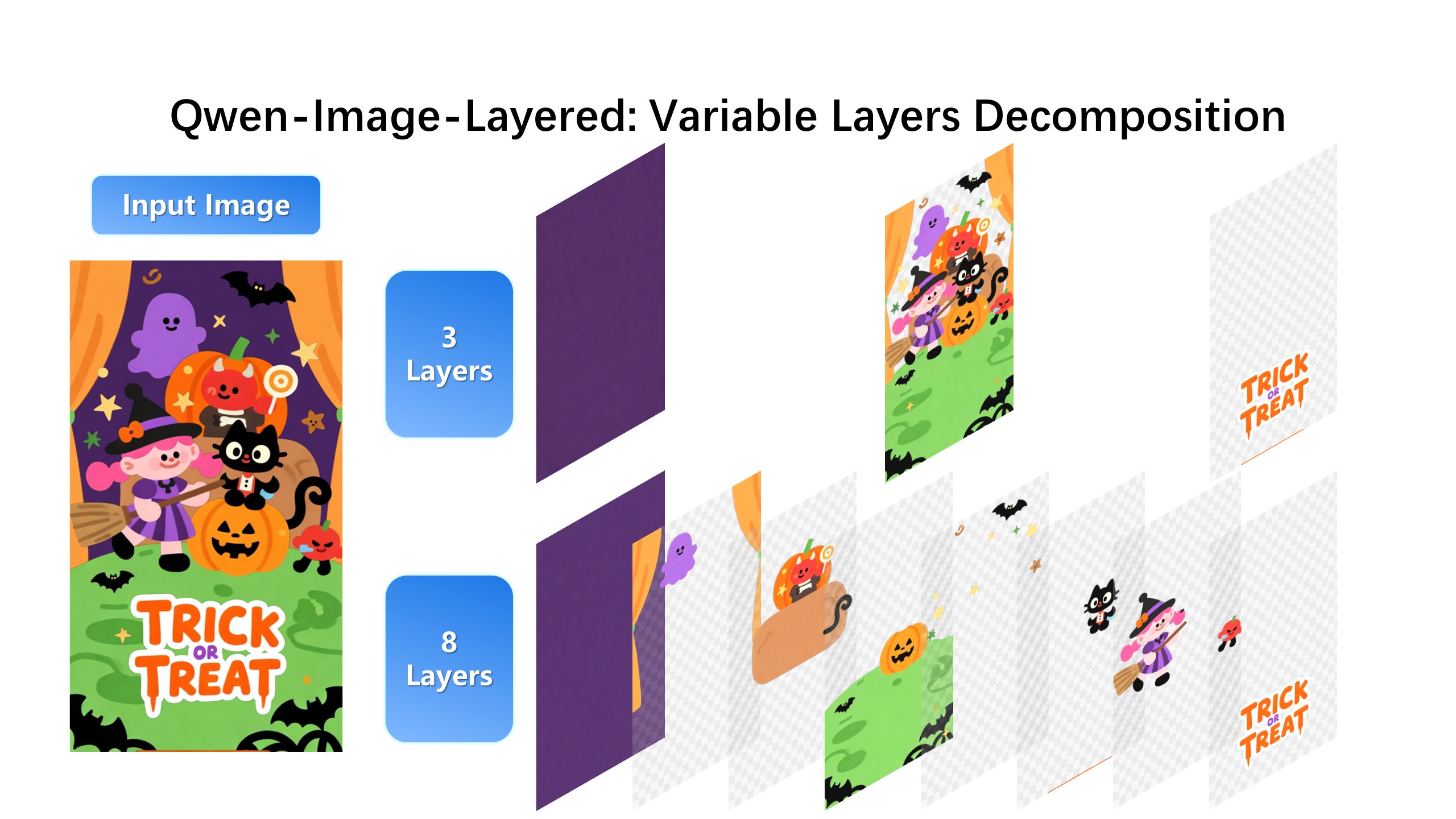
| Qwen-Image-Layered is not limited to a fixed number of layers. The model supports variable-layer decomposition. For example, we can decompose an image into either 3 or 8 layers as needed: |
|
|
|  |
|
|
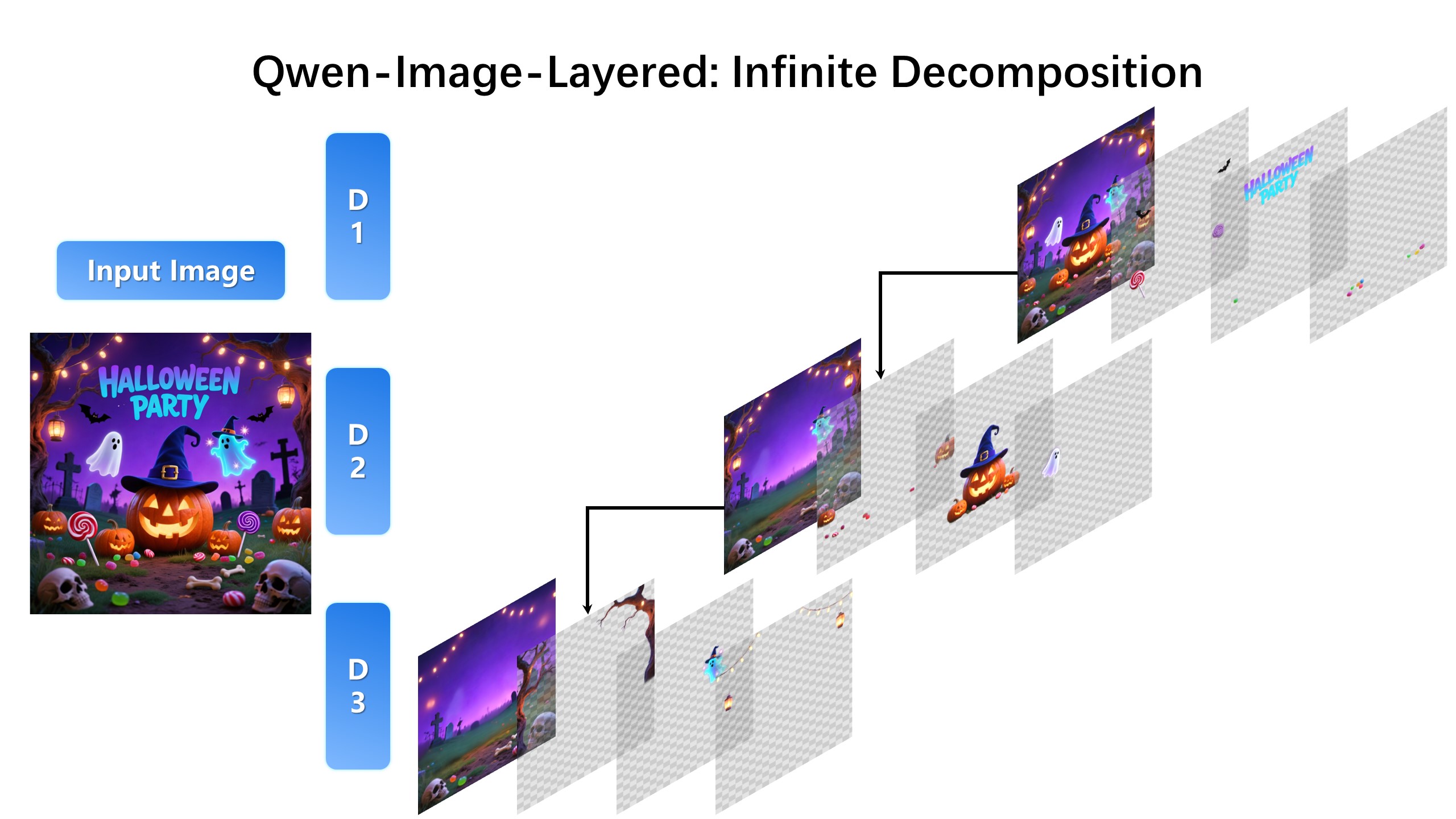
| Moreover, decomposition can be applied recursively: any layer can itself be further decomposed, enabling infinite decomposition. |
|
|
|  |
|
|
|
|
| ## License Agreement |
|
|
| Qwen-Image-Layered is licensed under Apache 2.0. |
|
|
| ## Citation |
|
|
| We kindly encourage citation of our work if you find it useful. |
|
|
| ```bibtex |
| @misc{yin2025qwenimagelayered, |
| title={Qwen-Image-Layered: Towards Inherent Editability via Layer Decomposition}, |
| author={Shengming Yin, Zekai Zhang, Zecheng Tang, Kaiyuan Gao, Xiao Xu, Kun Yan, Jiahao Li, Yilei Chen, Yuxiang Chen, Heung-Yeung Shum, Lionel M. Ni, Jingren Zhou, Junyang Lin, Chenfei Wu}, |
| year={2025}, |
| eprint={2512.15603}, |
| archivePrefix={arXiv}, |
| primaryClass={cs.CV}, |
| url={https://arxiv.org/abs/2512.15603}, |
| } |
| ``` |


