

Krea2 ControlNet Collection
Language: English | 日本語
This repository is a collection of Control LoRA models for Krea-2. Each model has its own control behavior, training data, and training configuration. More models, including lineart controls, may be added over time.
Models
| Model | Control behavior | Status |
|---|---|---|
krea2-anythng |
Loosely follows the overall silhouette, pose, and broad composition | Available |
krea2-lineart |
Lineart-guided generation | Planned |
krea2-anythng
krea2-anythng is the model that loosely follows the input image's overall silhouette and broad composition. It leaves room for the prompt and Krea-2 to determine appearance and detail. It is not an exact edge-tracing or pixel-perfect structure model.
File
krea2-anythng_step_007000.safetensors- Base:
krea/Krea-2-Raw - Rank: 64
- SHA-256:
264011d01fa4821959547689a44f2b261a5beaf384d177c60c605caf3371b4b6
The file contains the Control LoRA weights and expanded input projection only. A compatible Krea-2 base model is required.
Inference with ComfyUI
Use comfyui-krea2-controlnetPlus.
Input and output example
| Input control image | Output image |
|---|---|
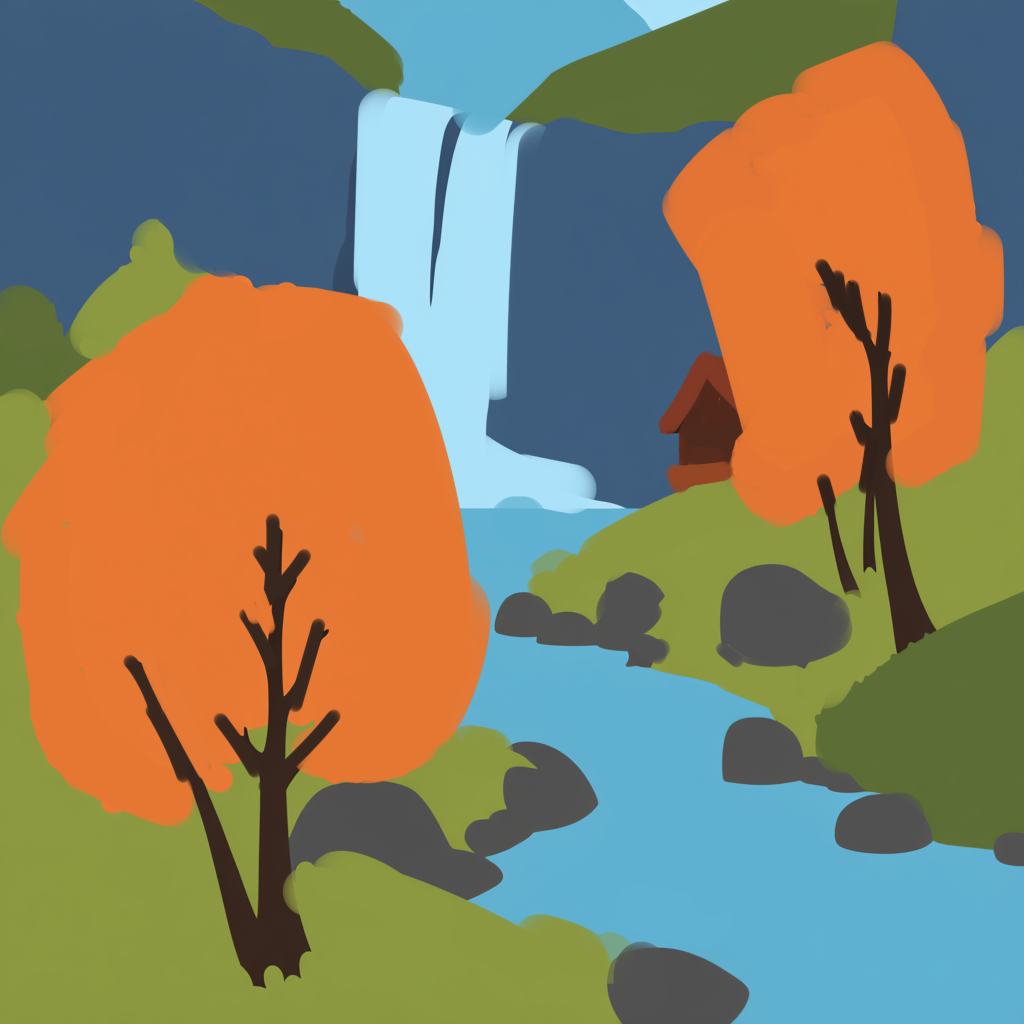 |
 |
Control range setting example
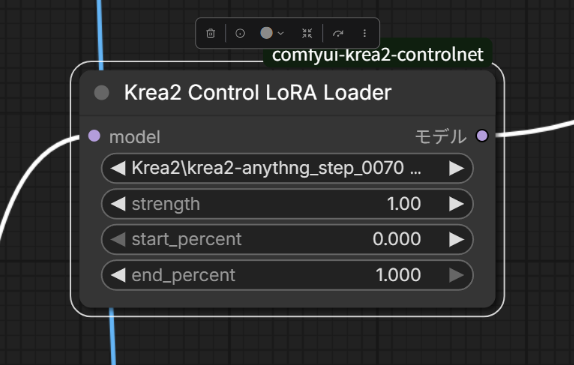
These example images are provided by the comfyui-krea2-controlnetPlus repository.
- Install the custom node according to its repository.
- Put the safetensors file in ComfyUI's
models/lorasdirectory. - Prepare an image whose broad silhouette/composition should guide generation.
- Encode it with Krea2 Control Plus Image Encode. For
krea2-anythng, start withchannel_mode=rgb,normalize=none,invert=false, andmatch_latent_size. - Load the model with Krea2 Control Plus LoRA Loader. Start with
start_percent=0.0andend_percent=1.0. - Attach the control latent with the required Krea2 Control Plus Apply node.
- Send the resulting model to the normal Krea-2 sampler and use your text prompt.
The custom node repository provides example_workflows/Krea2Controlnet.json.
krea2-anythng training reference
This configuration applies specifically to krea2-anythng; future models in this repository may use different datasets and settings.
The model was first trained for 6,000 steps at a learning rate of 1e-4. Training was then resumed from the step-6,000 weights with a lower learning rate of 3e-5 and continued to step 7,000. The published file is the final step-7,000 checkpoint.
- Dataset: 106,786 aligned silhouette-control / RGB-target pairs
- Captions: per-image natural-language English captions (
*_nl.txt) - Preprocessing: matched approximately 1-megapixel aspect buckets, center crop, Qwen-Image VAE encoding
base_model: krea/Krea-2-Raw
control_type: silhouette
rank: 64
batch_size: 1
gradient_accumulation: 8
caption_dropout: 0.1

initial_training:
  steps: 6000
  learning_rate: 0.0001
  warmup_steps: 200

extended_training:
  resume_from_step: 6000
  final_step: 7000
  learning_rate: 0.00003
  warmup_steps: 50

precision: bfloat16
gradient_checkpointing: true
optimizer: AdamW
adam_betas: [0.9, 0.99]
weight_decay: 0.0
The 13B base was frozen. Training updated rank-64 LoRA weights across the 28 DiT blocks and the expanded input projection for the VAE-encoded control latent.
krea2-anythng limitations
- Intended for rough whole-image silhouette, pose, and layout guidance.
- Fine contours, faces, small objects, and exact spatial relationships may differ.
- Prompt, seed, sampler, and control start/end percentages affect adherence.
- Outputs inherit Krea-2's behavior and limitations.
- Experimental; evaluate outputs before production use.
License and attribution
Use each checkpoint in accordance with the Krea-2 base model and inference software licenses and terms. Thanks to the Krea-2 ControlNet training implementation and ComfyUI Krea2 Control Plus integration.
Model tree for tori29umai/krea2-controlnet
Base model
krea/Krea-2-Raw