
import torch
from diffusers import DiffusionPipeline

# switch to "mps" for apple devices
pipe = DiffusionPipeline.from_pretrained("uisato/Gorillaz_Diffusion", dtype=torch.bfloat16, device_map="cuda")

prompt = "Astronaut in a jungle, cold color palette, muted colors, detailed, 8k"
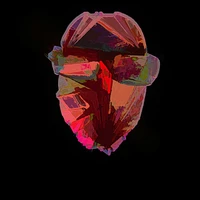
image = pipe(prompt).images[0]Gorillaz-inspired Stable Diffusion model.
Though trained with images of Gorillaz in the old days, it works surprisingly good when asked to generate 3D examples.
Trigger-word: newgorillaz / style newgorillaz / in the style of newgorillaz
For more experiments, project files, and hopefully cool tips/tutorials: https://linktr.ee/uisato
For commercial uses, contact me.
Examples:
text-to-image: https://www.youtube.com/watch?v=HwK2pO78H9I
img2img:


- Downloads last month
- 5