| # YOLOv8-ONNXRuntime-Rust for All the Key YOLO Tasks |
|
|
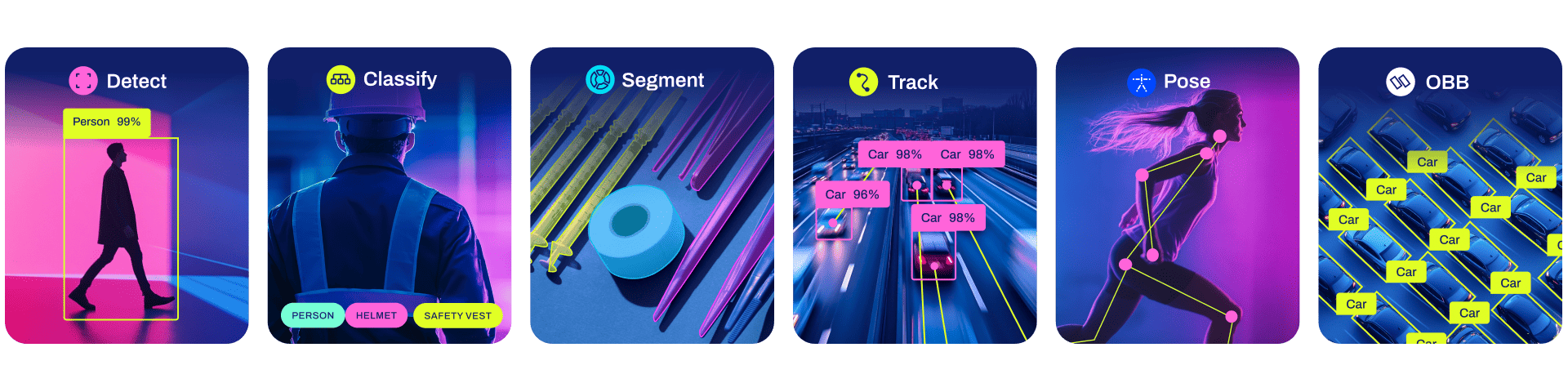
| This repository provides a Rust demo for performing YOLOv8 tasks like `Classification`, `Segmentation`, `Detection`, `Pose Detection` and `OBB` using ONNXRuntime. |
|
|
| ## Recently Updated |
|
|
| - Add YOLOv8-OBB demo |
| - Update ONNXRuntime to 1.17.x |
|
|
| Newly updated YOLOv8 example code is located in this repository (https://github.com/jamjamjon/usls/tree/main/examples/yolo) |
|
|
| ## Features |
|
|
| - Support `Classification`, `Segmentation`, `Detection`, `Pose(Keypoints)-Detection`, `OBB` tasks. |
| - Support `FP16` & `FP32` ONNX models. |
| - Support `CPU`, `CUDA` and `TensorRT` execution provider to accelerate computation. |
| - Support dynamic input shapes(`batch`, `width`, `height`). |
|
|
| ## Installation |
|
|
| ### 1. Install Rust |
|
|
| Please follow the Rust official installation. (https://www.rust-lang.org/tools/install) |
|
|
| ### 2. Install ONNXRuntime |
|
|
| This repository use `ort` crate, which is ONNXRuntime wrapper for Rust. (https://docs.rs/ort/latest/ort/) |
|
|
| You can follow the instruction with `ort` doc or simply do this: |
|
|
| - step1: Download ONNXRuntime(https://github.com/microsoft/onnxruntime/releases) |
| - setp2: Set environment variable `PATH` for linking. |
|
|
| On ubuntu, You can do like this: |
|
|
| ```bash |
| vim ~/.bashrc |
| |
| # Add the path of ONNXRUntime lib |
| export LD_LIBRARY_PATH=/home/qweasd/Documents/onnxruntime-linux-x64-gpu-1.16.3/lib${LD_LIBRARY_PATH:+:${LD_LIBRARY_PATH}} |
| |
| source ~/.bashrc |
| ``` |
|
|
| ### 3. \[Optional\] Install CUDA & CuDNN & TensorRT |
|
|
| - CUDA execution provider requires CUDA v11.6+. |
| - TensorRT execution provider requires CUDA v11.4+ and TensorRT v8.4+. |
|
|
| ## Get Started |
|
|
| ### 1. Export the YOLOv8 ONNX Models |
|
|
| ```bash |
| pip install -U ultralytics |
| |
| # export onnx model with dynamic shapes |
| yolo export model=yolov8m.pt format=onnx simplify dynamic |
| yolo export model=yolov8m-cls.pt format=onnx simplify dynamic |
| yolo export model=yolov8m-pose.pt format=onnx simplify dynamic |
| yolo export model=yolov8m-seg.pt format=onnx simplify dynamic |
| |
| |
| # export onnx model with constant shapes |
| yolo export model=yolov8m.pt format=onnx simplify |
| yolo export model=yolov8m-cls.pt format=onnx simplify |
| yolo export model=yolov8m-pose.pt format=onnx simplify |
| yolo export model=yolov8m-seg.pt format=onnx simplify |
| ``` |
|
|
| ### 2. Run Inference |
|
|
| It will perform inference with the ONNX model on the source image. |
|
|
| ```bash |
| cargo run --release -- --model <MODEL> --source <SOURCE> |
| ``` |
|
|
| Set `--cuda` to use CUDA execution provider to speed up inference. |
|
|
| ```bash |
| cargo run --release -- --cuda --model <MODEL> --source <SOURCE> |
| ``` |
|
|
| Set `--trt` to use TensorRT execution provider, and you can set `--fp16` at the same time to use TensorRT FP16 engine. |
|
|
| ```bash |
| cargo run --release -- --trt --fp16 --model <MODEL> --source <SOURCE> |
| ``` |
|
|
| Set `--device_id` to select which device to run. When you have only one GPU, and you set `device_id` to 1 will not cause program panic, the `ort` would automatically fall back to `CPU` EP. |
|
|
| ```bash |
| cargo run --release -- --cuda --device_id 0 --model <MODEL> --source <SOURCE> |
| ``` |
|
|
| Set `--batch` to do multi-batch-size inference. |
|
|
| If you're using `--trt`, you can also set `--batch-min` and `--batch-max` to explicitly specify min/max/opt batch for dynamic batch input.(https://onnxruntime.ai/docs/execution-providers/TensorRT-ExecutionProvider.html#explicit-shape-range-for-dynamic-shape-input).(Note that the ONNX model should exported with dynamic shapes) |
|
|
| ```bash |
| cargo run --release -- --cuda --batch 2 --model <MODEL> --source <SOURCE> |
| ``` |
|
|
| Set `--height` and `--width` to do dynamic image size inference. (Note that the ONNX model should exported with dynamic shapes) |
|
|
| ```bash |
| cargo run --release -- --cuda --width 480 --height 640 --model <MODEL> --source <SOURCE> |
| ``` |
|
|
| Set `--profile` to check time consumed in each stage.(Note that the model usually needs to take 1~3 times dry run to warmup. Make sure to run enough times to evaluate the result.) |
|
|
| ```bash |
| cargo run --release -- --trt --fp16 --profile --model <MODEL> --source <SOURCE> |
| ``` |
|
|
| Results: (yolov8m.onnx, batch=1, 3 times, trt, fp16, RTX 3060Ti) |
|
|
| ```bash |
| ==> 0 |
| [Model Preprocess]: 12.75788ms |
| [ORT H2D]: 237.118µs |
| [ORT Inference]: 507.895469ms |
| [ORT D2H]: 191.655µs |
| [Model Inference]: 508.34589ms |
| [Model Postprocess]: 1.061122ms |
| ==> 1 |
| [Model Preprocess]: 13.658655ms |
| [ORT H2D]: 209.975µs |
| [ORT Inference]: 5.12372ms |
| [ORT D2H]: 182.389µs |
| [Model Inference]: 5.530022ms |
| [Model Postprocess]: 1.04851ms |
| ==> 2 |
| [Model Preprocess]: 12.475332ms |
| [ORT H2D]: 246.127µs |
| [ORT Inference]: 5.048432ms |
| [ORT D2H]: 187.117µs |
| [Model Inference]: 5.493119ms |
| [Model Postprocess]: 1.040906ms |
| ``` |
|
|
| And also: |
|
|
| `--conf`: confidence threshold \[default: 0.3\] |
|
|
| `--iou`: iou threshold in NMS \[default: 0.45\] |
|
|
| `--kconf`: confidence threshold of keypoint \[default: 0.55\] |
|
|
| `--plot`: plot inference result with random RGB color and save |
|
|
| you can check out all CLI arguments by: |
|
|
| ```bash |
| git clone https://github.com/ultralytics/ultralytics |
| cd ultralytics/examples/YOLOv8-ONNXRuntime-Rust |
| cargo run --release -- --help |
| ``` |
|
|
| ## Examples |
|
|
|  |
|
|
| ### Classification |
|
|
| Running dynamic shape ONNX model on `CPU` with image size `--height 224 --width 224`. Saving plotted image in `runs` directory. |
|
|
| ```bash |
| cargo run --release -- --model ../assets/weights/yolov8m-cls-dyn.onnx --source ../assets/images/dog.jpg --height 224 --width 224 --plot --profile |
| ``` |
|
|
| You will see result like: |
|
|
| ```bash |
| Summary: |
| > Task: Classify (Ultralytics 8.0.217) |
| > EP: Cpu |
| > Dtype: Float32 |
| > Batch: 1 (Dynamic), Height: 224 (Dynamic), Width: 224 (Dynamic) |
| > nc: 1000 nk: 0, nm: 0, conf: 0.3, kconf: 0.55, iou: 0.45 |
| |
| [Model Preprocess]: 16.363477ms |
| [ORT H2D]: 50.722µs |
| [ORT Inference]: 16.295808ms |
| [ORT D2H]: 8.37µs |
| [Model Inference]: 16.367046ms |
| [Model Postprocess]: 3.527µs |
| [ |
| YOLOResult { |
| Probs(top5): Some([(208, 0.6950566), (209, 0.13823675), (178, 0.04849795), (215, 0.019029364), (212, 0.016506357)]), |
| Bboxes: None, |
| Keypoints: None, |
| Masks: None, |
| }, |
| ] |
| ``` |
|
|
| ### Object Detection |
|
|
| Using `CUDA` EP and dynamic image size `--height 640 --width 480` |
|
|
| ```bash |
| cargo run --release -- --cuda --model ../assets/weights/yolov8m-dynamic.onnx --source ../assets/images/bus.jpg --plot --height 640 --width 480 |
| ``` |
|
|
| ### Pose Detection |
|
|
| using `TensorRT` EP |
|
|
| ```bash |
| cargo run --release -- --trt --model ../assets/weights/yolov8m-pose.onnx --source ../assets/images/bus.jpg --plot |
| ``` |
|
|
| ### Instance Segmentation |
|
|
| using `TensorRT` EP and FP16 model `--fp16` |
|
|
| ```bash |
| cargo run --release -- --trt --fp16 --model ../assets/weights/yolov8m-seg.onnx --source ../assets/images/0172.jpg --plot |
| ``` |
|
|

