
add gradio demo
#5
by akhaliq HF Staff - opened
README.md
CHANGED
|
@@ -18,6 +18,12 @@ inference: true
|
|
| 18 |
|
| 19 |
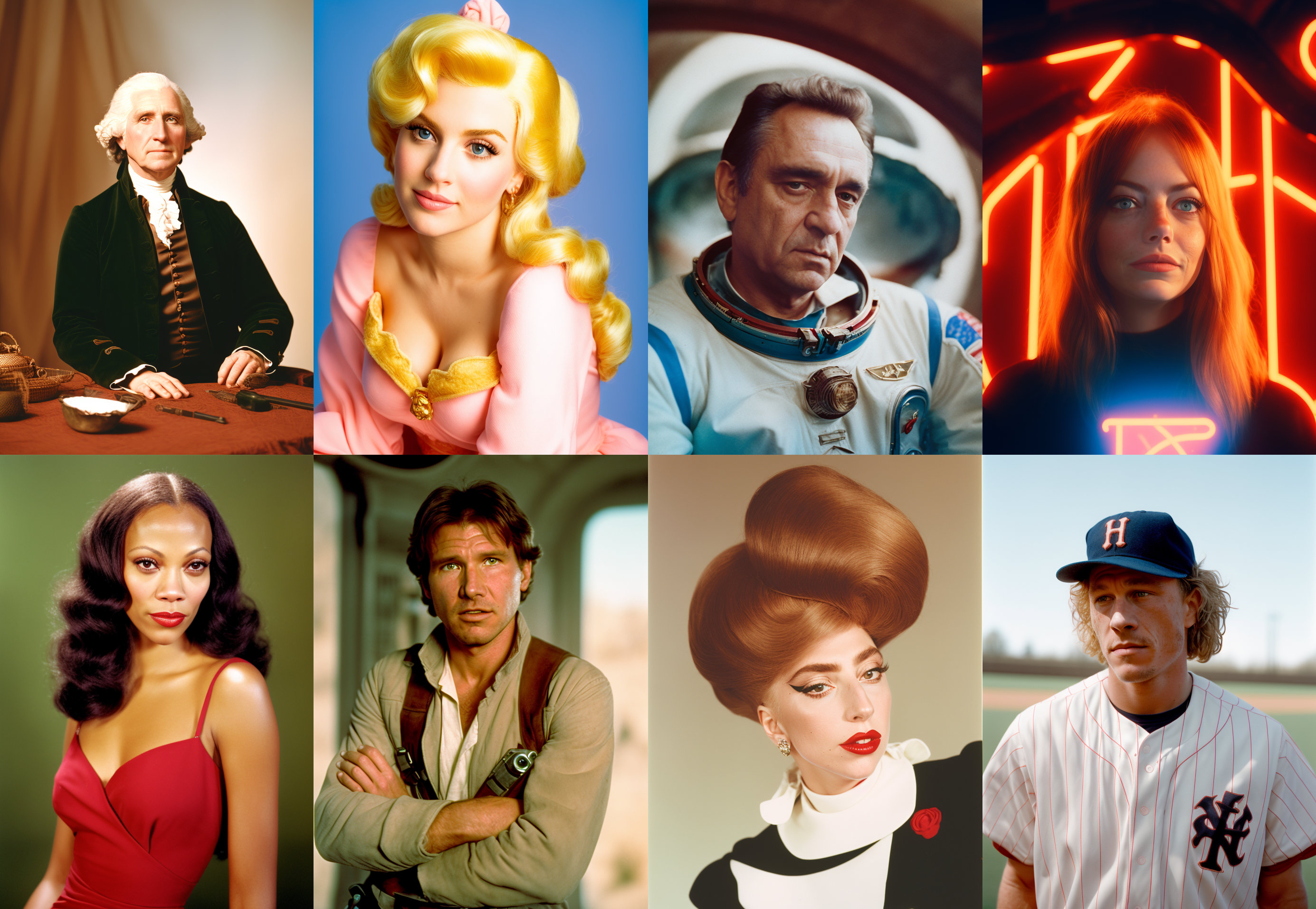
[*CKPT DOWNLOAD LINK*](https://huggingface.co/wavymulder/Analog-Diffusion/resolve/main/analog-diffusion-1.0.ckpt) - This is a dreambooth model trained on a diverse set of analog photographs.
|
| 20 |
|
|
|
|
|
|
|
|
|
|
|
|
|
|
|
|
|
|
|
| 21 |
In your prompt, use the activation token: `analog style`
|
| 22 |
|
| 23 |
You may need to use the words `blur` `haze` `naked` in your negative prompts. My dataset did not include any NSFW material but the model seems to be pretty horny. Note that using `blur` and `haze` in your negative prompt can give a sharper image but also a less pronounced analog film effect.
|
|
|
|
| 18 |

|
| 19 |
[*CKPT DOWNLOAD LINK*](https://huggingface.co/wavymulder/Analog-Diffusion/resolve/main/analog-diffusion-1.0.ckpt) - This is a dreambooth model trained on a diverse set of analog photographs.
|
| 20 |
|
| 21 |
+
## Gradio
|
| 22 |
+
|
| 23 |
+
We support a [Gradio](https://github.com/gradio-app/gradio) Web UI to run Analog-Diffusion:
|
| 24 |
+
|
| 25 |
+
[Open in Spaces](https://huggingface.co/spaces/akhaliq/Analog-Diffusion)
|
| 26 |
+
|
| 27 |
In your prompt, use the activation token: `analog style`
|
| 28 |
|
| 29 |
You may need to use the words `blur` `haze` `naked` in your negative prompts. My dataset did not include any NSFW material but the model seems to be pretty horny. Note that using `blur` and `haze` in your negative prompt can give a sharper image but also a less pronounced analog film effect.
|