
| # AnimateDiff prompt travel | |
| [AnimateDiff](https://github.com/guoyww/AnimateDiff) with prompt travel + [ControlNet](https://github.com/lllyasviel/ControlNet) + [IP-Adapter](https://github.com/tencent-ailab/IP-Adapter) | |
| I added a experimental feature to animatediff-cli to change the prompt in the middle of the frame. | |
| It seems to work surprisingly well! | |
| ### Example | |
| - [A command to stylization with mask has been added](https://github.com/s9roll7/animatediff-cli-prompt-travel#video-stylization-with-mask). | |
| <div><video controls src="https://github.com/s9roll7/animatediff-cli-prompt-travel/assets/118420657/e2ce68b0-f904-4fc3-8d5c-2224b5ffc1d3" muted="false"></video></div> | |
| <br> | |
| - [A command to automate video stylization has been added](https://github.com/s9roll7/animatediff-cli-prompt-travel#video-stylization). | |
| - Original / First generation result / Second generation(for upscaling) result | |
| - It took 4 minutes to generate the first one and about 5 minutes to generate the second one (on rtx 4090). | |
| - more example [here](https://github.com/s9roll7/animatediff-cli-prompt-travel/issues/29) | |
| <div><video controls src="https://github.com/s9roll7/animatediff-cli-prompt-travel/assets/118420657/2f1965f2-9a50-485e-ac95-e888a3189ba2" muted="false"></video></div> | |
| <br> | |
| - Numbered from left to right. | |
| - 1.prompt + lora | |
| - 2.prompt + lora + IP-Adapter(scale 0.5) | |
| - 3.prompt + lora + IP-Adapter Plus(scale 0.5) | |
| - 4.prompt + lora + Controlnet Reference Only(style_fidelity 0) | |
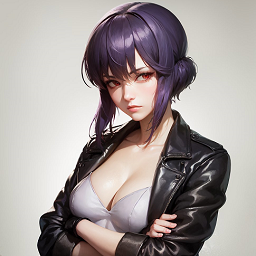
| - input image | |
|  | |
| <div><video controls src="https://github.com/s9roll7/animatediff-cli-prompt-travel/assets/118420657/d9d300a9-1107-4a3b-a1f1-3245b49dde10" muted="false"></video></div> | |
| <br> | |
| - controlnet_openpose + controlnet_softedge | |
| - input frames for controlnet(0,16,32 frames) | |
| <img src="https://github.com/s9roll7/animatediff-cli-prompt-travel/assets/118420657/4adac698-75a4-4c6d-bf64-a5723d0e3e77" width="512"> | |
| - result | |
| <div><video controls src="https://github.com/s9roll7/animatediff-cli-prompt-travel/assets/118420657/50aa9d0d-15b6-4c84-a497-8d020d3bdb7c" muted="false"></video></div> | |
| <br> | |
| - In the latest version, generation can now be controlled more precisely through prompts. | |
| - sample 1 | |
| ```json | |
| "prompt_fixed_ratio": 0.8, | |
| "head_prompt": "1girl, wizard, circlet, earrings, jewelry, purple hair,", | |
| "prompt_map": { | |
| "0": "(standing,full_body),blue_sky, town", | |
| "8": "(sitting,full_body),rain, town", | |
| "16": "(standing,full_body),blue_sky, woods", | |
| "24": "(upper_body), beach", | |
| "32": "(upper_body, smile)", | |
| "40": "(upper_body, angry)", | |
| "48": "(upper_body, smile, from_above)", | |
| "56": "(upper_body, angry, from_side)", | |
| "64": "(upper_body, smile, from_below)", | |
| "72": "(upper_body, angry, from_behind, looking at viewer)", | |
| "80": "face,looking at viewer", | |
| "88": "face,looking at viewer, closed_eyes", | |
| "96": "face,looking at viewer, open eyes, open_mouth", | |
| "104": "face,looking at viewer, closed_eyes, closed_mouth", | |
| "112": "face,looking at viewer, open eyes,eyes, open_mouth, tongue, smile, laughing", | |
| "120": "face,looking at viewer, eating, bowl,chopsticks,holding,food" | |
| }, | |
| ``` | |
| <div><video controls src="https://github.com/s9roll7/animatediff-cli-prompt-travel/assets/118420657/c4de4b87-f302-4d61-98c7-9607dece386f" muted="false"></video></div> | |
| <br> | |
| - sample 2 | |
| ```json | |
| "prompt_fixed_ratio": 1.0, | |
| "head_prompt": "1girl, wizard, circlet, earrings, jewelry, purple hair,", | |
| "prompt_map": { | |
| "0": "", | |
| "8": "((fire magic spell, fire background))", | |
| "16": "((ice magic spell, ice background))", | |
| "24": "((thunder magic spell, thunder background))", | |
| "32": "((skull magic spell, skull background))", | |
| "40": "((wind magic spell, wind background))", | |
| "48": "((stone magic spell, stone background))", | |
| "56": "((holy magic spell, holy background))", | |
| "64": "((star magic spell, star background))", | |
| "72": "((plant magic spell, plant background))", | |
| "80": "((meteor magic spell, meteor background))" | |
| }, | |
| ``` | |
| <div><video controls src="https://github.com/s9roll7/animatediff-cli-prompt-travel/assets/118420657/31a5827d-e551-4937-8b67-51747a92d14c" muted="false"></video></div> | |
| <br> | |
| ### Installation(for windows) | |
| Same as the original animatediff-cli | |
| [Python 3.10](https://www.python.org/) and git client must be installed | |
| (A few days ago, PyTorch 2.1 was released, but it is safer to install the older version until things settle down. | |
| [#87](https://github.com/s9roll7/animatediff-cli-prompt-travel/issues/87)) | |
| ```sh | |
| git clone https://github.com/s9roll7/animatediff-cli-prompt-travel.git | |
| cd animatediff-cli-prompt-travel | |
| py -3.10 -m venv venv | |
| venv\Scripts\activate.bat | |
| set PYTHONUTF8=1 | |
| python -m pip install --upgrade pip | |
| # Torch installation must be modified to suit the environment. (https://pytorch.org/get-started/previous-versions/) | |
| python -m pip install torch==2.0.1+cu118 torchvision==0.15.2+cu118 torchaudio==2.0.2 --index-url https://download.pytorch.org/whl/cu118 | |
| python -m pip install -e . | |
| python -m pip install xformers | |
| # If you want to use the 'stylize' command, you will also need | |
| python -m pip install -e .[stylize] | |
| # If you want to use use dwpose as a preprocessor for controlnet_openpose, you will also need | |
| python -m pip install -e .[dwpose] | |
| # (DWPose is a more powerful version of Openpose) | |
| # If you want to use the 'stylize create-mask' and 'stylize composite' command, you will also need | |
| python -m pip install -e .[stylize_mask] | |
| ``` | |
| (https://www.reddit.com/r/StableDiffusion/comments/157c0wl/working_animatediff_cli_windows_install/) | |
| I found a detailed tutorial | |
| (https://www.reddit.com/r/StableDiffusion/comments/16vlk9j/guide_to_creating_videos_with/) | |
| (https://www.youtube.com/watch?v=7_hh3wOD81s) | |
| ### How To Use | |
| Almost same as the original animatediff-cli, but with a slight change in config format. | |
| ```json | |
| # prompt_travel.json | |
| { | |
| "name": "sample", | |
| "path": "share/Stable-diffusion/mistoonAnime_v20.safetensors", # Specify Checkpoint as a path relative to /animatediff-cli/data | |
| "vae_path":"share/VAE/vae-ft-mse-840000-ema-pruned.ckpt", # Specify vae as a path relative to /animatediff-cli/data | |
| "motion_module": "models/motion-module/mm_sd_v14.ckpt", # Specify motion module as a path relative to /animatediff-cli/data | |
| "compile": false, | |
| "seed": [ | |
| 341774366206100,-1,-1 # -1 means random. If "--repeats 3" is specified in this setting, The first will be 341774366206100, the second and third will be random. | |
| ], | |
| "scheduler": "ddim", # "ddim","euler","euler_a","k_dpmpp_2m", etc... | |
| "steps": 40, | |
| "guidance_scale": 20, # cfg scale | |
| "clip_skip": 2, | |
| "head_prompt": "masterpiece, best quality, a beautiful and detailed portriat of muffet, monster girl,((purple body:1.3)),humanoid, arachnid, anthro,((fangs)),pigtails,hair bows,5 eyes,spider girl,6 arms,solo", | |
| "prompt_map": { # "FRAME" : "PROMPT" format / ex. prompt for frame 32 is "head_prompt" + prompt_map["32"] + "tail_prompt" | |
| "0": "smile standing,((spider webs:1.0))", | |
| "32": "(((walking))),((spider webs:1.0))", | |
| "64": "(((running))),((spider webs:2.0)),wide angle lens, fish eye effect", | |
| "96": "(((sitting))),((spider webs:1.0))" | |
| }, | |
| "tail_prompt": "clothed, open mouth, awesome and detailed background, holding teapot, holding teacup, 6 hands,detailed hands,storefront that sells pastries and tea,bloomers,(red and black clothing),inside,pouring into teacup,muffetwear", | |
| "n_prompt": [ | |
| "(worst quality, low quality:1.4),nudity,simple background,border,mouth closed,text, patreon,bed,bedroom,white background,((monochrome)),sketch,(pink body:1.4),7 arms,8 arms,4 arms" | |
| ], | |
| "lora_map": { # "PATH_TO_LORA" : STRENGTH format | |
| "share/Lora/muffet_v2.safetensors" : 1.0, # Specify lora as a path relative to /animatediff-cli/data | |
| "share/Lora/add_detail.safetensors" : 1.0 # Lora support is limited. Not all formats can be used!!! | |
| }, | |
| "motion_lora_map": { # "PATH_TO_LORA" : STRENGTH format | |
| "models/motion_lora/v2_lora_RollingAnticlockwise.ckpt":0.5, # Currently, the officially distributed lora seems to work only for v2 motion modules (mm_sd_v15_v2.ckpt). | |
| "models/motion_lora/v2_lora_ZoomIn.ckpt":0.5 | |
| }, | |
| "ip_adapter_map": { # config for ip-adapter | |
| # enable/disable (important) | |
| "enable": true, | |
| # Specify input image directory relative to /animatediff-cli/data (important! No need to specify frames in the config file. The effect on generation is exactly the same logic as the placement of the prompt) | |
| "input_image_dir": "ip_adapter_image/test", | |
| # save input image or not | |
| "save_input_image": true, | |
| # Ratio of image prompt vs text prompt (important). Even if you want to emphasize only the image prompt in 1.0, do not leave prompt/neg prompt empty, but specify a general text such as "best quality". | |
| "scale": 0.5, | |
| # IP-Adapter or IP-Adapter Plus or IP-Adapter Plus Face (important) It would be a completely different outcome. Not always PLUS a superior result. | |
| "is_plus_face": true, | |
| "is_plus": true | |
| }, | |
| "controlnet_map": { # config for controlnet(for generation) | |
| "input_image_dir" : "controlnet_image/test", # Specify input image directory relative to /animatediff-cli/data (important! Please refer to the directory structure of sample. No need to specify frames in the config file.) | |
| "max_samples_on_vram" : 200, # If you specify a large number of images for controlnet and vram will not be enough, reduce this value. 0 means that everything should be placed in cpu. | |
| "max_models_on_vram" : 3, # Number of controlnet models to be placed in vram | |
| "save_detectmap" : true, # save preprocessed image or not | |
| "preprocess_on_gpu": true, # run preprocess on gpu or not (It probably does not affect vram usage at peak, so it should always set true.) | |
| "is_loop": true, # Whether controlnet effects consider loop | |
| "controlnet_tile":{ # config for controlnet_tile | |
| "enable": true, # enable/disable (important) | |
| "use_preprocessor":true, # Whether to use a preprocessor for each controlnet type | |
| "preprocessor":{ # If not specified, the default preprocessor is selected.(Most of the time the default should be fine.) | |
| # none/blur/tile_resample/upernet_seg/ or key in controlnet_aux.processor.MODELS | |
| # https://github.com/patrickvonplaten/controlnet_aux/blob/2fd027162e7aef8c18d0a9b5a344727d37f4f13d/src/controlnet_aux/processor.py#L20 | |
| "type" : "tile_resample", | |
| "param":{ | |
| "down_sampling_rate":2.0 | |
| } | |
| }, | |
| "guess_mode":false, | |
| "controlnet_conditioning_scale": 1.0, # control weight (important) | |
| "control_guidance_start": 0.0, # starting control step | |
| "control_guidance_end": 1.0, # ending control step | |
| "control_scale_list":[0.5,0.4,0.3,0.2,0.1] # list of influences on neighboring frames (important) | |
| }, # This means that there is an impact of 0.5 on both neighboring frames and 0.4 on the one next to it. Try lengthening, shortening, or changing the values inside. | |
| "controlnet_ip2p":{ | |
| "enable": true, | |
| "use_preprocessor":true, | |
| "guess_mode":false, | |
| "controlnet_conditioning_scale": 1.0, | |
| "control_guidance_start": 0.0, | |
| "control_guidance_end": 1.0, | |
| "control_scale_list":[0.5,0.4,0.3,0.2,0.1] | |
| }, | |
| "controlnet_lineart_anime":{ | |
| "enable": true, | |
| "use_preprocessor":true, | |
| "guess_mode":false, | |
| "controlnet_conditioning_scale": 1.0, | |
| "control_guidance_start": 0.0, | |
| "control_guidance_end": 1.0, | |
| "control_scale_list":[0.5,0.4,0.3,0.2,0.1] | |
| }, | |
| "controlnet_openpose":{ | |
| "enable": true, | |
| "use_preprocessor":true, | |
| "guess_mode":false, | |
| "controlnet_conditioning_scale": 1.0, | |
| "control_guidance_start": 0.0, | |
| "control_guidance_end": 1.0, | |
| "control_scale_list":[0.5,0.4,0.3,0.2,0.1] | |
| }, | |
| "controlnet_softedge":{ | |
| "enable": true, | |
| "use_preprocessor":true, | |
| "preprocessor":{ | |
| "type" : "softedge_pidsafe", | |
| "param":{ | |
| } | |
| }, | |
| "guess_mode":false, | |
| "controlnet_conditioning_scale": 1.0, | |
| "control_guidance_start": 0.0, | |
| "control_guidance_end": 1.0, | |
| "control_scale_list":[0.5,0.4,0.3,0.2,0.1] | |
| }, | |
| "controlnet_ref": { | |
| "enable": false, # enable/disable (important) | |
| "ref_image": "ref_image/ref_sample.png", # path to reference image. | |
| "attention_auto_machine_weight": 1.0, | |
| "gn_auto_machine_weight": 1.0, | |
| "style_fidelity": 0.5, # control weight-like parameter(important) | |
| "reference_attn": true, # [attn=true , adain=false] means "reference_only" | |
| "reference_adain": false, | |
| "scale_pattern":[0.5] # Pattern for applying controlnet_ref to frames | |
| } # ex. [0.5] means [0.5,0.5,0.5,0.5,0.5 .... ]. All frames are affected by 50% | |
| # ex. [1, 0] means [1,0,1,0,1,0,1,0,1,0,1 ....]. Only even frames are affected by 100%. | |
| }, | |
| "upscale_config": { # config for tile-upscale | |
| "scheduler": "ddim", | |
| "steps": 20, | |
| "strength": 0.5, | |
| "guidance_scale": 10, | |
| "controlnet_tile": { # config for controlnet tile | |
| "enable": true, # enable/disable (important) | |
| "controlnet_conditioning_scale": 1.0, # control weight (important) | |
| "guess_mode": false, | |
| "control_guidance_start": 0.0, # starting control step | |
| "control_guidance_end": 1.0 # ending control step | |
| }, | |
| "controlnet_line_anime": { # config for controlnet line anime | |
| "enable": false, | |
| "controlnet_conditioning_scale": 1.0, | |
| "guess_mode": false, | |
| "control_guidance_start": 0.0, | |
| "control_guidance_end": 1.0 | |
| }, | |
| "controlnet_ip2p": { # config for controlnet ip2p | |
| "enable": false, | |
| "controlnet_conditioning_scale": 0.5, | |
| "guess_mode": false, | |
| "control_guidance_start": 0.0, | |
| "control_guidance_end": 1.0 | |
| }, | |
| "controlnet_ref": { # config for controlnet ref | |
| "enable": false, # enable/disable (important) | |
| "use_frame_as_ref_image": false, # use original frames as ref_image for each upscale (important) | |
| "use_1st_frame_as_ref_image": false, # use 1st original frame as ref_image for all upscale (important) | |
| "ref_image": "ref_image/path_to_your_ref_img.jpg", # use specified image file as ref_image for all upscale (important) | |
| "attention_auto_machine_weight": 1.0, | |
| "gn_auto_machine_weight": 1.0, | |
| "style_fidelity": 0.25, # control weight-like parameter(important) | |
| "reference_attn": true, # [attn=true , adain=false] means "reference_only" | |
| "reference_adain": false | |
| } | |
| }, | |
| "output":{ # output format | |
| "format" : "gif", # gif/mp4/webm | |
| "fps" : 8, | |
| "encode_param":{ | |
| "crf": 10 | |
| } | |
| } | |
| } | |
| ``` | |
| ```sh | |
| cd animatediff-cli-prompt-travel | |
| venv\Scripts\activate.bat | |
| # with this setup, it took about a minute to generate in my environment(RTX4090). VRAM usage was 6-7 GB | |
| # width 256 / height 384 / length 128 frames / context 16 frames | |
| animatediff generate -c config/prompts/prompt_travel.json -W 256 -H 384 -L 128 -C 16 | |
| # 5min / 9-10GB | |
| animatediff generate -c config/prompts/prompt_travel.json -W 512 -H 768 -L 128 -C 16 | |
| # upscale using controlnet (tile, line anime, ip2p, ref) | |
| # specify the directory of the frame generated in the above step | |
| # default config path is 'frames_dir/../prompt.json' | |
| # here, width=512 is specified, but even if the original size is 512, it is effective in increasing detail | |
| animatediff tile-upscale PATH_TO_TARGET_FRAME_DIRECTORY -c config/prompts/prompt_travel.json -W 512 | |
| # upscale width to 768 (smoother than tile-upscale) | |
| animatediff refine PATH_TO_TARGET_FRAME_DIRECTORY -W 768 | |
| # If generation takes an unusually long time, there is not enough vram. | |
| # Give up large size or reduce the size of the context. | |
| animatediff refine PATH_TO_TARGET_FRAME_DIRECTORY -W 1024 -C 6 | |
| # change lora and prompt to make minor changes to the video. | |
| animatediff refine PATH_TO_TARGET_FRAME_DIRECTORY -c config/prompts/some_minor_changed.json | |
| ``` | |
| #### Video Stylization | |
| ```sh | |
| cd animatediff-cli-prompt-travel | |
| venv\Scripts\activate.bat | |
| # If you want to use the 'stylize' command, additional installation required | |
| python -m pip install -e .[stylize] | |
| # create config file from src video | |
| animatediff stylize create-config YOUR_SRC_MOVIE_FILE.mp4 | |
| # Edit the config file by referring to the hint displayed in the log when the command finishes | |
| # It is recommended to specify a short length for the test run | |
| # generate(test run) | |
| # 16 frames | |
| animatediff stylize generate STYLYZE_DIR -L 16 | |
| # 16 frames from the 200th frame | |
| animatediff stylize generate STYLYZE_DIR -L 16 -FO 200 | |
| # If generation takes an unusually long time, there is not enough vram. | |
| # Give up large size or reduce the size of the context. | |
| # generate | |
| animatediff stylize generate STYLYZE_DIR | |
| ``` | |
| #### Video Stylization with mask | |
| ```sh | |
| cd animatediff-cli-prompt-travel | |
| venv\Scripts\activate.bat | |
| # If you want to use the 'stylize create-mask' command, additional installation required | |
| python -m pip install -e .[stylize_mask] | |
| # [1] create config file from src video | |
| animatediff stylize create-config YOUR_SRC_MOVIE_FILE.mp4 | |
| ``` | |
| ```json | |
| # in prompt.json (generated in [1]) | |
| # [2] write the object you want to mask | |
| # ex.) If you want to mask a person | |
| "stylize_config": { | |
| "create_mask": [ | |
| "person" | |
| ], | |
| "composite": { | |
| ``` | |
| ```json | |
| # ex.) person, dog, cat | |
| "stylize_config": { | |
| "create_mask": [ | |
| "person", "dog", "cat" | |
| ], | |
| "composite": { | |
| ``` | |
| ```json | |
| # ex.) boy, girl | |
| "stylize_config": { | |
| "create_mask": [ | |
| "boy", "girl" | |
| ], | |
| "composite": { | |
| ``` | |
| ```sh | |
| # [3] generate mask | |
| animatediff stylize create-mask STYLYZE_DIR | |
| # If you have less than 12GB of vram, specify low vram mode | |
| animatediff stylize create-mask STYLYZE_DIR -lo | |
| # The foreground is output to the following directory (FG_STYLYZE_DIR) | |
| # STYLYZE_DIR/fg_00_timestamp_str | |
| # The background is output to the following directory (BG_STYLYZE_DIR) | |
| # STYLYZE_DIR/bg_timestamp_str | |
| # [4] generate foreground | |
| animatediff stylize generate FG_STYLYZE_DIR | |
| # Same as normal generate. | |
| # The default is controlnet_tile, so if you want to make a big style change, | |
| # such as changing the character, change to openpose, etc. | |
| # Of course, you can also generate the background here. | |
| ``` | |
| ```json | |
| # in prompt.json (generated in [1]) | |
| # [5] composite setup | |
| # enter the directory containing the frames generated in [4] in "fg_list". | |
| # In the "mask_prompt" field, write the object you want to extract from the generated foreground frame. | |
| # If you prepared the mask yourself, specify it in mask_path. If a valid path is set, use it. | |
| # If the shape has not changed when the foreground is generated, FG_STYLYZE_DIR/00_mask can be used | |
| # enter the directory containing the background frames separated in [3] in "bg_frame_dir". | |
| "composite": { | |
| "fg_list": [ | |
| { | |
| "path": "FG_STYLYZE_DIR/time_stamp_str/00-341774366206100", | |
| "mask_path": " absolute path to mask dir (this is optional) ", | |
| "mask_prompt": "person" | |
| }, | |
| { | |
| "path": " absolute path to frame dir ", | |
| "mask_path": " absolute path to mask dir (this is optional) ", | |
| "mask_prompt": "cat" | |
| } | |
| ], | |
| "bg_frame_dir": "BG_STYLYZE_DIR/00_controlnet_image/controlnet_tile", | |
| "hint": "" | |
| }, | |
| ``` | |
| ```sh | |
| # [6] composite | |
| animatediff stylize composite STYLYZE_DIR | |
| # See help for detailed options. | |
| ``` | |
| #### Auto config generation for [Stable-Diffusion-Webui-Civitai-Helper](https://github.com/butaixianran/Stable-Diffusion-Webui-Civitai-Helper) user | |
| ```sh | |
| # This command parses the *.civitai.info files and automatically generates config files | |
| # See "animatediff civitai2config -h" for details | |
| animatediff civitai2config PATH_TO_YOUR_A111_LORA_DIR | |
| ``` | |
| #### Wildcard | |
| - you can pick wildcard up at [civitai](https://civitai.com/models/23799/freecards). then, put them in /wildcards. | |
| - Usage is the same as a1111.( \_\_WILDCARDFILENAME\_\_ format, | |
| ex. \_\_animal\_\_ for animal.txt. \_\_background-color\_\_ for background-color.txt.) | |
| ```json | |
| "prompt_map": { # __WILDCARDFILENAME__ | |
| "0": "__character-posture__, __character-gesture__, __character-emotion__, masterpiece, best quality, a beautiful and detailed portriat of muffet, monster girl,((purple body:1.3)), __background__", | |
| ``` | |
| ### Recommended setting | |
| - checkpoint : [mistoonAnime_v20](https://civitai.com/models/24149/mistoonanime) for anime, [xxmix9realistic_v40](https://civitai.com/models/47274) for photoreal | |
| - scheduler : "k_dpmpp_sde" | |
| - upscale : Enable controlnet_tile and controlnet_ip2p only. If you can provide a good reference image, controlnet_ref may also be useful. | |
| ### Recommended settings for 8-12 GB of vram | |
| - max_samples_on_vram : Set to 0 if vram is insufficient when using controlnet | |
| - max_models_on_vram : 1 | |
| - Generate at lower resolution and upscale to higher resolution | |
| ```sh | |
| animatediff generate -c config/prompts/your_config.json -W 384 -H 576 -L 48 -C 16 | |
| animatediff tile-upscale output/2023-08-25T20-00-00-sample-mistoonanime_v20/00-341774366206100 -W 512 | |
| ``` | |
| ### Limitations | |
| - lora support is limited. Not all formats can be used!!! | |
| - It is not possible to specify lora in the prompt. | |
| ### Related resources | |
| - [AnimateDiff](https://github.com/guoyww/AnimateDiff) | |
| - [ControlNet](https://github.com/lllyasviel/ControlNet) | |
| - [IP-Adapter](https://github.com/tencent-ailab/IP-Adapter) | |
| - [DWPose](https://github.com/IDEA-Research/DWPose) | |
| - [softmax-splatting](https://github.com/sniklaus/softmax-splatting) | |
| - [sam-hq](https://github.com/SysCV/sam-hq) | |
| - [Grounded-Segment-Anything](https://github.com/IDEA-Research/Grounded-Segment-Anything) | |
| - [ProPainter](https://github.com/sczhou/ProPainter) | |
| <br> | |
| <br> | |
| <br> | |
| <br> | |
| <br> | |
| Below is the original readme. | |
| ---------------------------------------------------------- | |
| # animatediff | |
| [](https://results.pre-commit.ci/latest/github/neggles/animatediff-cli/main) | |
| animatediff refactor, ~~because I can.~~ with significantly lower VRAM usage. | |
| Also, **infinite generation length support!** yay! | |
| # LoRA loading is ABSOLUTELY NOT IMPLEMENTED YET! | |
| This can theoretically run on CPU, but it's not recommended. Should work fine on a GPU, nVidia or otherwise, | |
| but I haven't tested on non-CUDA hardware. Uses PyTorch 2.0 Scaled-Dot-Product Attention (aka builtin xformers) | |
| by default, but you can pass `--xformers` to force using xformers if you *really* want. | |
| ### How To Use | |
| 1. Lie down | |
| 2. Try not to cry | |
| 3. Cry a lot | |
| ### but for real? | |
| Okay, fine. But it's still a little complicated and there's no webUI yet. | |
| ```sh | |
| git clone https://github.com/neggles/animatediff-cli | |
| cd animatediff-cli | |
| python3.10 -m venv .venv | |
| source .venv/bin/activate | |
| # install Torch. Use whatever your favourite torch version >= 2.0.0 is, but, good luck on non-nVidia... | |
| python -m pip install torch torchvision torchaudio --index-url https://download.pytorch.org/whl/cu118 | |
| # install the rest of all the things (probably! I may have missed some deps.) | |
| python -m pip install -e '.[dev]' | |
| # you should now be able to | |
| animatediff --help | |
| # There's a nice pretty help screen with a bunch of info that'll print here. | |
| ``` | |
| From here you'll need to put whatever checkpoint you want to use into `data/models/sd`, copy | |
| one of the prompt configs in `config/prompts`, edit it with your choices of prompt and model (model | |
| paths in prompt .json files are **relative to `data/`**, e.g. `models/sd/vanilla.safetensors`), and | |
| off you go. | |
| Then it's something like (for an 8GB card): | |
| ```sh | |
| animatediff generate -c 'config/prompts/waifu.json' -W 576 -H 576 -L 128 -C 16 | |
| ``` | |
| You may have to drop `-C` down to 8 on cards with less than 8GB VRAM, and you can raise it to 20-24 | |
| on cards with more. 24 is max. | |
| N.B. generating 128 frames is _**slow...**_ | |
| ## RiFE! | |
| I have added experimental support for [rife-ncnn-vulkan](https://github.com/nihui/rife-ncnn-vulkan) | |
| using the `animatediff rife interpolate` command. It has fairly self-explanatory help, and it has | |
| been tested on Linux, but I've **no idea** if it'll work on Windows. | |
| Either way, you'll need ffmpeg installed on your system and present in PATH, and you'll need to | |
| download the rife-ncnn-vulkan release for your OS of choice from the GitHub repo (above). Unzip it, and | |
| place the extracted folder at `data/rife/`. You should have a `data/rife/rife-ncnn-vulkan` executable, or `data\rife\rife-ncnn-vulkan.exe` on Windows. | |
| You'll also need to reinstall the repo/package with: | |
| ```py | |
| python -m pip install -e '.[rife]' | |
| ``` | |
| or just install `ffmpeg-python` manually yourself. | |
| Default is to multiply each frame by 8, turning an 8fps animation into a 64fps one, then encode | |
| that to a 60fps WebM. (If you pick GIF mode, it'll be 50fps, because GIFs are cursed and encode | |
| frame durations as 1/100ths of a second). | |
| Seems to work pretty well... | |
| ## TODO: | |
| In no particular order: | |
| - [x] Infinite generation length support | |
| - [x] RIFE support for motion interpolation (`rife-ncnn-vulkan` isn't the greatest implementation) | |
| - [x] Export RIFE interpolated frames to a video file (webm, mp4, animated webp, hevc mp4, gif, etc.) | |
| - [x] Generate infinite length animations on a 6-8GB card (at 512x512 with 8-frame context, but hey it'll do) | |
| - [x] Torch SDP Attention (makes xformers optional) | |
| - [x] Support for `clip_skip` in prompt config | |
| - [x] Experimental support for `torch.compile()` (upstream Diffusers bugs slow this down a little but it's still zippy) | |
| - [x] Batch your generations with `--repeat`! (e.g. `--repeat 10` will repeat all your prompts 10 times) | |
| - [x] Call the `animatediff.cli.generate()` function from another Python program without reloading the model every time | |
| - [x] Drag remaining old Diffusers code up to latest (mostly) | |
| - [ ] Add a webUI (maybe, there are people wrapping this already so maybe not?) | |
| - [ ] img2img support (start from an existing image and continue) | |
| - [ ] Stop using custom modules where possible (should be able to use Diffusers for almost all of it) | |
| - [ ] Automatic generate-then-interpolate-with-RIFE mode | |
| ## Credits: | |
| see [guoyww/AnimateDiff](https://github.com/guoyww/AnimateDiff) (very little of this is my work) | |
| n.b. the copyright notice in `COPYING` is missing the original authors' names, solely because | |
| the original repo (as of this writing) has no name attached to the license. I have, however, | |
| used the same license they did (Apache 2.0). | |