| <p align="center"> |
| <img src="./figs/biomni_logo.png" alt="Biomni Logo" width="600px" /> |
| </p> |
|
|
| <p align="center"> |
| <a href="https://join.slack.com/t/biomnigroup/shared_invite/zt-3avks4913-dotMBt8D_apQnJ3mG~ak6Q"> |
| <img src="https://img.shields.io/badge/Join-Slack-4A154B?style=for-the-badge&logo=slack" alt="Join Slack" /> |
| </a> |
| <a href="https://biomni.stanford.edu"> |
| <img src="https://img.shields.io/badge/Try-Web%20UI-blue?style=for-the-badge" alt="Web UI" /> |
| </a> |
| <a href="https://x.com/ProjectBiomni"> |
| <img src="https://img.shields.io/badge/Follow-on%20X-black?style=for-the-badge&logo=x" alt="Follow on X" /> |
| </a> |
| <a href="https://www.linkedin.com/company/project-biomni"> |
| <img src="https://img.shields.io/badge/Follow-LinkedIn-0077B5?style=for-the-badge&logo=linkedin" alt="Follow on LinkedIn" /> |
| </a> |
| <a href="https://www.biorxiv.org/content/10.1101/2025.05.30.656746v1"> |
| <img src="https://img.shields.io/badge/Read-Paper-green?style=for-the-badge" alt="Paper" /> |
| </a> |
| </p> |
|
|
|
|
|
|
| # Biomni: A General-Purpose Biomedical AI Agent |
|
|
| ## Overview |
|
|
|
|
| Biomni is a general-purpose biomedical AI agent designed to autonomously execute a wide range of research tasks across diverse biomedical subfields. By integrating cutting-edge large language model (LLM) reasoning with retrieval-augmented planning and code-based execution, Biomni helps scientists dramatically enhance research productivity and generate testable hypotheses. |
|
|
|
|
| ## Quick Start |
|
|
| ### Installation |
|
|
| Our software environment is massive and we provide a single setup.sh script to setup. |
| Follow this [file](biomni_env/README.md) to setup the env first. |
|
|
| Then activate the environment E1: |
|
|
| ```bash |
| conda activate biomni_e1 |
| ``` |
|
|
| then install the biomni official pip package: |
|
|
| ```bash |
| pip install biomni --upgrade |
| ``` |
|
|
| For the latest update, install from the github source version, or do: |
|
|
| ```bash |
| pip install git+https://github.com/snap-stanford/Biomni.git@main |
| ``` |
|
|
| Lastly, configure your API keys using one of the following methods: |
|
|
| <details> |
| <summary>Click to expand</summary> |
|
|
| #### Option 1: Using .env file (Recommended) |
|
|
| Create a `.env` file in your project directory: |
|
|
| ```bash |
| # Copy the example file |
| cp .env.example .env |
| |
| # Edit the .env file with your actual API keys |
| ``` |
|
|
| Your `.env` file should look like: |
|
|
| ```env |
| # Required: Anthropic API Key for Claude models |
| ANTHROPIC_API_KEY=your_anthropic_api_key_here |
| |
| # Optional: OpenAI API Key (if using OpenAI models) |
| OPENAI_API_KEY=your_openai_api_key_here |
| |
| # Optional: Azure OpenAI API Key (if using Azure OpenAI models) |
| OPENAI_API_KEY=your_azure_openai_api_key |
| OPENAI_ENDPOINT=https://your-resource-name.openai.azure.com/ |
| |
| # Optional: AI Studio Gemini API Key (if using Gemini models) |
| GEMINI_API_KEY=your_gemini_api_key_here |
| |
| # Optional: groq API Key (if using groq as model provider) |
| GROQ_API_KEY=your_groq_api_key_here |
| |
| # Optional: Set the source of your LLM for example: |
| #"OpenAI", "AzureOpenAI", "Anthropic", "Ollama", "Gemini", "Bedrock", "Groq", "Custom" |
| LLM_SOURCE=your_LLM_source_here |
| |
| # Optional: AWS Bedrock Configuration (if using AWS Bedrock models) |
| AWS_BEARER_TOKEN_BEDROCK=your_bedrock_api_key_here |
| AWS_REGION=us-east-1 |
| |
| # Optional: Custom model serving configuration |
| # CUSTOM_MODEL_BASE_URL=http://localhost:8000/v1 |
| # CUSTOM_MODEL_API_KEY=your_custom_api_key_here |
| |
| # Optional: Biomni data path (defaults to ./data) |
| # BIOMNI_DATA_PATH=/path/to/your/data |
| |
| # Optional: Timeout settings (defaults to 600 seconds) |
| # BIOMNI_TIMEOUT_SECONDS=600 |
| ``` |
|
|
| #### Option 2: Using shell environment variables |
|
|
| Alternatively, configure your API keys in bash profile `~/.bashrc`: |
|
|
| ```bash |
| export ANTHROPIC_API_KEY="YOUR_API_KEY" |
| export OPENAI_API_KEY="YOUR_API_KEY" # optional if you just use Claude |
| export OPENAI_ENDPOINT="https://your-resource-name.openai.azure.com/" # optional unless you are using Azure |
| export AWS_BEARER_TOKEN_BEDROCK="YOUR_BEDROCK_API_KEY" # optional for AWS Bedrock models |
| export AWS_REGION="us-east-1" # optional, defaults to us-east-1 for Bedrock |
| export GEMINI_API_KEY="YOUR_GEMINI_API_KEY" #optional if you want to use a gemini model |
| export GROQ_API_KEY="YOUR_GROQ_API_KEY" # Optional: set this to use models served by Groq |
| export LLM_SOURCE="Groq" # Optional: set this to use models served by Groq |
| |
| |
| ``` |
| </details> |
|
|
|
|
| #### ⚠️ Known Package Conflicts |
|
|
| Some Python packages are not installed by default in the Biomni environment due to dependency conflicts. If you need these features, you must install the packages manually and may need to uncomment relevant code in the codebase. See the up-to-date list and details in [docs/known_conflicts.md](./docs/known_conflicts.md). |
|
|
| ### Basic Usage |
|
|
| Once inside the environment, you can start using Biomni: |
|
|
| ```python |
| from biomni.agent import A1 |
| |
| # Initialize the agent with data path, Data lake will be automatically downloaded on first run (~11GB) |
| agent = A1(path='./data', llm='claude-sonnet-4-20250514') |
| |
| # Execute biomedical tasks using natural language |
| agent.go("Plan a CRISPR screen to identify genes that regulate T cell exhaustion, generate 32 genes that maximize the perturbation effect.") |
| agent.go("Perform scRNA-seq annotation at [PATH] and generate meaningful hypothesis") |
| agent.go("Predict ADMET properties for this compound: CC(C)CC1=CC=C(C=C1)C(C)C(=O)O") |
| ``` |
|
|
| #### Controlling Datalake Loading |
|
|
| By default, Biomni automatically downloads the datalake files (~11GB) when you create an agent. You can control this behavior: |
|
|
| ```python |
| # Skip automatic datalake download (faster initialization) |
| agent = A1(path='./data', llm='claude-sonnet-4-20250514', expected_data_lake_files = []) |
| ``` |
|
|
| This is useful for: |
| - Faster testing and development |
| - Environments with limited storage or bandwidth |
| - Cases where you only need specific tools that don't require datalake files |
| If you plan on using Azure for your model, always prefix the model name with azure- (e.g. llm='azure-gpt-4o'). |
|
|
| ### Gradio Interface |
|
|
| Launch an interactive web UI for Biomni: |
|
|
| ```python |
| from biomni.agent import A1 |
| |
| agent = A1(path='./data', llm='claude-sonnet-4-20250514') |
| agent.launch_gradio_demo() |
| ``` |
|
|
| **Installation:** |
| ```bash |
| pip install "gradio>=5.0,<6.0" |
| ``` |
|
|
| **Note:** Biomni's Gradio interface currently requires Gradio 5.x due to API changes in Gradio 6.0. If you have Gradio 6.x installed, you may need to downgrade. |
|
|
| **Options:** |
| - `share=True` - Create a public shareable link |
| - `server_name="127.0.0.1"` - Localhost only (default: "0.0.0.0") |
| - `require_verification=True` - Require access code (default code: "Biomni2025") |
|
|
| The interface will be available at `http://localhost:7860` |
|
|
| ### Configuration Management |
|
|
| Biomni includes a centralized configuration system that provides flexible ways to manage settings. You can configure Biomni through environment variables, runtime modifications, or direct parameters. |
|
|
| ```python |
| from biomni.config import default_config |
| from biomni.agent import A1 |
| |
| # RECOMMENDED: Modify global defaults for consistency |
| default_config.llm = "gpt-4" |
| default_config.timeout_seconds = 1200 |
| |
| # All agents AND database queries use these defaults |
| agent = A1() # Everything uses gpt-4, 1200s timeout |
| ``` |
|
|
| **Note**: Direct parameters to `A1()` only affect that agent's reasoning, not database queries. For consistent configuration across all operations, use `default_config` or environment variables. |
|
|
| For detailed configuration options, see the **[Configuration Guide](docs/configuration.md)**. |
|
|
| ### PDF Generation |
|
|
| Generate PDF reports of execution traces: |
|
|
| ```python |
| from biomni.agent import A1 |
| |
| # Initialize agent |
| agent = A1(path='./data', llm='claude-sonnet-4-20250514') |
| |
| # Run your task |
| agent.go("Your biomedical task here") |
| |
| # Save conversation history as PDF |
| agent.save_conversation_history("my_analysis_results.pdf") |
| ``` |
|
|
| **PDF Generation Dependencies:** |
| <details> |
| <summary>Click to expand</summary> |
| For optimal PDF generation, install one of these packages: |
|
|
| ```bash |
| # Option 1: WeasyPrint (recommended for best layout control) |
| # Conda environment (recommended) |
| conda install weasyprint |
| |
| # System installation |
| brew install weasyprint # macOS |
| apt install weasyprint # Linux |
| |
| # See [WeasyPrint Installation Guide](https://doc.courtbouillon.org/weasyprint/stable/first_steps.html) for detailed instructions. |
| |
| # Option 2: markdown2pdf (Rust-based, fast and reliable) |
| # macOS: |
| brew install theiskaa/tap/markdown2pdf |
| |
| # Windows/Linux (using Cargo): |
| cargo install markdown2pdf |
| |
| # Or download prebuilt binaries from: |
| # https://github.com/theiskaa/markdown2pdf/releases/latest |
| |
| # Option 3: Pandoc (pip installation) |
| pip install pandoc |
| ``` |
| </details> |
|
|
| ## MCP (Model Context Protocol) Support |
|
|
| Biomni supports MCP servers for external tool integration: |
|
|
| ```python |
| from biomni.agent import A1 |
| |
| agent = A1() |
| agent.add_mcp(config_path="./mcp_config.yaml") |
| agent.go("Find FDA active ingredient information for ibuprofen") |
| ``` |
|
|
| **Built-in MCP Servers:** |
| For usage and implementation details, see the [MCP Integration Documentation](docs/mcp_integration.md) and examples in [`tutorials/examples/add_mcp_server/`](tutorials/examples/add_mcp_server/) and [`tutorials/examples/expose_biomni_server/`](tutorials/examples/expose_biomni_server/). |
|
|
|
|
| ## Biomni-R0 |
|
|
| **Biomni-R0** is our first reasoning model for biology, built on Qwen-32B with reinforcement learning from agent interaction data. It's designed to excel at tool use, multi-step reasoning, and complex biological problem-solving through iterative self-correction. |
|
|
| - 🤗 Model: [biomni/Biomni-R0-32B-Preview](https://huggingface.co/biomni/Biomni-R0-32B-Preview) |
| - 📝 Technical Report: [biomni.stanford.edu/blog/biomni-r0-technical-report](https://biomni.stanford.edu/blog/biomni-r0-technical-report) |
|
|
| To use Biomni-R0 for agent reasoning while keeping database queries on your usual provider (recommended), run a local SGLang server and pass the model to `A1()` directly. |
|
|
| 1) Launch SGLang with Biomni-R0: |
|
|
| ```bash |
| python -m sglang.launch_server --model-path RyanLi0802/Biomni-R0-Preview --port 30000 --host 0.0.0.0 --mem-fraction-static 0.8 --tp 2 --trust-remote-code --json-model-override-args '{"rope_scaling":{"rope_type":"yarn","factor":1.0,"original_max_position_embeddings":32768}, "max_position_embeddings": 131072}' |
| ``` |
|
|
| 2) Point the agent to your SGLang endpoint for reasoning: |
|
|
| ```python |
| from biomni.config import default_config |
| from biomni.agent import A1 |
| |
| # Database queries (indexes, retrieval, etc.) use default_config |
| default_config.llm = "claude-3-5-sonnet-20241022" |
| default_config.source = "Anthropic" |
| |
| # Agent reasoning uses Biomni-R0 served via SGLang (OpenAI-compatible API) |
| agent = A1( |
| llm="biomni/Biomni-R0-32B-Preview", |
| source="Custom", |
| base_url="http://localhost:30000/v1", |
| api_key="EMPTY", |
| ) |
| |
| agent.go("Plan a CRISPR screen to identify genes regulating T cell exhaustion") |
| ``` |
|
|
| ## Biomni-Eval1 |
|
|
| **Biomni-Eval1** is a comprehensive evaluation benchmark for assessing biological reasoning capabilities across diverse tasks. It contains **433 instances** spanning **10 biological reasoning tasks**, from gene identification to disease diagnosis. |
|
|
| **Tasks Included:** |
| - GWAS causal gene identification (3 variants) |
| - Lab bench Q&A (2 variants) |
| - Patient gene detection |
| - Screen gene retrieval |
| - GWAS variant prioritization |
| - Rare disease diagnosis |
| - CRISPR delivery method selection |
|
|
| **Resources:** |
| - 🤗 Dataset: [biomni/Eval1](https://huggingface.co/datasets/biomni/Eval1) |
| - 💻 Quick Start: |
| ```python |
| from biomni.eval import BiomniEval1 |
| |
| evaluator = BiomniEval1() |
| score = evaluator.evaluate('gwas_causal_gene_opentargets', 0, 'BRCA1') |
| ``` |
|
|
|
|
| ## 📚 Know-How Library |
|
|
| Biomni includes a **Know-How Library** — a curated collection of best practices, protocols, and troubleshooting guides for biomedical techniques. These documents are automatically retrieved by the A1 agent when relevant to provide domain expertise and practical knowledge. |
|
|
| **Features:** |
| - Automatic retrieval based on query relevance |
| - Metadata tracking (authors, affiliations, licensing, commercial use) |
| - Compatible with commercial mode (filters non-commercial content) |
|
|
| ### 📝 Contributing Know-How Documents |
|
|
| We're actively seeking community contributions to expand our Know-How Library! Share your expertise by contributing: |
|
|
| - **Lab protocols** (cell culture, flow cytometry, western blotting, etc.) |
| - **Analysis best practices** (NGS workflows, microscopy techniques, etc.) |
| - **Troubleshooting guides** (common issues and solutions) |
| - **Experimental design guidelines** (sample size, controls, validation) |
| - **Domain-specific knowledge** (drug formulation, animal models, clinical trials, etc.) |
|
|
| Know-how documents should be practical, succinct, and include proper attribution. Use [this know-how](know_how/single_cell_annotation.md) as an example. |
|
|
| **To contribute:** Create a markdown file following our template and submit a pull request. |
|
|
| ## 🤝 Contributing to Biomni |
|
|
| Biomni is an open-science initiative that thrives on community contributions. We welcome: |
|
|
| - **🔧 New Tools**: Specialized analysis functions and algorithms |
| - **📊 Datasets**: Curated biomedical data and knowledge bases |
| - **💻 Software**: Integration of existing biomedical software packages |
| - **📋 Benchmarks**: Evaluation datasets and performance metrics |
| - **📚 Know-How**: Best practices, protocols, and domain expertise |
| - **📚 Misc**: Tutorials, examples, and use cases |
| - **🔧 Update existing tools**: many current tools are not optimized - fix and replacements are welcome! |
|
|
| Check out this **[Contributing Guide](CONTRIBUTION.md)** on how to contribute to the Biomni ecosystem. |
|
|
| If you have particular tool/database/software in mind that you want to add, you can also submit to [this form](https://forms.gle/nu2n1unzAYodTLVj6) and the biomni team will implement them. |
|
|
| ## 🔬 Call for Contributors: Help Build Biomni-E2 |
|
|
| Biomni-E1 only scratches the surface of what’s possible in the biomedical action space. |
|
|
| Now, we’re building **Biomni-E2** — a next-generation environment developed **with and for the community**. |
|
|
| We believe that by collaboratively defining and curating a shared library of standard biomedical actions, we can accelerate science for everyone. |
|
|
| **Join us in shaping the future of biomedical AI agent.** |
|
|
| - **Contributors with significant impact** (e.g., 10+ significant & integrated tool contributions or equivalent) will be **invited as co-authors** on our upcoming paper in a top-tier journal or conference. |
| - **All contributors** will be acknowledged in our publications. |
| - More contributor perks... |
|
|
| Let’s build it together. |
|
|
|
|
| ## Tutorials and Examples |
|
|
| **[Biomni 101](./tutorials/biomni_101.ipynb)** - Basic concepts and first steps |
|
|
| More to come! |
|
|
| ## 🌐 Web Interface |
|
|
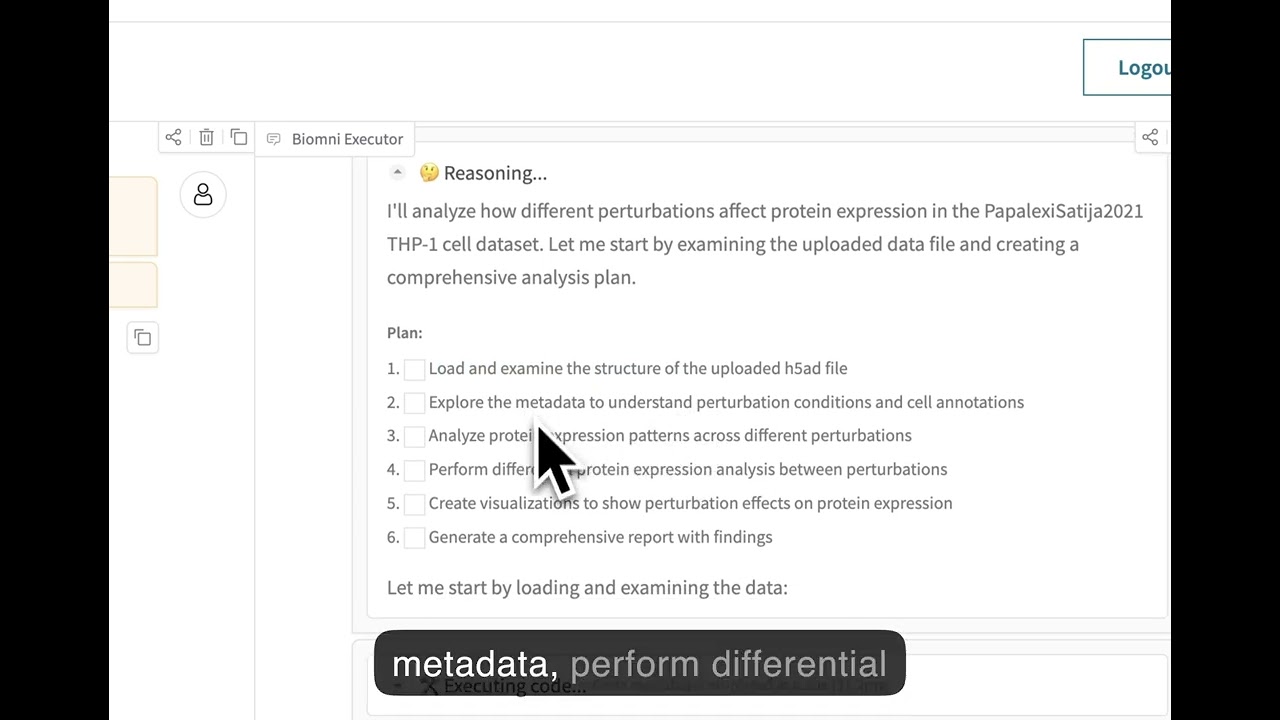
| Experience Biomni through our no-code web interface at **[biomni.stanford.edu](https://biomni.stanford.edu)**. |
|
|
| [](https://youtu.be/E0BRvl23hLs) |
|
|
|
|
| ## Important Note |
| - Security warning: Currently, Biomni executes LLM-generated code with full system privileges. If you want to use it in production, please use in isolated/sandboxed environments. The agent can access files, network, and system commands. Be careful with sensitive data or credentials. |
| - This release was frozen as of April 15 2025, so it differs from the current web platform. |
| - Biomni itself is Apache 2.0-licensed, but certain integrated tools, databases, or software may carry more restrictive commercial licenses. Review each component carefully before any commercial use. |
|
|
| ## Cite Us |
|
|
| ``` |
| @article{huang2025biomni, |
| title={Biomni: A General-Purpose Biomedical AI Agent}, |
| author={Huang, Kexin and Zhang, Serena and Wang, Hanchen and Qu, Yuanhao and Lu, Yingzhou and Roohani, Yusuf and Li, Ryan and Qiu, Lin and Zhang, Junze and Di, Yin and others}, |
| journal={bioRxiv}, |
| pages={2025--05}, |
| year={2025}, |
| publisher={Cold Spring Harbor Laboratory} |
| } |
| ``` |
|
|

