
issue_owner_repo listlengths 2 2 | issue_body stringlengths 0 262k ⌀ | issue_title stringlengths 1 1.02k | issue_comments_url stringlengths 53 116 | issue_comments_count int64 0 2.49k | issue_created_at stringdate 1999-03-17 02:06:42 2025-06-23 11:41:49 | issue_updated_at stringdate 2000-02-10 06:43:57 2025-06-23 11:43:00 | issue_html_url stringlengths 34 97 | issue_github_id int64 132 3.17B | issue_number int64 1 215k |
|---|---|---|---|---|---|---|---|---|---|
[
"shd101wyy",
"vscode-markdown-preview-enhanced"
] | Please change preview from [TOC] to [[_TOC_]]
I love the tools, but have to change the table of contents code every time I want to preview. Thanks for all the hard work! | Please change preview from [TOC] to [[_TOC_]] | https://api.github.com/repos/shd101wyy/vscode-markdown-preview-enhanced/issues/734/comments | 2 | 2023-05-23T19:59:45Z | 2024-09-12T11:43:05Z | https://github.com/shd101wyy/vscode-markdown-preview-enhanced/issues/734 | 1,862,441,880 | 734 |
[
"shd101wyy",
"vscode-markdown-preview-enhanced"
] | Markdown Preview Enhanced (MPE) allows users to preview classDiagram using mermaid code blocks and export them as HTML successfully. However, when the users try to export the diagrams as PDF files, they only get the code and not the corresponding image. For instance, the following mermaid code:
```mermaid
classDiag... | Unable to export mermaid diagrams as images in PDF format | https://api.github.com/repos/shd101wyy/vscode-markdown-preview-enhanced/issues/699/comments | 2 | 2023-05-15T05:21:04Z | 2024-01-05T07:20:31Z | https://github.com/shd101wyy/vscode-markdown-preview-enhanced/issues/699 | 1,709,337,340 | 699 |
[
"shd101wyy",
"vscode-markdown-preview-enhanced"
] | 我这边下载最新的0.6.8的插件,vscode版本是1.62.3版本的(windows系统),想问下,安装插件的时候提示:
unable install extension 'shd101wyy.markdown-preview-enhanced‘ as it is not compatible with VS Code '1.62.3'
如果vscode不升级,我这边应该装什么版本的插件呢,谢谢 | unable install extension 'shd101wyy.markdown-preview-enhanced‘ as it is not compatible with VS Code '1.62.3' | https://api.github.com/repos/shd101wyy/vscode-markdown-preview-enhanced/issues/698/comments | 0 | 2023-05-09T10:43:28Z | 2023-05-09T10:43:28Z | https://github.com/shd101wyy/vscode-markdown-preview-enhanced/issues/698 | 1,701,833,007 | 698 |
[
"shd101wyy",
"vscode-markdown-preview-enhanced"
] | macOS Ventura 13.3.1(a)
VSCode 1.77.3 (Universal)
A simple javascript like this won't run property in the markdown doc:
<img width="459" alt="image" src="https://user-images.githubusercontent.com/17735829/236595240-bac4ee64-142c-493d-936e-6c0286857867.png">
Output:
>Error: ENOENT: no such file or directory, op... | code chunk function not working | https://api.github.com/repos/shd101wyy/vscode-markdown-preview-enhanced/issues/697/comments | 1 | 2023-05-06T02:56:29Z | 2024-06-05T09:44:27Z | https://github.com/shd101wyy/vscode-markdown-preview-enhanced/issues/697 | 1,698,395,708 | 697 |
[
"shd101wyy",
"vscode-markdown-preview-enhanced"
] | 下面是表頭向下合并的例子:
| 表头 | 表头 | 表头 |
| :----: | :----: | :----: |
| ^ | 单元格 | 单元格 |
| 单元格 | 单元格 | 单元格 |
實際結果:
| 表头 | 表头 | 表头 |
| :----: | :----: | :----: |
| 单元格 | 单元格 | |
| 单元格 | 单元格 | 单元格 | | 單元格合并功能不適用表頭的向下合并 | https://api.github.com/repos/shd101wyy/vscode-markdown-preview-enhanced/issues/696/comments | 0 | 2023-05-04T06:58:00Z | 2023-05-04T06:58:00Z | https://github.com/shd101wyy/vscode-markdown-preview-enhanced/issues/696 | 1,695,373,206 | 696 |
[
"shd101wyy",
"vscode-markdown-preview-enhanced"
] | I took a mistake to upload a protected image to imgur by the image helper.
How can I delete it.
It's urgent for me. I don'r relealize the image will upload the image to public.
Please help me | how to remove image from imgur | https://api.github.com/repos/shd101wyy/vscode-markdown-preview-enhanced/issues/695/comments | 0 | 2023-04-22T09:43:02Z | 2023-04-22T09:43:02Z | https://github.com/shd101wyy/vscode-markdown-preview-enhanced/issues/695 | 1,679,447,256 | 695 |
[
"shd101wyy",
"vscode-markdown-preview-enhanced"
] | 导出PDF(prince),TOC存在中文时,则点击不生效,英文正常 | 导出PDF(prince),TOC存在中文时,则点击不生效,英文正常 | https://api.github.com/repos/shd101wyy/vscode-markdown-preview-enhanced/issues/694/comments | 0 | 2023-04-20T06:44:55Z | 2023-04-20T06:44:55Z | https://github.com/shd101wyy/vscode-markdown-preview-enhanced/issues/694 | 1,676,099,956 | 694 |
[
"shd101wyy",
"vscode-markdown-preview-enhanced"
] | null | Copy to clipboard button is not available for code blocks | https://api.github.com/repos/shd101wyy/vscode-markdown-preview-enhanced/issues/735/comments | 0 | 2023-04-19T11:30:40Z | 2023-08-23T02:19:12Z | https://github.com/shd101wyy/vscode-markdown-preview-enhanced/issues/735 | 1,862,441,914 | 735 |
[
"shd101wyy",
"vscode-markdown-preview-enhanced"
] | There are currently hundreds of open issues, and it seems like the VS Code extension hasn't been updated in years | Discontinued? | https://api.github.com/repos/shd101wyy/vscode-markdown-preview-enhanced/issues/693/comments | 0 | 2023-04-17T22:04:17Z | 2023-10-23T01:37:16Z | https://github.com/shd101wyy/vscode-markdown-preview-enhanced/issues/693 | 1,672,034,307 | 693 |
[
"shd101wyy",
"vscode-markdown-preview-enhanced"
] | 搜到了之前的一个解决方法,说是在`style.less`中添加:
```css
html body {
code[class*="language-"],
pre[class*="language-"] {
font-family: "Cascadia Code";
}
}
```
如果不选定是什么语言的话是可以改变的,但是选定了之后,比如将语言设置为` ```verilog `就还是会变成默认的字体,请问有什么解决办法吗? | 请问可以改变代码块中的字体吗? | https://api.github.com/repos/shd101wyy/vscode-markdown-preview-enhanced/issues/736/comments | 2 | 2023-04-17T06:39:47Z | 2023-08-23T02:19:14Z | https://github.com/shd101wyy/vscode-markdown-preview-enhanced/issues/736 | 1,862,441,943 | 736 |
[
"shd101wyy",
"vscode-markdown-preview-enhanced"
] | Hi!
Is there a way to have selected/highlighted text from a markdown-file get synced in the preview window as well?
Vice versa would be cool as well to easily continue editing while proofreading the preview-version.
I try to visualize this:
img1:
 | https://api.github.com/repos/shd101wyy/vscode-markdown-preview-enhanced/issues/738/comments | 0 | 2023-04-07T06:03:58Z | 2023-08-23T02:19:18Z | https://github.com/shd101wyy/vscode-markdown-preview-enhanced/issues/738 | 1,862,441,996 | 738 |
[
"shd101wyy",
"vscode-markdown-preview-enhanced"
] | When I try to use matplotlib to draw graphs inline, the graphs can not show as expect and output by pandoc

But when I just run the code chunk inline without ```matplotlib=true```, it can run.
The code:... | The graphs can not show inline and output by pandoc when use matplotlib | https://api.github.com/repos/shd101wyy/vscode-markdown-preview-enhanced/issues/739/comments | 0 | 2023-04-05T08:53:38Z | 2023-08-23T02:19:20Z | https://github.com/shd101wyy/vscode-markdown-preview-enhanced/issues/739 | 1,862,442,012 | 739 |
[
"shd101wyy",
"vscode-markdown-preview-enhanced"
] | open in browser是正常的,我用Foxit可以转化成PDF
但是用这个搞出来pdf只显示矢量上面的箭头和矩阵的括号 其他东西全没了
之前明明可以的 现在也不知道哪里有问题。。。
[exercise4.pdf](https://github.com/shd101wyy/vscode-markdown-preview-enhanced/files/11117144/exercise4.pdf)
| chorme(puppeteer) PDF 数学公式显示异常 | https://api.github.com/repos/shd101wyy/vscode-markdown-preview-enhanced/issues/691/comments | 1 | 2023-03-31T00:37:55Z | 2023-05-16T09:07:59Z | https://github.com/shd101wyy/vscode-markdown-preview-enhanced/issues/691 | 1,648,498,391 | 691 |
[
"shd101wyy",
"vscode-markdown-preview-enhanced"
] | TOC stopped getting generated.
Plugin version: v0.6.8
Version: 1.77.0-insider
Commit: b9226e1ccc11625bcb42b55efb795e07ee533bb0
Date: 2023-03-24T19:00:35.368Z
Electron: 19.1.11
Chromium: 102.0.5005.196
Node.js: 16.14.2
V8: 10.2.154.26-electron.0
OS: Linux x64 6.2.6-1-default
Sandboxed: Yes | Create TOC is broken | https://api.github.com/repos/shd101wyy/vscode-markdown-preview-enhanced/issues/690/comments | 2 | 2023-03-27T00:14:13Z | 2025-06-13T22:51:28Z | https://github.com/shd101wyy/vscode-markdown-preview-enhanced/issues/690 | 1,641,159,087 | 690 |
[
"shd101wyy",
"vscode-markdown-preview-enhanced"
] | null | 1 | https://api.github.com/repos/shd101wyy/vscode-markdown-preview-enhanced/issues/689/comments | 0 | 2023-03-26T11:01:02Z | 2023-04-04T10:08:40Z | https://github.com/shd101wyy/vscode-markdown-preview-enhanced/issues/689 | 1,640,863,513 | 689 |
[
"shd101wyy",
"vscode-markdown-preview-enhanced"
] | Highlighted lines seem to interfere with code selection. See attached .gif.

The actual code block resulting in the above .gif is here:
~~~
```python {highlight=[10-11]}
... | Unable to select code above highlighted lines | https://api.github.com/repos/shd101wyy/vscode-markdown-preview-enhanced/issues/740/comments | 0 | 2023-03-25T19:53:14Z | 2023-08-23T02:19:22Z | https://github.com/shd101wyy/vscode-markdown-preview-enhanced/issues/740 | 1,862,442,040 | 740 |
[
"shd101wyy",
"vscode-markdown-preview-enhanced"
] | Highlighted lines seem to interfere with code selection. See attached .gif.

The actual code block resulting in the above .gif is here:
```
```python {highlight=[10-11]}
f... | Unable to select code above highlighted lines | https://api.github.com/repos/shd101wyy/vscode-markdown-preview-enhanced/issues/688/comments | 2 | 2023-03-25T19:31:11Z | 2023-08-23T02:19:23Z | https://github.com/shd101wyy/vscode-markdown-preview-enhanced/issues/688 | 1,640,634,362 | 688 |
[
"shd101wyy",
"vscode-markdown-preview-enhanced"
] | 插入的图片无法正确显示
代码如下:
```

```
同一个文件使用vscode自带的预览功能、typora打开能够正确显示图片
=====================================
原因应该是当前vscode工作区的绝对路径带有 “#” (如:当前工作区路径的上一级有“#”)。我在更改文件夹的名字后能够正常显示了。
需求:能否像vscode自带的预览一样,正确地显示完整路径中带有“#”的图片插入呢 | 插入的图片显示问题 | https://api.github.com/repos/shd101wyy/vscode-markdown-preview-enhanced/issues/687/comments | 0 | 2023-03-21T14:00:55Z | 2023-03-21T14:00:55Z | https://github.com/shd101wyy/vscode-markdown-preview-enhanced/issues/687 | 1,633,992,788 | 687 |
[
"shd101wyy",
"vscode-markdown-preview-enhanced"
] | verilog(vhdl systemverilog) code cannot be highlighted
<img width="373" alt="image" src="https://user-images.githubusercontent.com/30542750/226160252-172b6e3e-b0a1-47d9-b3fc-097827ad8cb8.png">
| verilog(vhdl systemverilog) code cannot be highlighted | https://api.github.com/repos/shd101wyy/vscode-markdown-preview-enhanced/issues/686/comments | 0 | 2023-03-19T07:22:07Z | 2023-03-19T07:22:07Z | https://github.com/shd101wyy/vscode-markdown-preview-enhanced/issues/686 | 1,630,815,732 | 686 |
[
"shd101wyy",
"vscode-markdown-preview-enhanced"
] | https://shd101wyy.github.io/markdown-preview-enhanced/#/zh-cn/

| 官网打不开了 | https://api.github.com/repos/shd101wyy/vscode-markdown-preview-enhanced/issues/741/comments | 1 | 2023-03-10T09:15:36Z | 2023-08-23T02:19:25Z | https://github.com/shd101wyy/vscode-markdown-preview-enhanced/issues/741 | 1,862,442,065 | 741 |
[
"shd101wyy",
"vscode-markdown-preview-enhanced"
] | Without the skinparam its work correctly
```
@startuml
skinparam activity {
ArrowColor Black
BackgroundColor White
BorderColor Black
BorderThickness 1
}
digraph PaymentJobStates{
PaymentData -> Unauthorized;
}
@enduml
```
This will results https://www.plantuml.com/plantuml/png/LSwz2i9G30NWkNcAl8... | Skinparam with {} causing syntax error | https://api.github.com/repos/shd101wyy/vscode-markdown-preview-enhanced/issues/742/comments | 0 | 2023-03-09T10:17:34Z | 2023-08-23T02:19:27Z | https://github.com/shd101wyy/vscode-markdown-preview-enhanced/issues/742 | 1,862,442,093 | 742 |
[
"shd101wyy",
"vscode-markdown-preview-enhanced"
] | In [GitHub Falvoured Markdown](https://gist.github.com/scmx/eca72d44afee0113ceb0349dd54a84a2), it is allowed to write markdown inside `<details>` tag, as long as there is an empty line before and after the html tags.
The following example **does not work** with this extension:
```md
<details><summary>Click here ... | Markdown not working inside <details> expandable content tag | https://api.github.com/repos/shd101wyy/vscode-markdown-preview-enhanced/issues/743/comments | 0 | 2023-03-07T08:56:51Z | 2023-08-23T02:19:29Z | https://github.com/shd101wyy/vscode-markdown-preview-enhanced/issues/743 | 1,862,442,118 | 743 |
[
"shd101wyy",
"vscode-markdown-preview-enhanced"
] | please update mermaid, some diagrams cannot be rendered rightly, like an invisible line | [feature request]please update mermaid | https://api.github.com/repos/shd101wyy/vscode-markdown-preview-enhanced/issues/685/comments | 3 | 2023-03-06T15:33:19Z | 2023-06-16T01:30:38Z | https://github.com/shd101wyy/vscode-markdown-preview-enhanced/issues/685 | 1,611,675,826 | 685 |
[
"shd101wyy",
"vscode-markdown-preview-enhanced"
] | I would like to request support for syntax highlighting of assembly language code in code blocks for popular architectures such as ARM, MIPS, and x86 in the Markdown Preview plugin. This would make it easier for users to read and understand assembly code when it's included in Markdown documents. | [Feature Request]Add syntax highlighting for assembly languages in code blocks | https://api.github.com/repos/shd101wyy/vscode-markdown-preview-enhanced/issues/744/comments | 0 | 2023-03-06T02:53:33Z | 2023-08-23T02:19:31Z | https://github.com/shd101wyy/vscode-markdown-preview-enhanced/issues/744 | 1,862,442,143 | 744 |
[
"shd101wyy",
"vscode-markdown-preview-enhanced"
] | The problem is as follow:
When we use vscode to edit markdown files, the preview lines cannot be aligned with the code, especially when we fold some parts of the file in a ===or--- type title. That is truly annoying when we are editing relatively massive notes in markdown, and you can't find whether the texts are in... | Can't keep the code and the preview lines aligned in vscode | https://api.github.com/repos/shd101wyy/vscode-markdown-preview-enhanced/issues/745/comments | 0 | 2023-03-05T02:59:29Z | 2023-08-23T02:19:33Z | https://github.com/shd101wyy/vscode-markdown-preview-enhanced/issues/745 | 1,862,442,165 | 745 |
[
"shd101wyy",
"vscode-markdown-preview-enhanced"
] | Hello,
I installed VSCode 1.76.0 and markdown-preview-enhanced just now. When inserting pictures local or online, I always got error previews, like:

(File paths were correct.) | can't preview pictures now | https://api.github.com/repos/shd101wyy/vscode-markdown-preview-enhanced/issues/746/comments | 1 | 2023-03-03T13:30:55Z | 2023-08-23T02:19:35Z | https://github.com/shd101wyy/vscode-markdown-preview-enhanced/issues/746 | 1,862,442,195 | 746 |
[
"shd101wyy",
"vscode-markdown-preview-enhanced"
] | as described in https://mermaid.js.org/syntax/timeline.html | [Feature Request] I hope can support Mermaid mindmap and timeline Diagram | https://api.github.com/repos/shd101wyy/vscode-markdown-preview-enhanced/issues/747/comments | 1 | 2023-03-02T12:05:41Z | 2023-10-23T01:37:38Z | https://github.com/shd101wyy/vscode-markdown-preview-enhanced/issues/747 | 1,862,442,217 | 747 |
[
"shd101wyy",
"vscode-markdown-preview-enhanced"
] | Hi!
I use html (offline) to export markdown to html. Then I use Chrome or Edge browser to export html to pdf.
But when the code is too long in \` \` in markdown file, it won't word-wrap.
For example, math formula:
\` $ f'(x) = \lim \limits _{\Delta x \rightarrow 0} \frac {f(x + \Delta x) - f(x)} {\Delta x}... | How to customize template of exported html? | https://api.github.com/repos/shd101wyy/vscode-markdown-preview-enhanced/issues/682/comments | 1 | 2023-03-02T07:15:22Z | 2023-03-02T13:08:14Z | https://github.com/shd101wyy/vscode-markdown-preview-enhanced/issues/682 | 1,606,233,847 | 682 |
[
"shd101wyy",
"vscode-markdown-preview-enhanced"
] | Here is my code in markdown file.
Here 1 means `
111python {cmd="/mydata/users/liuguo/miniconda2023/envs/xmc/bin/python"}
import os
os.system('which python')
print(123)
111
Here is the error when I used the code chunk
```
Error: ENOENT: no such file or directory, open '/home/lg/Projects/E3_Reader/f7... | Please help check my settings for python interpreter. Thanks. | https://api.github.com/repos/shd101wyy/vscode-markdown-preview-enhanced/issues/748/comments | 1 | 2023-03-01T09:20:42Z | 2023-08-23T02:19:40Z | https://github.com/shd101wyy/vscode-markdown-preview-enhanced/issues/748 | 1,862,442,241 | 748 |
[
"shd101wyy",
"vscode-markdown-preview-enhanced"
] | Hello Guys,
It seems that this extension suffers from the same scrolling problem of the original vscode MarkDown Preview.
To me, using large files, it loose the sync so much that I'm often of very distant parts of the file. Why is so dificult to sync content? It should be just a matter of alining the first lines of... | Scroll Sync Problems | https://api.github.com/repos/shd101wyy/vscode-markdown-preview-enhanced/issues/681/comments | 0 | 2023-03-01T08:10:00Z | 2023-03-01T08:10:00Z | https://github.com/shd101wyy/vscode-markdown-preview-enhanced/issues/681 | 1,604,480,433 | 681 |
[
"shd101wyy",
"vscode-markdown-preview-enhanced"
] | Hi,
This is a bit of a tough one, because it affects multiple systems that are not necessarily MPE by itself, but I wanted to hear your opinion. My setup is MPE, VS Code and Markdownlint as MD linter.
I create my ToCs with the code snippet execution thingy, like in this doc:
```MD
# Title
## Changelog
|... | TOC generation plugin generates linting warnings with Markdownlint | https://api.github.com/repos/shd101wyy/vscode-markdown-preview-enhanced/issues/749/comments | 0 | 2023-02-28T09:43:58Z | 2023-08-23T02:19:42Z | https://github.com/shd101wyy/vscode-markdown-preview-enhanced/issues/749 | 1,862,442,262 | 749 |
[
"shd101wyy",
"vscode-markdown-preview-enhanced"
] | Markdown Preview Enhanced:use code chunk, how config python/java/TikZ environment. if just install Markdown Preview Enhanced plug_in, can not run cases of implementing documents. | code chunk | https://api.github.com/repos/shd101wyy/vscode-markdown-preview-enhanced/issues/750/comments | 2 | 2023-02-28T08:29:35Z | 2023-08-23T02:19:44Z | https://github.com/shd101wyy/vscode-markdown-preview-enhanced/issues/750 | 1,862,442,288 | 750 |
[
"shd101wyy",
"vscode-markdown-preview-enhanced"
] | Version:
v0.6.7
Bug:
use HTML(offline):

Normal:
use OpenInBrowser:
this is my sty... | Custom Css has some bugs in HTML(offline) | https://api.github.com/repos/shd101wyy/vscode-markdown-preview-enhanced/issues/680/comments | 0 | 2023-02-28T02:16:49Z | 2023-02-28T02:16:49Z | https://github.com/shd101wyy/vscode-markdown-preview-enhanced/issues/680 | 1,602,254,615 | 680 |
[
"shd101wyy",
"vscode-markdown-preview-enhanced"
] | In foldernames (also filenames) instead of the char "#" URLEncoding with "%23" must be used.
This works fine with major webbrowsers Edge, Chrome, Safari.
But in MPE for Preview "No URLEncoding "%23" for "#" in folder names is supported (for links)"
Thanks for any solution
### TESTCASES (in Visual Studio Code ... | No URLEncoding "%23" for "#" in folder names supported (for links) | https://api.github.com/repos/shd101wyy/vscode-markdown-preview-enhanced/issues/679/comments | 1 | 2023-02-25T23:50:52Z | 2023-03-02T12:58:34Z | https://github.com/shd101wyy/vscode-markdown-preview-enhanced/issues/679 | 1,599,876,227 | 679 |
[
"shd101wyy",
"vscode-markdown-preview-enhanced"
] | [INFO: Did not find any newsgroup, so I have to ask it here}
How is is possible to run JavaScript code on the final rendered Preview-HTML?
e.g. the following JS alert is not shown in MPE-Preview if added at the end of the file
```
<script>
// TEST: Display alert() message
// - [No] Not displayed in MPE-Pre... | Run JavaScript in rendered Preview | https://api.github.com/repos/shd101wyy/vscode-markdown-preview-enhanced/issues/678/comments | 0 | 2023-02-25T23:49:14Z | 2023-02-25T23:50:24Z | https://github.com/shd101wyy/vscode-markdown-preview-enhanced/issues/678 | 1,599,875,987 | 678 |
[
"shd101wyy",
"vscode-markdown-preview-enhanced"
] | It is described here https://mermaid.js.org/syntax/c4c.html#c4-diagrams | [feature request] upgrade mermaid to support C4 Diagrams | https://api.github.com/repos/shd101wyy/vscode-markdown-preview-enhanced/issues/751/comments | 0 | 2023-02-21T14:33:37Z | 2023-08-23T02:19:46Z | https://github.com/shd101wyy/vscode-markdown-preview-enhanced/issues/751 | 1,862,442,319 | 751 |
[
"shd101wyy",
"vscode-markdown-preview-enhanced"
] | ```
## 5.28 ESM[SW]:CPU:DATA_MPU_CHECK
!!! Abstract 描述
| Detecion and Control | lockstep CPU | non-lockstep CPU |
| --- | ---| --- |
|Single Point Fault Detection | N.A. | N.A. |
|Latent Fault Detection | N.A. | Yes |
|Freedom Interference | N.A. | Yes |
```
D
S
L
F
is not shown.
 instead of the char "#" URLEncoding with "%23" must be used.
This works fine with major webbrowsers Edge, Chrome, Safari.
But in MPE for Preview "No URLEncoding "%23" for "#" in folder names is supported (for links)"
Thanks for any solution
### TESTCASES (in Visual Studio Code ... | No URLEncoding "%23" for "#" in folder names supported (for links) | https://api.github.com/repos/shd101wyy/vscode-markdown-preview-enhanced/issues/753/comments | 0 | 2023-02-20T18:42:12Z | 2023-08-23T02:19:50Z | https://github.com/shd101wyy/vscode-markdown-preview-enhanced/issues/753 | 1,862,442,372 | 753 |
[
"shd101wyy",
"vscode-markdown-preview-enhanced"
] | [INFO: Did not find any newsgroup, so I have to ask here}
How is is possible to run JavaScript code on the final rendered Preview-HTML?
See test script and comment below.
<script>
// TEST: Display alert() message
// - [No] Not displayed in MPE-Preview
// - [OK] Displayed in RightMouse\Open in Browser
... | Run JavaScript on rendered Preview | https://api.github.com/repos/shd101wyy/vscode-markdown-preview-enhanced/issues/754/comments | 0 | 2023-02-18T18:03:27Z | 2023-08-23T02:19:52Z | https://github.com/shd101wyy/vscode-markdown-preview-enhanced/issues/754 | 1,862,442,393 | 754 |
[
"shd101wyy",
"vscode-markdown-preview-enhanced"
] | Hi @shd101wyy,
I have a strange issue on a Windows 11 machine where ```ctrl-k v``` opens a new preview to the side, however it is blank. When I right click on a *.md file and select ```Open Preview``` it works fine.
I do not have any custom keybindings and the only change I have made to VS Codium is the theme.
... | Keybind Preview Issue | https://api.github.com/repos/shd101wyy/vscode-markdown-preview-enhanced/issues/677/comments | 1 | 2023-02-17T16:03:27Z | 2023-02-21T17:48:30Z | https://github.com/shd101wyy/vscode-markdown-preview-enhanced/issues/677 | 1,589,583,309 | 677 |
[
"shd101wyy",
"vscode-markdown-preview-enhanced"
] | When opening a markdown file, automatically open the preview
Refer to this plugin
https://github.com/hnw/vscode-auto-open-markdown-preview | Can you merge the auto-open preview function of that plugin? | https://api.github.com/repos/shd101wyy/vscode-markdown-preview-enhanced/issues/676/comments | 1 | 2023-02-17T08:39:25Z | 2023-10-03T07:08:39Z | https://github.com/shd101wyy/vscode-markdown-preview-enhanced/issues/676 | 1,588,950,378 | 676 |
[
"shd101wyy",
"vscode-markdown-preview-enhanced"
] | When connected to a remote system using the "Remote - SSH" extension, local file links open a browser window instead of the preview window
Example link: `[test to file](../test.md)`
Opens in browser...
https://vscode-remote+ssh-002dremote-002bubuntu-002dserver-002d22-002d04-002dlts.vscode-resource.vscode-webview... | Links to local files don't work with Remote-SSH extension | https://api.github.com/repos/shd101wyy/vscode-markdown-preview-enhanced/issues/675/comments | 0 | 2023-02-13T04:04:34Z | 2023-02-13T04:04:34Z | https://github.com/shd101wyy/vscode-markdown-preview-enhanced/issues/675 | 1,581,616,491 | 675 |
[
"shd101wyy",
"vscode-markdown-preview-enhanced"
] | Hi, I'm willing to help translate documentation to Turkish(TR). Can you provide me some steps what I have to do? | Hi, I'm willing to help translate documentation to Turkish(TR). | https://api.github.com/repos/shd101wyy/vscode-markdown-preview-enhanced/issues/755/comments | 0 | 2023-02-11T21:23:00Z | 2023-08-23T02:19:55Z | https://github.com/shd101wyy/vscode-markdown-preview-enhanced/issues/755 | 1,862,442,426 | 755 |
[
"shd101wyy",
"vscode-markdown-preview-enhanced"
] | I want to delete an image because I accidentally uploaded an image to imgur via image helper.
I have sent several requests to imgur's removal request form, but there is no indication that they will be removed.
@shd101wyy, do I need to have any operation done by you? | How can I delete an image uploaded to imgur? | https://api.github.com/repos/shd101wyy/vscode-markdown-preview-enhanced/issues/674/comments | 2 | 2023-02-07T21:25:46Z | 2023-04-22T09:50:53Z | https://github.com/shd101wyy/vscode-markdown-preview-enhanced/issues/674 | 1,575,044,499 | 674 |
[
"shd101wyy",
"vscode-markdown-preview-enhanced"
] | To include inactive SVG files in markdown I added the svg image in raw HTML object tags.
~~~html
<object data=.assets/image.svg" width="100%"></object> // does not work
<object data=C:/project/.assets/image.svg" width="100%"></object> // does not work
<object data=ht... | Locale relative/absolute SVG path in HTML object tag is not rendered in MPE | https://api.github.com/repos/shd101wyy/vscode-markdown-preview-enhanced/issues/756/comments | 0 | 2023-02-07T10:45:03Z | 2023-08-23T02:19:57Z | https://github.com/shd101wyy/vscode-markdown-preview-enhanced/issues/756 | 1,862,442,454 | 756 |
[
"shd101wyy",
"vscode-markdown-preview-enhanced"
] | I am trying to switch the math rendering option from katex to mathjax, but I think it doesn't take effect because the it thrown the `PaeseError` message saying about `katex parse error`.
我想将渲染选项中的 katex 更改为 mathjax,但貌似不生效,因为错误信息中显示的依然是 katex 渲染错误。
, the equations in the generated file cannot be displayed properly in Safari. An equation in "raw format" always follows. Although Chrome-based browsers (including Edge) have no problems.
For example, the HTML generated from the following markdown file (using `none.css`; but other them... | Math equation compatibility with Safari | https://api.github.com/repos/shd101wyy/vscode-markdown-preview-enhanced/issues/672/comments | 0 | 2023-02-02T09:40:55Z | 2023-02-02T09:41:10Z | https://github.com/shd101wyy/vscode-markdown-preview-enhanced/issues/672 | 1,567,676,993 | 672 |
[
"shd101wyy",
"vscode-markdown-preview-enhanced"
] | If I write a document heading as `## sample text` and use the [TOC] function to output the heading, it will be output as `[sample text](#-sample-text)`.
The output HTML also seems to create a link to `#-sample-text`.
I think the normal behavior is that the link is created without considering the space immediately aft... | The leading space in the heading is included in the TOC link. | https://api.github.com/repos/shd101wyy/vscode-markdown-preview-enhanced/issues/758/comments | 0 | 2023-02-02T05:21:25Z | 2023-08-23T02:20:01Z | https://github.com/shd101wyy/vscode-markdown-preview-enhanced/issues/758 | 1,862,442,504 | 758 |
[
"shd101wyy",
"vscode-markdown-preview-enhanced"
] | I want to set pandoc's page margins parameter. I add
`"markdown-preview-enhanced.pandocArguments": [
"--variable=\"geometry:margin=1in\""
]`
to the settings.json. It didn't work.
I also try:
`"markdown-preview-enhanced.pandocArguments": [
"--variable='geometry:margin=1in'"
]`
... | How to set pandoc's page margins parameter? | https://api.github.com/repos/shd101wyy/vscode-markdown-preview-enhanced/issues/671/comments | 0 | 2023-02-01T08:44:48Z | 2023-02-01T08:44:48Z | https://github.com/shd101wyy/vscode-markdown-preview-enhanced/issues/671 | 1,565,684,751 | 671 |
[
"shd101wyy",
"vscode-markdown-preview-enhanced"
] | refer to https://mermaid.js.org/syntax/mindmap.html and https://mermaid.js.org/syntax/gitgraph.html
| [feature request] update mermaid to support gitgraph and mindmap | https://api.github.com/repos/shd101wyy/vscode-markdown-preview-enhanced/issues/759/comments | 0 | 2023-01-31T14:04:57Z | 2023-08-23T02:20:03Z | https://github.com/shd101wyy/vscode-markdown-preview-enhanced/issues/759 | 1,862,442,532 | 759 |
[
"shd101wyy",
"vscode-markdown-preview-enhanced"
] | Hii!
I want to know if it is possible to make an input field in a table created with katex. For example add a html <input> tag in a table cell. | input field in table | https://api.github.com/repos/shd101wyy/vscode-markdown-preview-enhanced/issues/760/comments | 0 | 2023-01-30T12:44:32Z | 2023-08-23T02:20:05Z | https://github.com/shd101wyy/vscode-markdown-preview-enhanced/issues/760 | 1,862,442,559 | 760 |
[
"shd101wyy",
"vscode-markdown-preview-enhanced"
] | MD文件导出为HTML,左侧TOC带有中文则点击跳转失效 | 导出HTML后 中文TOC无法跳转 | https://api.github.com/repos/shd101wyy/vscode-markdown-preview-enhanced/issues/670/comments | 1 | 2023-01-29T01:47:24Z | 2023-03-05T09:41:48Z | https://github.com/shd101wyy/vscode-markdown-preview-enhanced/issues/670 | 1,561,084,563 | 670 |
[
"shd101wyy",
"vscode-markdown-preview-enhanced"
] | As far as I can tell, it's not a standard markdown syntax?
I am using a extension named markdownlint as a linter for markdown file, it keeps yelling for TOC generated by MPE because of this format.
It seems MPE only supports `[text](#-title-)` instead of `[text](#title)`. Additionally, `[text](#title)` won't work in ... | Supported anchor syntax requires link surrounded with dash `-` | https://api.github.com/repos/shd101wyy/vscode-markdown-preview-enhanced/issues/761/comments | 0 | 2023-01-25T23:11:49Z | 2023-08-23T02:20:34Z | https://github.com/shd101wyy/vscode-markdown-preview-enhanced/issues/761 | 1,862,442,588 | 761 |
[
"shd101wyy",
"vscode-markdown-preview-enhanced"
] | Is it available to export markdown file to pdf with hierarchical catalog? | Export to pdf with catalog? | https://api.github.com/repos/shd101wyy/vscode-markdown-preview-enhanced/issues/762/comments | 0 | 2023-01-25T22:12:57Z | 2023-08-23T02:20:10Z | https://github.com/shd101wyy/vscode-markdown-preview-enhanced/issues/762 | 1,862,442,609 | 762 |
[
"shd101wyy",
"vscode-markdown-preview-enhanced"
] | null | 请问有web版本吗 | https://api.github.com/repos/shd101wyy/vscode-markdown-preview-enhanced/issues/763/comments | 0 | 2023-01-25T12:43:35Z | 2023-08-23T02:20:12Z | https://github.com/shd101wyy/vscode-markdown-preview-enhanced/issues/763 | 1,862,442,629 | 763 |
[
"shd101wyy",
"vscode-markdown-preview-enhanced"
] | From the photo it seems it shows the markdown preview as well. Does it? | Does it show the preview side by side? | https://api.github.com/repos/shd101wyy/vscode-markdown-preview-enhanced/issues/669/comments | 0 | 2023-01-19T12:14:59Z | 2023-01-19T12:14:59Z | https://github.com/shd101wyy/vscode-markdown-preview-enhanced/issues/669 | 1,549,041,793 | 669 |
[
"shd101wyy",
"vscode-markdown-preview-enhanced"
] | Thanks for the great extension!
TOC links like the example below work in the preview window in ver.0.6.6, but not in ver.0.6.7.
```markdown:sample.md
[Link to Features](#1-features)
# 1. Features
```
Anchor links in the HTML converted with the 'HTML (offline)' menu also don't work either.
HTMLs convert... | TOC links don't work on ver.0.6.7 | https://api.github.com/repos/shd101wyy/vscode-markdown-preview-enhanced/issues/668/comments | 4 | 2023-01-19T06:20:28Z | 2023-03-05T09:55:03Z | https://github.com/shd101wyy/vscode-markdown-preview-enhanced/issues/668 | 1,548,579,046 | 668 |
[
"shd101wyy",
"vscode-markdown-preview-enhanced"
] | The "Automatically close preview when closing a markdown file" setting is not present in the VSCode version. However, this setting is present in the Atom version:
<img width="447" alt="AutoClosePreview" src="https://user-images.githubusercontent.com/15098151/212998092-a12bf4a7-8f3e-4404-8973-ed0306e1825a.png">
It... | "Automatically close preview ..." not found in VSCode version | https://api.github.com/repos/shd101wyy/vscode-markdown-preview-enhanced/issues/764/comments | 0 | 2023-01-17T19:55:38Z | 2023-08-23T02:20:14Z | https://github.com/shd101wyy/vscode-markdown-preview-enhanced/issues/764 | 1,862,442,662 | 764 |
[
"shd101wyy",
"vscode-markdown-preview-enhanced"
] | The preview always scrolls to the top while moving around in the text editor and when editing. | broken preview sync positioning for v0.6.7 on vscode 1.74.3 on Linux | https://api.github.com/repos/shd101wyy/vscode-markdown-preview-enhanced/issues/667/comments | 0 | 2023-01-14T19:18:08Z | 2023-01-14T19:21:04Z | https://github.com/shd101wyy/vscode-markdown-preview-enhanced/issues/667 | 1,533,438,669 | 667 |
[
"shd101wyy",
"vscode-markdown-preview-enhanced"
] | I have set the option `markdown-preview-enhanced.frontMatterRenderingOption` to `code block` or `table` but the front matter is recognized only if it ends with two dashes. My markdown files comes from pandoc world and so front matter ends with three dots. In this case and in a more usual close with three dashes, the fr... | Front matter recognized only if ends with "--" not "..." or "---" | https://api.github.com/repos/shd101wyy/vscode-markdown-preview-enhanced/issues/666/comments | 0 | 2023-01-14T17:08:36Z | 2023-01-14T17:21:24Z | https://github.com/shd101wyy/vscode-markdown-preview-enhanced/issues/666 | 1,533,370,693 | 666 |
[
"shd101wyy",
"vscode-markdown-preview-enhanced"
] | System: MacOS
IDE: VS code
When I use markdown preview enhanced plugin in VS code and open preview function, I typed mac emoji but it dosen't show in the prevew area. Strongly recommend to add emoji function.😈 | Lack of emoji 😈 (Not bug, enhancement) | https://api.github.com/repos/shd101wyy/vscode-markdown-preview-enhanced/issues/664/comments | 0 | 2023-01-14T05:50:00Z | 2023-01-14T05:52:11Z | https://github.com/shd101wyy/vscode-markdown-preview-enhanced/issues/664 | 1,533,149,778 | 664 |
[
"shd101wyy",
"vscode-markdown-preview-enhanced"
] | [Enter steps to reproduce:]
1. ...
2. ...
**Atom**: 1.23.3 x64
**Electron**: 1.6.15
**OS**: macOS 12.1
**Thrown From**: [markdown-preview-enhanced](https://github.com/shd101wyy/markdown-preview-enhanced) package 0.19.6
### Stack Trace
Uncaught SyntaxError: Unexpected token ...
```
At /Applications... | 重试安装多次 启动atom 报错 | https://api.github.com/repos/shd101wyy/vscode-markdown-preview-enhanced/issues/765/comments | 1 | 2023-01-12T03:24:49Z | 2023-08-23T02:20:16Z | https://github.com/shd101wyy/vscode-markdown-preview-enhanced/issues/765 | 1,862,442,682 | 765 |
[
"shd101wyy",
"vscode-markdown-preview-enhanced"
] | 目前 PrinceXML 理論上只有 KaTeX 跟 MathJax 是已知問題,但是我用 PrinceXML 在輸出 PDF 時發現 diagram 都不會被選染成圖形,而是以文字形式輸出,是否有什麼設定需要調整? | PrinceXML 輸出 PDF 不會將 diagram 渲染 | https://api.github.com/repos/shd101wyy/vscode-markdown-preview-enhanced/issues/766/comments | 0 | 2023-01-11T15:51:41Z | 2023-08-23T02:20:19Z | https://github.com/shd101wyy/vscode-markdown-preview-enhanced/issues/766 | 1,862,442,710 | 766 |
[
"shd101wyy",
"vscode-markdown-preview-enhanced"
] | Hello,
Love your extension, but...
I am trying to install in vscode from your vsix on a firewalled linux machine that has no internet connection.
The install fails and hangs.
Any idea or workaround?
Thanks,
--Howard
---
$ code --install-extension shd101wyy.markdown-preview-enhanced-0.6.5.vsix
Installing extens... | install from vsix fails on firewalled linux | https://api.github.com/repos/shd101wyy/vscode-markdown-preview-enhanced/issues/663/comments | 0 | 2023-01-10T19:07:25Z | 2023-01-10T19:07:25Z | https://github.com/shd101wyy/vscode-markdown-preview-enhanced/issues/663 | 1,527,873,500 | 663 |
[
"shd101wyy",
"vscode-markdown-preview-enhanced"
] | 我想要保存vue.css 的样式的html文件,请问该如何做? | 请教如何保存预览的主题样式? | https://api.github.com/repos/shd101wyy/vscode-markdown-preview-enhanced/issues/767/comments | 0 | 2023-01-10T08:15:04Z | 2023-08-23T02:20:21Z | https://github.com/shd101wyy/vscode-markdown-preview-enhanced/issues/767 | 1,862,442,737 | 767 |
[
"shd101wyy",
"vscode-markdown-preview-enhanced"
] | For example,
## Handling `,` (commas)
The anchor link in GitHub will be `#handling--commas`, but the one in TOC generated by markdown-preview-enhanced is `#handling-commas`.
I also tried some other popular online markdown renderers
- https://stackedit.io/app: same as GitHub
- https://markdownlivepreview.co... | Anchor links of titles with backtick-symbol(s)-backtick are different from GitHub | https://api.github.com/repos/shd101wyy/vscode-markdown-preview-enhanced/issues/662/comments | 0 | 2023-01-09T00:14:21Z | 2023-01-09T00:14:21Z | https://github.com/shd101wyy/vscode-markdown-preview-enhanced/issues/662 | 1,524,745,166 | 662 |
[
"shd101wyy",
"vscode-markdown-preview-enhanced"
] | I've found methods to make the editor's scrollbars wider, but the scrollbar of MPE's preview panel didn't change. Is there a way to make the scrollbar of MPE's preview panel wider? (so that I can click and drag it easily) | How to make scrollbars wider in preview panel? | https://api.github.com/repos/shd101wyy/vscode-markdown-preview-enhanced/issues/661/comments | 1 | 2023-01-05T15:33:40Z | 2023-01-14T05:22:37Z | https://github.com/shd101wyy/vscode-markdown-preview-enhanced/issues/661 | 1,520,940,634 | 661 |
[
"shd101wyy",
"vscode-markdown-preview-enhanced"
] | I am try install the extension in my VS Code but it's displaying this error message:
2023-01-03 18:08:49.523 [error] EPERM: operation not permitted, rename 'c:\Users\username\.vscode\extensions\.69fa1beb-d2b0-40b9-99c8-f60fdb93ed17' -> 'c:\Users\username\.vscode\extensions\shd101wyy.markdown-preview-enhanced-0.6.6':... | [error] EPERM: operation not permitted | https://api.github.com/repos/shd101wyy/vscode-markdown-preview-enhanced/issues/660/comments | 0 | 2023-01-03T21:17:38Z | 2023-01-03T21:17:38Z | https://github.com/shd101wyy/vscode-markdown-preview-enhanced/issues/660 | 1,517,927,213 | 660 |
[
"shd101wyy",
"vscode-markdown-preview-enhanced"
] | in the new version v0.6.6, there are some preview problem about the fuction of creating a topic
neither way of creating a topic will meet some problem
* first way tape [toc] look like this way which lack of retraction
* second way tape code for example `<!-- @import "[TOC]" {cmd="toc" depthFrom=1 depthTo=6 order... | crash of previewing topic | https://api.github.com/repos/shd101wyy/vscode-markdown-preview-enhanced/issues/659/comments | 0 | 2023-01-03T12:53:11Z | 2023-01-03T12:59:09Z | https://github.com/shd101wyy/vscode-markdown-preview-enhanced/issues/659 | 1,517,351,287 | 659 |
[
"shd101wyy",
"vscode-markdown-preview-enhanced"
] | v0.6.6 of Markdown Preview Enhanced became active within my Visual Studio Code editor starting today (2 Jan 2023), and now the Table of Contents automatically generated by the markdown [TOC] does not render properly. See attached image illustrating the problem.
` jump to given line. Would be nice to have that from preview too. Also, link should open in already opened file editor if there is one.
I'll propose the change. | file links with line fragment do not jump to line | https://api.github.com/repos/shd101wyy/vscode-markdown-preview-enhanced/issues/647/comments | 0 | 2022-12-18T01:13:50Z | 2022-12-31T15:20:43Z | https://github.com/shd101wyy/vscode-markdown-preview-enhanced/issues/647 | 1,501,686,552 | 647 |
[
"shd101wyy",
"vscode-markdown-preview-enhanced"
] | Hi,
With the sunsetting of Atom, it would be great to have Markdown-Preview-Enhanced compatible with the community fork Pulsar: https://github.com/pulsar-edit/pulsar
I just tried it, and even if it installs and seems to load properly, the right-click menu does nothing.
I don't know if things are broken on the ... | Make Markdown-Preview-Enhanced compatible with Pulsar | https://api.github.com/repos/shd101wyy/vscode-markdown-preview-enhanced/issues/768/comments | 3 | 2022-12-13T21:41:12Z | 2024-11-04T16:22:30Z | https://github.com/shd101wyy/vscode-markdown-preview-enhanced/issues/768 | 1,862,442,770 | 768 |
[
"shd101wyy",
"vscode-markdown-preview-enhanced"
] | Hi,
Thanks for this and for preview enhanced.
I found that mermaid's `mindmap` syntax doesn't support it, and the following error occurs,
```
Parse error on line 1:
mindmapRoot A
^
Expecting 'open_directive', 'NEWLINE', 'SPACE', 'GRAPH', got 'ALPHA'
```
I would appreciate it if you could support t... | [Feature Request] mermaid mindmap support | https://api.github.com/repos/shd101wyy/vscode-markdown-preview-enhanced/issues/646/comments | 4 | 2022-12-11T06:45:14Z | 2025-06-10T09:24:32Z | https://github.com/shd101wyy/vscode-markdown-preview-enhanced/issues/646 | 1,489,552,108 | 646 |
[
"shd101wyy",
"vscode-markdown-preview-enhanced"
] | Hi,
Thank you very much for this excellent extension! Thanks again.
I found that `gitGraph` works fine if there is only a single graph to process, but when there are multiple `gitGraph` to pro
cess, the preview interface keeps stuck and doesn't preview properly. My test files are as follows,
[gitgraph.md](https... | Multiple gitgraph don't render properly | https://api.github.com/repos/shd101wyy/vscode-markdown-preview-enhanced/issues/645/comments | 0 | 2022-12-11T05:55:20Z | 2022-12-11T05:55:20Z | https://github.com/shd101wyy/vscode-markdown-preview-enhanced/issues/645 | 1,489,501,733 | 645 |
[
"shd101wyy",
"vscode-markdown-preview-enhanced"
] | Hi,
The table of contents generated with pandoc parser should contain links redirecting to the sections corresponding to the table entries. These links are not working. The links appearing in the menu § are also broken when using the pandoc parser.
Note that the links towards the list of reference are working.
H... | broken table of contents links when using pandoc parser | https://api.github.com/repos/shd101wyy/vscode-markdown-preview-enhanced/issues/769/comments | 0 | 2022-12-08T11:44:53Z | 2023-08-23T02:20:25Z | https://github.com/shd101wyy/vscode-markdown-preview-enhanced/issues/769 | 1,862,442,788 | 769 |
[
"shd101wyy",
"vscode-markdown-preview-enhanced"
] | When use the "Open in Browser" function, the browser can not find the temp html.
Browser Error information:
```
Firefox 无法在 /tmp/mume2022116-219202-p9qxbf.w2q4p.html 找到该文件。
请检查文件名是否大小写输错,或者有其他输入错误。
请检查文件是否已被移动,重命名或删除。
```
Setting:
Default Browser:Firefox
OS:Ubuntu22
Extension version:v0.6.5
... | When "Open in Browser", the browser can not find the temp html | https://api.github.com/repos/shd101wyy/vscode-markdown-preview-enhanced/issues/643/comments | 1 | 2022-12-06T07:14:41Z | 2022-12-06T07:22:58Z | https://github.com/shd101wyy/vscode-markdown-preview-enhanced/issues/643 | 1,478,425,703 | 643 |
[
"shd101wyy",
"vscode-markdown-preview-enhanced"
] | 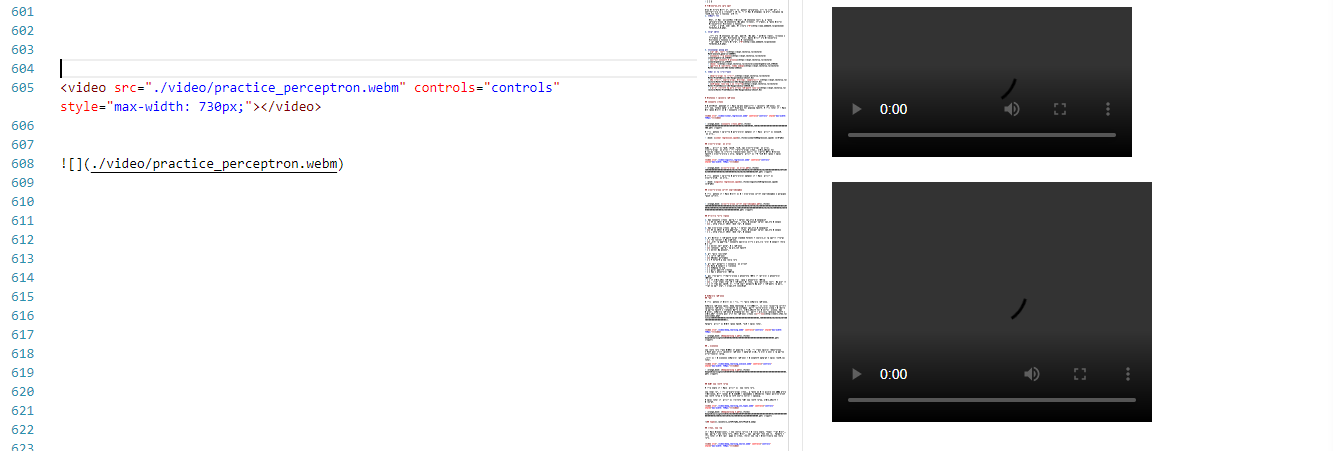
is there a local video support? neither of this two syntax works for me
Local video playback works in default markdown preview
 导出增加页眉页脚方法 | https://api.github.com/repos/shd101wyy/vscode-markdown-preview-enhanced/issues/771/comments | 0 | 2022-11-30T06:57:53Z | 2023-08-23T02:20:29Z | https://github.com/shd101wyy/vscode-markdown-preview-enhanced/issues/771 | 1,862,442,839 | 771 |
[
"shd101wyy",
"vscode-markdown-preview-enhanced"
] | Very strange but pasting below content to edit window causes the extension to freeze with high CPU load:
>
> [System.Net.ServicePointManager]::ServerCertificateValidationCallback = {$true}
>
For me it is enough to reproduce by just opening a new vscode window, create a new markdown file, open preview window and... | Pasting specific content causes preview panel to freeze | https://api.github.com/repos/shd101wyy/vscode-markdown-preview-enhanced/issues/641/comments | 0 | 2022-11-27T15:49:07Z | 2022-11-27T15:52:05Z | https://github.com/shd101wyy/vscode-markdown-preview-enhanced/issues/641 | 1,465,481,796 | 641 |
[
"shd101wyy",
"vscode-markdown-preview-enhanced"
] | The Image Helper can put some information at risk since it can easily fall in the public domain.
When using the Image Helper, it is not 100% clear that your image will be uploaded on the web so user are at risk of publishing sensible information on the web.
A warning message with an accept button would help reduc... | [Vulnerability] Image Helper should pop-up a warning message before uploading. | https://api.github.com/repos/shd101wyy/vscode-markdown-preview-enhanced/issues/772/comments | 0 | 2022-11-23T14:32:46Z | 2023-08-23T02:20:31Z | https://github.com/shd101wyy/vscode-markdown-preview-enhanced/issues/772 | 1,862,442,866 | 772 |
[
"shd101wyy",
"vscode-markdown-preview-enhanced"
] | In preview mode, when clicking on an anchor link, preview window does not move to anchor.
```
(working on bitbucket server but not in preview)
Test anchor link [Title X](#title-x)
<a name="title-x"></a>
# Title X
``` | Anchors links are not working in preview mode (but are in bitbucket server) | https://api.github.com/repos/shd101wyy/vscode-markdown-preview-enhanced/issues/773/comments | 1 | 2022-11-23T14:25:32Z | 2023-08-23T02:20:33Z | https://github.com/shd101wyy/vscode-markdown-preview-enhanced/issues/773 | 1,862,442,895 | 773 |
[
"shd101wyy",
"vscode-markdown-preview-enhanced"
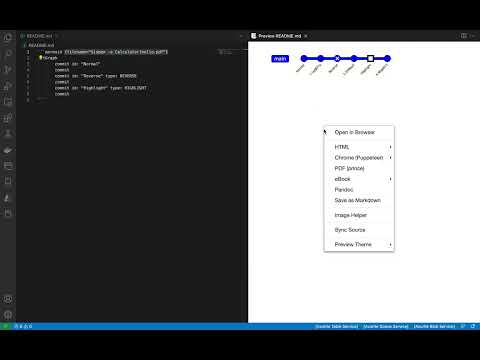
] | Video PoC for Atom on [YouTube](https://www.youtube.com/watch?v=MgHJPZFi8Hs):
[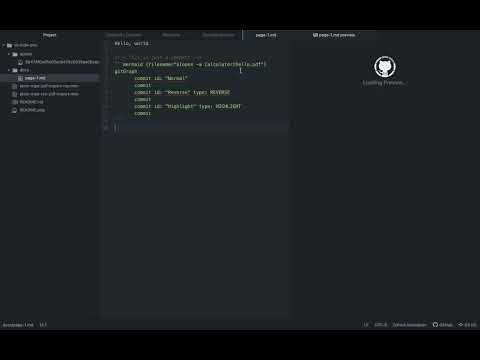](https://www.youtube.com/watch?v=MgHJPZFi8Hs)
Original issue: [shd101wyy/mume, OS command injection via Memraid PNG export](https://github.com/shd101wyy/mume/issues/274)
STR (pleas... | [Vulnerability] Code execution via GitHub Flavored Markdown export | https://api.github.com/repos/shd101wyy/vscode-markdown-preview-enhanced/issues/774/comments | 1 | 2022-11-22T20:46:15Z | 2023-08-23T02:20:36Z | https://github.com/shd101wyy/vscode-markdown-preview-enhanced/issues/774 | 1,862,442,929 | 774 |
[
"shd101wyy",
"vscode-markdown-preview-enhanced"
] | Video PoC for Atom on [YouTube](https://www.youtube.com/watch?v=WxMVwkYrDzI):
[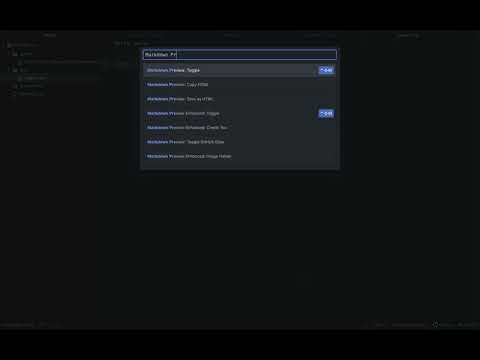](https://www.youtube.com/watch?v=WxMVwkYrDzI)
Original issue: [shd101wyy/mume, OS command injection in PDF import functionality](https://github.com/shd101wyy/mume/issues/273)
STR... | [Vulnerability] Code exection via markdown preview | https://api.github.com/repos/shd101wyy/vscode-markdown-preview-enhanced/issues/775/comments | 1 | 2022-11-22T20:45:48Z | 2023-08-23T02:20:38Z | https://github.com/shd101wyy/vscode-markdown-preview-enhanced/issues/775 | 1,862,442,955 | 775 |
[
"shd101wyy",
"vscode-markdown-preview-enhanced"
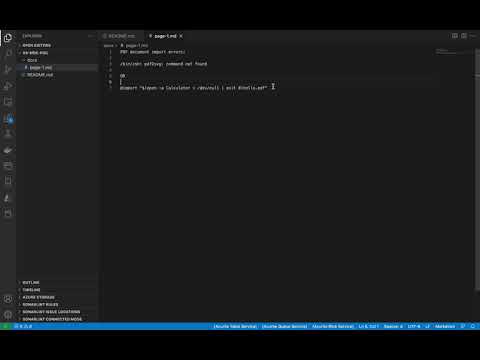
] | Video PoC for VSCode on [YouTube](https://www.youtube.com/watch?v=D0HdwtDoFXs):
[](https://www.youtube.com/watch?v=D0HdwtDoFXs)
Original issue: [shd101wyy/mume, OS command injection via Memraid PNG export](https://github.com/shd101wyy/mume/issues/274)
STR (ple... | [Vulnerability] Code execution via GitHub Flavored Markdown export | https://api.github.com/repos/shd101wyy/vscode-markdown-preview-enhanced/issues/640/comments | 1 | 2022-11-22T20:44:39Z | 2022-12-07T20:23:41Z | https://github.com/shd101wyy/vscode-markdown-preview-enhanced/issues/640 | 1,460,527,817 | 640 |
[
"shd101wyy",
"vscode-markdown-preview-enhanced"
] | Video PoC for VSCode on [YouTube](https://www.youtube.com/watch?v=bnK5DPdb5JU):
[](https://www.youtube.com/watch?v=bnK5DPdb5JU)
Original issue: [shd101wyy/mume, OS command injection in PDF import functionality](https://github.com/shd101wyy/mume/issues/273)
S... | [Vulnerability] Code exection via markdown preview | https://api.github.com/repos/shd101wyy/vscode-markdown-preview-enhanced/issues/639/comments | 1 | 2022-11-22T20:44:14Z | 2022-12-07T20:22:03Z | https://github.com/shd101wyy/vscode-markdown-preview-enhanced/issues/639 | 1,460,527,375 | 639 |
[
"shd101wyy",
"vscode-markdown-preview-enhanced"
] | Ideally, an option to allow [TOC] tag to be compliant with bitbucket server restrictions (each header requires their specific anchor ) would be great.
If I use markdown [TOC] tags with the github-light.css a table of content is generated. However links do not work in the bibucket server display page since they need ... | Support bitbucket server TOC (Each markdown title must have it's own anchor) | https://api.github.com/repos/shd101wyy/vscode-markdown-preview-enhanced/issues/776/comments | 0 | 2022-11-22T17:58:19Z | 2023-08-23T02:20:40Z | https://github.com/shd101wyy/vscode-markdown-preview-enhanced/issues/776 | 1,862,442,990 | 776 |
[
"shd101wyy",
"vscode-markdown-preview-enhanced"
] | 我想导出不自动分页的pdf应该怎么设置呢?或者导出矢量图片也行。 | 导出不自动分页的pdf或者矢量图片 | https://api.github.com/repos/shd101wyy/vscode-markdown-preview-enhanced/issues/777/comments | 1 | 2022-11-22T17:00:25Z | 2023-08-23T02:20:42Z | https://github.com/shd101wyy/vscode-markdown-preview-enhanced/issues/777 | 1,862,443,020 | 777 |
[
"shd101wyy",
"vscode-markdown-preview-enhanced"
] | I was a huge fan of markdown preview plus in atom.io especially for its ability to open a markdown preview in a new window to enable multiple displays/monitors (see https://github.com/atom-community/markdown-preview-plus/issues/36 https://github.com/atom-community/markdown-preview-plus/pull/385). I've only just starte... | Feature Request: Preview in new window | https://api.github.com/repos/shd101wyy/vscode-markdown-preview-enhanced/issues/778/comments | 0 | 2022-11-18T20:04:01Z | 2023-08-23T02:20:44Z | https://github.com/shd101wyy/vscode-markdown-preview-enhanced/issues/778 | 1,862,443,035 | 778 |
[
"shd101wyy",
"vscode-markdown-preview-enhanced"
] | Note that markdown-it has a syntax extensions [custom container](https://github.com/markdown-it/markdown-it-container), I want to know how to support it in my vscode. | How to support custom container? | https://api.github.com/repos/shd101wyy/vscode-markdown-preview-enhanced/issues/779/comments | 0 | 2022-11-18T04:35:17Z | 2023-08-23T02:20:47Z | https://github.com/shd101wyy/vscode-markdown-preview-enhanced/issues/779 | 1,862,443,060 | 779 |
[
"shd101wyy",
"vscode-markdown-preview-enhanced"
] | I write a test markdown file to reproduce the bug:
```markdown
# Test
$$
U' = \begin{pmatrix} 0.44 & -0.296 & -0.569 & \\ 0.129 & -0.331 & 0.587 & \\ 0.476 & -0.511 & 0.368 & \\ 0.703 & 0.351 & -0.155 & \\ 0.263 & 0.647 & 0.415 & \\ \end{pmatrix}
$$
|U|V|
|:-:|:-:|
||x|
```
Use MPE preview ... | katex formula and image in table cell can be previewed but not showing in exported pdf | https://api.github.com/repos/shd101wyy/vscode-markdown-preview-enhanced/issues/780/comments | 2 | 2022-11-16T06:47:12Z | 2023-08-23T02:20:49Z | https://github.com/shd101wyy/vscode-markdown-preview-enhanced/issues/780 | 1,862,443,091 | 780 |
[
"shd101wyy",
"vscode-markdown-preview-enhanced"
] | I've been playing around with the lua filters that are a part of pandoc and thought it would be good to couple them with this extension but I've run into some issues with it surrounding codeblocks.
With [this markdown file ](https://github.com/shd101wyy/markdown-preview-enhanced/files/10008142/Minimal.md) and a filt... | Pandoc Parser interprets Code/Codeblocks differently to command line pandoc | https://api.github.com/repos/shd101wyy/vscode-markdown-preview-enhanced/issues/781/comments | 0 | 2022-11-15T00:51:02Z | 2023-08-23T02:20:51Z | https://github.com/shd101wyy/vscode-markdown-preview-enhanced/issues/781 | 1,862,443,113 | 781 |
Subsets and Splits
No community queries yet
The top public SQL queries from the community will appear here once available.