

title: Claude Code Master 2026
emoji: 🎙️
colorFrom: yellow
colorTo: purple
sdk: static
pinned: false
license: mit
short_description: Podcast + RAG chatbot sobre Claude Code 2026.
Claude Code Master 2026 — Podcast + Chatbot
Aplicación tipo podcast-landing que combina un Audio Overview generado por NotebookLM con un chatbot RAG que responde preguntas sobre 10 artículos curados de Claude Code (mayo 2026), usando Gemini Free como motor.
Demo en vivo: https://huggingface.co/spaces/Nico1190/claude-code-master-2026
Repositorio GitHub: https://github.com/nico1190/claude-code-master-2026
Notebook NotebookLM (público): https://notebooklm.google.com/notebook/d41b8b19-190a-44b2-8aa1-b40c32e98405
Capturas de pantalla
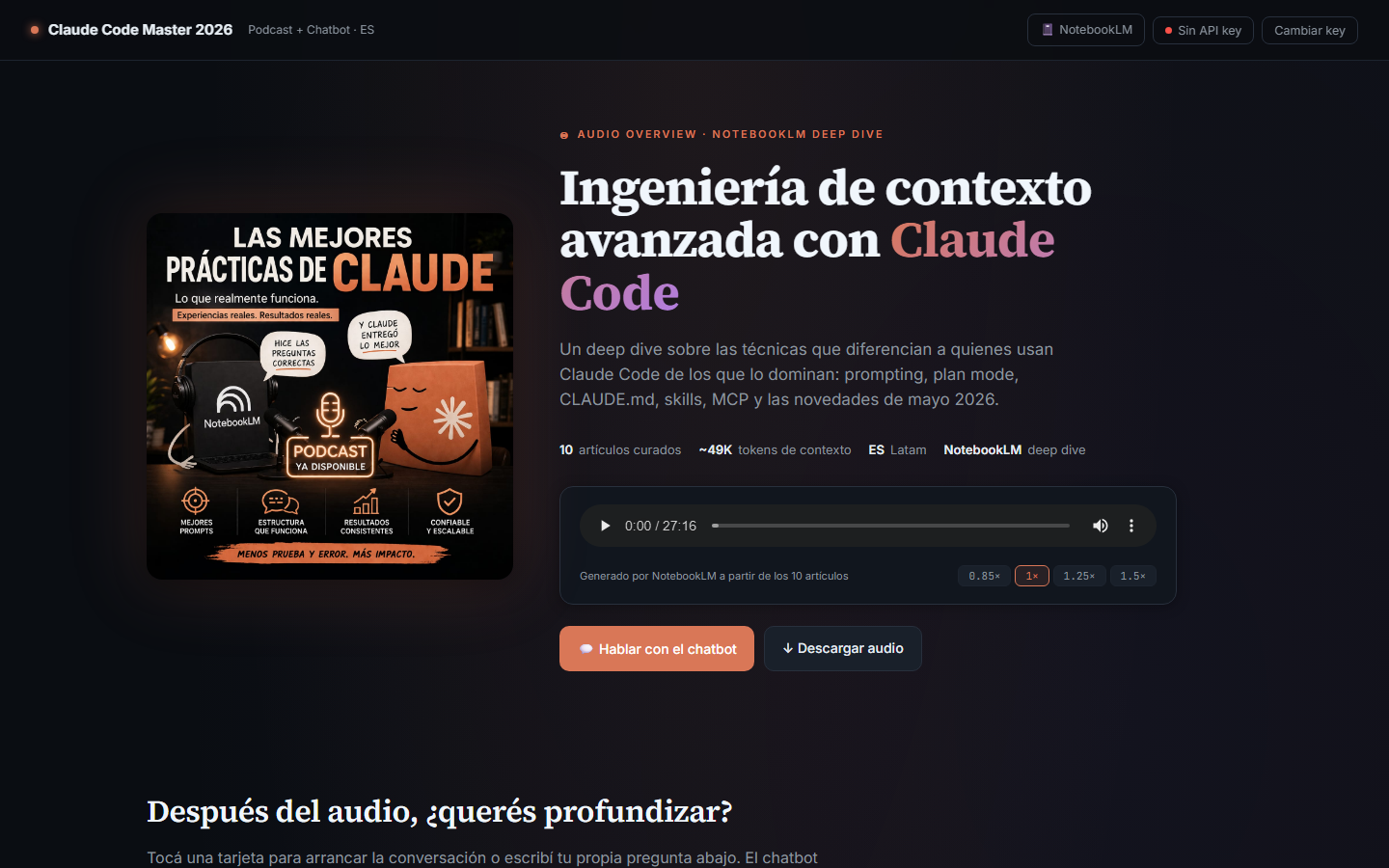
1. Hero con Audio Overview
La página arranca con un reproductor del audio de NotebookLM (~27 min) y los datos del episodio.
2. Tarjetas de invitación al chat
Después del audio, 6 tarjetas pre-cargadas funcionan como entry points al chatbot.
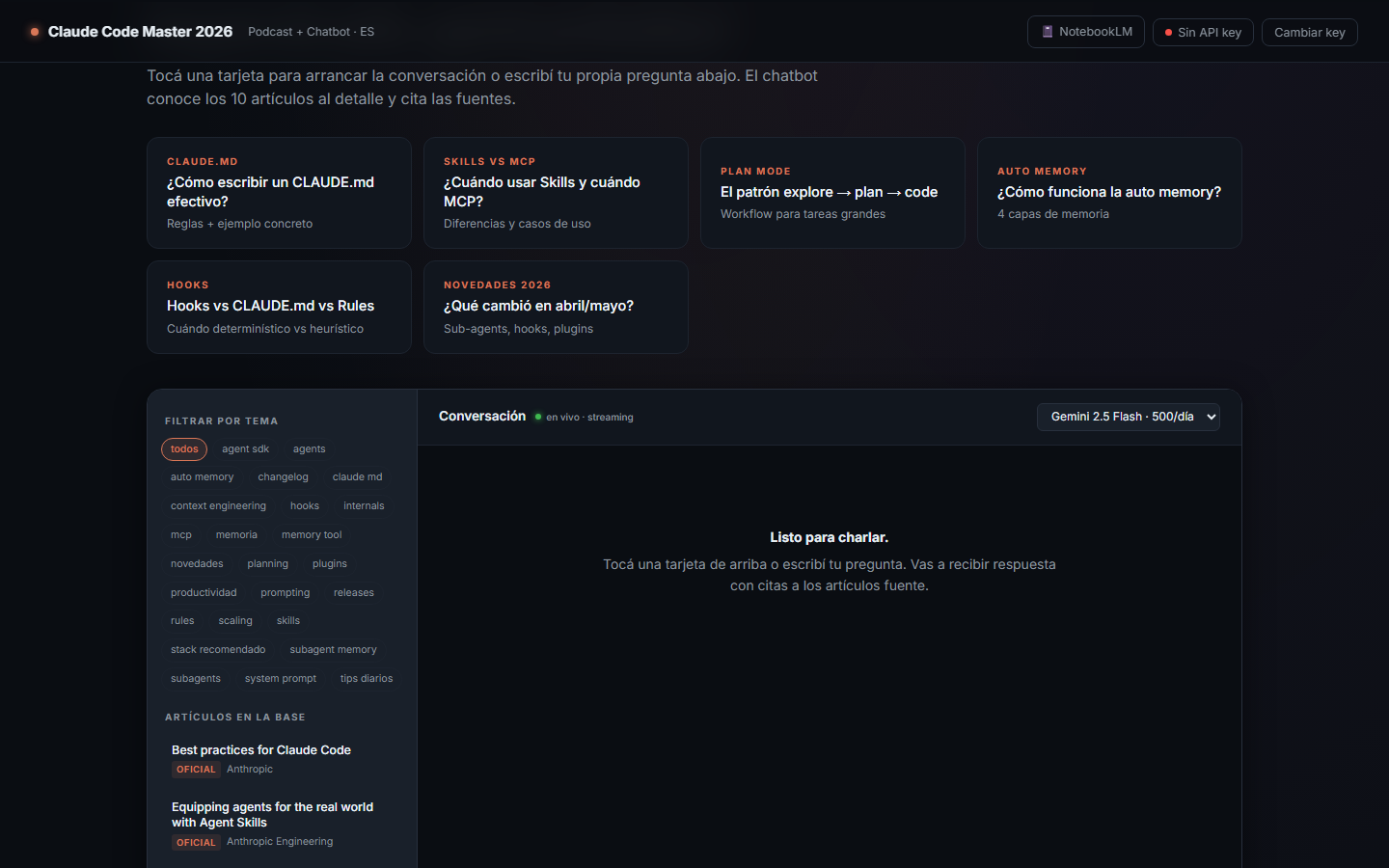
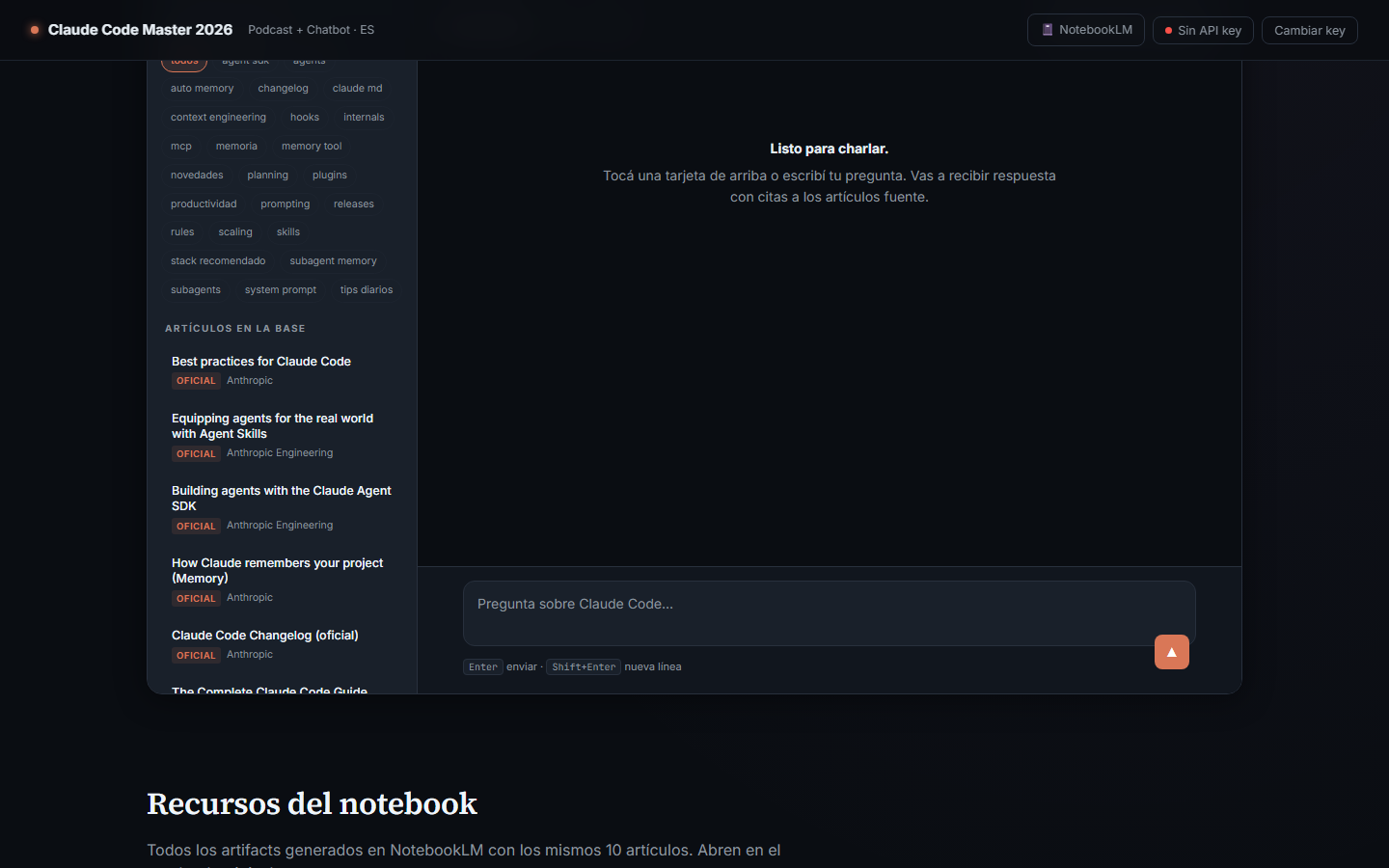
3. Chat embebido con sidebar de artículos
Sidebar izquierda con filtro por 25 tópicos + lista de los 10 artículos. Main panel con streaming + render markdown + citas.
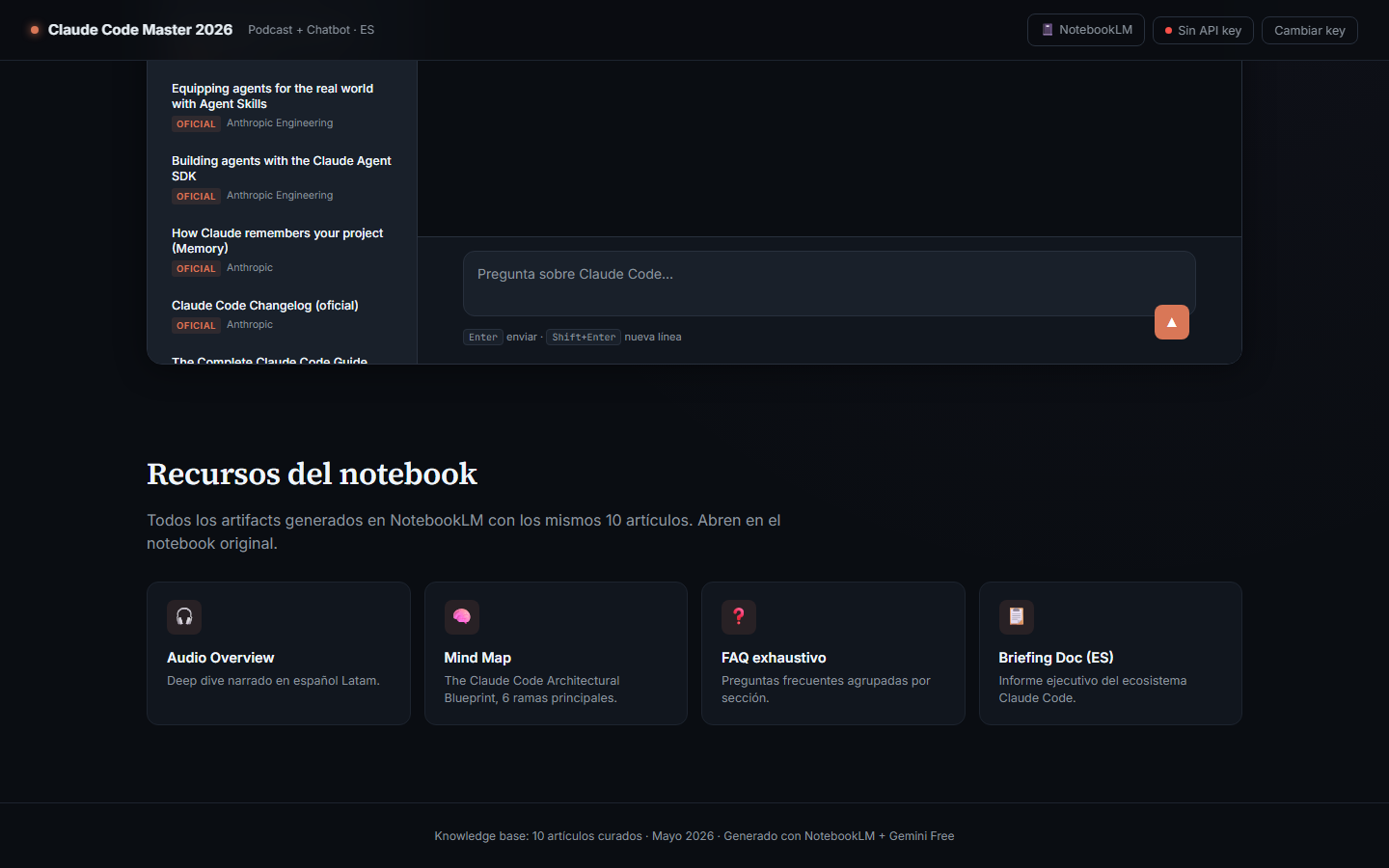
4. Sección de recursos del notebook
Links directos a los 4 artifacts generados en NotebookLM (Audio, Mind Map, FAQ, Briefing).
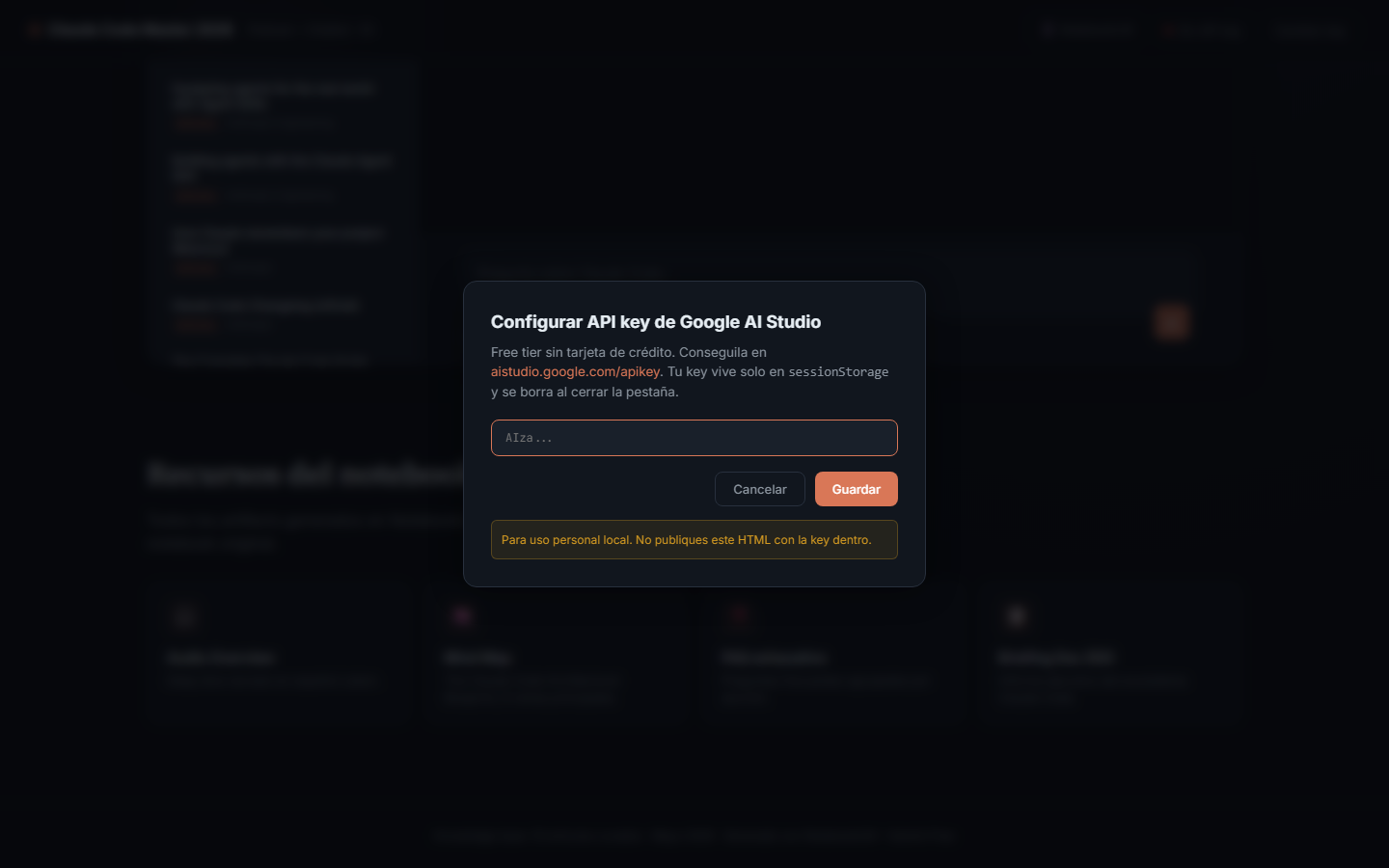
5. Modal para configurar la API key
Cualquiera puede traer su propia key gratis de Google AI Studio.
¿Qué hace?
- Reproduce el podcast "Ingeniería de contexto avanzada con Claude Code" — un deep dive narrado generado con NotebookLM a partir de 10 artículos curados.
- Invita a chatear: el usuario pega su API key gratis de Google AI Studio y conversa con un asistente que conoce los 10 artículos al detalle.
- Ofrece recursos complementarios: Mind Map, FAQ exhaustivo, Briefing Doc — todos generados por NotebookLM con las mismas fuentes.
Arquitectura
┌────────────────────────────────────────────────────────────┐
│  Canal 1: NotebookLM "Claude Code Master 2026" (publico)   │
│  - 10 sources via API                                       │
│  - Audio Overview (ES Latam, ~27 min)                       │
│  - Mind Map / FAQ / Briefing Doc                            │
└────────────────────────────────────────────────────────────┘
                             ↑ link
┌────────────────────────────────────────────────────────────┐
│  Canal 2: claude_code_chatbot.html (single-file)            │
│  ┌─────────────────────────────────────────────────────┐   │
│  │ Hero       audio nativo + cover art                  │   │
│  │ Invite     6 topic cards entry points               │   │
│  │ Chat       sidebar + streaming + citaciones         │   │
│  │ Resources  4 links a artifacts NotebookLM           │   │
│  └─────────────────────────────────────────────────────┘   │
│                                                              │
│  Llama a generativelanguage.googleapis.com                   │
│  con la API key del visitante (sessionStorage, jamas         │
│  enviada a otro lado).                                       │
│                                                              │
│  System prompt: rol + 10 articulos completos en markdown.    │
└────────────────────────────────────────────────────────────┘
                             ↑ embebido en build-time
┌────────────────────────────────────────────────────────────┐
│  claude_code_articles.json                                  │
│  Generado por download_articles.py a partir de las 10 URLs  │
└────────────────────────────────────────────────────────────┘
Stack
- Frontend: HTML5 single-file, CSS custom (sin frameworks), JS vanilla
- Markdown render: marked.js (CDN)
- Syntax highlight: highlight.js (CDN)
- Audio: HTML5
<audio>nativo con controles - LLM: Gemini API (free tier, sin tarjeta de crédito)
- Curaduría / artifacts: NotebookLM
- Build pipeline: Python (
download_articles.py+build_chatbot.py) - Hosting: HuggingFace Spaces (static) + GitHub LFS para el audio
Capturas de código (partes relevantes)
1. Construcción del system prompt para Gemini
El bloque grande (los 10 artículos en markdown con metadata XML-like) le da al modelo todo el contexto que necesita para responder con citas:
function buildSystemInstruction() {
  const role = `Eres "Claude Code Master", un experto que responde preguntas
sobre Claude Code basandote estrictamente en los 10 articulos curados de mayo
2026 que vienen abajo en la seccion <articles>.

REGLAS:
1. Responde SIEMPRE en espanol, claro y directo.
2. Cuando uses informacion de un articulo, citalo asi: [#N: titulo](URL)
3. Si la pregunta no esta cubierta, decilo y marca "(inferencia, no esta en
   los articulos)".
...`;

  let articlesBlock = '<articles>\n';
  for (const a of ARTICLES_DATA.articles) {
    articlesBlock += `\n<article id="${a.id}" title=${JSON.stringify(a.title)}
      url="${a.url}" official="${a.official}">\n`;
    articlesBlock += a.content_markdown;
    articlesBlock += '\n</article>\n';
  }
  articlesBlock += '</articles>';

  return { parts: [{ text: role + '\n\n' + articlesBlock }] };
}
2. Streaming SSE de Gemini
El chat consume el endpoint :streamGenerateContent con alt=sse y va renderizando markdown a medida que llegan los chunks:
const url = `https://generativelanguage.googleapis.com/v1beta/models/${state.model}:streamGenerateContent?alt=sse`;

const resp = await fetch(url, {
  method: 'POST',
  headers: {
    'content-type': 'application/json',
    'x-goog-api-key': state.apiKey,  // del usuario, sessionStorage
  },
  body: JSON.stringify({
    systemInstruction: buildSystemInstruction(),
    contents,
    generationConfig: { maxOutputTokens: 4096, temperature: 0.7 },
  }),
});

const reader = resp.body.getReader();
let assistantText = '';
while (true) {
  const { done, value } = await reader.read();
  if (done) break;
  // parsear SSE, acumular texto y re-renderizar markdown
  const parts = evt.candidates?.[0]?.content?.parts || [];
  for (const p of parts) assistantText += p.text;
  bubble.innerHTML = marked.parse(assistantText);
}
3. Pipeline de descarga con Trafilatura
El script download_articles.py baja las 10 URLs y las convierte a markdown limpio:
import trafilatura, requests, json

def html_to_markdown(html: str, url: str) -> str:
    return trafilatura.extract(
        html,
        url=url,
        output_format="markdown",
        include_links=True,
        include_tables=True,
        favor_recall=True,
    )

for source in sources:
    html = requests.get(source["url"], headers=HEADERS, timeout=30).text
    source["content_markdown"] = html_to_markdown(html, source["url"])
4. Build del HTML final
build_chatbot.py hace una sustitución textual: reemplaza __ARTICLES_JSON__ en el template por el JSON serializado de los 10 artículos. Resultado: 1 archivo único de ~240 KB con todo embebido.
template = TEMPLATE.read_text(encoding="utf-8")
articles = json.load(open(ARTICLES))
js_literal = json.dumps(articles, ensure_ascii=False)
output = template.replace("__ARTICLES_JSON__", js_literal)
OUTPUT.write_text(output, encoding="utf-8")
Las 10 fuentes curadas
| # | Título | Autor | Fecha | Tipo |
|---|---|---|---|---|
| 1 | Best practices for Claude Code | Anthropic | 2026 | oficial |
| 2 | Equipping agents for the real world with Agent Skills | Anthropic Engineering | 2025-10 | oficial |
| 3 | Building agents with the Claude Agent SDK | Anthropic Engineering | 2025-09 | oficial |
| 4 | How Claude remembers your project (Memory) | Anthropic | 2026 | oficial |
| 5 | Claude Code Changelog | Anthropic | 2026 | oficial |
| 6 | The Complete Claude Code Guide (2026) | Stan Sedberry | 2026-03 | comunidad |
| 7 | 50 Claude Code Tips and Best Practices | Vishwas Gopinath / Builder.io | 2026-03 | comunidad |
| 8 | How Claude Code Builds a System Prompt | Drew Breunig | 2026-04 | comunidad |
| 9 | Claude Code & Agent Memory: Best Practices for 2026 | orchestrator.dev | 2026-04 | comunidad |
| 10 | Best Claude Code Plugins, Skills & MCP Servers | Nicolas Fry / TurboDocx | 2026-03 | comunidad |
Detalle completo en claude_code_sources.json.
Cómo correrlo localmente
# clonar (incluyendo el audio via LFS)
git clone https://github.com/nico1190/claude-code-master-2026.git
cd claude-code-master-2026
git lfs pull

# servir el HTML (necesario porque <audio> con file:// tiene restricciones)
python -m http.server 8765

# abrir http://localhost:8765/index.html
Al cargar, te va a pedir tu API key de Google AI Studio (gratis, sin tarjeta).
Cómo regenerar el contenido
Si quieren actualizar la base de conocimiento con artículos más nuevos:
pip install -r requirements.txt
# (opcional para screenshots) python -m playwright install chromium

# 1. editar claude_code_sources.json (las 10 URLs + metadata)
# 2. re-bajar contenido
python download_articles.py
# 3. reconstruir el HTML embebido
python build_chatbot.py
# 4. regenerar screenshots (opcional)
python take_screenshots.py
Free tier de Gemini (mayo 2026)
| Modelo | RPM | Requests/día | Context |
|---|---|---|---|
gemini-2.5-pro |
5 | 100 | 1M |
gemini-2.5-flash (default) |
10 | 500 | 1M |
gemini-2.5-flash-lite |
15 | 1,000 | 1M |
Cada pregunta envía ~50K tokens del prompt (los 10 artículos). El free tier sobra de largo para uso personal y educativo.
Licencia y atribuciones
- Código del proyecto: MIT
- Contenido de los 10 artículos: pertenece a sus respectivos autores (links arriba)
- Audio Overview: generado por NotebookLM a partir de las fuentes citadas
Proyecto académico — Trabajo final de la materia.