| --- |
| title: Claude Code Master 2026 |
| emoji: 🎙️ |
| colorFrom: yellow |
| colorTo: purple |
| sdk: static |
| pinned: false |
| license: mit |
| short_description: Podcast + RAG chatbot sobre Claude Code 2026. |
| --- |
| |
| # Claude Code Master 2026 — Podcast + Chatbot |
|
|
| > Aplicación tipo podcast-landing que combina un **Audio Overview** generado por NotebookLM con un **chatbot RAG** que responde preguntas sobre 10 artículos curados de Claude Code (mayo 2026), usando Gemini Free como motor. |
|
|
| **Demo en vivo:** https://huggingface.co/spaces/Nico1190/claude-code-master-2026 |
|
|
| **Repositorio GitHub:** https://github.com/nico1190/claude-code-master-2026 |
|
|
| **Notebook NotebookLM (público):** https://notebooklm.google.com/notebook/d41b8b19-190a-44b2-8aa1-b40c32e98405 |
|
|
| --- |
|
|
| ## Capturas de pantalla |
|
|
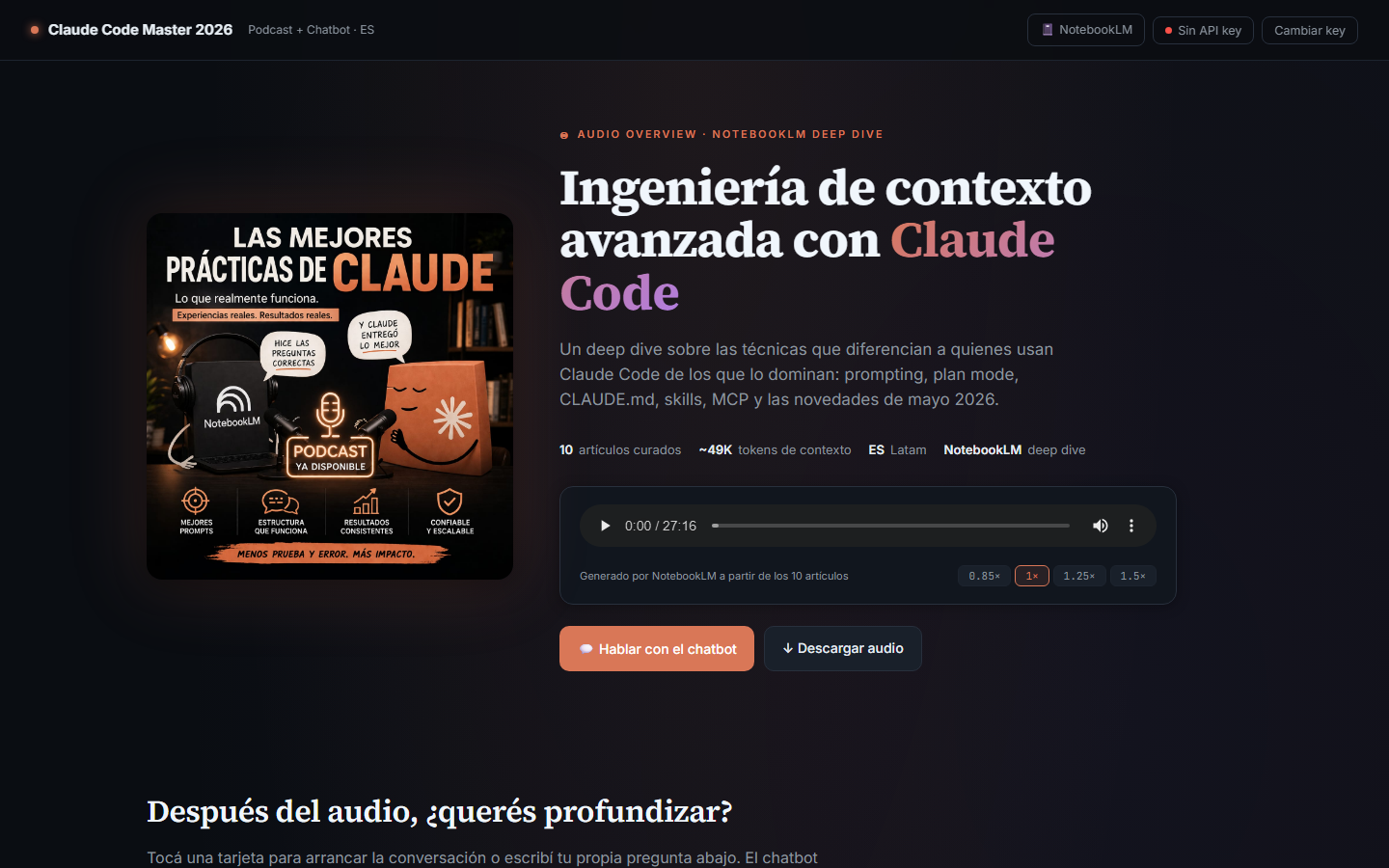
| ### 1. Hero con Audio Overview |
| La página arranca con un reproductor del audio de NotebookLM (~27 min) y los datos del episodio. |
|
|
|  |
|
|
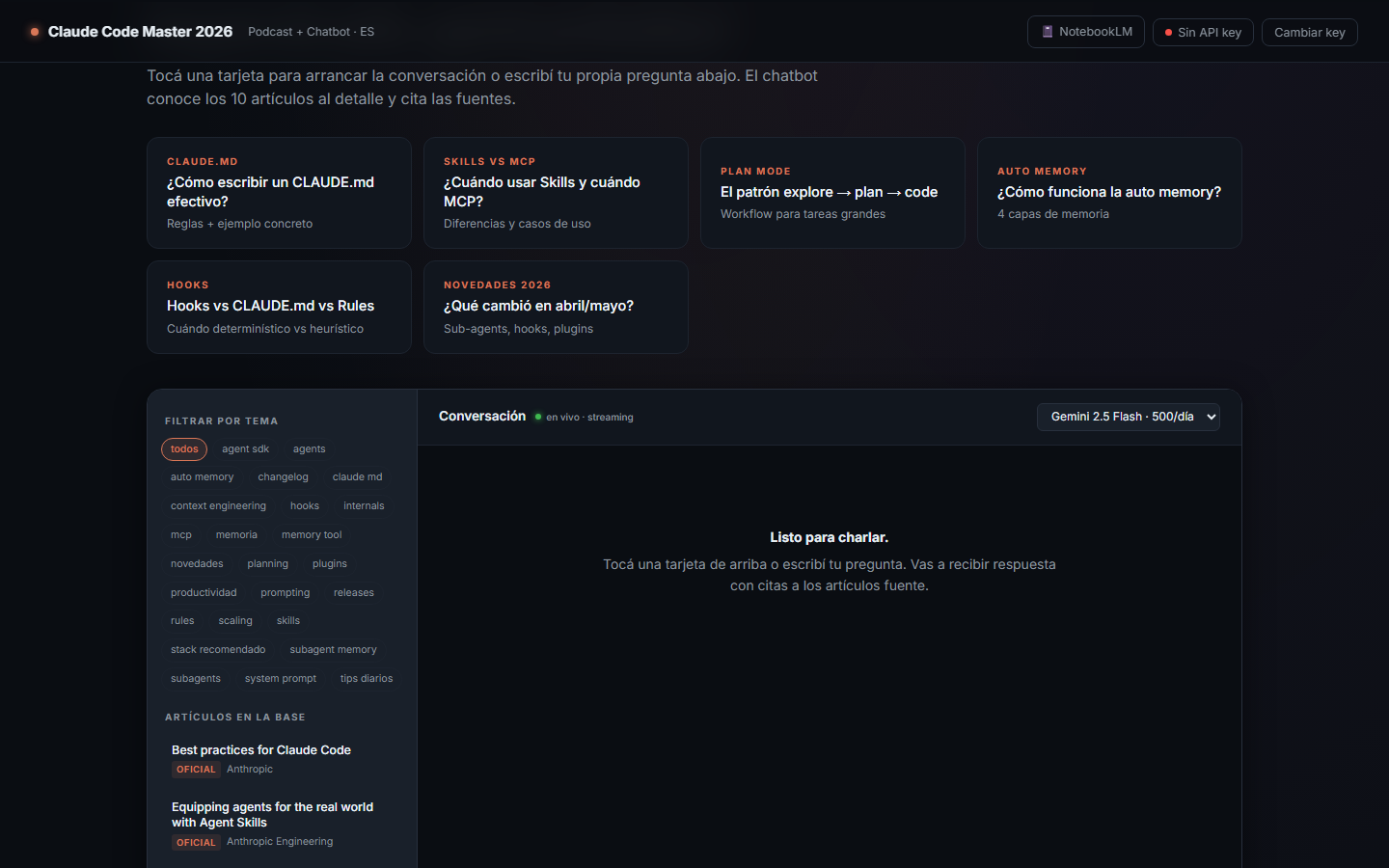
| ### 2. Tarjetas de invitación al chat |
| Después del audio, 6 tarjetas pre-cargadas funcionan como entry points al chatbot. |
|
|
|  |
|
|
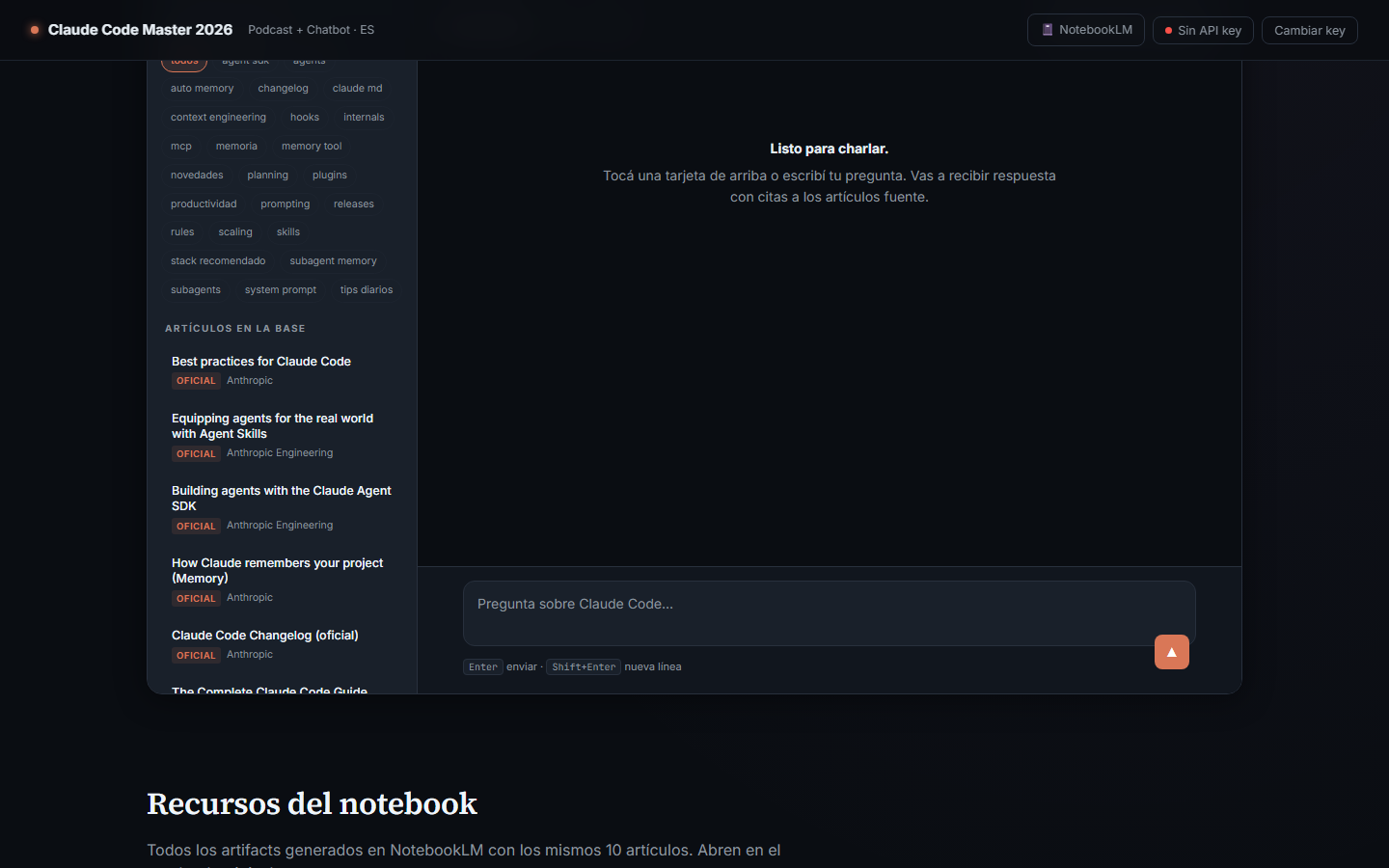
| ### 3. Chat embebido con sidebar de artículos |
| Sidebar izquierda con filtro por 25 tópicos + lista de los 10 artículos. Main panel con streaming + render markdown + citas. |
|
|
|  |
|
|
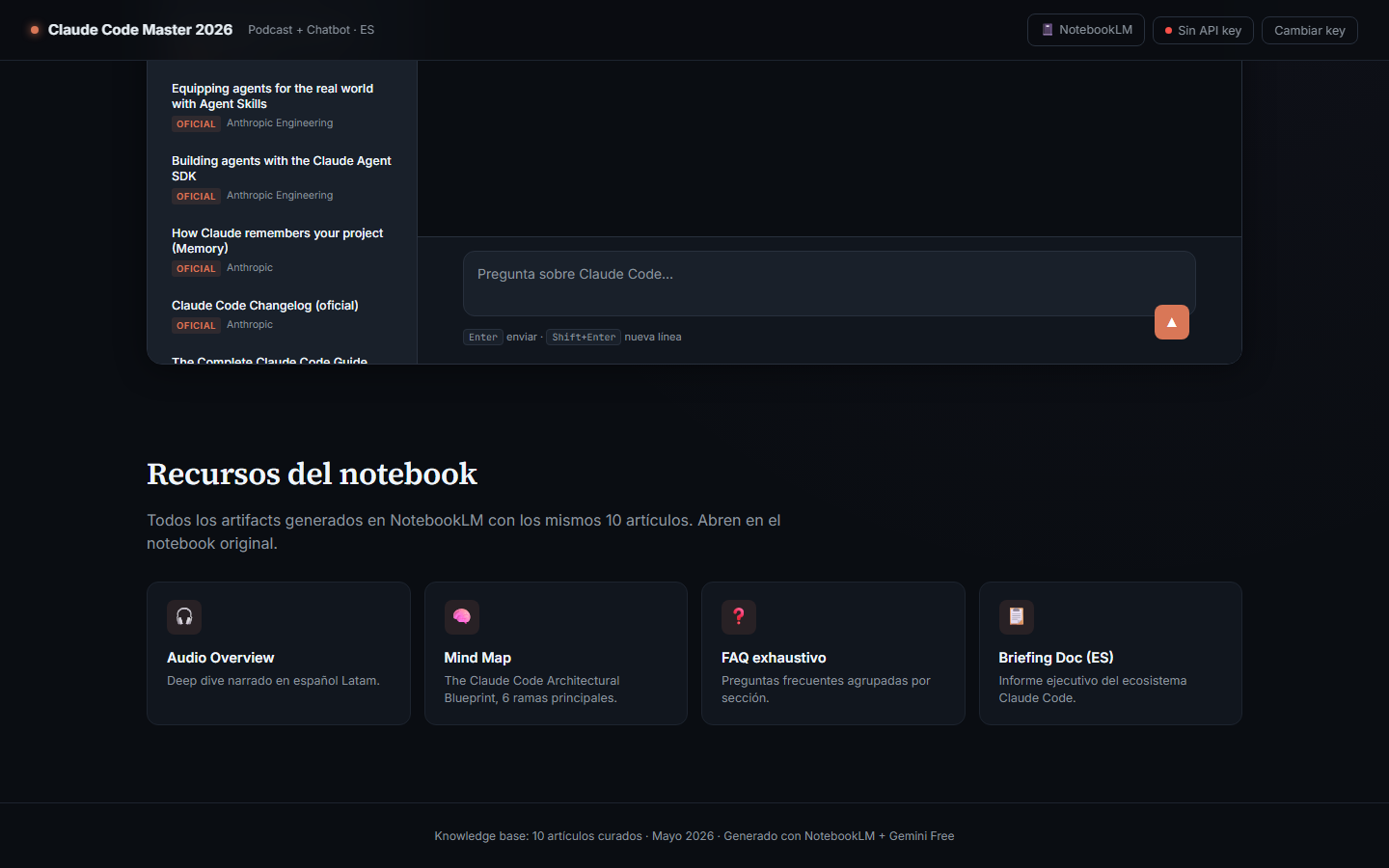
| ### 4. Sección de recursos del notebook |
| Links directos a los 4 artifacts generados en NotebookLM (Audio, Mind Map, FAQ, Briefing). |
|
|
|  |
|
|
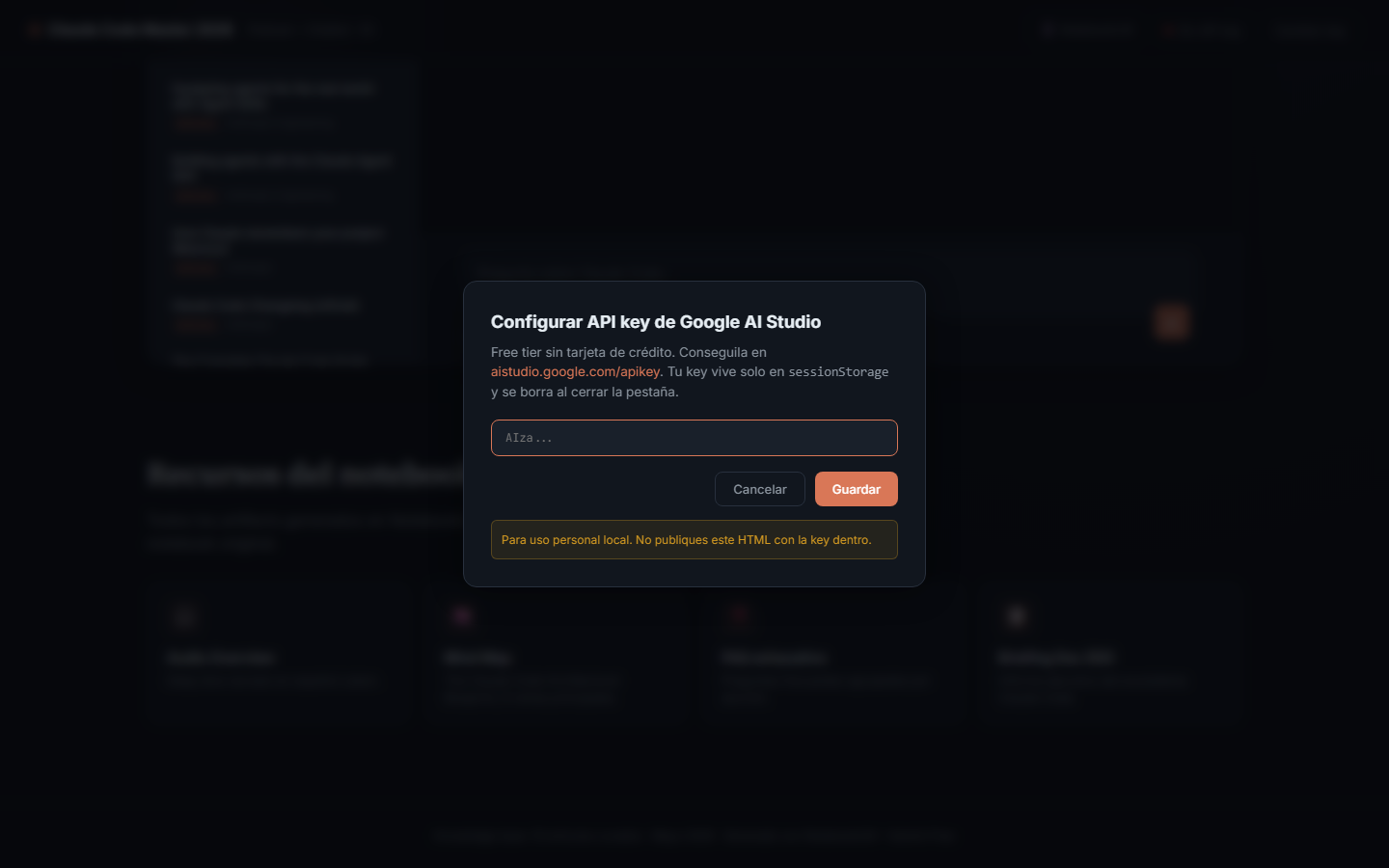
| ### 5. Modal para configurar la API key |
| Cualquiera puede traer su propia key gratis de Google AI Studio. |
|
|
|  |
|
|
| --- |
|
|
| ## ¿Qué hace? |
|
|
| 1. **Reproduce el podcast** "Ingeniería de contexto avanzada con Claude Code" — un deep dive narrado generado con NotebookLM a partir de 10 artículos curados. |
| 2. **Invita a chatear**: el usuario pega su API key gratis de [Google AI Studio](https://aistudio.google.com/apikey) y conversa con un asistente que conoce los 10 artículos al detalle. |
| 3. **Ofrece recursos complementarios**: Mind Map, FAQ exhaustivo, Briefing Doc — todos generados por NotebookLM con las mismas fuentes. |
|
|
| --- |
|
|
| ## Arquitectura |
|
|
| ``` |
| ┌────────────────────────────────────────────────────────────┐ |
| │ Canal 1: NotebookLM "Claude Code Master 2026" (publico) │ |
| │ - 10 sources via API │ |
| │ - Audio Overview (ES Latam, ~27 min) │ |
| │ - Mind Map / FAQ / Briefing Doc │ |
| └────────────────────────────────────────────────────────────┘ |
| ↑ link |
| ┌────────────────────────────────────────────────────────────┐ |
| │ Canal 2: claude_code_chatbot.html (single-file) │ |
| │ ┌─────────────────────────────────────────────────────┐ │ |
| │ │ Hero audio nativo + cover art │ │ |
| │ │ Invite 6 topic cards entry points │ │ |
| │ │ Chat sidebar + streaming + citaciones │ │ |
| │ │ Resources 4 links a artifacts NotebookLM │ │ |
| │ └─────────────────────────────────────────────────────┘ │ |
| │ │ |
| │ Llama a generativelanguage.googleapis.com │ |
| │ con la API key del visitante (sessionStorage, jamas │ |
| │ enviada a otro lado). │ |
| │ │ |
| │ System prompt: rol + 10 articulos completos en markdown. │ |
| └────────────────────────────────────────────────────────────┘ |
| ↑ embebido en build-time |
| ┌────────────────────────────────────────────────────────────┐ |
| │ claude_code_articles.json │ |
| │ Generado por download_articles.py a partir de las 10 URLs │ |
| └────────────────────────────────────────────────────────────┘ |
| ``` |
|
|
| --- |
|
|
| ## Stack |
|
|
| - **Frontend**: HTML5 single-file, CSS custom (sin frameworks), JS vanilla |
| - **Markdown render**: [marked.js](https://marked.js.org) (CDN) |
| - **Syntax highlight**: [highlight.js](https://highlightjs.org) (CDN) |
| - **Audio**: HTML5 `<audio>` nativo con controles |
| - **LLM**: [Gemini API](https://ai.google.dev/) (free tier, sin tarjeta de crédito) |
| - **Curaduría / artifacts**: [NotebookLM](https://notebooklm.google.com) |
| - **Build pipeline**: Python (`download_articles.py` + `build_chatbot.py`) |
| - **Hosting**: HuggingFace Spaces (static) + GitHub LFS para el audio |
|
|
| --- |
|
|
| ## Capturas de código (partes relevantes) |
|
|
| ### 1. Construcción del system prompt para Gemini |
|
|
| El bloque grande (los 10 artículos en markdown con metadata XML-like) le da al modelo todo el contexto que necesita para responder con citas: |
|
|
| ```javascript |
| function buildSystemInstruction() { |
| const role = `Eres "Claude Code Master", un experto que responde preguntas |
| sobre Claude Code basandote estrictamente en los 10 articulos curados de mayo |
| 2026 que vienen abajo en la seccion <articles>. |
| |
| REGLAS: |
| 1. Responde SIEMPRE en espanol, claro y directo. |
| 2. Cuando uses informacion de un articulo, citalo asi: [#N: titulo](URL) |
| 3. Si la pregunta no esta cubierta, decilo y marca "(inferencia, no esta en |
| los articulos)". |
| ...`; |
| |
| let articlesBlock = '<articles>\n'; |
| for (const a of ARTICLES_DATA.articles) { |
| articlesBlock += `\n<article id="${a.id}" title=${JSON.stringify(a.title)} |
| url="${a.url}" official="${a.official}">\n`; |
| articlesBlock += a.content_markdown; |
| articlesBlock += '\n</article>\n'; |
| } |
| articlesBlock += '</articles>'; |
| |
| return { parts: [{ text: role + '\n\n' + articlesBlock }] }; |
| } |
| ``` |
|
|
| ### 2. Streaming SSE de Gemini |
|
|
| El chat consume el endpoint `:streamGenerateContent` con `alt=sse` y va renderizando markdown a medida que llegan los chunks: |
|
|
| ```javascript |
| const url = `https://generativelanguage.googleapis.com/v1beta/models/${state.model}:streamGenerateContent?alt=sse`; |
| |
| const resp = await fetch(url, { |
| method: 'POST', |
| headers: { |
| 'content-type': 'application/json', |
| 'x-goog-api-key': state.apiKey, // del usuario, sessionStorage |
| }, |
| body: JSON.stringify({ |
| systemInstruction: buildSystemInstruction(), |
| contents, |
| generationConfig: { maxOutputTokens: 4096, temperature: 0.7 }, |
| }), |
| }); |
| |
| const reader = resp.body.getReader(); |
| let assistantText = ''; |
| while (true) { |
| const { done, value } = await reader.read(); |
| if (done) break; |
| // parsear SSE, acumular texto y re-renderizar markdown |
| const parts = evt.candidates?.[0]?.content?.parts || []; |
| for (const p of parts) assistantText += p.text; |
| bubble.innerHTML = marked.parse(assistantText); |
| } |
| ``` |
|
|
| ### 3. Pipeline de descarga con Trafilatura |
|
|
| El script `download_articles.py` baja las 10 URLs y las convierte a markdown limpio: |
|
|
| ```python |
| import trafilatura, requests, json |
| |
| def html_to_markdown(html: str, url: str) -> str: |
| return trafilatura.extract( |
| html, |
| url=url, |
| output_format="markdown", |
| include_links=True, |
| include_tables=True, |
| favor_recall=True, |
| ) |
| |
| for source in sources: |
| html = requests.get(source["url"], headers=HEADERS, timeout=30).text |
| source["content_markdown"] = html_to_markdown(html, source["url"]) |
| ``` |
|
|
| ### 4. Build del HTML final |
|
|
| `build_chatbot.py` hace una sustitución textual: reemplaza `__ARTICLES_JSON__` en el template por el JSON serializado de los 10 artículos. Resultado: 1 archivo único de ~240 KB con todo embebido. |
|
|
| ```python |
| template = TEMPLATE.read_text(encoding="utf-8") |
| articles = json.load(open(ARTICLES)) |
| js_literal = json.dumps(articles, ensure_ascii=False) |
| output = template.replace("__ARTICLES_JSON__", js_literal) |
| OUTPUT.write_text(output, encoding="utf-8") |
| ``` |
|
|
| --- |
|
|
| ## Las 10 fuentes curadas |
|
|
| | # | Título | Autor | Fecha | Tipo | |
| |---|--------|-------|-------|------| |
| | 1 | Best practices for Claude Code | Anthropic | 2026 | oficial | |
| | 2 | Equipping agents for the real world with Agent Skills | Anthropic Engineering | 2025-10 | oficial | |
| | 3 | Building agents with the Claude Agent SDK | Anthropic Engineering | 2025-09 | oficial | |
| | 4 | How Claude remembers your project (Memory) | Anthropic | 2026 | oficial | |
| | 5 | Claude Code Changelog | Anthropic | 2026 | oficial | |
| | 6 | The Complete Claude Code Guide (2026) | Stan Sedberry | 2026-03 | comunidad | |
| | 7 | 50 Claude Code Tips and Best Practices | Vishwas Gopinath / Builder.io | 2026-03 | comunidad | |
| | 8 | How Claude Code Builds a System Prompt | Drew Breunig | 2026-04 | comunidad | |
| | 9 | Claude Code & Agent Memory: Best Practices for 2026 | orchestrator.dev | 2026-04 | comunidad | |
| | 10 | Best Claude Code Plugins, Skills & MCP Servers | Nicolas Fry / TurboDocx | 2026-03 | comunidad | |
|
|
| Detalle completo en [`claude_code_sources.json`](claude_code_sources.json). |
|
|
| --- |
|
|
| ## Cómo correrlo localmente |
|
|
| ```bash |
| # clonar (incluyendo el audio via LFS) |
| git clone https://github.com/nico1190/claude-code-master-2026.git |
| cd claude-code-master-2026 |
| git lfs pull |
| |
| # servir el HTML (necesario porque <audio> con file:// tiene restricciones) |
| python -m http.server 8765 |
| |
| # abrir http://localhost:8765/index.html |
| ``` |
|
|
| Al cargar, te va a pedir tu API key de Google AI Studio (gratis, sin tarjeta). |
|
|
| ## Cómo regenerar el contenido |
|
|
| Si quieren actualizar la base de conocimiento con artículos más nuevos: |
|
|
| ```bash |
| pip install -r requirements.txt |
| # (opcional para screenshots) python -m playwright install chromium |
| |
| # 1. editar claude_code_sources.json (las 10 URLs + metadata) |
| # 2. re-bajar contenido |
| python download_articles.py |
| # 3. reconstruir el HTML embebido |
| python build_chatbot.py |
| # 4. regenerar screenshots (opcional) |
| python take_screenshots.py |
| ``` |
|
|
| --- |
|
|
| ## Free tier de Gemini (mayo 2026) |
|
|
| | Modelo | RPM | Requests/día | Context | |
| |--------|-----|--------------|---------| |
| | `gemini-2.5-pro` | 5 | 100 | 1M | |
| | `gemini-2.5-flash` (default) | 10 | 500 | 1M | |
| | `gemini-2.5-flash-lite` | 15 | 1,000 | 1M | |
|
|
| Cada pregunta envía ~50K tokens del prompt (los 10 artículos). El free tier sobra de largo para uso personal y educativo. |
|
|
| --- |
|
|
| ## Licencia y atribuciones |
|
|
| - Código del proyecto: MIT |
| - Contenido de los 10 artículos: pertenece a sus respectivos autores (links arriba) |
| - Audio Overview: generado por NotebookLM a partir de las fuentes citadas |
|
|
| Proyecto académico — Trabajo final de la materia. |
|
|

