


| <!--Copyright 2024 The HuggingFace Team. All rights reserved. | |
| Licensed under the Apache License, Version 2.0 (the "License"); you may not use this file except in compliance with | |
| the License. You may obtain a copy of the License at | |
| http://www.apache.org/licenses/LICENSE-2.0 | |
| Unless required by applicable law or agreed to in writing, software distributed under the License is distributed on | |
| an "AS IS" BASIS, WITHOUT WARRANTIES OR CONDITIONS OF ANY KIND, either express or implied. See the License for the | |
| specific language governing permissions and limitations under the License. | |
| --> | |
| # ControlNet | |
| [Adding Conditional Control to Text-to-Image Diffusion Models](https://arxiv.org/abs/2302.05543) (ControlNet)은 Lvmin Zhang과 Maneesh Agrawala에 의해 쓰여졌습니다. | |
| 이 예시는 [원본 ControlNet 리포지토리에서 예시 학습하기](https://github.com/lllyasviel/ControlNet/blob/main/docs/train.md)에 기반합니다. ControlNet은 원들을 채우기 위해 [small synthetic dataset](https://huggingface.co/datasets/fusing/fill50k)을 사용해서 학습됩니다. | |
| ## 의존성 설치하기 | |
| 아래의 스크립트를 실행하기 전에, 라이브러리의 학습 의존성을 설치해야 합니다. | |
| <Tip warning={true}> | |
| 가장 최신 버전의 예시 스크립트를 성공적으로 실행하기 위해서는, 소스에서 설치하고 최신 버전의 설치를 유지하는 것을 강력하게 추천합니다. 우리는 예시 스크립트들을 자주 업데이트하고 예시에 맞춘 특정한 요구사항을 설치합니다. | |
| </Tip> | |
| 위 사항을 만족시키기 위해서, 새로운 가상환경에서 다음 일련의 스텝을 실행하세요: | |
| ```bash | |
| git clone https://github.com/huggingface/diffusers | |
| cd diffusers | |
| pip install -e . | |
| ``` | |
| 그 다음에는 [예시 폴더](https://github.com/huggingface/diffusers/tree/main/examples/controlnet)으로 이동합니다. | |
| ```bash | |
| cd examples/controlnet | |
| ``` | |
| 이제 실행하세요: | |
| ```bash | |
| pip install -r requirements.txt | |
| ``` | |
| [🤗Accelerate](https://github.com/huggingface/accelerate/) 환경을 초기화 합니다: | |
| ```bash | |
| accelerate config | |
| ``` | |
| 혹은 여러분의 환경이 무엇인지 몰라도 기본적인 🤗Accelerate 구성으로 초기화할 수 있습니다: | |
| ```bash | |
| accelerate config default | |
| ``` | |
| 혹은 당신의 환경이 노트북 같은 상호작용하는 쉘을 지원하지 않는다면, 아래의 코드로 초기화 할 수 있습니다: | |
| ```python | |
| from accelerate.utils import write_basic_config | |
| write_basic_config() | |
| ``` | |
| ## 원을 채우는 데이터셋 | |
| 원본 데이터셋은 ControlNet [repo](https://huggingface.co/lllyasviel/ControlNet/blob/main/training/fill50k.zip)에 올라와있지만, 우리는 [여기](https://huggingface.co/datasets/fusing/fill50k)에 새롭게 다시 올려서 🤗 Datasets 과 호환가능합니다. 그래서 학습 스크립트 상에서 데이터 불러오기를 다룰 수 있습니다. | |
| 우리의 학습 예시는 원래 ControlNet의 학습에 쓰였던 [`stable-diffusion-v1-5/stable-diffusion-v1-5`](https://huggingface.co/stable-diffusion-v1-5/stable-diffusion-v1-5)을 사용합니다. 그렇지만 ControlNet은 대응되는 어느 Stable Diffusion 모델([`CompVis/stable-diffusion-v1-4`](https://huggingface.co/CompVis/stable-diffusion-v1-4)) 혹은 [`stabilityai/stable-diffusion-2-1`](https://huggingface.co/stabilityai/stable-diffusion-2-1)의 증가를 위해 학습될 수 있습니다. | |
| 자체 데이터셋을 사용하기 위해서는 [학습을 위한 데이터셋 생성하기](create_dataset) 가이드를 확인하세요. | |
| ## 학습 | |
| 이 학습에 사용될 다음 이미지들을 다운로드하세요: | |
| ```sh | |
| wget https://huggingface.co/datasets/huggingface/documentation-images/resolve/main/diffusers/controlnet_training/conditioning_image_1.png | |
| wget https://huggingface.co/datasets/huggingface/documentation-images/resolve/main/diffusers/controlnet_training/conditioning_image_2.png | |
| ``` | |
| `MODEL_NAME` 환경 변수 (Hub 모델 리포지토리 아이디 혹은 모델 가중치가 있는 디렉토리로 가는 주소)를 명시하고 [`pretrained_model_name_or_path`](https://huggingface.co/docs/diffusers/en/api/diffusion_pipeline#diffusers.DiffusionPipeline.from_pretrained.pretrained_model_name_or_path) 인자로 환경변수를 보냅니다. | |
| 학습 스크립트는 당신의 리포지토리에 `diffusion_pytorch_model.bin` 파일을 생성하고 저장합니다. | |
| ```bash | |
| export MODEL_DIR="stable-diffusion-v1-5/stable-diffusion-v1-5" | |
| export OUTPUT_DIR="path to save model" | |
| accelerate launch train_controlnet.py \ | |
| --pretrained_model_name_or_path=$MODEL_DIR \ | |
| --output_dir=$OUTPUT_DIR \ | |
| --dataset_name=fusing/fill50k \ | |
| --resolution=512 \ | |
| --learning_rate=1e-5 \ | |
| --validation_image "./conditioning_image_1.png" "./conditioning_image_2.png" \ | |
| --validation_prompt "red circle with blue background" "cyan circle with brown floral background" \ | |
| --train_batch_size=4 \ | |
| --push_to_hub | |
| ``` | |
| 이 기본적인 설정으로는 ~38GB VRAM이 필요합니다. | |
| 기본적으로 학습 스크립트는 결과를 텐서보드에 기록합니다. 가중치(weight)와 편향(bias)을 사용하기 위해 `--report_to wandb` 를 전달합니다. | |
| 더 작은 batch(배치) 크기로 gradient accumulation(기울기 누적)을 하면 학습 요구사항을 ~20 GB VRAM으로 줄일 수 있습니다. | |
| ```bash | |
| export MODEL_DIR="stable-diffusion-v1-5/stable-diffusion-v1-5" | |
| export OUTPUT_DIR="path to save model" | |
| accelerate launch train_controlnet.py \ | |
| --pretrained_model_name_or_path=$MODEL_DIR \ | |
| --output_dir=$OUTPUT_DIR \ | |
| --dataset_name=fusing/fill50k \ | |
| --resolution=512 \ | |
| --learning_rate=1e-5 \ | |
| --validation_image "./conditioning_image_1.png" "./conditioning_image_2.png" \ | |
| --validation_prompt "red circle with blue background" "cyan circle with brown floral background" \ | |
| --train_batch_size=1 \ | |
| --gradient_accumulation_steps=4 \ | |
| --push_to_hub | |
| ``` | |
| ## 여러개 GPU로 학습하기 | |
| `accelerate` 은 seamless multi-GPU 학습을 고려합니다. `accelerate`과 함께 분산된 학습을 실행하기 위해 [여기](https://huggingface.co/docs/accelerate/basic_tutorials/launch) | |
| 의 설명을 확인하세요. 아래는 예시 명령어입니다: | |
| ```bash | |
| export MODEL_DIR="stable-diffusion-v1-5/stable-diffusion-v1-5" | |
| export OUTPUT_DIR="path to save model" | |
| accelerate launch --mixed_precision="fp16" --multi_gpu train_controlnet.py \ | |
| --pretrained_model_name_or_path=$MODEL_DIR \ | |
| --output_dir=$OUTPUT_DIR \ | |
| --dataset_name=fusing/fill50k \ | |
| --resolution=512 \ | |
| --learning_rate=1e-5 \ | |
| --validation_image "./conditioning_image_1.png" "./conditioning_image_2.png" \ | |
| --validation_prompt "red circle with blue background" "cyan circle with brown floral background" \ | |
| --train_batch_size=4 \ | |
| --mixed_precision="fp16" \ | |
| --tracker_project_name="controlnet-demo" \ | |
| --report_to=wandb \ | |
| --push_to_hub | |
| ``` | |
| ## 예시 결과 | |
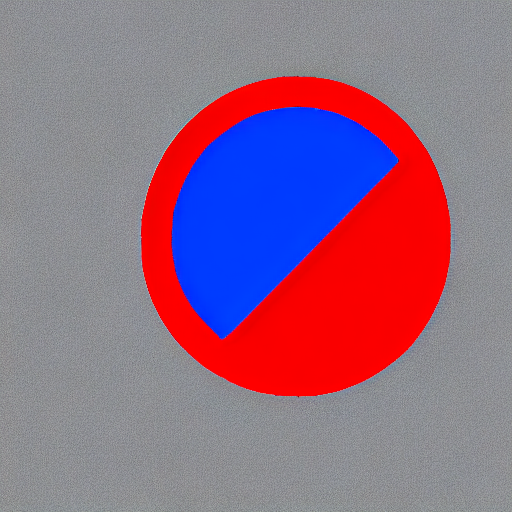
| #### 배치 사이즈 8로 300 스텝 이후: | |
| | | | | |
| |-------------------|:-------------------------:| | |
| | | 푸른 배경과 빨간 원 | | |
|  |  | | |
| | | 갈색 꽃 배경과 청록색 원 | | |
|  |  | | |
| #### 배치 사이즈 8로 6000 스텝 이후: | |
| | | | | |
| |-------------------|:-------------------------:| | |
| | | 푸른 배경과 빨간 원 | | |
|  |  | | |
| | | 갈색 꽃 배경과 청록색 원 | | |
|  |  | | |
| ## 16GB GPU에서 학습하기 | |
| 16GB GPU에서 학습하기 위해 다음의 최적화를 진행하세요: | |
| - 기울기 체크포인트 저장하기 | |
| - bitsandbyte의 [8-bit optimizer](https://github.com/TimDettmers/bitsandbytes#requirements--installation)가 설치되지 않았다면 링크에 연결된 설명서를 보세요. | |
| 이제 학습 스크립트를 시작할 수 있습니다: | |
| ```bash | |
| export MODEL_DIR="stable-diffusion-v1-5/stable-diffusion-v1-5" | |
| export OUTPUT_DIR="path to save model" | |
| accelerate launch train_controlnet.py \ | |
| --pretrained_model_name_or_path=$MODEL_DIR \ | |
| --output_dir=$OUTPUT_DIR \ | |
| --dataset_name=fusing/fill50k \ | |
| --resolution=512 \ | |
| --learning_rate=1e-5 \ | |
| --validation_image "./conditioning_image_1.png" "./conditioning_image_2.png" \ | |
| --validation_prompt "red circle with blue background" "cyan circle with brown floral background" \ | |
| --train_batch_size=1 \ | |
| --gradient_accumulation_steps=4 \ | |
| --gradient_checkpointing \ | |
| --use_8bit_adam \ | |
| --push_to_hub | |
| ``` | |
| ## 12GB GPU에서 학습하기 | |
| 12GB GPU에서 실행하기 위해 다음의 최적화를 진행하세요: | |
| - 기울기 체크포인트 저장하기 | |
| - bitsandbyte의 8-bit [optimizer](https://github.com/TimDettmers/bitsandbytes#requirements--installation)(가 설치되지 않았다면 링크에 연결된 설명서를 보세요) | |
| - [xFormers](https://huggingface.co/docs/diffusers/training/optimization/xformers)(가 설치되지 않았다면 링크에 연결된 설명서를 보세요) | |
| - 기울기를 `None`으로 설정 | |
| ```bash | |
| export MODEL_DIR="stable-diffusion-v1-5/stable-diffusion-v1-5" | |
| export OUTPUT_DIR="path to save model" | |
| accelerate launch train_controlnet.py \ | |
| --pretrained_model_name_or_path=$MODEL_DIR \ | |
| --output_dir=$OUTPUT_DIR \ | |
| --dataset_name=fusing/fill50k \ | |
| --resolution=512 \ | |
| --learning_rate=1e-5 \ | |
| --validation_image "./conditioning_image_1.png" "./conditioning_image_2.png" \ | |
| --validation_prompt "red circle with blue background" "cyan circle with brown floral background" \ | |
| --train_batch_size=1 \ | |
| --gradient_accumulation_steps=4 \ | |
| --gradient_checkpointing \ | |
| --use_8bit_adam \ | |
| --enable_xformers_memory_efficient_attention \ | |
| --set_grads_to_none \ | |
| --push_to_hub | |
| ``` | |
| `pip install xformers`으로 `xformers`을 확실히 설치하고 `enable_xformers_memory_efficient_attention`을 사용하세요. | |
| ## 8GB GPU에서 학습하기 | |
| 우리는 ControlNet을 지원하기 위한 DeepSpeed를 철저하게 테스트하지 않았습니다. 환경설정이 메모리를 저장할 때, | |
| 그 환경이 성공적으로 학습했는지를 확정하지 않았습니다. 성공한 학습 실행을 위해 설정을 변경해야 할 가능성이 높습니다. | |
| 8GB GPU에서 실행하기 위해 다음의 최적화를 진행하세요: | |
| - 기울기 체크포인트 저장하기 | |
| - bitsandbyte의 8-bit [optimizer](https://github.com/TimDettmers/bitsandbytes#requirements--installation)(가 설치되지 않았다면 링크에 연결된 설명서를 보세요) | |
| - [xFormers](https://huggingface.co/docs/diffusers/training/optimization/xformers)(가 설치되지 않았다면 링크에 연결된 설명서를 보세요) | |
| - 기울기를 `None`으로 설정 | |
| - DeepSpeed stage 2 변수와 optimizer 없에기 | |
| - fp16 혼합 정밀도(precision) | |
| [DeepSpeed](https://www.deepspeed.ai/)는 CPU 또는 NVME로 텐서를 VRAM에서 오프로드할 수 있습니다. | |
| 이를 위해서 훨씬 더 많은 RAM(약 25 GB)가 필요합니다. | |
| DeepSpeed stage 2를 활성화하기 위해서 `accelerate config`로 환경을 구성해야합니다. | |
| 구성(configuration) 파일은 이런 모습이어야 합니다: | |
| ```yaml | |
| compute_environment: LOCAL_MACHINE | |
| deepspeed_config: | |
| gradient_accumulation_steps: 4 | |
| offload_optimizer_device: cpu | |
| offload_param_device: cpu | |
| zero3_init_flag: false | |
| zero_stage: 2 | |
| distributed_type: DEEPSPEED | |
| ``` | |
| <팁> | |
| [문서](https://huggingface.co/docs/accelerate/usage_guides/deepspeed)를 더 많은 DeepSpeed 설정 옵션을 위해 보세요. | |
| <팁> | |
| 기본 Adam optimizer를 DeepSpeed'의 Adam | |
| `deepspeed.ops.adam.DeepSpeedCPUAdam` 으로 바꾸면 상당한 속도 향상을 이룰수 있지만, | |
| Pytorch와 같은 버전의 CUDA toolchain이 필요합니다. 8-비트 optimizer는 현재 DeepSpeed와 | |
| 호환되지 않는 것 같습니다. | |
| ```bash | |
| export MODEL_DIR="stable-diffusion-v1-5/stable-diffusion-v1-5" | |
| export OUTPUT_DIR="path to save model" | |
| accelerate launch train_controlnet.py \ | |
| --pretrained_model_name_or_path=$MODEL_DIR \ | |
| --output_dir=$OUTPUT_DIR \ | |
| --dataset_name=fusing/fill50k \ | |
| --resolution=512 \ | |
| --validation_image "./conditioning_image_1.png" "./conditioning_image_2.png" \ | |
| --validation_prompt "red circle with blue background" "cyan circle with brown floral background" \ | |
| --train_batch_size=1 \ | |
| --gradient_accumulation_steps=4 \ | |
| --gradient_checkpointing \ | |
| --enable_xformers_memory_efficient_attention \ | |
| --set_grads_to_none \ | |
| --mixed_precision fp16 \ | |
| --push_to_hub | |
| ``` | |
| ## 추론 | |
| 학습된 모델은 [`StableDiffusionControlNetPipeline`]과 함께 실행될 수 있습니다. | |
| `base_model_path`와 `controlnet_path` 에 값을 지정하세요 `--pretrained_model_name_or_path` 와 | |
| `--output_dir` 는 학습 스크립트에 개별적으로 지정됩니다. | |
| ```py | |
| from diffusers import StableDiffusionControlNetPipeline, ControlNetModel, UniPCMultistepScheduler | |
| from diffusers.utils import load_image | |
| import torch | |
| base_model_path = "path to model" | |
| controlnet_path = "path to controlnet" | |
| controlnet = ControlNetModel.from_pretrained(controlnet_path, torch_dtype=torch.float16) | |
| pipe = StableDiffusionControlNetPipeline.from_pretrained( | |
| base_model_path, controlnet=controlnet, torch_dtype=torch.float16 | |
| ) | |
| # 더 빠른 스케줄러와 메모리 최적화로 diffusion 프로세스 속도 올리기 | |
| pipe.scheduler = UniPCMultistepScheduler.from_config(pipe.scheduler.config) | |
| # xformers가 설치되지 않으면 아래 줄을 삭제하기 | |
| pipe.enable_xformers_memory_efficient_attention() | |
| pipe.enable_model_cpu_offload() | |
| control_image = load_image("./conditioning_image_1.png") | |
| prompt = "pale golden rod circle with old lace background" | |
| # 이미지 생성하기 | |
| generator = torch.manual_seed(0) | |
| image = pipe(prompt, num_inference_steps=20, generator=generator, image=control_image).images[0] | |
| image.save("./output.png") | |
| ``` | |