
Spaces:
Sleeping

Sleeping
| title: Z.ai API | |
| emoji: 🚀 | |
| colorFrom: blue | |
| colorTo: indigo | |
| sdk: docker | |
| app_port: 7860 | |
| # z-ai2api_python | |
| GLM proxy service based on FastAPI + Granian | |
| Suitable for local development, self-hosted proxy, Token pool management, and compatible client access | |
| [English](README.md) / [中文简体](README_ZH.md) | |
| ## 🚀 Hugging Face Setup Guide | |
| ### 1. Admin Panel Configuration | |
| After your Space is running: | |
| 1. Go to `https://huggingface.co/spaces/YOUR_USERNAME/YOUR_SPACE_NAME/admin`. | |
| 2. Login with password (default: `admin123`). | |
| 3. **Change Password**: Go to "Settings" in Hugging Face and add an Environment Variable `ADMIN_PASSWORD`. | |
| 4. **Add Tokens**: Go to the **Tokens** tab to add your GLM tokens to the pool. | |
| ### 2. Claude Code Setup | |
| To use this Space with **Claude Code**, run: | |
| ```bash | |
| export CLAUDE_CONFIG_BASE_URL="https://huggingface.co/spaces/YOUR_USERNAME/YOUR_SPACE_NAME/anthropic" | |
| export ANTHROPIC_API_KEY="your_auth_token" | |
| claude | |
| ``` | |
| *Note: `your_auth_token` should match the `AUTH_TOKEN` environment variable in your Space (default is empty/none if not set).* | |
| ### 3. OpenClaude / OpenAI Client Setup | |
| For any OpenAI-compatible client: | |
| - **Base URL**: `https://huggingface.co/spaces/YOUR_USERNAME/YOUR_SPACE_NAME/v1` | |
| - **API Key**: Your `AUTH_TOKEN` | |
| - **Model**: `GLM-4.5` or `GLM-5` | |
| --- | |
| ## Features | |
| - Compatible with `OpenAI`, `Claude Code`, `Anthropic` style requests | |
| - Supports streaming responses, tool calls, Thinking models | |
| - Built-in Token pool, supports polling, failure circuit breaker, recovery, and health checks | |
| - Provides admin panel: Dashboard, Token management, Configuration management, Real-time logs | |
| - Uses SQLite to store Tokens and request logs, simple deployment | |
| - Supports local running and Docker / Docker Compose deployment | |
| ## Quick Start | |
| ### Environment Requirements | |
| - Python `3.9` to `3.12` | |
| - Recommend using `uv` | |
| ### Local Startup | |
| ```bash | |
| git clone https://github.com/ZyphrZero/z.ai2api_python.git | |
| cd z.ai2api_python | |
| uv sync | |
| cp .env.example .env | |
| uv run python main.py | |
| ``` | |
| First startup will automatically initialize the database. | |
| Default addresses: | |
| - API root path: `http://127.0.0.1:8080` | |
| - OpenAI docs: `http://127.0.0.1:8080/docs` | |
| - Admin panel: `http://127.0.0.1:8080/admin` | |
| ### Docker Compose | |
| ```bash | |
| docker compose -f deploy/docker-compose.yml up -d --build | |
| ``` | |
| More deployment instructions see [deploy/README_DOCKER.md](deploy/README_DOCKER.md). | |
| ## Minimum Configuration | |
| At least suggest confirming these environment variables: | |
| | Variable | Description | | |
| | --- | --- | | |
| | `AUTH_TOKEN` | Bearer Token used by clients to access this service | | |
| | `ADMIN_PASSWORD` | Admin panel login password, default value must be changed | | |
| | `LISTEN_PORT` | Service listening port, default `8080` | | |
| | `ANONYMOUS_MODE` | Whether to enable anonymous mode | | |
| | `GUEST_POOL_SIZE` | Anonymous pool capacity | | |
| | `DB_PATH` | SQLite database path | | |
| | `TOKEN_FAILURE_THRESHOLD` | Token consecutive failure threshold | | |
| | `TOKEN_RECOVERY_TIMEOUT` | Token recovery wait time | | |
| Complete configuration please see [.env.example](.env.example). | |
| ## Admin Panel | |
| Admin panel unified entry: | |
| - `/admin`: Dashboard | |
| - `/admin/tokens`: Token management | |
| - `/admin/config`: Configuration management | |
| - `/admin/logs`: Real-time logs | |
| ## Common Commands | |
| ```bash | |
| # Start service | |
| uv run python main.py | |
| # Run tests | |
| uv run pytest | |
| # Run an existing smoke test | |
| uv run python tests/test_simple_signature.py | |
| # Lint | |
| uv run ruff check app tests main.py | |
| ``` | |
| ## Compatible Interfaces | |
| Common interface entries: | |
| - OpenAI compatible: `/v1/chat/completions` | |
| - Anthropic compatible: `/v1/messages` | |
| - Claude Code compatible: `/anthropic/v1/messages` | |
| Model mapping and default model can be adjusted in `.env` or admin configuration page. | |
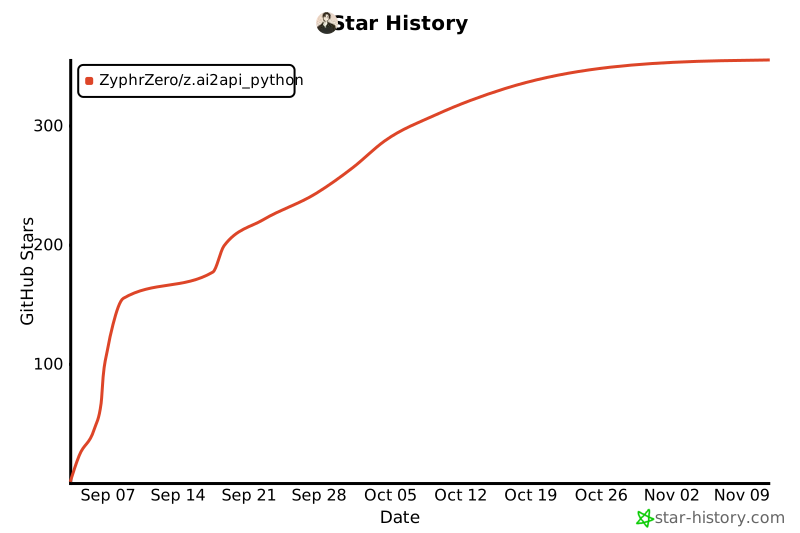
| ## ⭐ Star History | |
| [](https://star-history.com/#ZyphrZero/z.ai2api_python&Date) | |
| ## License | |
| This project uses MIT license - see [LICENSE](LICENSE) file for details. | |
| ## Disclaimer | |
| - **This project is for learning and research use only, do not use for other purposes** | |
| - This project is not affiliated with Z.AI official | |
| - Please ensure compliance with Z.AI's terms of service before use | |
| - Do not use for commercial purposes or scenarios that violate terms of service | |
| - Users must bear their own usage risks | |
| --- | |
| <div align="center"> | |
| Made with ❤️ by the community | |
| </div> | |