
Hub documentation
Downloading models
Downloading models
Integrated libraries
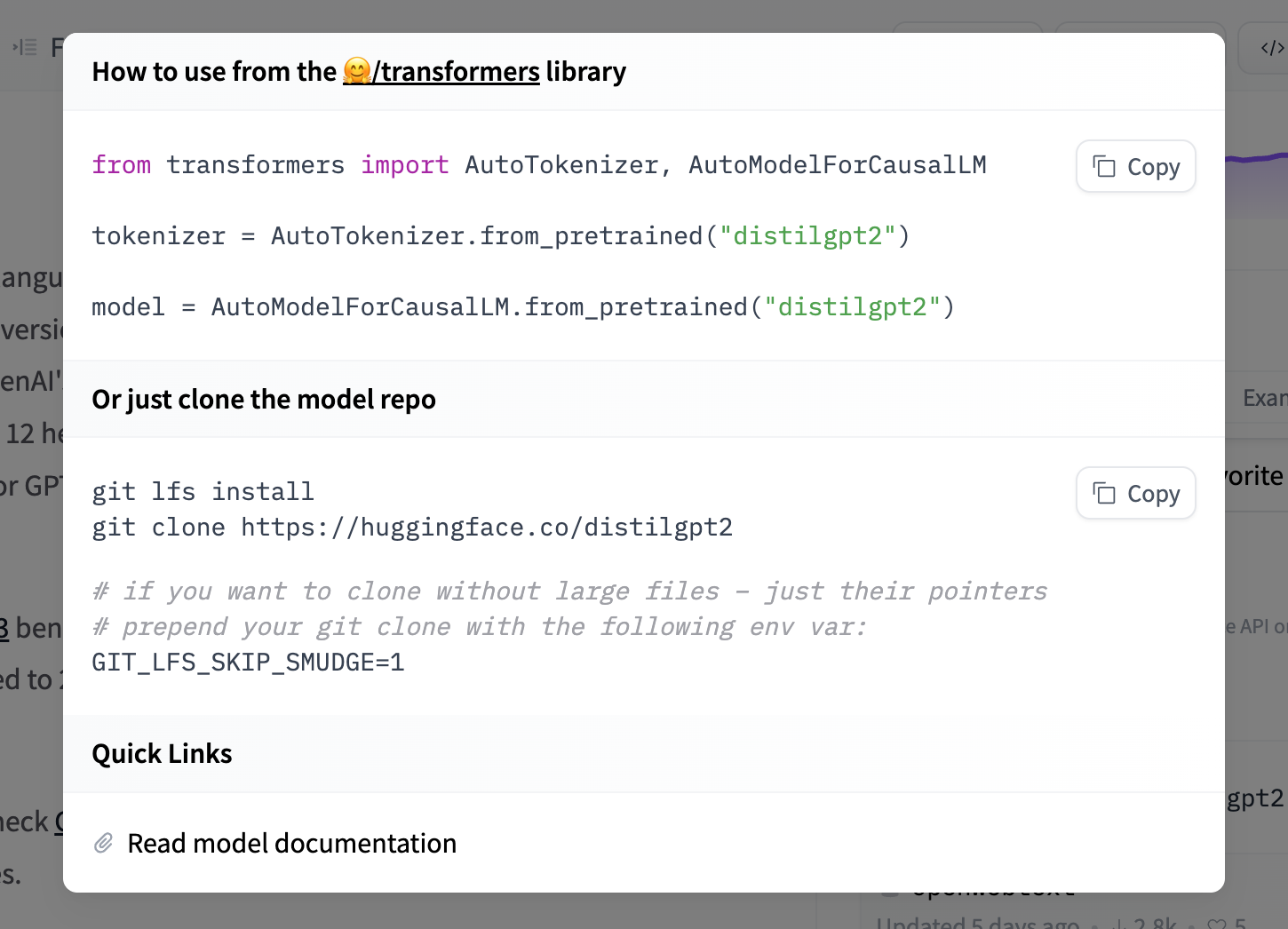
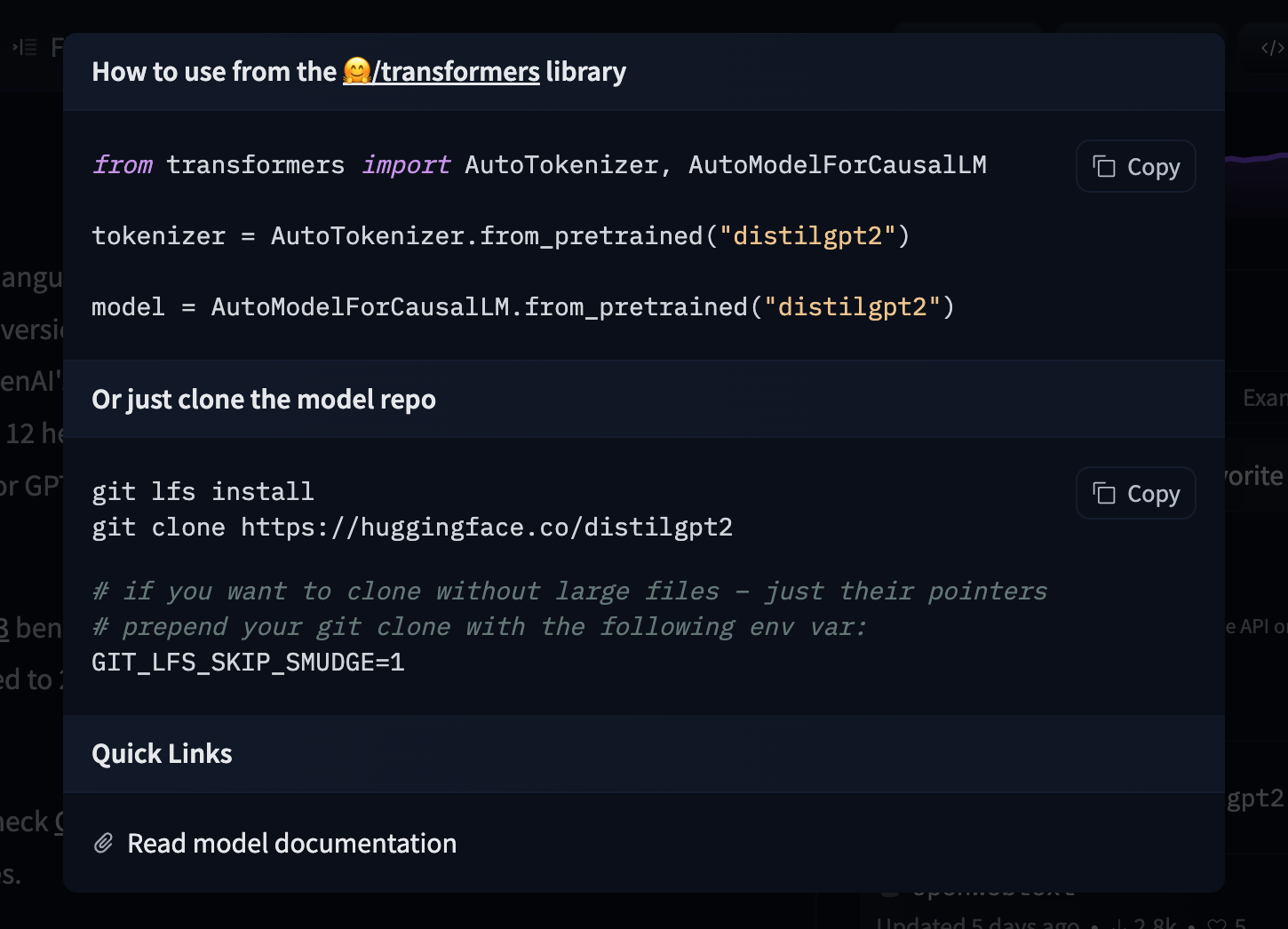
If a model on the Hub is tied to a supported library, loading the model can be done in just a few lines. For information on accessing the model, you can click on the “Use in Library” button on the model page to see how to do so. For example, distilbert/distilgpt2 shows how to do so with 🤗 Transformers below.


Using the Hugging Face Client Library
You can use the huggingface_hub library to create, delete, update and retrieve information from repos. For example, to download the HuggingFaceH4/zephyr-7b-beta model from the command line, run
hf download HuggingFaceH4/zephyr-7b-beta
See the CLI download documentation for more information.
You can also integrate this into your own library. For example, you can quickly load a Scikit-learn model with a few lines.
from huggingface_hub import hf_hub_download
import joblib

REPO_ID = "YOUR_REPO_ID"
FILENAME = "sklearn_model.joblib"

model = joblib.load(
    hf_hub_download(repo_id=REPO_ID, filename=FILENAME)
)
Using Git
Since all models on the Model Hub are Xet-backed Git repositories, you can clone the models locally by installing git-xet and running:
git xet install
git lfs install
git clone git@hf.co:<MODEL ID> # example: git clone git@hf.co:bigscience/bloom
If you have write-access to the particular model repo, you’ll also have the ability to commit and push revisions to the model.
Add your SSH public key to your user settings to push changes and/or access private repos.
Faster downloads
Test your download speed
You can test your download speed from Hugging Face’s CDN at fast.hf.co. This runs a quick bandwidth test against the nearest HF edge server, helping you understand your baseline throughput before tuning any settings.
You can also measure download speed directly from the terminal using the hf-speedtest CLI extension:
hf extensions install julien-c/hf-speedtest
hf speedtest
Adaptive concurrency with hf_xet
hf_xet is a Rust-based package leveraging the Xet storage backend to optimize file transfers with chunk-based deduplication. By default, hf_xet uses adaptive concurrency — it automatically tunes the number of parallel transfer streams based on real-time network conditions, starting conservatively (1 stream) and scaling up to 64 concurrent streams as bandwidth permits.
For most machines — including data center environments — the default settings will already saturate the available network bandwidth. For advanced users on machines with high bandwidth and at least 64 GB of RAM, HF_XET_HIGH_PERFORMANCE=1 raises concurrency bounds and significantly increases memory buffer sizes, which can help when downloading many large files in parallel.
HF_XET_HIGH_PERFORMANCE=1 hf download ...
Using hf-mount
For large models, you can mount a repo as a local filesystem with hf-mount instead of downloading the full repo. Files are fetched lazily — only the bytes your code reads hit the network.
brew install hf-mount
hf-mount start repo openai-community/gpt2 /tmp/gpt2
Repos are mounted read-only. See Mount as a Local Filesystem for full setup details, backend options, and caching.
Downloading behind a proxy or firewall
If your network restricts outbound traffic through a firewall or proxy, downloading models and datasets requires more than just huggingface.co. File contents are served from separate storage and CDN hostnames, and from_pretrained / hf download will fail if these are not reachable, even when huggingface.co itself is allowlisted.
Allowlist the following hostnames (all over HTTPS / port 443):
| Hostname | Purpose |
|---|---|
huggingface.co | Hub API, metadata, and download redirects |
cas-server.xethub.hf.co | Xet protocol APIs, download and upload (US) |
cas-server.xethub-eu.hf.co | Xet protocol APIs, download and upload (EU) |
transfer.xethub.hf.co | Xet storage download APIs (US) |
transfer.xethub-eu.hf.co | Xet storage download APIs (EU) |
us.aws.cdn.hf.co | CDN edge (US) |
us.gcp.cdn.hf.co | CDN edge (US) |
cdn-lfs-us-1.hf.co | LFS CDN (US) |
cdn-lfs-eu-1.hf.co | LFS CDN (EU) |
Downloads follow HTTP redirects from
huggingface.coto these hostnames, so allowlistinghuggingface.coalone is not sufficient. AReadTimeoutError(rather than a connection error) partway through a download usually means the initial connection succeeded but a storage or CDN host is blocked.
Wildcard behavior depends on how your proxy matches domains. Many enterprise proxies treat an allowlist entry as a suffix match that covers subdomains at any depth. If yours does, the simplest option is to allowlist the suffixes
hf.coandhuggingface.co— these cover every current and future storage and CDN endpoint.If your proxy only supports single-label wildcards (where
*.hf.comatchescdn-lfs-us-1.hf.cobut not the deeperus.aws.cdn.hf.coorcas-server.xethub.hf.co), allowlist the explicit hostnames from the table above. Note that*.xethub.hf.codoes not cover the EU hosts underxethub-eu.hf.co, and*.cdn.hf.codoes not cover the two-labelus.aws.cdn.hf.co/us.gcp.cdn.hf.co.
These hostnames may change as our storage and CDN infrastructure evolves. Where your security policy allows it, allowlist the
hf.coandhuggingface.cosuffixes (all subdomains) so your rules don’t break when a specific endpoint changes.
Machine-readable list
The hostnames above are also published as JSON at https://huggingface.co/.well-known/meta.json,
so you can generate proxy or firewall rules from it rather than copying the table by hand.
Update on GitHubThe file changes as endpoints are added and removed. Fetch it when you build your rules rather than pinning a copy.