
Hub documentation
Moderation
Moderation
Check out the Code of Conduct and the Content Guidelines.
Reporting a repository
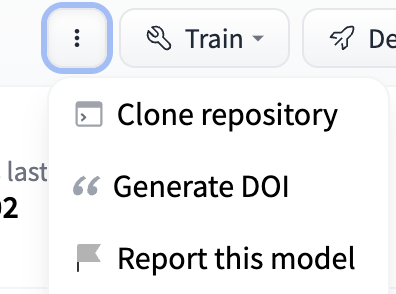
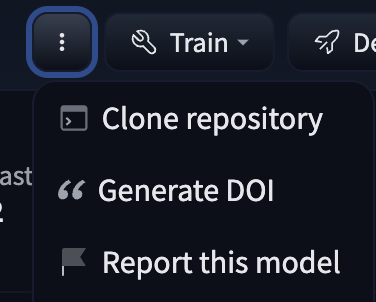
To report a repository, you can click the three dots at the top right of a repository. Afterwards, you can click “Report the repository”. This will allow you to explain what’s the reason behind the report (Ethical issue, legal issue, not working, or other) and a description for the report. Once you do this, a public discussion will be opened.
Reporting a comment
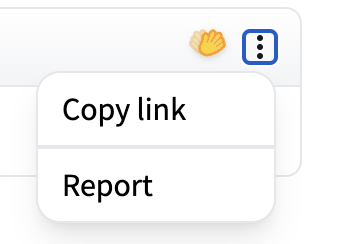
To report a comment, click the three dots at the top right of a comment and select “Report”. A modal will appear where you can describe the reason for your report — this will be reviewed by the Hugging Face moderation team.
While submitting the report, you also have the option to block the comment author at the same time. You can also block a user directly from the comment menu without filing a report — see Blocking a user below.
Blocking a user
Blocking a user prevents them from interacting with your repositories and other Hub content. When you block someone, any existing follow relationship between you and that user is also removed.
There are two ways to block a user from a discussion comment:
- From the report modal — select “Report” from the comment’s menu, fill in your reason, and check “Yes, block this user” before submitting. Use this option if you also want to report the comment to the Hugging Face moderation team.
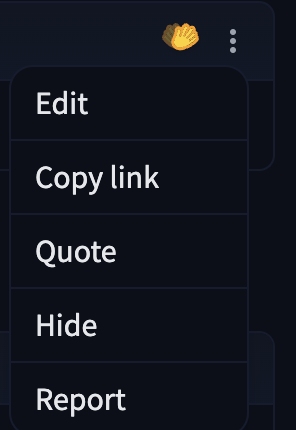
- Directly from the comment menu — click the three dots at the top right of a comment written by someone else and select “Block @username”. You will be asked to confirm before the block is applied.
Update on GitHubYou must have a confirmed email address on your account to block users.