
issue_owner_repo listlengths 2 2 | issue_body stringlengths 0 262k ⌀ | issue_title stringlengths 1 1.02k | issue_comments_url stringlengths 53 116 | issue_comments_count int64 0 2.49k | issue_created_at stringdate 1999-03-17 02:06:42 2025-06-23 11:41:49 | issue_updated_at stringdate 2000-02-10 06:43:57 2025-06-23 11:43:00 | issue_html_url stringlengths 34 97 | issue_github_id int64 132 3.17B | issue_number int64 1 215k |
|---|---|---|---|---|---|---|---|---|---|
[
"shd101wyy",
"vscode-markdown-preview-enhanced"
] | Image Helper中Copy image to workspace /assets folder功能无法使用。
具体表现:
1. 选中图片之后无法拷贝到指定的assets目录下。无论assets目录是否存在。
2. 无法在markdown文件中显示出相对路径。
环境:
Version: 1.45.0-insider (system setup) | Image Helper中Copy image to workspace /assets folder功能无法使用 | https://api.github.com/repos/shd101wyy/vscode-markdown-preview-enhanced/issues/1134/comments | 0 | 2020-04-26T14:06:33Z | 2023-08-23T02:34:24Z | https://github.com/shd101wyy/vscode-markdown-preview-enhanced/issues/1134 | 1,862,452,716 | 1,134 |
[
"shd101wyy",
"vscode-markdown-preview-enhanced"
] | 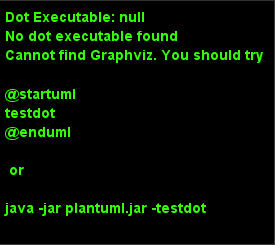
| 无法正常显示 plantuml | https://api.github.com/repos/shd101wyy/vscode-markdown-preview-enhanced/issues/1135/comments | 1 | 2020-04-26T09:51:05Z | 2023-08-23T02:34:26Z | https://github.com/shd101wyy/vscode-markdown-preview-enhanced/issues/1135 | 1,862,452,753 | 1,135 |
[
"shd101wyy",
"vscode-markdown-preview-enhanced"
] | If I have text in my markdown as `google.com`, the preview mode parses that as `http://google.com`. Is there any way to disable this so that text is parsed as link only when it is specified as say `[google](http://google.com)` or `<google.com>`? | Question: Any setting so text without protocol does not default to http:// | https://api.github.com/repos/shd101wyy/vscode-markdown-preview-enhanced/issues/1136/comments | 0 | 2020-04-26T06:57:05Z | 2023-08-23T02:34:28Z | https://github.com/shd101wyy/vscode-markdown-preview-enhanced/issues/1136 | 1,862,452,778 | 1,136 |
[
"shd101wyy",
"vscode-markdown-preview-enhanced"
] | Hello, thanks so much for an amazing package. I had a small question: how can I get syntax highlighting in Atom to match the first screenshot in the readme ([here](https://user-images.githubusercontent.com/1908863/28227953-eb6eefa4-68a1-11e7-8769-96ea83facf3b.png) or [here](https://shd101wyy.github.io/markdown-preview-... | Question: What is the theme used for syntax highlighting in the first screenshot of the readme? | https://api.github.com/repos/shd101wyy/vscode-markdown-preview-enhanced/issues/1137/comments | 1 | 2020-04-25T16:39:23Z | 2023-08-23T02:34:30Z | https://github.com/shd101wyy/vscode-markdown-preview-enhanced/issues/1137 | 1,862,452,801 | 1,137 |
[
"shd101wyy",
"vscode-markdown-preview-enhanced"
] | I use MPE as a notebook in complement with VSCode. All my notes are stored in a Git repo, hosted at Gitlab.com.
I have a little issue with inline math expressions. By default, MPE uses "$" as delimiters for inline math expression. But according to [this page](https://docs.gitlab.com/ee/user/markdown.html#math), Gitl... | New mathInlineDelimiters not taken in account | https://api.github.com/repos/shd101wyy/vscode-markdown-preview-enhanced/issues/1138/comments | 2 | 2020-04-25T14:58:47Z | 2023-08-23T02:34:33Z | https://github.com/shd101wyy/vscode-markdown-preview-enhanced/issues/1138 | 1,862,452,823 | 1,138 |
[
"shd101wyy",
"vscode-markdown-preview-enhanced"
] | Hi, Please consider adding support for processing.js code snippets: http://processingjs.org | Feature Request: Add support for processing.js | https://api.github.com/repos/shd101wyy/vscode-markdown-preview-enhanced/issues/1139/comments | 0 | 2020-04-24T17:30:04Z | 2023-08-23T02:34:35Z | https://github.com/shd101wyy/vscode-markdown-preview-enhanced/issues/1139 | 1,862,452,839 | 1,139 |
[
"shd101wyy",
"vscode-markdown-preview-enhanced"
] | Hi,
I used Atom 1.43 and I recently update markdown-preview-enhanced to 0.17.8 version.
I used to set the following yalm header for html export :
```
---
export_on_save:
html: true
html:
toc: true
print_background: true
---
```
However, the sidebar TOC in html export no longer available sin... | Sidebar TOC in html export no longer available | https://api.github.com/repos/shd101wyy/vscode-markdown-preview-enhanced/issues/1140/comments | 2 | 2020-04-23T12:49:24Z | 2023-08-23T02:34:37Z | https://github.com/shd101wyy/vscode-markdown-preview-enhanced/issues/1140 | 1,862,452,860 | 1,140 |
[
"shd101wyy",
"vscode-markdown-preview-enhanced"
] | The update of [Plantuml from 19. Apr](https://plantuml.com/de/news) breaks some diagrams if they use functions. The functions have to be replaced with procedures which aren't supported in the version of this plugin.
Therefore I have to choose whether the diagram should be displayable in Atom or on our GitLab server. | PlantUML update required | https://api.github.com/repos/shd101wyy/vscode-markdown-preview-enhanced/issues/1141/comments | 4 | 2020-04-23T09:17:59Z | 2023-08-23T02:34:39Z | https://github.com/shd101wyy/vscode-markdown-preview-enhanced/issues/1141 | 1,862,452,891 | 1,141 |
[
"shd101wyy",
"vscode-markdown-preview-enhanced"
] | Can you please provide the support of rendering [tinymind](https://github.com/1354092549/vscode-markdown-tinymind)? | Support for tinymind plugin | https://api.github.com/repos/shd101wyy/vscode-markdown-preview-enhanced/issues/340/comments | 0 | 2020-04-23T04:44:48Z | 2020-04-23T04:44:48Z | https://github.com/shd101wyy/vscode-markdown-preview-enhanced/issues/340 | 605,234,597 | 340 |
[
"shd101wyy",
"vscode-markdown-preview-enhanced"
] | Hello, congratulations for the amazing work!
When I execute a `javascript {cmd=true}` code chunk, it runs fine (for example with Plotly).
But if I run Ctrl+Shift+Enter, to execute all of them, then it becomes an error `Error: spawn javascript ENOENT`.
Any clue why this happens?
P.S.: this also happens if I se... | Javascript Code Chunks only execute individually | https://api.github.com/repos/shd101wyy/vscode-markdown-preview-enhanced/issues/1142/comments | 2 | 2020-04-22T19:55:48Z | 2023-08-23T02:34:42Z | https://github.com/shd101wyy/vscode-markdown-preview-enhanced/issues/1142 | 1,862,452,917 | 1,142 |
[
"shd101wyy",
"vscode-markdown-preview-enhanced"
] | I' using pandoc to render to a Word/PDF document. At some point - I don't know exactly when - inline PlantUML isn't rendered to the target file anymore, instead this error message is included in the target file (Word or PDF) which is giving me a headache.
```
Error: imagemagick-cli failure
sh: switchml: line 1: sy... | pandoc rendering/embedded plantuml fails | https://api.github.com/repos/shd101wyy/vscode-markdown-preview-enhanced/issues/1143/comments | 1 | 2020-04-21T09:47:30Z | 2023-08-23T02:34:44Z | https://github.com/shd101wyy/vscode-markdown-preview-enhanced/issues/1143 | 1,862,452,936 | 1,143 |
[
"shd101wyy",
"vscode-markdown-preview-enhanced"
] | I cannot open link URL with multiple parameters. (e.g. google search result url)
URL text after "&" is ignored.
How can I solve this problem?
thanks. | Unable to open URL with multiple parameters | https://api.github.com/repos/shd101wyy/vscode-markdown-preview-enhanced/issues/1144/comments | 1 | 2020-04-21T06:24:40Z | 2023-08-23T02:34:46Z | https://github.com/shd101wyy/vscode-markdown-preview-enhanced/issues/1144 | 1,862,452,969 | 1,144 |
[
"shd101wyy",
"vscode-markdown-preview-enhanced"
] | Thanks for reading this.
I know there is already a bunch of ways to generate PDF document in Markdown Preview Enhanced. While I found Puppeteer can not handle characters with font fallback, such as Chinese-English mixed, correctly. In this case, all glyphs of Chinese characters are correct (in other words, readable.... | [wish] Add "export to PDF" feature handled by Firefox | https://api.github.com/repos/shd101wyy/vscode-markdown-preview-enhanced/issues/1145/comments | 0 | 2020-04-21T04:31:37Z | 2023-08-23T02:34:48Z | https://github.com/shd101wyy/vscode-markdown-preview-enhanced/issues/1145 | 1,862,452,988 | 1,145 |
[
"shd101wyy",
"vscode-markdown-preview-enhanced"
] | Simple markdown
```markdown
## asdasd
$ asdasd $
```
exports with HTML (offline) to a corrupted document, because it wants to load
`vscode-resource:///c:/Users/XXXXXXX/.vscode/extensions/shd101wyy.markdown-preview-enhanced-0.5.3/node_modules/@shd101wyy/mume/dependencies/mathjax/jax/input/TeX/config.js?V=2.7.5... | offline export does not work because of `vscode-resource::` | https://api.github.com/repos/shd101wyy/vscode-markdown-preview-enhanced/issues/339/comments | 2 | 2020-04-20T10:20:48Z | 2022-06-06T09:17:27Z | https://github.com/shd101wyy/vscode-markdown-preview-enhanced/issues/339 | 603,121,832 | 339 |
[
"shd101wyy",
"vscode-markdown-preview-enhanced"
] | 平时会经常涉及到任务的安排、调整。希望有此功能 | 是否可以增加gantt图的绘制功能 | https://api.github.com/repos/shd101wyy/vscode-markdown-preview-enhanced/issues/1146/comments | 0 | 2020-04-20T02:23:10Z | 2023-08-23T02:34:50Z | https://github.com/shd101wyy/vscode-markdown-preview-enhanced/issues/1146 | 1,862,453,010 | 1,146 |
[
"shd101wyy",
"vscode-markdown-preview-enhanced"
] | This is a small bug report. The table of contents feature which automatically updates on document save is wonderful. Unfortunately, when the table of contents is placed within a markdown HTML element, it no longer updates. E.g.:
```md
<details markdown>
<summary>Table of Contents…</summary>
<!-- @import "[TOC]"... | [bug] Table of contents not update within markdown HTML | https://api.github.com/repos/shd101wyy/vscode-markdown-preview-enhanced/issues/1147/comments | 0 | 2020-04-20T01:48:01Z | 2023-08-23T02:34:53Z | https://github.com/shd101wyy/vscode-markdown-preview-enhanced/issues/1147 | 1,862,453,043 | 1,147 |
[
"shd101wyy",
"vscode-markdown-preview-enhanced"
] | @import "你的文件" 无法自定义编码 | 希望添加对导入文件自定义编码的支持 | https://api.github.com/repos/shd101wyy/vscode-markdown-preview-enhanced/issues/1148/comments | 1 | 2020-04-17T02:54:39Z | 2023-08-23T02:34:55Z | https://github.com/shd101wyy/vscode-markdown-preview-enhanced/issues/1148 | 1,862,453,061 | 1,148 |
[
"shd101wyy",
"vscode-markdown-preview-enhanced"
] | I want to export my markdown file as html with the TOC as a sidebar, but I can get it to work. Can any one provide a simple example on how to do this? :) | Cant use configurations | https://api.github.com/repos/shd101wyy/vscode-markdown-preview-enhanced/issues/1149/comments | 5 | 2020-04-16T11:43:01Z | 2023-08-23T02:34:57Z | https://github.com/shd101wyy/vscode-markdown-preview-enhanced/issues/1149 | 1,862,453,080 | 1,149 |
[
"shd101wyy",
"vscode-markdown-preview-enhanced"
] | This is my code:
```mermaid
classDiagram
AAAA-->BBBB
AAAA --> CCCC
AAAA --> DDDD
AAAA --> EEEE
CCCC --> KKKK
BBBB <--> CCCC
DDDD --> FFFF
DDDD <--> GGGG
DDDD --> HHHH
DDDD --> IIII
IIII ..> HHHH
IIII ..> JJJ
IIII ..> JJJ
DDDD --> JJJ
DDDD... | Line is hidden in Mermaid classDiagram. | https://api.github.com/repos/shd101wyy/vscode-markdown-preview-enhanced/issues/1150/comments | 0 | 2020-04-15T06:01:42Z | 2023-08-23T02:34:59Z | https://github.com/shd101wyy/vscode-markdown-preview-enhanced/issues/1150 | 1,862,453,097 | 1,150 |
[
"shd101wyy",
"vscode-markdown-preview-enhanced"
] | 希望可以增加一个解析ruby标签的功能,它把诸如
{私/わたし}解析成<ruby>私<rt>わたし</rt></ruby>
{漢字|かん|じ} 解析成 <ruby>漢<rt>かん</rt>字<rt>じ</rt></ruby> | 对<ruby>的支持 | https://api.github.com/repos/shd101wyy/vscode-markdown-preview-enhanced/issues/1151/comments | 1 | 2020-04-14T18:38:07Z | 2023-08-23T02:35:01Z | https://github.com/shd101wyy/vscode-markdown-preview-enhanced/issues/1151 | 1,862,453,120 | 1,151 |
[
"shd101wyy",
"vscode-markdown-preview-enhanced"
] | How can I use dark theme for preview panel? Thank you. | Dark theme for preview panel | https://api.github.com/repos/shd101wyy/vscode-markdown-preview-enhanced/issues/336/comments | 3 | 2020-04-13T04:07:52Z | 2022-02-10T11:31:18Z | https://github.com/shd101wyy/vscode-markdown-preview-enhanced/issues/336 | 598,660,100 | 336 |
[
"shd101wyy",
"vscode-markdown-preview-enhanced"
] | Hi, I looked up on [this site](http://www.tapdancinggoats.com/latex-vector-notation.htm) and found out that one should be able to type `\renewcommand{\vec}[1]{\mathbf{#1}}` in its latex document, and vectors will be rendered in **bold** notation instead of in an arrow.
I tried a couple of more online markdown previ... | $\renewcommand{\vec}[1]{\mathbf{#1}}$ Does Not Work | https://api.github.com/repos/shd101wyy/vscode-markdown-preview-enhanced/issues/335/comments | 0 | 2020-04-13T01:47:21Z | 2021-01-11T02:30:34Z | https://github.com/shd101wyy/vscode-markdown-preview-enhanced/issues/335 | 598,621,442 | 335 |
[
"shd101wyy",
"vscode-markdown-preview-enhanced"
] | I'm trying to embed video files into my markdown. Using HTML tags along with encoding the absolute filepath works when displaying the corresponding html in the browser, but doesn't work in the preview of VSCode. Any ideas? | Support to embed mp4 files | https://api.github.com/repos/shd101wyy/vscode-markdown-preview-enhanced/issues/1152/comments | 0 | 2020-04-11T18:24:27Z | 2023-08-23T02:35:04Z | https://github.com/shd101wyy/vscode-markdown-preview-enhanced/issues/1152 | 1,862,453,149 | 1,152 |
[
"shd101wyy",
"vscode-markdown-preview-enhanced"
] | Issue Type: <b>Bug</b>
The "Markdown Preview" extension works well with the graphviz language while the "Markdown Preview Enhanced" extension (which claims an enhanced one to the former) does not.
Quite weird.
The code block looks like below:
```graphviz
digraph finite_state_machine {
rankdir=LR;
... | graphviz dot code blocks does not render | https://api.github.com/repos/shd101wyy/vscode-markdown-preview-enhanced/issues/334/comments | 2 | 2020-04-09T07:49:18Z | 2020-04-20T14:06:43Z | https://github.com/shd101wyy/vscode-markdown-preview-enhanced/issues/334 | 597,090,685 | 334 |
[
"shd101wyy",
"vscode-markdown-preview-enhanced"
] | If you have a big markdown file, it would be nice to not have to disable live update.
Rather we could have a configurable delay in milliseconds after the first change since previous update. This way, you don't get consistent lagging and also don't have to trigger live update manually. | Add Update Frequency | https://api.github.com/repos/shd101wyy/vscode-markdown-preview-enhanced/issues/1153/comments | 0 | 2020-04-07T10:07:30Z | 2023-08-23T02:35:06Z | https://github.com/shd101wyy/vscode-markdown-preview-enhanced/issues/1153 | 1,862,453,177 | 1,153 |
[
"shd101wyy",
"vscode-markdown-preview-enhanced"
] | 首先,十分抱歉地是最近我没有特别地关注 MPE 项目,所以导致了现在有 600 多个 issues 没有解决和关闭,而且还留了很多 bugs。修复这些问题会花费我一些时间。
最近我一直在开发另外一个 markdown 相关的项目:[Crossnote](http://github.com/0xGG/crossnote)。这是一款 markdown 笔记程序,使用了类似于 Typora 的所见即所得编辑器,以及支持直接不依靠服务器在浏览器端实现笔记本与 git 仓库进行同步(如果 CORS 代理不算服务器的话)。
现在我在考虑移动一些 Crossnote 的功能到 MPE 插件中,然后我想和社区讨论一下你们对这件事情的看法... | [讨论]未来的开发计划 | https://api.github.com/repos/shd101wyy/vscode-markdown-preview-enhanced/issues/1154/comments | 17 | 2020-04-07T03:45:33Z | 2023-08-23T02:35:08Z | https://github.com/shd101wyy/vscode-markdown-preview-enhanced/issues/1154 | 1,862,453,228 | 1,154 |
[
"shd101wyy",
"vscode-markdown-preview-enhanced"
] | First of all, I am sorry that I didn't pay much attension to the MPE project. Right now there are more than 600 issues open & unresolved, and so many bugs left. It will take me some time to get them closed.
Recently, I have been working on another markdown related project: [Crossnote](http://github.com/0xGG/cross... | [Discussion] Future development plans | https://api.github.com/repos/shd101wyy/vscode-markdown-preview-enhanced/issues/1155/comments | 4 | 2020-04-07T03:44:36Z | 2023-08-23T02:35:11Z | https://github.com/shd101wyy/vscode-markdown-preview-enhanced/issues/1155 | 1,862,453,262 | 1,155 |
[
"shd101wyy",
"vscode-markdown-preview-enhanced"
] | I made some large graph by Mermaid, it shows nice in preview, but it has wired shows in exported HTML. Should I have some special setting for export?
In preview:
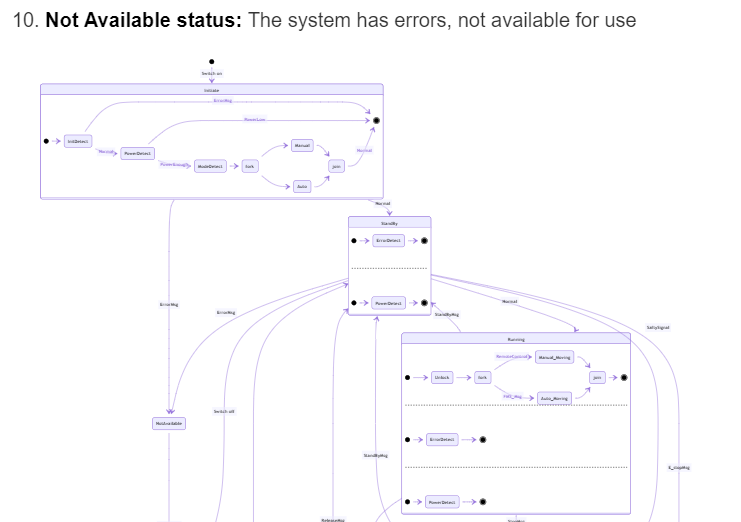
Export to html:


| 使用深色模式后platuml的字体颜色没有变化 | https://api.github.com/repos/shd101wyy/vscode-markdown-preview-enhanced/issues/1159/comments | 1 | 2020-04-06T10:45:21Z | 2023-08-23T02:35:19Z | https://github.com/shd101wyy/vscode-markdown-preview-enhanced/issues/1159 | 1,862,453,410 | 1,159 |
[
"shd101wyy",
"vscode-markdown-preview-enhanced"
] | First: wonderful work!
It would be very convenient to have keybindings for the items given in the contextual menu when right clicking in the preview pane. Instead of right-clicking the preview pane and click on for example Pandoc.
Your `pandoc document export` is the only markdown-with-YAML-headers-file converter... | keybinding for `pandoc document export` | https://api.github.com/repos/shd101wyy/vscode-markdown-preview-enhanced/issues/333/comments | 0 | 2020-04-06T09:19:26Z | 2020-04-06T09:19:26Z | https://github.com/shd101wyy/vscode-markdown-preview-enhanced/issues/333 | 594,944,955 | 333 |
[
"shd101wyy",
"vscode-markdown-preview-enhanced"
] | First: wonderful work!
It would be very convenient to have keybindings for the items given in the contextual menu when right clicking in the preview pane.
Your `pandoc document export` is the only markdown with YAML headers converter out there, I use it all the time. A keybinding to that item (and maybe the other... | keybindings for items in contextual menu | https://api.github.com/repos/shd101wyy/vscode-markdown-preview-enhanced/issues/1160/comments | 0 | 2020-04-05T19:46:04Z | 2023-08-23T02:35:21Z | https://github.com/shd101wyy/vscode-markdown-preview-enhanced/issues/1160 | 1,862,453,433 | 1,160 |
[
"shd101wyy",
"vscode-markdown-preview-enhanced"
] | \`\`\`latex {cmd=true hide=true}
\documentclass{standalone}
\begin{document}
Hello world!
\end{document}
\`\`\`
\`\`\`python {cmd=true hide=true}
print("Hello world")
\`\`\`
\`\`\`bash {cmd=true hide=true}
echo Hello world
\`\`\`
These code chunk works in normal mode. But after inserting slide, run cod... | Run code chunk not works in presentation mode | https://api.github.com/repos/shd101wyy/vscode-markdown-preview-enhanced/issues/1161/comments | 1 | 2020-04-02T06:31:42Z | 2023-08-23T02:35:24Z | https://github.com/shd101wyy/vscode-markdown-preview-enhanced/issues/1161 | 1,862,453,457 | 1,161 |
[
"shd101wyy",
"vscode-markdown-preview-enhanced"
] | Sometimes, the preview will be like this. How can I solve this problem?
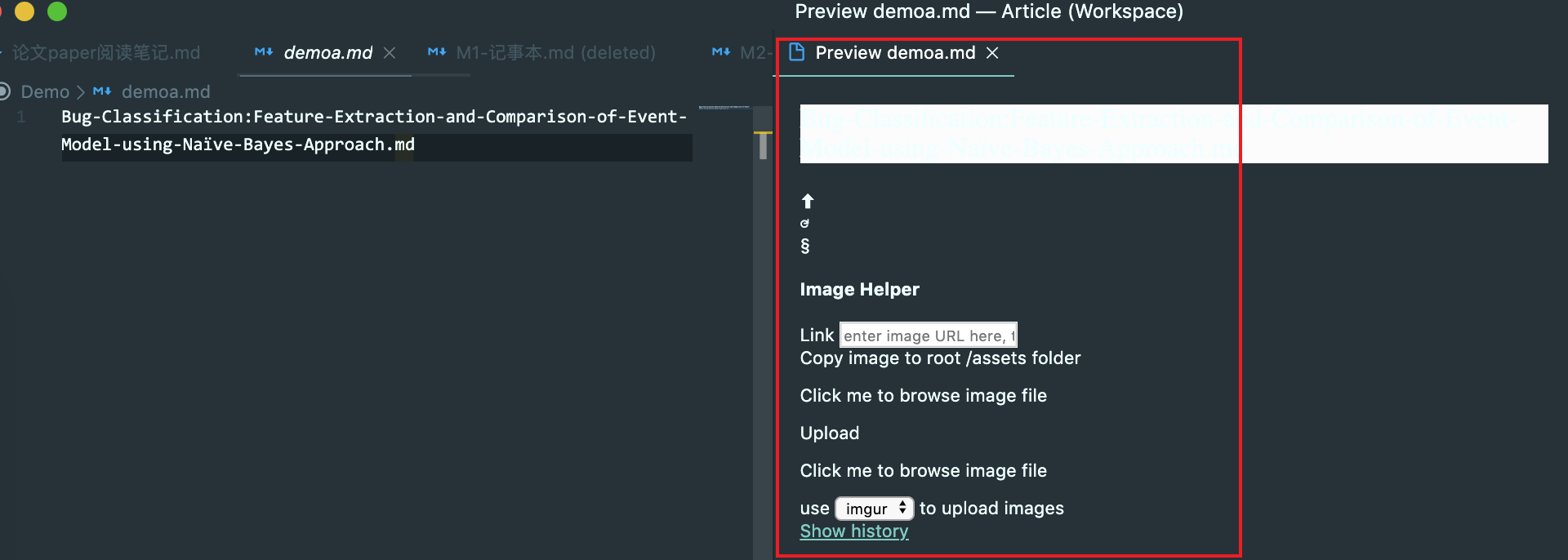
Thanks! | Image Helper Link enter image URL here... | https://api.github.com/repos/shd101wyy/vscode-markdown-preview-enhanced/issues/1162/comments | 2 | 2020-04-02T00:31:08Z | 2023-08-23T02:35:26Z | https://github.com/shd101wyy/vscode-markdown-preview-enhanced/issues/1162 | 1,862,453,479 | 1,162 |
[
"shd101wyy",
"vscode-markdown-preview-enhanced"
] | I am currently searching a way to avoid a page break after a header (so the header and the first paragraph are not seperated by the page break) in the generated PDF. However, this code does not work:
```
h1, h2, h3 {
page-break-after: avoid;
}
```
I put this line into my custom less-file that I import wit... | Avoid page-break after header in PDF | https://api.github.com/repos/shd101wyy/vscode-markdown-preview-enhanced/issues/1163/comments | 0 | 2020-04-01T03:42:13Z | 2023-08-23T02:35:28Z | https://github.com/shd101wyy/vscode-markdown-preview-enhanced/issues/1163 | 1,862,453,519 | 1,163 |
[
"shd101wyy",
"vscode-markdown-preview-enhanced"
] | 你好,现在我在两台主机(一台物理机,一台虚拟机)上,操作系统,jre版本,vs版本,固件版本全一致的情况下,出现一台显示正常,另一台虚拟机plantuml预览间隙大的情况。
我在chrome里打开查看生成的svg,发现间隙大的里面height高度非常大,发现这种情况仅存在圆括号括起的用例图,且箭头带注释的情况中,这个怎么调整呢?代码和具体展示如下:
```plantuml
(fcp)->(datapro):haha
(datapro)-->(algo):hit
```
在物理主机上这个预览就显示的挺正常的,haha和hit紧贴着箭头连线,在虚拟机上就不行,而且该图和上方还有特别大的间距
| plantuml部分预览间距巨大 | https://api.github.com/repos/shd101wyy/vscode-markdown-preview-enhanced/issues/331/comments | 0 | 2020-04-01T03:30:39Z | 2020-04-01T06:36:39Z | https://github.com/shd101wyy/vscode-markdown-preview-enhanced/issues/331 | 591,591,464 | 331 |
[
"shd101wyy",
"vscode-markdown-preview-enhanced"
] | 
Hi, I want to change the background color of `- [ ]`. The default color, white, is too dazzling. I don't know where to set this. Can you help me?
BTW, how can I change the style of block in markdown-prev... | How to change the the background color of to do list? | https://api.github.com/repos/shd101wyy/vscode-markdown-preview-enhanced/issues/1164/comments | 0 | 2020-04-01T01:53:47Z | 2023-08-23T02:35:30Z | https://github.com/shd101wyy/vscode-markdown-preview-enhanced/issues/1164 | 1,862,453,545 | 1,164 |
[
"shd101wyy",
"vscode-markdown-preview-enhanced"
] | 如以下代码
```markdown
```flow
st=>start: Start
op=>operation: Your Operation
cond=>condition: Yes or No?
e=>end
st->op->cond
cond(yes)->e
cond(no)->op
```
```

| latex代码块,在html中运行渲染的时候出现了乱码 | https://api.github.com/repos/shd101wyy/vscode-markdown-preview-enhanced/issues/1166/comments | 1 | 2020-03-30T10:19:17Z | 2023-08-23T02:35:35Z | https://github.com/shd101wyy/vscode-markdown-preview-enhanced/issues/1166 | 1,862,453,598 | 1,166 |
[
"shd101wyy",
"vscode-markdown-preview-enhanced"
] | <div align=center><img src="https://user-images.githubusercontent.com/46078304/77878860-e79bf600-728b-11ea-8cc5-253ba3a7d385.png?x-oss-process=image/watermark,type_ZmFuZ3poZW5naGVpdGk,shadow_40,text_ICBAU0hXRUkgIA==,size_25,color_FFFFFF,t_50,g_nw" width="77%"/><p>(A)</p></div>
<div align=center><img src="https://use... | How to delete the background color of markdown quote | https://api.github.com/repos/shd101wyy/vscode-markdown-preview-enhanced/issues/1167/comments | 1 | 2020-03-30T05:43:29Z | 2023-08-23T02:35:37Z | https://github.com/shd101wyy/vscode-markdown-preview-enhanced/issues/1167 | 1,862,453,620 | 1,167 |
[
"shd101wyy",
"vscode-markdown-preview-enhanced"
] | When chapters are folded in the source code, the alignment of the preview with the source code is no longer correct. Especially clear if the fold is above where you are editing. | Using folds causes wrong preview alignment with source code | https://api.github.com/repos/shd101wyy/vscode-markdown-preview-enhanced/issues/329/comments | 0 | 2020-03-29T14:25:58Z | 2020-03-29T14:25:58Z | https://github.com/shd101wyy/vscode-markdown-preview-enhanced/issues/329 | 589,804,058 | 329 |
[
"shd101wyy",
"vscode-markdown-preview-enhanced"
] | I often need to convert a Markdown to LaTex with Pandoc, and then obtain a PDFLaTex rendering.
Is there a way to preview .md files directly as if they where converted to LaTex by Pandoc and then rendered with PDFLaTex ?
Many thanks | Preview markdown as pdflatex | https://api.github.com/repos/shd101wyy/vscode-markdown-preview-enhanced/issues/1168/comments | 1 | 2020-03-28T11:08:49Z | 2023-08-23T02:35:40Z | https://github.com/shd101wyy/vscode-markdown-preview-enhanced/issues/1168 | 1,862,453,651 | 1,168 |
[
"shd101wyy",
"vscode-markdown-preview-enhanced"
] | Hello, it would be great if the @import function would support XSL stylesheets when importing an XML file. I have many configuration files in XML which I could add to documentation if they were in a more readable form.
I know that this is probably possible using code chunk somehow, but this would really make it easier... | XML file import using XSL stylesheet | https://api.github.com/repos/shd101wyy/vscode-markdown-preview-enhanced/issues/1169/comments | 0 | 2020-03-27T18:27:02Z | 2023-08-23T02:35:42Z | https://github.com/shd101wyy/vscode-markdown-preview-enhanced/issues/1169 | 1,862,453,673 | 1,169 |
[
"shd101wyy",
"vscode-markdown-preview-enhanced"
] | Hello.
Since i'm at home for a while, I tried to type some markdown documents using atom and markdown preview enhanced. When exporting to html (cdn hosted), math doesn't render (only the latex code). I don't remember what is the good config. My old .html with math run good…
Thanks for your help ! | rendering mathjax to html | https://api.github.com/repos/shd101wyy/vscode-markdown-preview-enhanced/issues/1170/comments | 2 | 2020-03-27T11:20:18Z | 2023-08-23T02:35:44Z | https://github.com/shd101wyy/vscode-markdown-preview-enhanced/issues/1170 | 1,862,453,694 | 1,170 |
[
"shd101wyy",
"vscode-markdown-preview-enhanced"
] | Hi I was trying to use VSC as a substitute of MATALB's [live script](https://www.mathworks.com/help/matlab/live-scripts-and-functions.html) since MATLAB is too huge for me in most time and, MATLAB is **too** ugly.
I first tried to run the code as a script because MATLAB provides a way to do that. Here is how you run... | MATLAB code chunk support | https://api.github.com/repos/shd101wyy/vscode-markdown-preview-enhanced/issues/1171/comments | 1 | 2020-03-27T06:25:21Z | 2023-08-23T02:35:46Z | https://github.com/shd101wyy/vscode-markdown-preview-enhanced/issues/1171 | 1,862,453,721 | 1,171 |
[
"shd101wyy",
"vscode-markdown-preview-enhanced"
] | 通过css只能设置背景颜色
```
.mume.markdown-preview{
backgroud-color: black
```
不支持`backgroud-image`属性 | 无法自定义背景图片 | https://api.github.com/repos/shd101wyy/vscode-markdown-preview-enhanced/issues/328/comments | 0 | 2020-03-25T10:11:00Z | 2020-03-25T10:11:00Z | https://github.com/shd101wyy/vscode-markdown-preview-enhanced/issues/328 | 587,583,539 | 328 |
[
"shd101wyy",
"vscode-markdown-preview-enhanced"
] | Steps to reproduce:
1. Have the following keybinding:
```
{"key": "ctrl+h", "command": "workbench.action.focusLeftGroup"},
```
which allows me to use Ctrl+h to move to the left editor group.
2. Open a markdown file, and "open the preview to side"
3. Move focus to the preview window on the right side
4. ... | Keybinding for "focusLeftGroup" stops working after opening preview to side | https://api.github.com/repos/shd101wyy/vscode-markdown-preview-enhanced/issues/327/comments | 0 | 2020-03-24T09:02:31Z | 2020-03-24T09:02:31Z | https://github.com/shd101wyy/vscode-markdown-preview-enhanced/issues/327 | 586,802,637 | 327 |
[
"shd101wyy",
"vscode-markdown-preview-enhanced"
] | Have added the following code at the top of my Markdown file.
---
ebook:
epub:
no-default-epub-cover: true
---
When I open the epub file (Calibre or EPUBreader extension in Chrome) I still see a blank title page with the word tile on it. Just want the document with no title page. | blank e-pub cover still generated | https://api.github.com/repos/shd101wyy/vscode-markdown-preview-enhanced/issues/1172/comments | 0 | 2020-03-22T21:19:28Z | 2023-08-23T02:35:48Z | https://github.com/shd101wyy/vscode-markdown-preview-enhanced/issues/1172 | 1,862,453,740 | 1,172 |
[
"shd101wyy",
"vscode-markdown-preview-enhanced"
] | First, I want to thanks for the great work you're doing 👍
I was trying to center the title but I don't know the syntax. Can you help me?
```
.markdown-preview.markdown-preview {
// modify your style here
// eg: background-color: blue;
font-size: 19px;
// font-family: "Consolas";
font-family: "新宋体";
... | How to center the H1 title ? | https://api.github.com/repos/shd101wyy/vscode-markdown-preview-enhanced/issues/1173/comments | 3 | 2020-03-20T01:56:37Z | 2023-08-23T02:35:50Z | https://github.com/shd101wyy/vscode-markdown-preview-enhanced/issues/1173 | 1,862,453,761 | 1,173 |
[
"shd101wyy",
"vscode-markdown-preview-enhanced"
] | ```
{
"key": "shift+enter",
"command": "markdown-preview-enhanced.runCodeChunk",
"when": "editorLangId == 'markdown'"
}
```
this command `when` should be changed to `!findInputFocussed && editorLangId == 'markdown'` | Extension overriding previous selection shortcut | https://api.github.com/repos/shd101wyy/vscode-markdown-preview-enhanced/issues/326/comments | 1 | 2020-03-19T19:06:24Z | 2025-06-07T20:48:19Z | https://github.com/shd101wyy/vscode-markdown-preview-enhanced/issues/326 | 584,634,639 | 326 |
[
"shd101wyy",
"vscode-markdown-preview-enhanced"
] | [How it should render](https://mermaid-js.github.io/mermaid-live-editor/#/view/eyJjb2RlIjoic2VxdWVuY2VEaWFncmFtXG5cdEFsaWNlLT4-K0pvaG46IEhlbGxvIEpvaG4sIGhvdyBhcmUgeW91P1xuXHRBbGljZS0-PitKb2huOiBKb2huLCBjYW4geW91IGhlYXIgbWU_XG5cdEpvaG4tLT4-LUFsaWNlOiBIaSBBbGljZSwgSSBjYW4gaGVhciB5b3UhXG4gIE5vdGUgcmlnaHQgb2Ygam9objogTG9yZ... | Mermaid: New line does not work in Notes | https://api.github.com/repos/shd101wyy/vscode-markdown-preview-enhanced/issues/1174/comments | 2 | 2020-03-19T16:30:08Z | 2023-08-23T02:35:52Z | https://github.com/shd101wyy/vscode-markdown-preview-enhanced/issues/1174 | 1,862,453,793 | 1,174 |
[
"shd101wyy",
"vscode-markdown-preview-enhanced"
] | Thank the authors for their wonderful job at first! I really appreciate this extension and like it quite a lot. I am using it heavily to write docs. At the same time, I found the available documentation is a bit limited.
While I am trying to define my own `style.css`, I found that the documentation in this [page](ht... | About refining the documentation regarding style.less | https://api.github.com/repos/shd101wyy/vscode-markdown-preview-enhanced/issues/1175/comments | 0 | 2020-03-19T13:52:39Z | 2023-08-23T02:35:55Z | https://github.com/shd101wyy/vscode-markdown-preview-enhanced/issues/1175 | 1,862,453,816 | 1,175 |
[
"shd101wyy",
"vscode-markdown-preview-enhanced"
] | In the file
```
[TOC]
## [Atom](https://en.wikipedia.org/wiki/Atom_(text_editor))
```
the Editor should render the last closing bracket grey (= part of the link), but it is rendered white (= normal text) instead.
Also, the Preview incorrectly includes this closing bracket in the TOC entry ("Atom)" in this... | Wrong TOC entry for external link with ')' | https://api.github.com/repos/shd101wyy/vscode-markdown-preview-enhanced/issues/1176/comments | 0 | 2020-03-19T07:00:53Z | 2023-08-23T02:35:57Z | https://github.com/shd101wyy/vscode-markdown-preview-enhanced/issues/1176 | 1,862,453,842 | 1,176 |
[
"shd101wyy",
"vscode-markdown-preview-enhanced"
] | # knsv
Hello:
I can't visit the site `https://knsv.github.io/mermaid/#flowcharts-basic-syntax` | Knsv404 not found | https://api.github.com/repos/shd101wyy/vscode-markdown-preview-enhanced/issues/1177/comments | 0 | 2020-03-15T03:26:49Z | 2023-08-23T02:35:59Z | https://github.com/shd101wyy/vscode-markdown-preview-enhanced/issues/1177 | 1,862,453,882 | 1,177 |
[
"shd101wyy",
"vscode-markdown-preview-enhanced"
] | Hi,
I'm trying to enable full width for html and it doesn't seem to be working. I've followed the steps in a previously closed issue, and this is my .markdown-preview-enhanced-custom modification in style.less:
 | https://api.github.com/repos/shd101wyy/vscode-markdown-preview-enhanced/issues/1180/comments | 8 | 2020-03-08T16:54:30Z | 2024-06-12T07:11:38Z | https://github.com/shd101wyy/vscode-markdown-preview-enhanced/issues/1180 | 1,862,453,965 | 1,180 |
[
"shd101wyy",
"vscode-markdown-preview-enhanced"
] | I'd like to use markdown-preview-enhanced on a machine for which I do not have admin rights and terefore cannot install graphviz into the usual C:/programfiles.
Graphviz can be installed as a portable directory via the .zip file here https://graphviz.gitlab.io/_pages/Download/Download_windows.html .
How can I lin... | Preview .dot with portable Graphviz Installation | https://api.github.com/repos/shd101wyy/vscode-markdown-preview-enhanced/issues/1181/comments | 0 | 2020-03-06T22:47:11Z | 2023-08-23T02:36:08Z | https://github.com/shd101wyy/vscode-markdown-preview-enhanced/issues/1181 | 1,862,453,979 | 1,181 |
[
"shd101wyy",
"vscode-markdown-preview-enhanced"
] | When I export to PDF with Pandoc and I have a LaTeX code chunk it will never finish.
More details:
- Using VS Code, MPE 0.5.2, Pandoc 2.9.1.1.
- Everything works fine if there's no code-chunk.
- It will successfully generate tex/log/aux/pdf files for each of the code chunks.
- It worked for me until yesterday, I... | Pandoc PDF silently fails with Latex chunks | https://api.github.com/repos/shd101wyy/vscode-markdown-preview-enhanced/issues/1182/comments | 9 | 2020-03-03T07:57:30Z | 2023-08-23T02:36:10Z | https://github.com/shd101wyy/vscode-markdown-preview-enhanced/issues/1182 | 1,862,454,003 | 1,182 |
[
"shd101wyy",
"vscode-markdown-preview-enhanced"
] | I have write the output format `---output: word_document---`at the front matter,then I click the pandoc,an error : write EPIPE occurs as below...
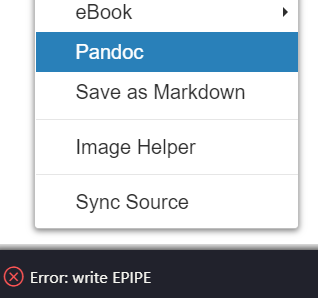
anyone warm-hearted friends can teach me how to export word,... | fail to export md to word | https://api.github.com/repos/shd101wyy/vscode-markdown-preview-enhanced/issues/1183/comments | 1 | 2020-03-03T07:56:33Z | 2023-08-23T02:36:12Z | https://github.com/shd101wyy/vscode-markdown-preview-enhanced/issues/1183 | 1,862,454,039 | 1,183 |
[
"shd101wyy",
"vscode-markdown-preview-enhanced"
] | Is there a way to disable ImageMagick when converting to pdf using Pandoc? I would like to use custom filters to convert some of the flowcharts. Thanks! | Disable ImageMagick | https://api.github.com/repos/shd101wyy/vscode-markdown-preview-enhanced/issues/1184/comments | 0 | 2020-03-02T18:58:44Z | 2023-08-23T02:36:14Z | https://github.com/shd101wyy/vscode-markdown-preview-enhanced/issues/1184 | 1,862,454,062 | 1,184 |
[
"shd101wyy",
"vscode-markdown-preview-enhanced"
] | [Enter steps to reproduce:]
1. ...
2. ...
**Atom**: 1.41.0 x64
**Electron**: 4.2.7
**OS**: Unknown Windows version
**Thrown From**: [markdown-preview-enhanced](https://github.com/shd101wyy/markdown-preview-enhanced) package 0.17.7
### Stack Trace
Failed to activate the markdown-preview-enhanced packag... | Failed to activate the markdown-preview-enhanced package | https://api.github.com/repos/shd101wyy/vscode-markdown-preview-enhanced/issues/1185/comments | 2 | 2020-03-02T16:32:50Z | 2023-08-23T02:36:16Z | https://github.com/shd101wyy/vscode-markdown-preview-enhanced/issues/1185 | 1,862,454,085 | 1,185 |
[
"shd101wyy",
"vscode-markdown-preview-enhanced"
] | 目前想用Pandoc导出一个带有图片的docx的文档,但是目前导出都是代码 | 如何正确使用pandoc导出带有Sequence Diagrams的文档 | https://api.github.com/repos/shd101wyy/vscode-markdown-preview-enhanced/issues/1186/comments | 0 | 2020-03-02T11:47:52Z | 2023-08-23T02:36:19Z | https://github.com/shd101wyy/vscode-markdown-preview-enhanced/issues/1186 | 1,862,454,104 | 1,186 |
[
"shd101wyy",
"vscode-markdown-preview-enhanced"
] | 当前已经允许在home目录下的.mume中通过修改parser.js文件来修改预览展现形式
因为针对不同的workspace 有不同parser展示的需求 请问是否可以将mume项目src/utility.ts中的homeDir提取成一个配置文件? 方便针对不同项目工程下做对应的展示? | 不同项目引用不同的parser.js | https://api.github.com/repos/shd101wyy/vscode-markdown-preview-enhanced/issues/323/comments | 0 | 2020-02-29T09:08:38Z | 2020-02-29T09:08:38Z | https://github.com/shd101wyy/vscode-markdown-preview-enhanced/issues/323 | 573,258,375 | 323 |
[
"shd101wyy",
"vscode-markdown-preview-enhanced"
] | 官方的 mermaid 库支持通过 `<br>` 将长文本转成多行展示,但是在 MEP 里该操作没有生效。
请问如何在 mermaid 的流程图/时序图中实现换行?

| 请问如何在 mermaid 的流程图/时序图中实现换行? | https://api.github.com/repos/shd101wyy/vscode-markdown-preview-enhanced/issues/1187/comments | 6 | 2020-02-26T04:40:28Z | 2023-08-23T02:36:21Z | https://github.com/shd101wyy/vscode-markdown-preview-enhanced/issues/1187 | 1,862,454,134 | 1,187 |
[
"shd101wyy",
"vscode-markdown-preview-enhanced"
] | 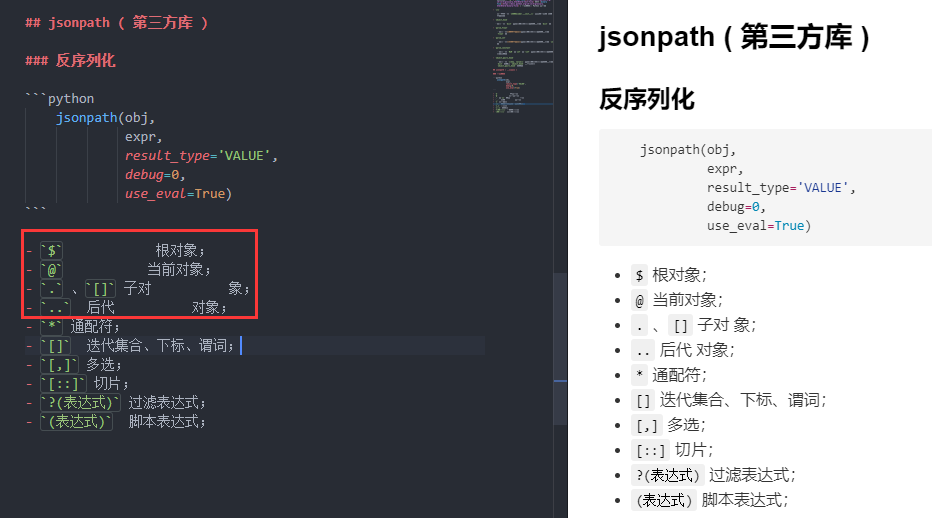
例如想在文字之间可以有多个空格的时候应该怎么办呢? | 不能预览连续的多个空格吗? | https://api.github.com/repos/shd101wyy/vscode-markdown-preview-enhanced/issues/1188/comments | 3 | 2020-02-26T03:48:40Z | 2023-08-23T02:36:23Z | https://github.com/shd101wyy/vscode-markdown-preview-enhanced/issues/1188 | 1,862,454,157 | 1,188 |
[
"shd101wyy",
"vscode-markdown-preview-enhanced"
] | I would like to be able to define a header file that would be automatically included in all markdown previews in a workspace. The header file could contain things like script blocks or frontspace yaml. | Auto-include header | https://api.github.com/repos/shd101wyy/vscode-markdown-preview-enhanced/issues/322/comments | 0 | 2020-02-25T08:53:41Z | 2020-02-25T08:53:41Z | https://github.com/shd101wyy/vscode-markdown-preview-enhanced/issues/322 | 570,407,938 | 322 |
[
"shd101wyy",
"vscode-markdown-preview-enhanced"
] | - OS: Ubuntu 19.10
- Editor: visual studio code
- Problem:
Right click on preview view, click 'open in browser', nothing happen. No matter the defalut brower is chrome or firefox.
Everything works fine in Ubuntu 18.10 LTS. | Preview in brower failed. | https://api.github.com/repos/shd101wyy/vscode-markdown-preview-enhanced/issues/1189/comments | 1 | 2020-02-22T22:31:39Z | 2023-08-23T02:36:25Z | https://github.com/shd101wyy/vscode-markdown-preview-enhanced/issues/1189 | 1,862,454,191 | 1,189 |
[
"shd101wyy",
"vscode-markdown-preview-enhanced"
] | 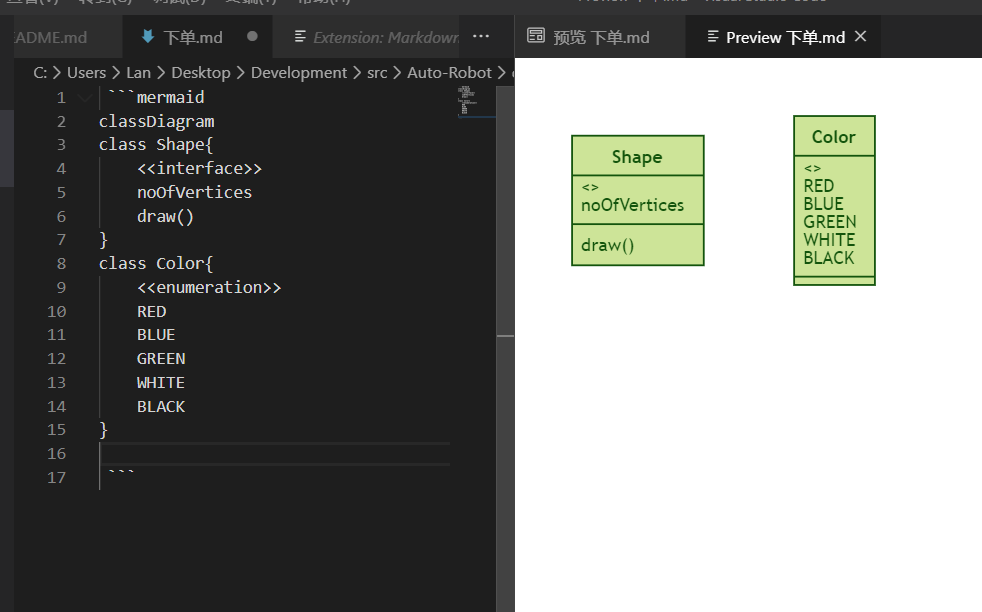
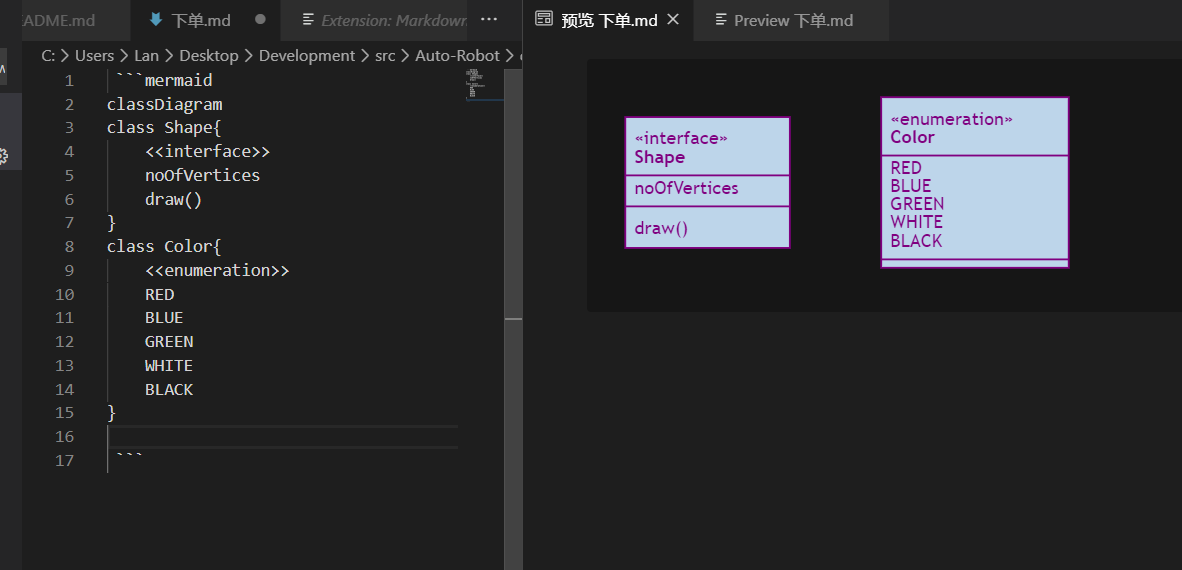
**用自带的Markdown预览加Markdown Preview Mermaid Support插件就可以加载出来** | 渲染mermaid类图时 接口和枚举没有加载出来 | https://api.github.com/repos/shd101wyy/vscode-markdown-preview-enhanced/issues/1190/comments | 0 | 2020-02-21T20:34:24Z | 2023-08-23T02:36:28Z | https://github.com/shd101wyy/vscode-markdown-preview-enhanced/issues/1190 | 1,862,454,213 | 1,190 |
[
"shd101wyy",
"vscode-markdown-preview-enhanced"
] | 版本:
vscode以及vscode-markdown-preview-enhanced插件都是最新版本。
问题:
使用相对路径和绝对路径都无法预览图片,只有当图片与md文件处于相同目录时,使用相对路径才显示图片。

md文件保存在1文件夹下,图片保存在2文件夹下,1文件夹下还有个images子文件夹。
时黑色字体可以正常显示
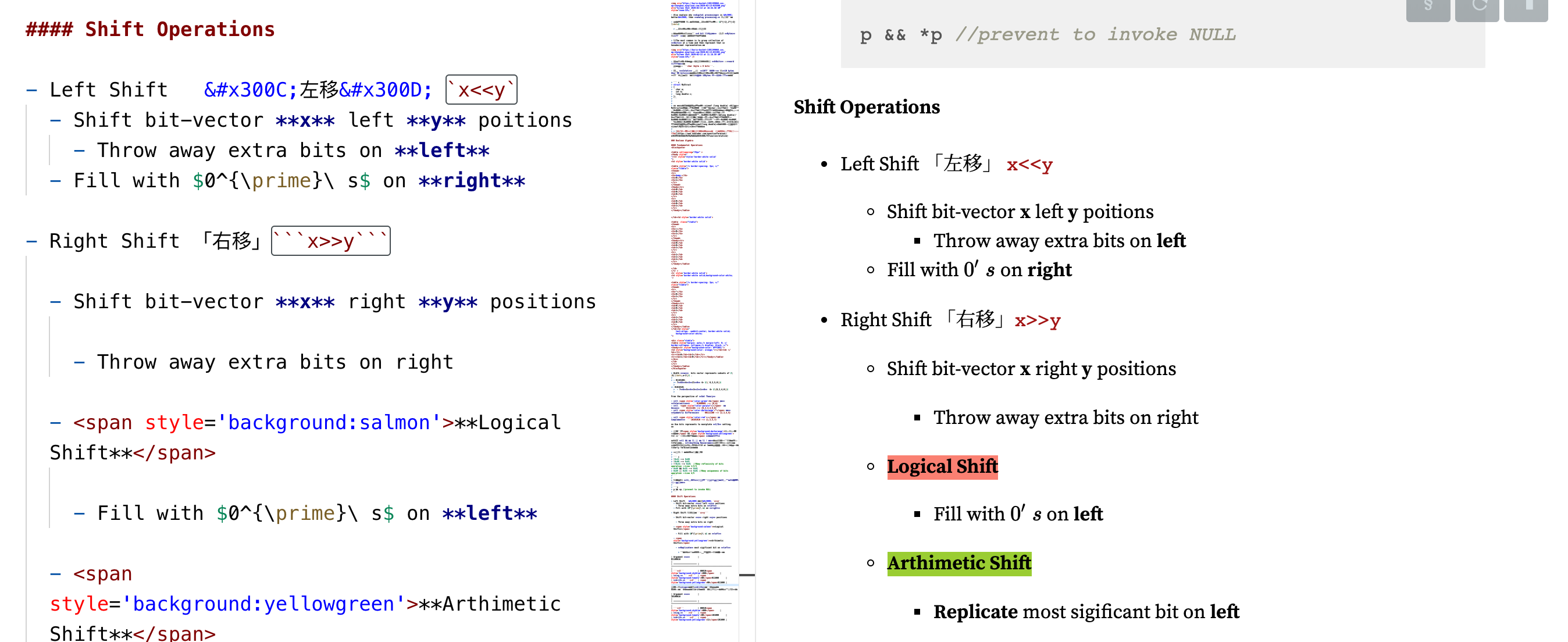
但利用深色主题(Default Dark+)后黑色字体变为灰色字体,其他颜色正常
以下是我的css文件
```
b... | vscode深色主题中自定义css 黑色字体不能正常显示 | https://api.github.com/repos/shd101wyy/vscode-markdown-preview-enhanced/issues/1191/comments | 0 | 2020-02-18T12:29:51Z | 2023-08-23T02:36:30Z | https://github.com/shd101wyy/vscode-markdown-preview-enhanced/issues/1191 | 1,862,454,246 | 1,191 |
[
"shd101wyy",
"vscode-markdown-preview-enhanced"
] | 文本行数超过窗口大小后, 同步滚动时 预览的结尾始终处于窗口底部, 当原文的结尾滚动到窗口中部时, 预览的部分不会上移, 两者不再保持对齐. 希望能加入选项, 让预览总和原文保持对齐.
谢谢!
<img width="1456" alt="捕获" src="https://user-images.githubusercontent.com/11831468/74701856-26796d80-5243-11ea-9bfe-700f70e6ec6b.PNG">
| 同步滚动, 垂直居中 | https://api.github.com/repos/shd101wyy/vscode-markdown-preview-enhanced/issues/1192/comments | 0 | 2020-02-18T03:38:43Z | 2023-08-23T02:36:33Z | https://github.com/shd101wyy/vscode-markdown-preview-enhanced/issues/1192 | 1,862,454,283 | 1,192 |
[
"shd101wyy",
"vscode-markdown-preview-enhanced"
] | I am trying to install the markdown-preview-enhanced package in Atom. when installing the package via the package manager I get the following error
```npm WARN deprecated babyparse@0.4.6: Deprecated in favour of PapaParse, which now supports Node.js
npm WARN deprecated request@2.88.2: request has been deprecated, s... | markdown-preview-enhanced Package install | https://api.github.com/repos/shd101wyy/vscode-markdown-preview-enhanced/issues/1193/comments | 0 | 2020-02-17T12:27:52Z | 2023-08-23T02:36:35Z | https://github.com/shd101wyy/vscode-markdown-preview-enhanced/issues/1193 | 1,862,454,304 | 1,193 |
[
"shd101wyy",
"vscode-markdown-preview-enhanced"
] | 当表格内容比较多时,使用**prince**导出**pdf**时,表格右边会被截断。有没有单元格内容自适应之类的配置
---

| 使用prince导出pdf 表格被截断问题 | https://api.github.com/repos/shd101wyy/vscode-markdown-preview-enhanced/issues/1194/comments | 3 | 2020-02-15T03:54:13Z | 2024-06-21T09:19:14Z | https://github.com/shd101wyy/vscode-markdown-preview-enhanced/issues/1194 | 1,862,454,327 | 1,194 |
[
"shd101wyy",
"vscode-markdown-preview-enhanced"
] | Mac 系统下自动换行不能用 | Mac 系统下自动换行不能用 | https://api.github.com/repos/shd101wyy/vscode-markdown-preview-enhanced/issues/1195/comments | 0 | 2020-02-12T00:37:21Z | 2023-08-23T02:36:40Z | https://github.com/shd101wyy/vscode-markdown-preview-enhanced/issues/1195 | 1,862,454,361 | 1,195 |
[
"shd101wyy",
"vscode-markdown-preview-enhanced"
] | 是否可以实现相对路径的跳转啊 | [需求] 是否可以实现相对路径的跳转啊 | https://api.github.com/repos/shd101wyy/vscode-markdown-preview-enhanced/issues/1196/comments | 0 | 2020-02-11T08:18:44Z | 2023-08-23T02:36:42Z | https://github.com/shd101wyy/vscode-markdown-preview-enhanced/issues/1196 | 1,862,454,387 | 1,196 |
[
"shd101wyy",
"vscode-markdown-preview-enhanced"
] | 原因:
1、除了现有的mermaid等图表插件以外,希望有更加丰富的图表形式。
2、Diagram使绘制云系统架构图更方便,这类架构图也经常为用到。
链接:
https://diagrams.mingrammer.com/ | [Feature Request] Diagram渲染支持 | https://api.github.com/repos/shd101wyy/vscode-markdown-preview-enhanced/issues/1197/comments | 0 | 2020-02-11T04:26:18Z | 2023-08-23T02:36:44Z | https://github.com/shd101wyy/vscode-markdown-preview-enhanced/issues/1197 | 1,862,454,408 | 1,197 |
[
"shd101wyy",
"vscode-markdown-preview-enhanced"
] | VS Code版本:
Version: 1.41.1
Commit: 26076a4de974ead31f97692a0d32f90d735645c0
Date: 2019-12-18T14:57:51.166Z
Electron: 6.1.5
Chrome: 76.0.3809.146
Node.js: 12.4.0
V8: 7.6.303.31-electron.0
OS: Darwin x64 18.7.0
文本:
```mermaid
graph TD;
A-->B;
A-->C;
B-->D;
C-->D;
```
渲染结果:
 package 0.17.6
### Stack Trace
Failed to activate the markdown-preview-enhanced package
```
... | Failed to activate the markdown-preview-enhanced package | https://api.github.com/repos/shd101wyy/vscode-markdown-preview-enhanced/issues/1199/comments | 14 | 2020-02-10T16:30:54Z | 2023-08-23T02:36:49Z | https://github.com/shd101wyy/vscode-markdown-preview-enhanced/issues/1199 | 1,862,454,468 | 1,199 |
[
"shd101wyy",
"vscode-markdown-preview-enhanced"
] | 无论我是否打开Live Update,预览永远都会实时更新 没有像描述的那样等到保存再更新 | Live Update 开关在vscode上没有作用 | https://api.github.com/repos/shd101wyy/vscode-markdown-preview-enhanced/issues/1200/comments | 0 | 2020-02-10T08:09:57Z | 2023-08-23T02:36:51Z | https://github.com/shd101wyy/vscode-markdown-preview-enhanced/issues/1200 | 1,862,454,498 | 1,200 |
[
"shd101wyy",
"vscode-markdown-preview-enhanced"
] | Hi,
I've installed the markdown-preview-enhanced extension. This appears to be working well, and I have succeeded in generating a variety of diagrams and example charts. I can export these as HTML, however both Chromium Puppeteer and Pandoc refuse to work. I have installed the latest versions of both Puppeteer and Pan... | TypeError [ERR_INVALID_ARG_VALUE]: The argument 'file' cannot be empty. Received '' | https://api.github.com/repos/shd101wyy/vscode-markdown-preview-enhanced/issues/1201/comments | 2 | 2020-02-10T06:44:02Z | 2023-08-23T02:36:53Z | https://github.com/shd101wyy/vscode-markdown-preview-enhanced/issues/1201 | 1,862,454,526 | 1,201 |
[
"shd101wyy",
"vscode-markdown-preview-enhanced"
] | I recently updated to v0.17.5 and received the following error:
> Uncaught Error: Cannot find module `tslib`
Uninstalled and reinstalled--same issue.
> Uncaught Error: Cannot find module `tslib`
internal/modules/cjs/loader.js:604
```
Error: Cannot find module 'tslib'
at Module._resolveFilename (int... | Uncaught Error: Cannot find module 'tslib' | https://api.github.com/repos/shd101wyy/vscode-markdown-preview-enhanced/issues/1202/comments | 7 | 2020-02-10T01:07:52Z | 2023-08-23T02:36:55Z | https://github.com/shd101wyy/vscode-markdown-preview-enhanced/issues/1202 | 1,862,454,548 | 1,202 |
[
"shd101wyy",
"vscode-markdown-preview-enhanced"
] | .rmd files are just like .md file, the only difference is their file extent names. Can you support not just .md file and make the "supported" file extention a editable list? | Please add support for .rmd files preview | https://api.github.com/repos/shd101wyy/vscode-markdown-preview-enhanced/issues/319/comments | 2 | 2020-02-08T00:09:08Z | 2020-02-22T11:17:09Z | https://github.com/shd101wyy/vscode-markdown-preview-enhanced/issues/319 | 561,933,463 | 319 |
[
"shd101wyy",
"vscode-markdown-preview-enhanced"
] | 点击界面右上角的在侧边栏打开增强预览的图标会报下面的错误:
command 'markdown-preview-enhanced.openPreviewToTheSide' not found
通过ctrl+v k可以打开,但是打开的不是增强预览,而是普通预览。
系统:window 10
VSCode版本: 1.41.1(user setup) | 点击右上角增强预览图标无法打开预览 | https://api.github.com/repos/shd101wyy/vscode-markdown-preview-enhanced/issues/318/comments | 0 | 2020-02-06T03:57:45Z | 2020-02-06T03:57:45Z | https://github.com/shd101wyy/vscode-markdown-preview-enhanced/issues/318 | 560,763,705 | 318 |
[
"shd101wyy",
"vscode-markdown-preview-enhanced"
] |
When using pandoc as the parser along with plugin `pandoc-crossref`, the code chunks with listings as captions are not correctly parsed.
I know this bug might be expected as it’s mentioned in the docs site that code chunks may be buggy with the pandoc parser.
front matter:
```
---
output:
custom_documen... | Listing is not honoured with Pandoc-crossref | https://api.github.com/repos/shd101wyy/vscode-markdown-preview-enhanced/issues/1203/comments | 0 | 2020-02-05T21:50:53Z | 2023-08-23T02:36:58Z | https://github.com/shd101wyy/vscode-markdown-preview-enhanced/issues/1203 | 1,862,454,572 | 1,203 |
[
"shd101wyy",
"vscode-markdown-preview-enhanced"
] | 因为使用例如@import、画图、内嵌html、等功能,使用docsify时候解析不出来,而且需要配置大量index,求问大佬,有没有像docsify自动发布成可访问的服务方式?
| 如何可以实现docsify的效果 | https://api.github.com/repos/shd101wyy/vscode-markdown-preview-enhanced/issues/1204/comments | 2 | 2020-02-04T07:42:34Z | 2023-08-23T02:37:00Z | https://github.com/shd101wyy/vscode-markdown-preview-enhanced/issues/1204 | 1,862,454,596 | 1,204 |
[
"shd101wyy",
"vscode-markdown-preview-enhanced"
] | I understand puppeteer defaults to format: 'letter' and I could change this option by setting a different format in my document front matter. But is there a way to change the format by default? In settings I could give arguments to puppeteer.launch, but format is not an argument. And when I change the page size in styl... | Change default page format with puppeteer | https://api.github.com/repos/shd101wyy/vscode-markdown-preview-enhanced/issues/1205/comments | 1 | 2020-02-03T16:37:21Z | 2023-08-23T02:37:02Z | https://github.com/shd101wyy/vscode-markdown-preview-enhanced/issues/1205 | 1,862,454,636 | 1,205 |
[
"shd101wyy",
"vscode-markdown-preview-enhanced"
] | I've updated to the newest version 0.17.5 and now I get an exception
```
Error: Command failed: ebook-convert /tmp/mume202011-6956-ydaqil.55ic.html /home/g/Desktop/ebook-example-master/ALICE.pdf --level1-toc //[@ebook-toc-level-1]/@heading --level2-toc //[@ebook-toc-level-2]/@heading --level3-toc //*[@ebook-toc-lev... | eBook > PDF results in a PDF file with only "nullnull" in it #1287 (reopen) | https://api.github.com/repos/shd101wyy/vscode-markdown-preview-enhanced/issues/1206/comments | 5 | 2020-02-02T13:01:50Z | 2023-08-23T02:37:08Z | https://github.com/shd101wyy/vscode-markdown-preview-enhanced/issues/1206 | 1,862,454,662 | 1,206 |
[
"shd101wyy",
"vscode-markdown-preview-enhanced"
] | Up-to-date Markdown Preview Enhanced and Calibre on Ubuntu 18.04.
1. Download and extract https://github.com/shd101wyy/ebook-example
2. Open ˋALICE.mdˋ
3. Open Preview pane if it does not open automatically
4. Fix path to cover image (ˋ\cover.jpgˋ --> ˋcover.jpgˋ) in ˋALICE.mdˋ
4. Click ˋePubˋ > ˋPDFˋ on Preview... | eBook > PDF results in a PDF file with only "nullnull" in it | https://api.github.com/repos/shd101wyy/vscode-markdown-preview-enhanced/issues/1207/comments | 3 | 2020-01-30T12:04:20Z | 2023-08-23T02:37:07Z | https://github.com/shd101wyy/vscode-markdown-preview-enhanced/issues/1207 | 1,862,454,687 | 1,207 |
[
"shd101wyy",
"vscode-markdown-preview-enhanced"
] | I am having issues previewing markdown files that include mathematical symbols. Using `$ ... $` does not render in the preview. For example, creating a markdown file with `$ E = mc^2 $` will render in the preview as
]
```
Gives an error:
```
Parse error on line 2:
graph LR id1[(Database)]
----------------^
Expecting 'SPACE', 'GRAPH', 'DIR', 'subgraph', 'end', 'TAGEND', '--', '==', 'STR', 'STYLE', 'LINKSTYLE', 'CLASSDEF', 'CLASS', 'CLI... | mermaid: Many of the examples do not compile | https://api.github.com/repos/shd101wyy/vscode-markdown-preview-enhanced/issues/1209/comments | 2 | 2020-01-28T12:07:40Z | 2023-08-23T02:37:11Z | https://github.com/shd101wyy/vscode-markdown-preview-enhanced/issues/1209 | 1,862,454,730 | 1,209 |
[
"shd101wyy",
"vscode-markdown-preview-enhanced"
] | Hi,
Is there some reason why the preview window remains in dark mode?
I'm using macOS running in Dark mode and using VSCode Material Theme also running in dark mode but the Preview window for this extension continues to be dark despite also test changing its Preview Theme settings to other options. Nothing seems ... | Preview remains dark mode | https://api.github.com/repos/shd101wyy/vscode-markdown-preview-enhanced/issues/315/comments | 2 | 2020-01-27T00:16:21Z | 2020-01-31T03:56:17Z | https://github.com/shd101wyy/vscode-markdown-preview-enhanced/issues/315 | 555,309,969 | 315 |
[
"shd101wyy",
"vscode-markdown-preview-enhanced"
] | null | 支持使用命令行将 md转换为html吗 | https://api.github.com/repos/shd101wyy/vscode-markdown-preview-enhanced/issues/1210/comments | 4 | 2020-01-26T05:33:21Z | 2023-08-23T02:37:13Z | https://github.com/shd101wyy/vscode-markdown-preview-enhanced/issues/1210 | 1,862,454,755 | 1,210 |
[
"shd101wyy",
"vscode-markdown-preview-enhanced"
] | 在atom中,设置了 拖动 为upload至`imgur`,但是实际上拖拽图片进入编辑区时会出现类似于网络不通的错误,具体报错如下图所示:

但是在vscode中就可以正常使用,请问有什么解决办法呢?
| atom中拖动图片上传时无法连接 | https://api.github.com/repos/shd101wyy/vscode-markdown-preview-enhanced/issues/1211/comments | 0 | 2020-01-23T07:13:00Z | 2023-08-23T02:37:15Z | https://github.com/shd101wyy/vscode-markdown-preview-enhanced/issues/1211 | 1,862,454,782 | 1,211 |
[
"shd101wyy",
"vscode-markdown-preview-enhanced"
] | When I put one mermaid sequenceDiagram inside details, and one outside, the arrow on the second diagram only shows when the details are expanded. Removing the details restores the arrowheads.
The file below contains the example.
[test.txt](https://github.com/shd101wyy/markdown-preview-enhanced/files/4091754/test.... | Issues with arrowheads in mermaid sequenceDiagram combined with details | https://api.github.com/repos/shd101wyy/vscode-markdown-preview-enhanced/issues/1212/comments | 0 | 2020-01-21T15:28:40Z | 2023-08-23T02:37:17Z | https://github.com/shd101wyy/vscode-markdown-preview-enhanced/issues/1212 | 1,862,454,806 | 1,212 |
Subsets and Splits
No community queries yet
The top public SQL queries from the community will appear here once available.