
Datasets:

license: apache-2.0
task_categories:
  - image-segmentation
  - object-detection
  - robotics
language:
  - en
tags:
  - robotics
  - navigation
  - frontiers
  - autonomous-systems
  - field-robotics
  - vision-foundation-models
  - outdoor-navigation
  - traversability
  - exploration
pretty_name: WildOS Frontiers Dataset
size_categories:
  - n<1K
configs:
  - config_name: default
    data_files:
      - split: train
        path: '**'
WildOS Frontiers Dataset

Dataset Description
This dataset provides visual frontier annotations for outdoor long-range navigation, created for WildOS: Open-Vocabulary Object Search in the Wild. The annotations are built on top of images from the GrandTour Dataset.
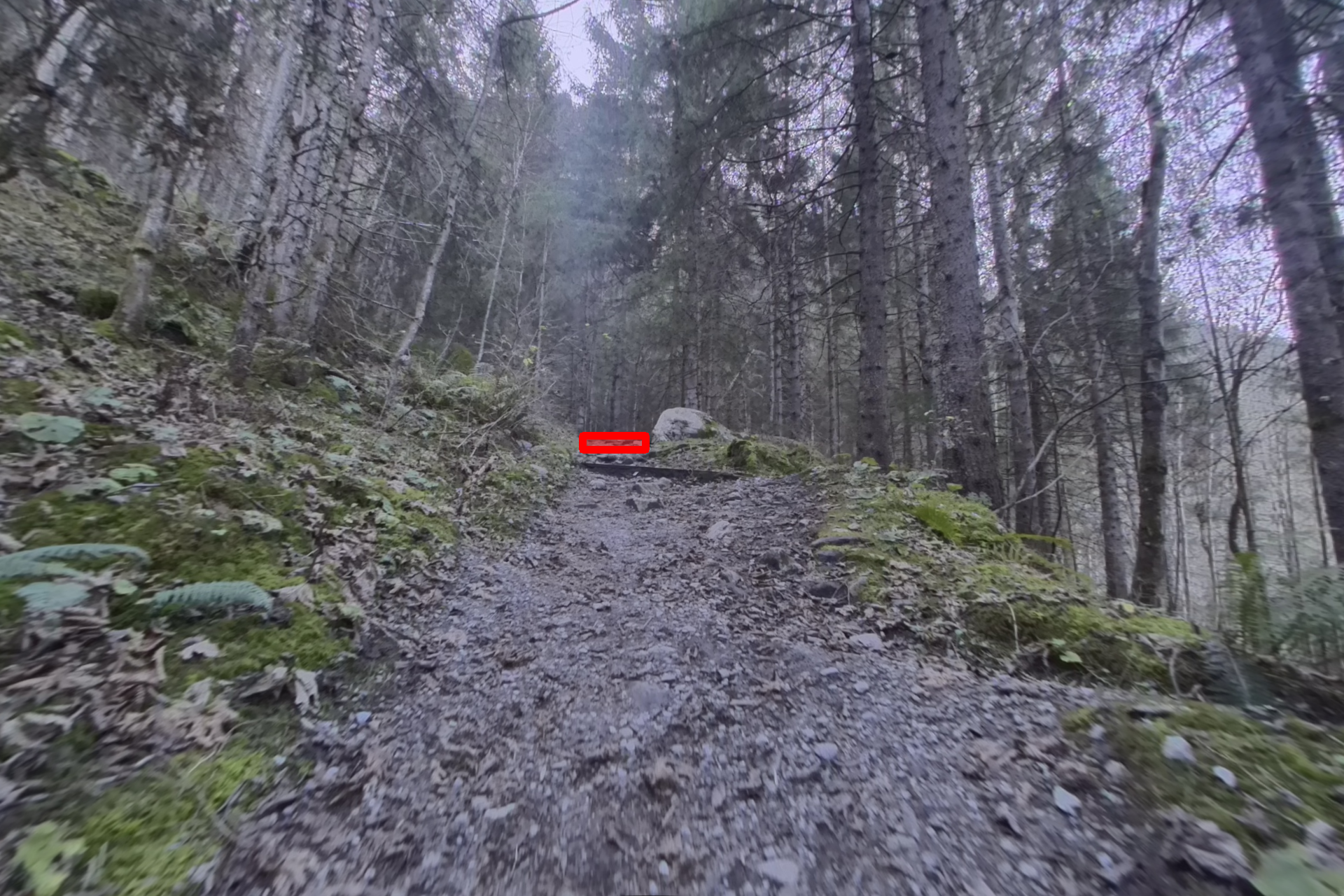
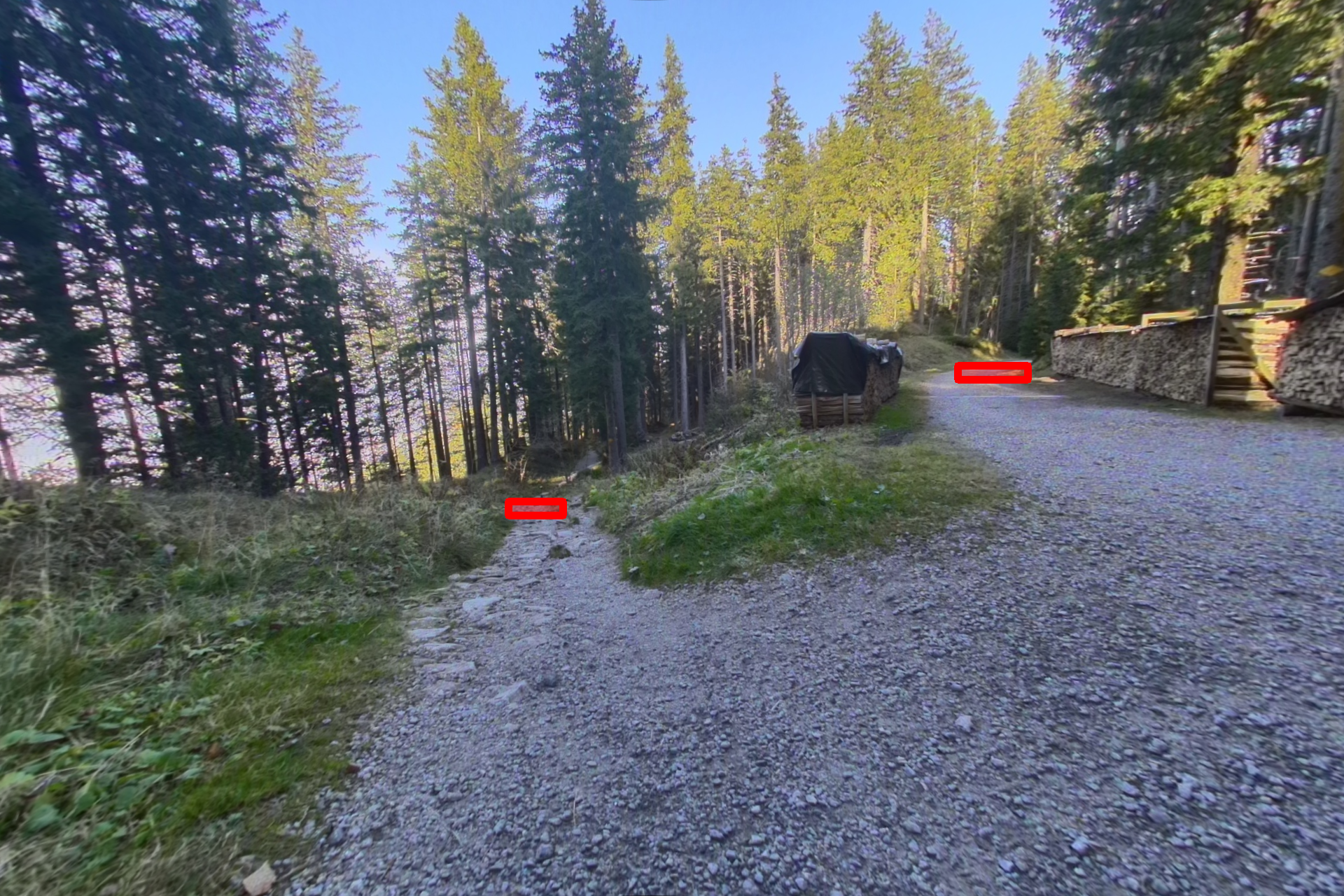
Visual Frontiers denote regions in the image that correspond to candidate locations for further exploration — such as the end of a trail, an opening between trees, or a road turning at a curve. This dataset enables training of models to predict visual frontiers from RGB images, extending navigation reasoning beyond the geometric depth horizon.
Dataset Structure
wildos/
├── annotations/           # Frontier annotations (362 JSON files)
│   └── annotation_00000.json ... annotation_00389.json
├── RGB_frames/            # Raw RGB frames (390 images + metadata)
│   ├── metadata.json      # Maps to original GrandTour images
│   └── rgb_00000.png ... rgb_00389.png
├── RGB_rectified/         # Rectified RGB images (390 images)
│   └── rect_00000.png ... rect_00389.png
└── SAM_boundaries/        # SAM-2 boundary masks (390 images)
    └── bound_00000.png ... bound_00389.png
File Descriptions
| Folder | Description | Count |
|---|---|---|
annotations/ |
JSON files containing frontier bounding box annotations | 362 |
RGB_frames/ |
Original RGB frames from GrandTour dataset | 390 + 1 metadata |
RGB_rectified/ |
Rectified (undistorted) RGB images | 390 |
SAM_boundaries/ |
Binary masks from SAM-2 boundary detection | 390 |
Note: Some images do not have corresponding annotations (362 out of 390 images are annotated). Images without annotations were excluded during quality control. The
SAM_boundaries/folder contains SAM-2 boundary masks used in an ablation study, where frontiers were defined as the SAM boundary segments within human-annotated bounding boxes.
Annotation Format
Each annotation file contains a list of frontier detections with the following structure:
[
  {
    "label": "frontier",
    "start": [1326.0, 618.0],
    "end": [1352.0, 636.0]
  }
]
| Field | Description |
|---|---|
label |
Frontier label (currently "frontier" for all annotations) |
start |
Top-left corner [x, y] of the bounding box |
end |
Bottom-right corner [x, y] of the bounding box |
Note: The
labelfield exists because we initially experimented with labeling frontiers of varying strengths. In the final dataset, all annotations use the single label"frontier".
Example Annotations
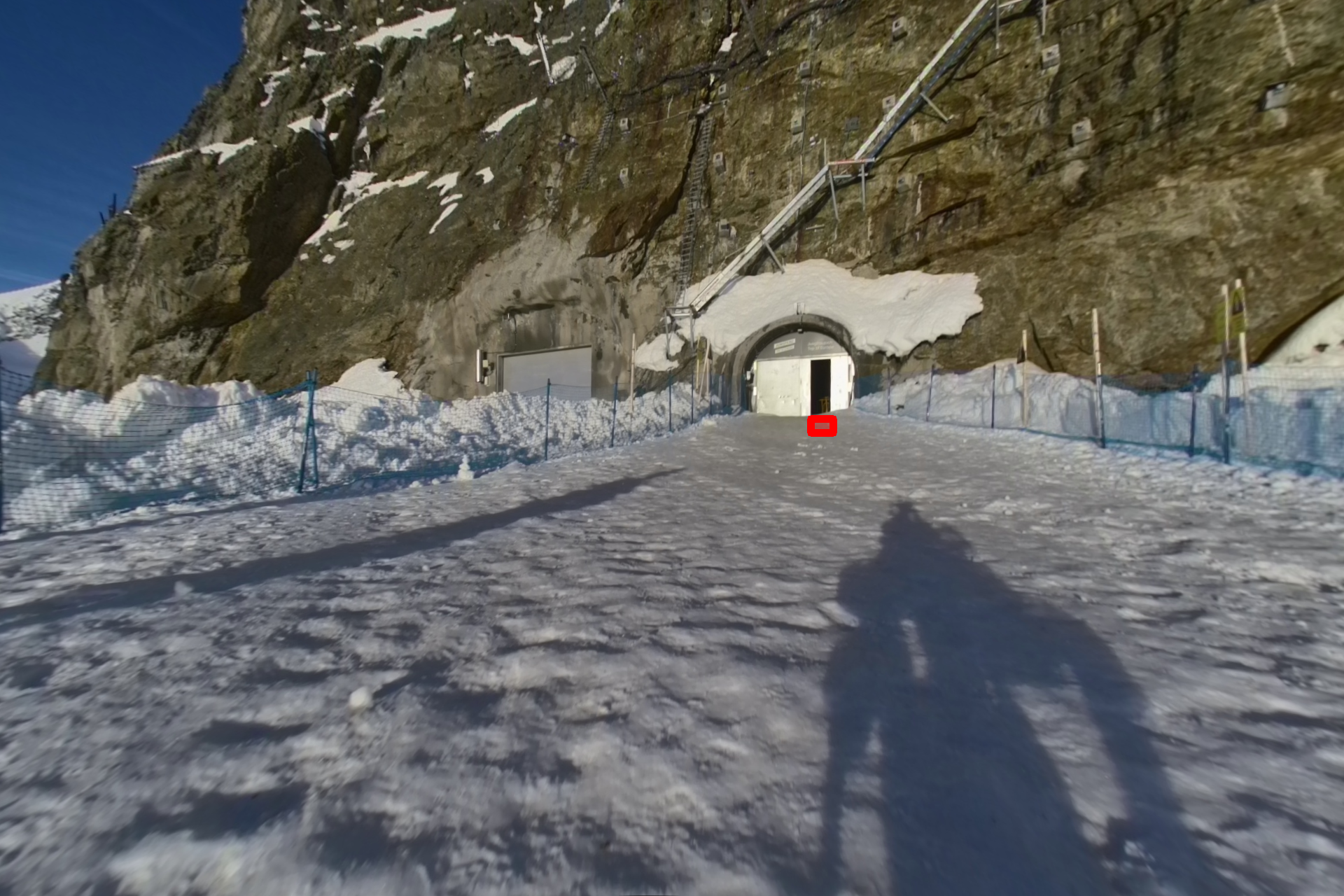 |
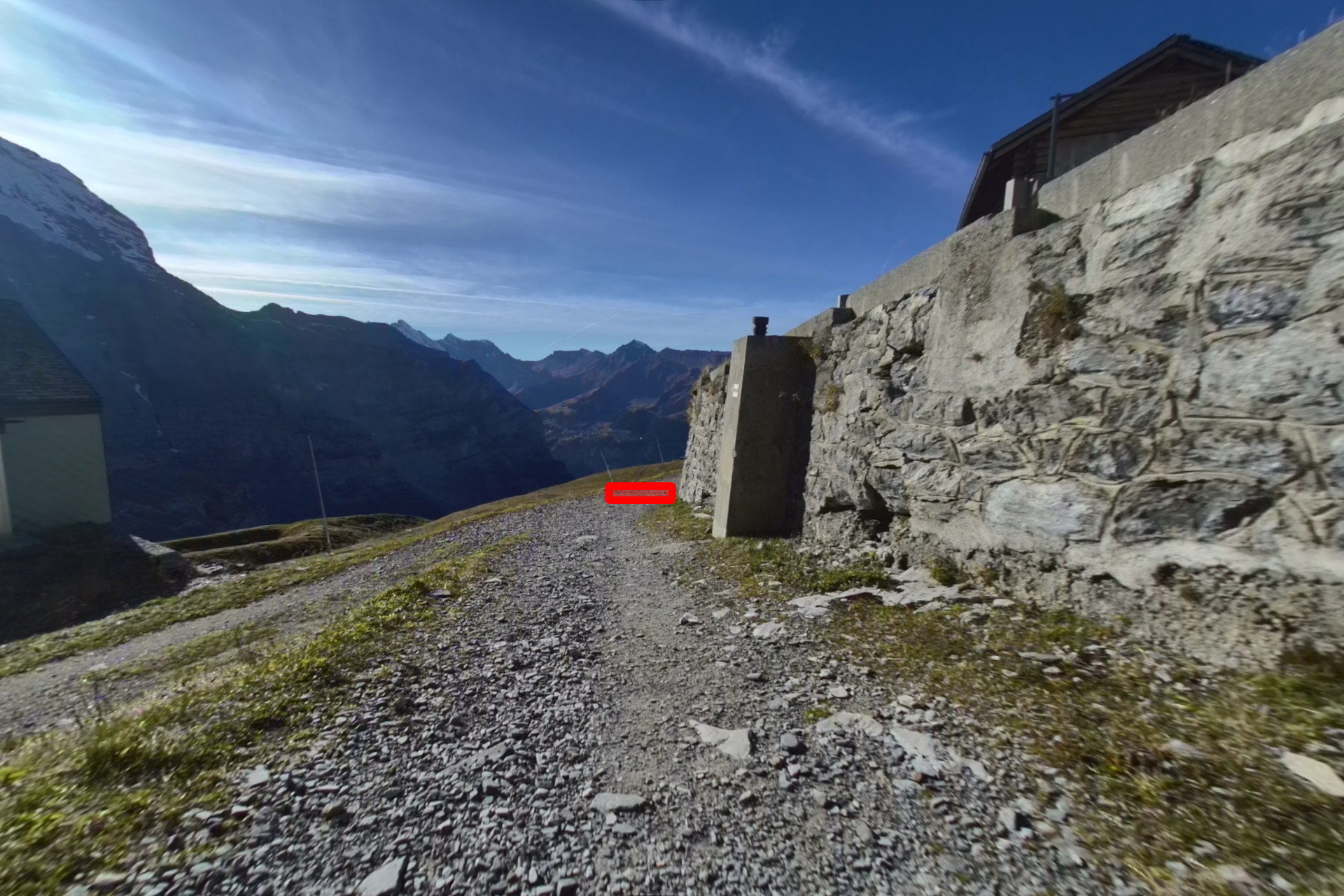 |
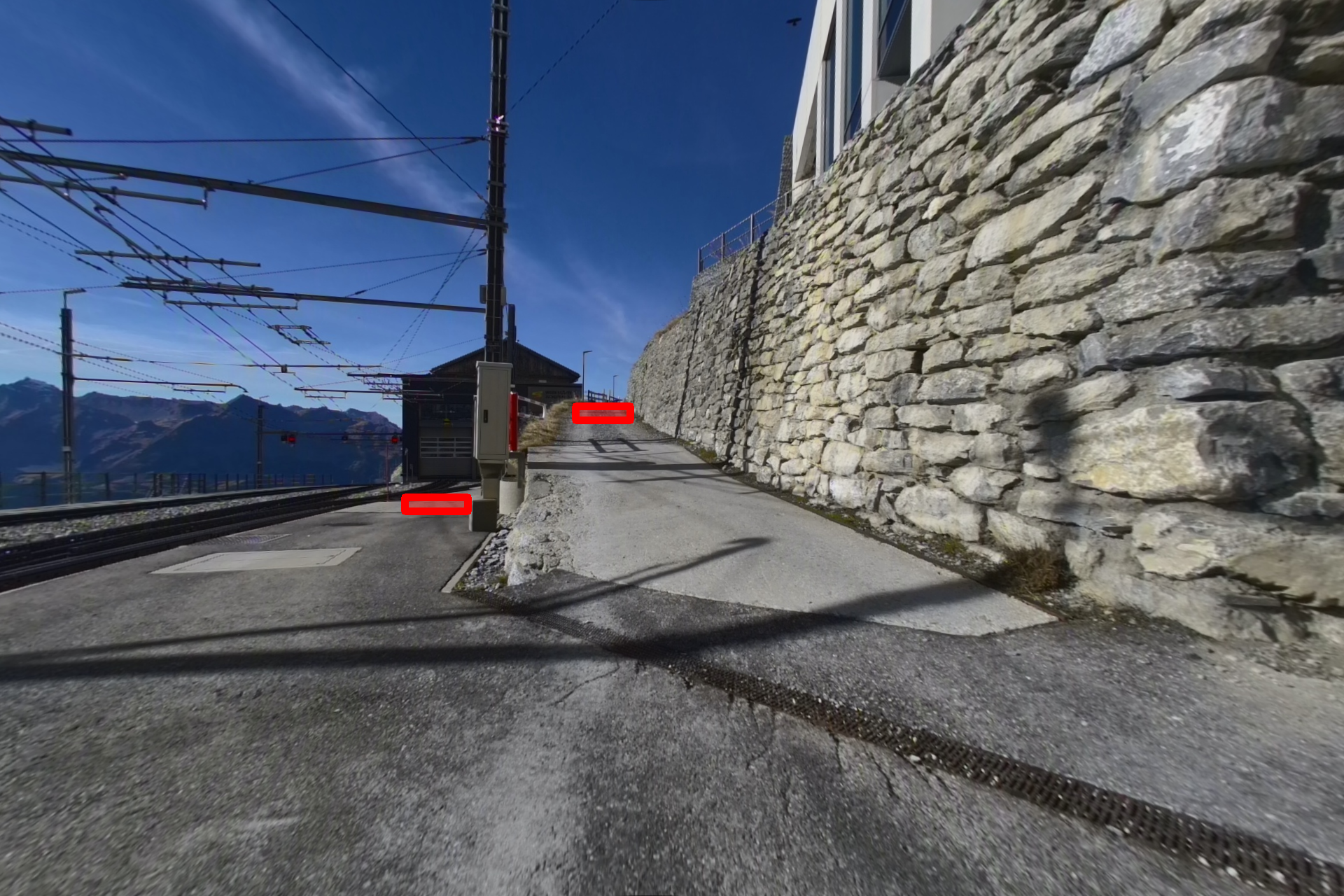 |
 |
 |
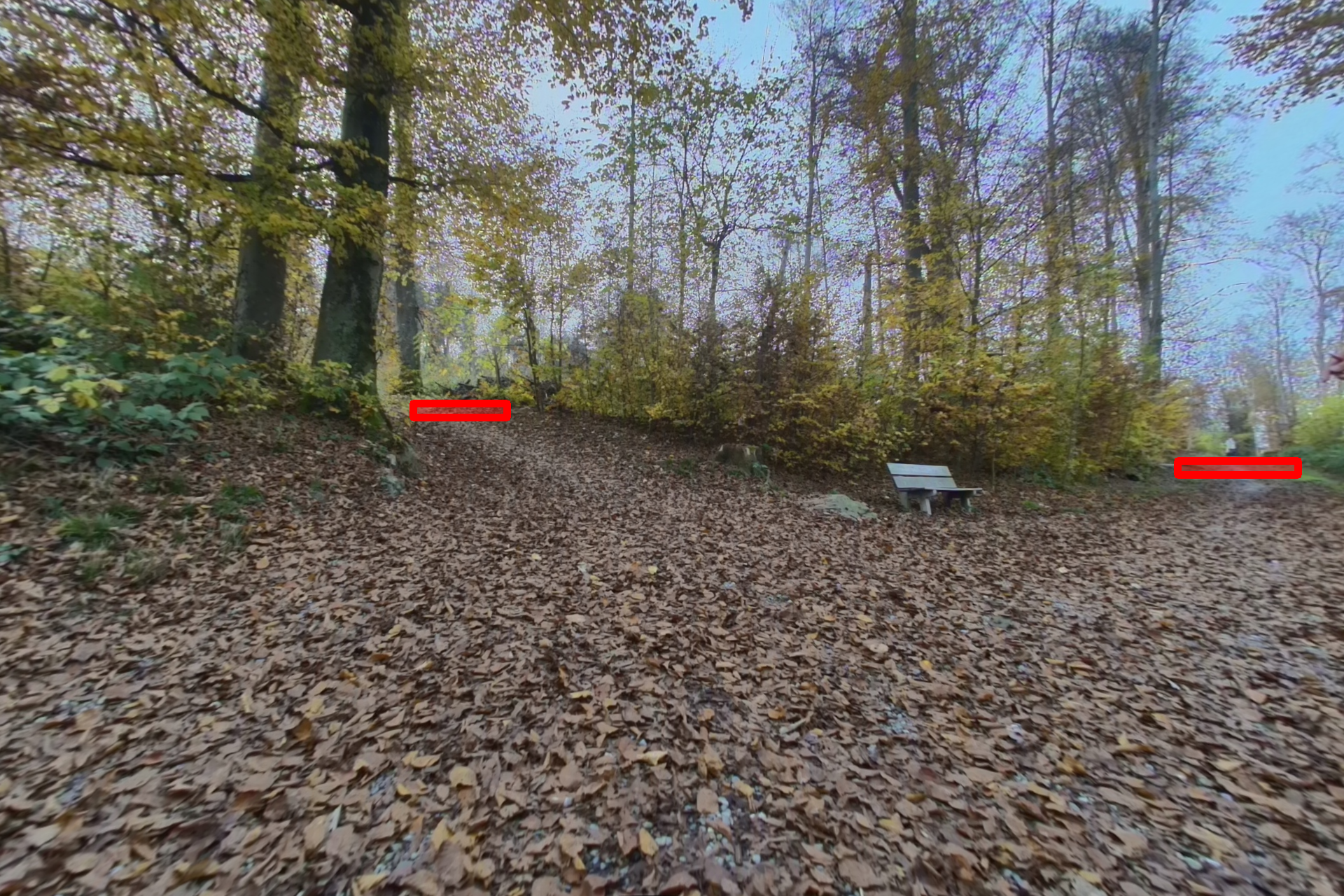 |
Red regions indicate visual frontiers — candidate locations for further exploration. More examples can be viewed here.
Usage
Loading Individual Files
import json
from PIL import Image

# Load an annotation
with open("wildos/annotations/annotation_00000.json", "r") as f:
    annotations = json.load(f)

# Load corresponding image
image = Image.open("wildos/RGB_rectified/rect_00000.png")

print(f"Image size: {image.size}")
print(f"Number of frontiers: {len(annotations)}")
Visualizing Annotations
Visualize frontier annotations on images:
import os
import json
import cv2
import numpy as np

def visualize_frontiers(image_path, annotation_path, output_path=None):
    """Draw frontier annotations on an image."""
    # Load image
    img = cv2.imread(image_path)

    # Load annotations
    with open(annotation_path, "r") as f:
        annotations = json.load(f)

    # Draw each frontier
    for ann in annotations:
        x1, y1 = int(ann["start"][0]), int(ann["start"][1])
        x2, y2 = int(ann["end"][0]), int(ann["end"][1])
        color = (0, 0, 255)  # Red in BGR

        # Draw semi-transparent rectangle
        overlay = img.copy()
        cv2.rectangle(overlay, (x1, y1), (x2, y2), color, -1)
        cv2.addWeighted(overlay, 0.35, img, 0.65, 0, img)
        cv2.rectangle(img, (x1, y1), (x2, y2), color, 2)

    if output_path:
        cv2.imwrite(output_path, img)

    return img

# Example usage
visualize_frontiers(
    "wildos/RGB_rectified/rect_00000.png",
    "wildos/annotations/annotation_00000.json",
    "output_visualization.png"
)
Metadata Mapping
The metadata.json file in RGB_frames/ maps each image index to its source path in the GrandTour dataset:
import json

with open("wildos/RGB_frames/metadata.json", "r") as f:
    metadata = json.load(f)

# Find original GrandTour image for a specific frame index
original_path = metadata["0"]  # e.g., "release_2024-11-03-07-57-34/hdr_front/hdr_front_01342.png"
print(f"Original GrandTour path: {original_path}")
Related Resources
- Project Page: WildOS: Open-Vocabulary Object Search in the Wild
- Source Dataset: GrandTour Dataset
Citation
If you use this dataset in your research, please cite:
@misc{shah2026wildosopenvocabularyobjectsearch,
        title={WildOS: Open-Vocabulary Object Search in the Wild},
        author={Hardik Shah and Erica Tevere and Deegan Atha and Marcel Kaufmann and Shehryar Khattak and Manthan Patel and Marco Hutter and Jonas Frey and Patrick Spieler},
        year={2026},
        eprint={2602.19308},
        archivePrefix={arXiv},
        primaryClass={cs.RO},
        url={https://arxiv.org/abs/2602.19308},
}
License
This dataset is released under the Apache 2.0 License.