


license: apache-2.0
task_categories:
  - robotics
language:
  - en
tags:
  - navigation
  - teleoperation
  - ros2
  - mcap
  - delivery-robot
  - imitation-learning
  - physical-ai
pretty_name: >-
  CostNav Teleop Dataset: Human Teleoperation Data for Navigation Cost
  Benchmarking
size_categories:
  - 1K<n<10K
arxiv: '2511.20216'
CostNav Teleop Dataset





Dataset Summary
The CostNav Teleop Dataset is a large-scale collection of human teleoperation recordings for robot navigation in an urban sidewalk simulation environment. It was collected as part of the CostNav benchmark, which evaluates navigation systems using real-world economic cost and revenue metrics rather than purely technical metrics.
The dataset contains 2,203 teleoperation episodes totaling 50.2 hours of driving data, collected by 4 human operators using joystick control of a Segway E1 delivery robot in NVIDIA Isaac Sim. Each episode is stored as a ROS 2 bag file in MCAP format with synchronized multi-modal sensor data.
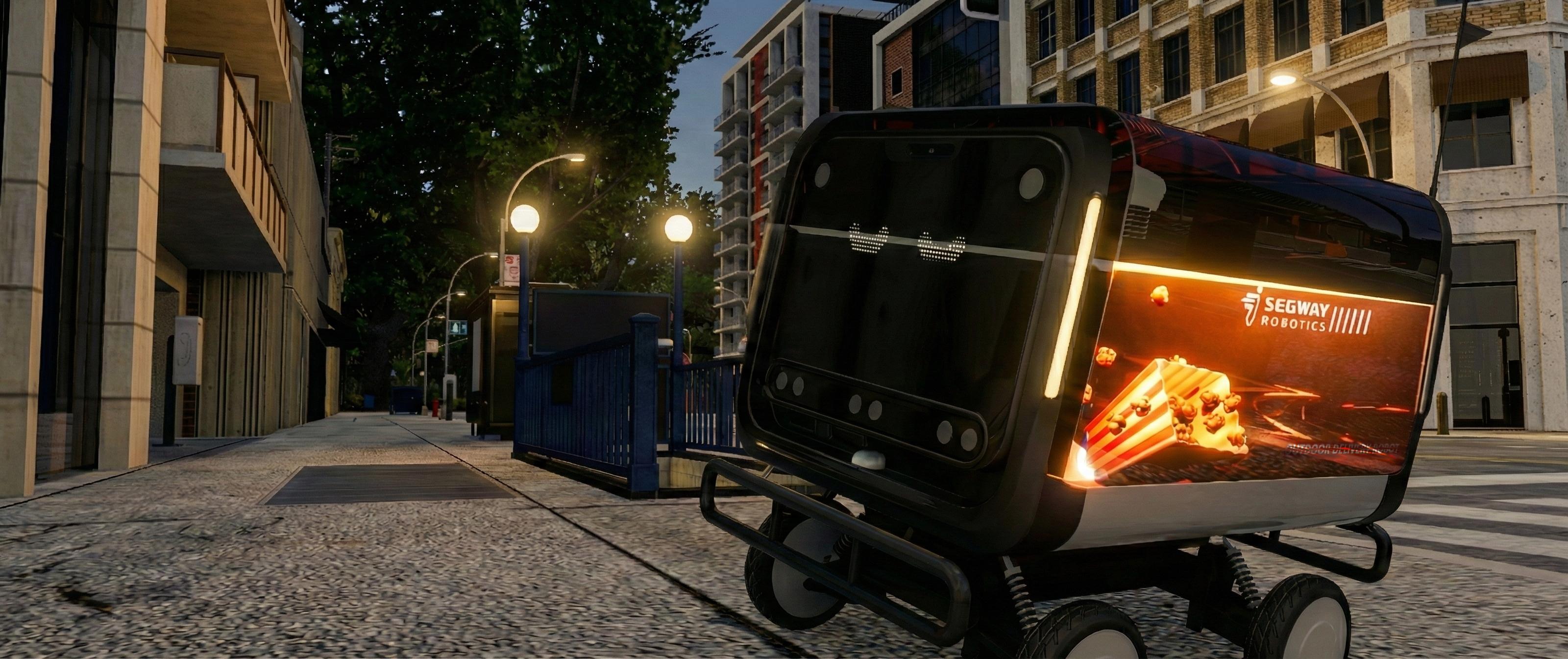
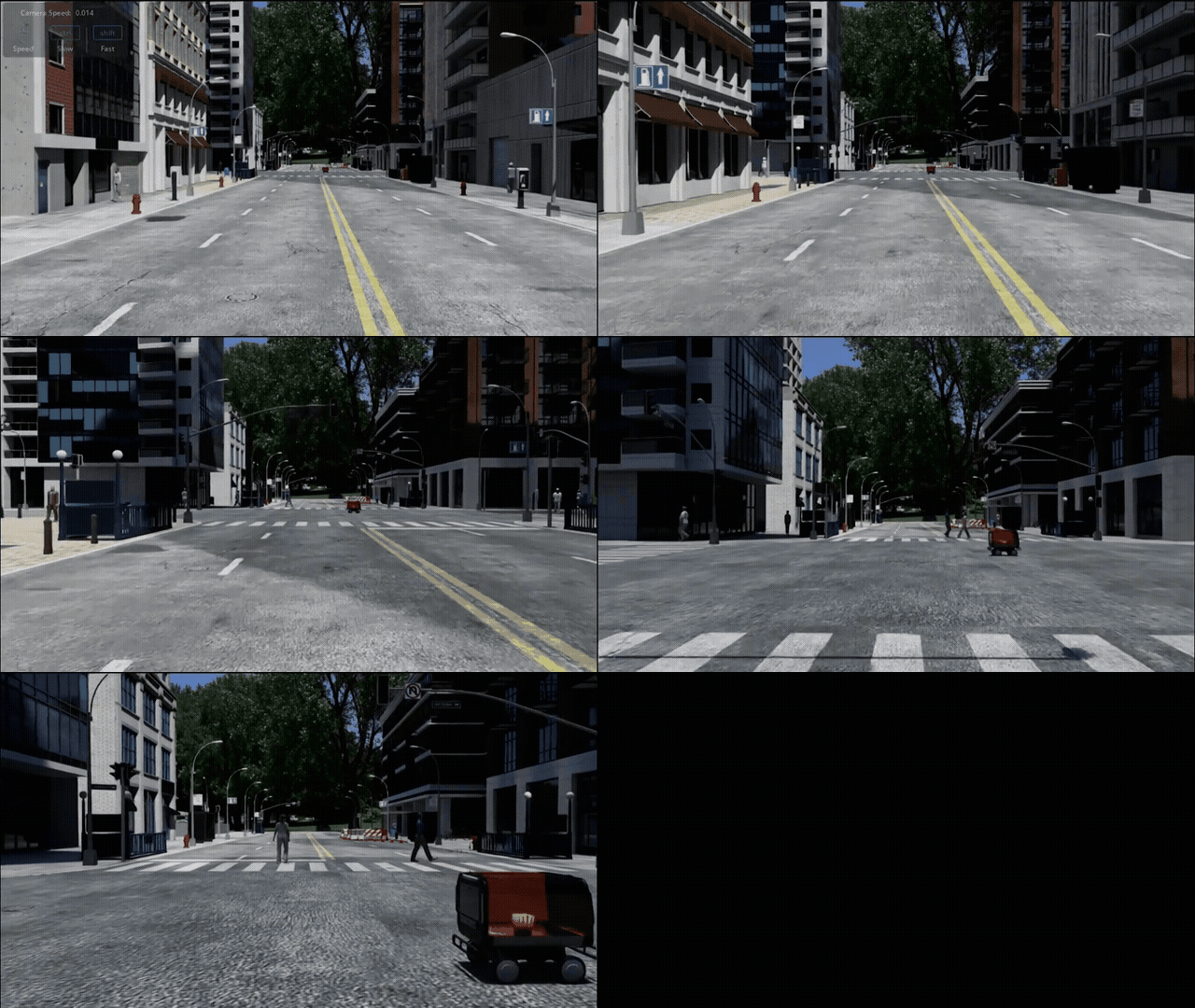
Navigation Comparison
Physics Simulation
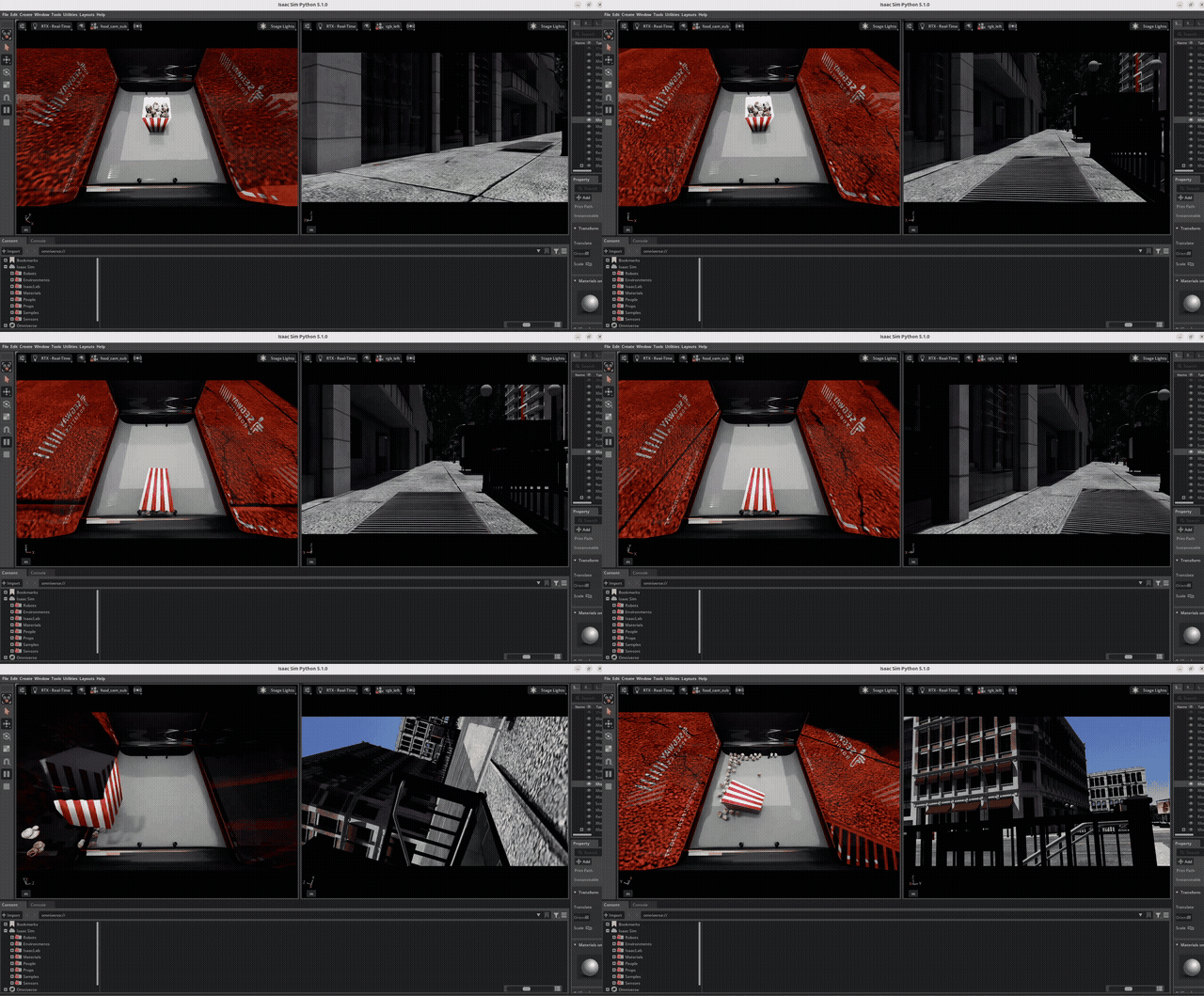
CostNav's high-fidelity physics simulation enables the modeling of real-world economic scenarios, including critical failures like food spoilage and robot rollovers.
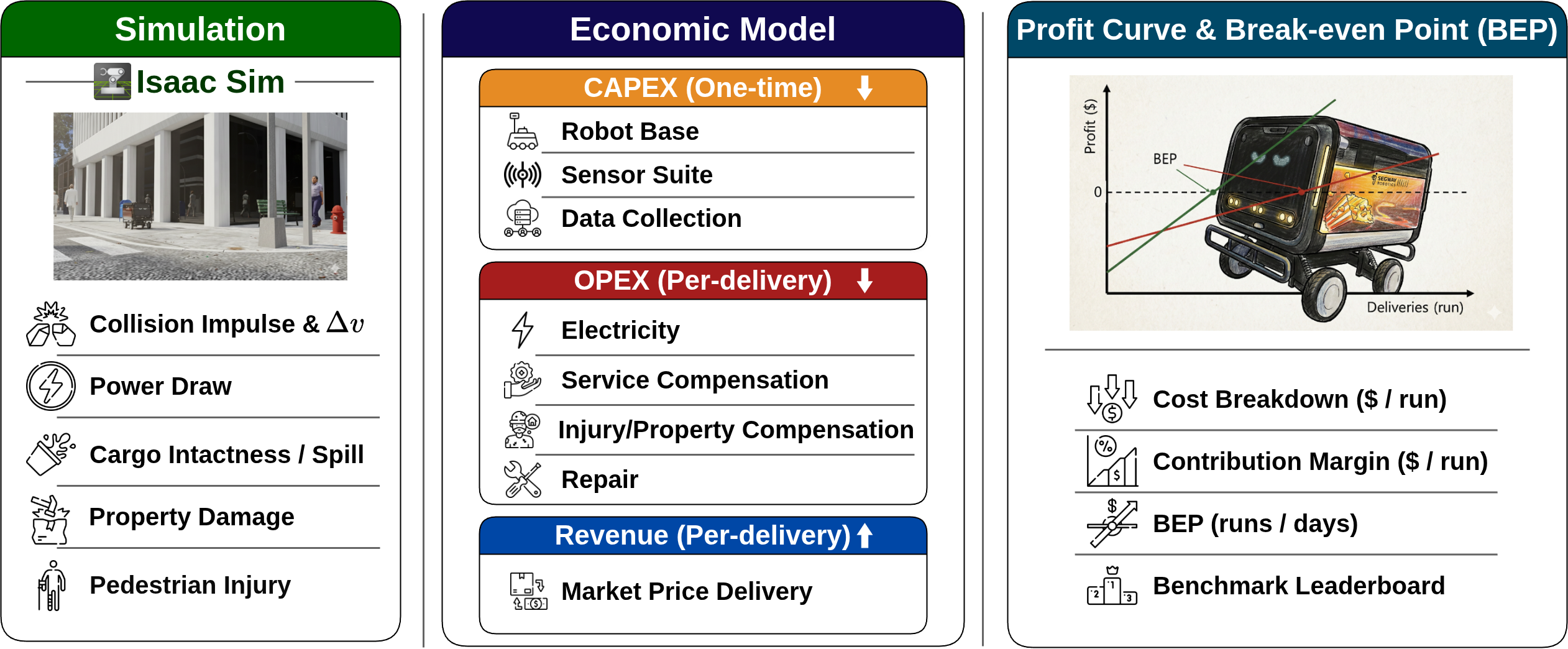
Economic Model
Key Statistics
| Statistic | Value |
|---|---|
| Total episodes | 2,203 |
| Total duration | 50.2 hours |
| Total ROS messages | ~71.4M |
| Collectors | 4 (A, B, C, D) |
| Episodes per collector | A: 376, B: 744, C: 73, D: 446 |
| Episode outcomes | Success (O): 1,639 / Partial (△): 59 / Fail (X): 505 |
| Food camera available | Yes: 1,136 / No: 1,067 |
| Storage format | ROS 2 bag (MCAP) |
| Simulation platform | NVIDIA Isaac Sim |
| Robot | Segway E1 delivery robot |
| ROS distribution | Jazzy |
Dataset Structure
CostNav-Teleop-Dataset/
├── collector_A/                          # 376 episodes
│   ├── recording_YYYYMMDD_HHMMSS/
│   │   ├── metadata.yaml                 # ROS bag metadata (topics, QoS, message counts)
│   │   └── recording_*_0.mcap            # MCAP bag file with all sensor data
│   └── ...
├── collector_B/                          # 744 episodes
├── collector_C/                          # 73 episodes
├── collector_D/                          # 446 episodes
└── costnav data collection_v3 recording - rosbags_time_summary.csv
Summary CSV Columns
| Column | Description |
|---|---|
recording_dir |
Path to recording directory |
metadata_path |
Path to metadata YAML |
mcap_files |
MCAP bag filename |
start_time_utc / end_time_utc |
Episode timestamps (UTC) |
start_time_kst / end_time_kst |
Episode timestamps (KST) |
duration_seconds |
Episode duration in seconds |
duration_hms |
Episode duration (H:MM:SS) |
message_count |
Total ROS messages in episode |
episode_success |
Outcome: O (success), △ (partial), X (fail) |
food_cam |
Whether food camera data is included (O/X) |
ROS 2 Topics
Each MCAP recording contains the following topics:
| Topic | Message Type | Description |
|---|---|---|
/front_stereo_camera/left/image_raw/compressed |
sensor_msgs/CompressedImage |
Front stereo camera (left, compressed) |
/front_stereo_camera/left/camera_info |
sensor_msgs/CameraInfo |
Camera intrinsics |
/front_3d_lidar/lidar_points |
sensor_msgs/PointCloud2 |
3D LiDAR point cloud |
/scan |
sensor_msgs/LaserScan |
2D laser scan |
/chassis/odom |
nav_msgs/Odometry |
Wheel odometry |
/chassis/imu |
sensor_msgs/Imu |
Chassis IMU |
/front_stereo_imu/imu |
sensor_msgs/Imu |
Stereo camera IMU |
/cmd_vel |
geometry_msgs/Twist |
Teleop velocity commands |
/joy |
sensor_msgs/Joy |
Raw joystick input |
/is_model |
std_msgs/Bool |
Model control flag |
/tf / /tf_static |
tf2_msgs/TFMessage |
Transform tree |
/map |
nav_msgs/OccupancyGrid |
Occupancy grid map |
/goal_pose |
geometry_msgs/PoseStamped |
Goal position |
/initialpose |
geometry_msgs/PoseWithCovarianceStamped |
Initial pose estimate |
/start_marker / /goal_marker / /robot_marker |
visualization_msgs/Marker |
RViz markers |
/clock |
rosgraph_msgs/Clock |
Simulation clock |
/diagnostics |
diagnostic_msgs/DiagnosticArray |
System diagnostics |
Usage
Loading with MCAP
from mcap.reader import make_reader

with open("collector_A/recording_20260202_052239/recording_20260202_052239_0.mcap", "rb") as f:
    reader = make_reader(f)
    for schema, channel, message in reader.iter_messages():
        print(f"{channel.topic}: {schema.name} @ {message.log_time}")
Loading with ROS 2
# Play back a recording
ros2 bag play collector_A/recording_20260202_052239/

# Inspect bag info
ros2 bag info collector_A/recording_20260202_052239/
Data Processing: MCAP to Training Format
The CostNav repository includes a full data processing pipeline to convert raw MCAP bags into training-ready formats for imitation learning baselines (ViNT, NavDP, etc.).
Step 1: Convert MCAP bags to MediaRef format (extracts images to H.264 video for efficient lazy-loading):
python costnav_isaacsim/il_training/data_processing/converters/rosbag_to_mediaref.py \
    --input data/sample_rosbags/recording_20260109_061808 \
    --output data/processed/recording_20260109_061808
Step 2: Batch convert multiple bags in parallel using Ray:
python costnav_isaacsim/il_training/data_processing/converters/ray_batch_convert.py \
    --input-dir data/sample_rosbags/ \
    --output-dir data/mediaref/ \
    --num-workers 4
Step 3: Convert MediaRef to ViNT training format (synchronized images + odometry at configurable Hz):
python costnav_isaacsim/il_training/data_processing/process_data/process_mediaref_bags.py \
    --input-dir data/mediaref/ \
    --output-dir data/vint_format/ \
    --config costnav_isaacsim/il_training/data_processing/configs/vint_processing_config.yaml
Output structure (ViNT format):
data/vint_format/
└── trajectory_name_0/
    ├── 0.jpg, 1.jpg, ...    # Extracted images (160x120, 4:3)
    └── traj_data.pkl         # Position and yaw arrays
Alternative: Convert to NavDP format (with depth estimation via DepthAnythingV2):
python costnav_isaacsim/il_training/data_processing/process_data/process_mediaref_to_navdp.py \
    --input-dir data/mediaref/ \
    --output-dir data/navdp_format/ \
    --config costnav_isaacsim/il_training/data_processing/configs/navdp_processing_config.yaml
See the full Data Processing Documentation and Teleoperation Guide for details on configuration, the recording pipeline, and robot control setup.
Related Resources
- CostNav GitHub Repository - Benchmark code, simulation environment, and evaluation tools
- CostNav Project Page - Overview and results
- CostNav Documentation - Full setup and usage guides
- Blog Post - Summary and motivation
- Cost Model (Google Drive) - Full cost benchmark formula with real-world references
Citation
If you use this dataset in your research, please cite the CostNav paper:
@misc{seong2026costnavnavigationbenchmarkrealworld,
      title={CostNav: A Navigation Benchmark for Real-World Economic-Cost Evaluation of Physical AI Agents},
      author={Haebin Seong and Sungmin Kim and Yongjun Cho and Myunchul Joe and Geunwoo Kim and Yubeen Park and Sunhoo Kim and Yoonshik Kim and Suhwan Choi and Jaeyoon Jung and Jiyong Youn and Jinmyung Kwak and Sunghee Ahn and Jaemin Lee and Younggil Do and Seungyeop Yi and Woojin Cheong and Minhyeok Oh and Minchan Kim and Seongjae Kang and Samwoo Seong and Youngjae Yu and Yunsung Lee},
      year={2026},
      eprint={2511.20216},
      archivePrefix={arXiv},
      primaryClass={cs.AI},
      url={https://arxiv.org/abs/2511.20216},
}
License
This dataset is released under the Apache 2.0 License.